Desertcart purchases this item on your behalf and handles shipping, customs, and support to Philippines.
🚀 Elevate your WiFi game—because buffering is so last decade!
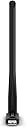
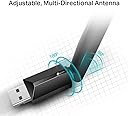
The TP-Link Archer T3U Plus AC1300 USB WiFi Adapter delivers dual-band connectivity with 2.4 GHz and 5 GHz frequencies, enhanced by adjustable 5dBi high-gain antennas for superior signal strength. Featuring USB 3.0 plug-and-play compatibility, MU-MIMO technology for multiple device support, and broad OS compatibility, it’s designed to boost your PC’s wireless performance with speeds up to 600 Mbps and reliable coverage—ideal for professionals demanding seamless, high-speed internet.
| ASIN | B07P681N66 |
| Best Sellers Rank | 264 in Computers & Accessories ( See Top 100 in Computers & Accessories ) 2 in USB Computer Network Adapters |
| Box Contents | Wi-Fi dual band USB adapter |
| Brand | TP-Link |
| Brand Name | TP-Link |
| Color | black |
| Colour | black |
| Compatible Devices | Desktop |
| Compatible Operating System Family | Linux, MacOS, Windows |
| Compatible devices | Desktop |
| Customer Reviews | 4.3 out of 5 stars 22,975 Reviews |
| Data Link Protocol | USB |
| Data Transfer Rate | 600 Megabits Per Second |
| Data link protocol | USB |
| EU Spare Part Availability Duration | 2 Years |
| External Testing Certification | ANATEL: 13801903177 |
| Global Trade Identification Number | 06935364099862 |
| Hardware Interface | USB, USB 2.0 |
| Hardware interface | USB, USB 2.0 |
| Item Dimensions L x W x H | 5.8L x 1.8W x 17.3H centimetres |
| Item Type Name | Turbo 256QAM WiFi Adapter WiFi Antenna AC 600Mbps 5dBi Dual Band with External Antenna and Powerful Signal |
| Item Weight | 12 Grams |
| Manufacturer | TP-Link |
| Manufacturer Part Number | Archer T2U Plus |
| Minimum Required Operating System Version | Windows 10, Windows 11, Windows 7, Windows 8, Windows XP |
| Model Number | ARCHER T2U PLUS |
| Number of Items | 1 |
| Number of Packs | 1 |
| Product dimensions | 5.8L x 1.8W x 17.3H centimetres |
| Unit Count | 1.0 count |
B**N
TP-Link Archer T3U Plus WiFi Dongle, AC1300: The Wi-Fi Whisperer
If your Wi-Fi signal was a party, the TP-Link Archer T3U Plus would be the DJ that suddenly makes everything better. You know, the one who walks in with a magical USB stick and instantly turns your weak, sad connection into a smooth, fast, and reliable one. It’s like Wi-Fi 2.0—faster, stronger, and better looking. First of all, let’s talk setup: It’s so easy, I almost feel like I cheated. Plug it in, wait for the drivers to install, and bam—you're surfing the web like you’ve just discovered the internet again. It’s like the dongle waved a magic wand and told your device, “You’re going to get the best signal in town, my friend.” And let’s not forget range. I’m talking about a Wi-Fi connection so strong it could reach across the room, through walls, and even through the neighbor’s house. My Wi-Fi now reaches places I thought were forever lost to the digital void. If Wi-Fi were a superhero, this dongle would be the one who flies through walls to rescue your connection, no cape required. The speed? AC1300. That's a fancy way of saying it's like your Wi-Fi is on a caffeine rush. Buffering? That’s for people who still have dial-up. Streaming? Smooth as butter. Gaming? Lag who? In short, if your Wi-Fi has been throwing a tantrum, get the TP-Link Archer T3U Plus. It’ll fix your connection faster than you can say "buffering." It's like giving your device a Wi-Fi makeover—one that actually works.
A**7
Worthy dongle.
Because of physical wiring issues with my new fibre broadband, my router had to be moved from the loft where my pc is located, to the kitchen, 2 floors below. My old Dell Windows 10 pc just couldn’t pick up the new signal and my speed remained at the previous 45mbps. With this dongle the speed is now 150mbps as it should be. I wouldn’t say the whole process was easy and straightforward because nothing ever is with non-tech people like me. Installing the software was the easy part but didn’t seem to appear on my pc’s available WiFi connections. However, I did finally work it out and the dongle works just great. A tech savvy person would probably have no problems.
T**U
Why I Chose the AC1300 Dongle Over Other Wi-Fi Adapters
If you are looking for a way to improve your Wi-Fi connection on your PC or laptop, you might want to consider the TP-Link AC1300 Wi-Fi Dongle. This is a dual-band Wi-Fi adapter that supports the latest 802.11ac standard and can deliver up to 867 Mbps on the 5 GHz band and 400 Mbps on the 2.4 GHz band. It also has a 5 dBi high-gain antenna that can improve your wireless network's signal strength and range. The installation of the dongle is very easy and straightforward. You just need to plug it into a USB 3.0 port on your computer and install the driver from the included CD or download it from the TP-Link website. The dongle is compatible with Windows 11, 10, 8.1, 8, and 7 operating systems. It also comes with a USB extension cable that allows you to place the dongle in a more optimal position for better reception. The performance of the dongle is impressive and consistent. I tested it on my laptop which has a built-in Wi-Fi card and compared the results using Speedtest.net. The dongle was able to achieve higher download and upload speeds than the built-in card on both bands. The latency was also lower with the dongle. The signal strength was also better with the dongle, especially on the 5 GHz band, where I could connect to my router from farther away without any dropouts or interruptions. The dongle also supports MU-MIMO technology, which means it can communicate with multiple devices simultaneously and reduce congestion and latency on your network. It also supports WPA/WPA2 encryption and a WPS button for easy and secure connection. Some of the pros and cons of the dongle are: -----Pros:----- 1- Fast and reliable Wi-Fi speeds on both bands 2- High-gain antenna that improves signal strength and range 3- Easy installation and compatibility with Windows OS 4- USB extension cable included 5- MU-MIMO technology supported 6- WPA/WPA2 encryption and WPS button supported -----Cons:----- 1- The dongle is quite large and bulky, which might block other USB ports or interfere with other devices 2- The driver might need to be updated manually from time to time 3- The dongle might get hot after prolonged use ----------------------------------- Some of the reasons to buy or avoid the dongle are: -----Buy:----- - If you want to upgrade your Wi-Fi connection on your PC or laptop to the latest standard and enjoy faster and more stable speeds - If you have a weak or unstable Wi-Fi signal in your area and need a high-gain antenna to boost it - If you have multiple devices on your network and want to reduce congestion and latency with MU-MIMO technology Avoid: - If you have limited USB ports or space on your computer and do not want a large and bulky device sticking out - If you do not want to deal with driver updates or potential compatibility issues with future Windows updates - If you are concerned about the heat generated by the dongle after long hours of use -------------------- ----Conclusion:---- The TP-Link Dongle is an excellent device for anybody looking to boost their Wi-Fi connection on a PC or laptop. It offers fast and consistent speeds on both bands, a high-gain antenna that improves signal strength and range, easy setup and compatibility with Windows OS, MU-MIMO technology, WPA/WPA2 encryption, and a WPS button. It does, However, it also has some drawbacks, such as its large size, driver updates, and heat generation. Therefore, you should weigh the pros and cons before buying it.
L**S
I always do honest reviews
On my new pc i was using my old 600M wireless adapter felt a little slow, i ran a download speed test was getting 150-160Mbps, i decided to order this one as its faster speeds and its a USB.3.0 so it should be better and thats right. i got it today and did the same test and my mbps got doubled, i was getting around 265-270Mbps. Really simple to use as well just plug it into a blue USB port at front or back and it pops up straight away, i dont know why some of these reviews are so negative they must have old or faulty hardware. And ive been playing on my pc for a couple hrs now without any disconnects so it seems to be stable.
B**B
Excellent performance huge difference in signal gain..
Better than expected huge difference in signal, excellent performance very impressive highly recommended… picked up signals never knew were there, speed is great, easy installation no problems..
R**Y
Highly recommend!
Super fast and easy to set up Didn't even need the software, it just works. Works with my pc and laptop super well, highly compatible! It's super small so you won't have trouble finding it Just a heads up, there's no Bluetooth so keep this in mind when buying if you want 2 in 1 I can now stream music at lossless quality without issues like I had with my old adapter. Highly recommend!
C**H
Archer T3U Plus has USB3.0 connection issues
I can no longer recommend the TP-Link Archer T3U Plus USB Wi-Fi adapter. It no longer operates in USB 3.0 mode and is instead forced by the TP-Link driver to run in USB 2.0 mode, which significantly reduces its performance. If you search for "TP-Link USB 3 Wi-Fi adapter always shows as USB 2 on Windows", you'll find that this is a widespread issue affecting many users. Based on discussions on various forums, it appears that running the adapter in USB 3.0 mode can cause it to overheat, leading to instability and random disconnections. It seems TP-Link's solution has been to force the adapter into USB 2.0 mode through the driver rather than address the underlying hardware problem. Unfortunately, this issue only appeared around six months after I purchased it, so I was no longer able to return it. What disappoints me most is that a product advertised as a USB 3.0 adapter is now effectively restricted to USB 2.0 speeds. I have managed to force the adapter back into USB 3.0 mode by modifying the Windows registry so I know its not an issue with my PC, but customers shouldn't have to edit system settings just to restore the advertised functionality and even then, it comes with the risk of instability.
P**R
Does the job, mostly, but nothing special
Bought this to connect my PC to the home Wi-Fi and it mostly works. Speed can be inconsistent and performance fluctuates for no apparent reason. Depending on where the device is positioned can have a big effect on how well the device works. When installed in a USB port on the rear of my PC it just couldn't see any Wi-Fi networks, so it is now taking up one of the only two USB ports on the front of my PC. Periodically the Wi-Fi connection switches to being disconnected. Sometime "forgetting" and reconnecting to the W-Fi (including re-entering the password) fixes the problem; other times I need to move the device to the other USB port as well to regain connectivity.
R**L
Excelente e fácil de instalar
Foi fácil instalar os drivers e ele já ao conectar ligou na Internet. Pega bem, mesmo com diversas paredes de concreto no caminho e chegou em ótimas condições.
V**R
Un petit bijou de technologie pour un internet rapide et fiable
Que dire de cette petite clé WiFi AC600 Archer T2U Plus de TP-Link ? C'est tout simplement un must pour tous ceux qui recherchent une connexion internet rapide et stable où qu'ils aillent. Avec ses débits théoriques de 600 Mbps, elle offre des vitesses de navigation et de téléchargement impressionnantes, même dans les environnements les plus encombrés. Son design compact et élégant en fait un accessoire facile à transporter et à brancher sur n'importe quel ordinateur portable ou de bureau. Fini les câbles encombrants et les connexions instables ! Grâce à sa puce WiFi de dernière génération et à ses antennes internes haute performance, cette clé WiFi capte le signal avec une grande précision, même dans les zones où la réception est faible. L'installation est un jeu d'enfant, et en quelques clics seulement, vous pourrez profiter d'un internet ultra-rapide pour travailler, diffuser des vidéos ou jouer en ligne sans aucune latence. De plus, la sécurité est assurée grâce au chiffrement WPA/WPA2 qui protège vos données contre les accès non autorisés. Bref, si vous cherchez un accessoire WiFi fiable, performant et abordable, cette clé TP-Link est un excellent choix. Une vraie petite merveille de technologie qui me permet de rester connecté en toute circonstance.
L**O
Comodidad
La rapidez de instalacion
A**N
worth it's price
It's tiny and sheer mighty. Does its work with ease
ا**ي
5G
قوي يلقط النت من بعيد
Trustpilot
3 days ago
4 days ago