
DOWNLOAD THE APP


Customer Services
Copyright © 2025 Desertcart Holdings Limited
DOWNLOAD THE APP

🚀 Power, Precision, and Portability — Own Your Day with Acer Aspire 5!
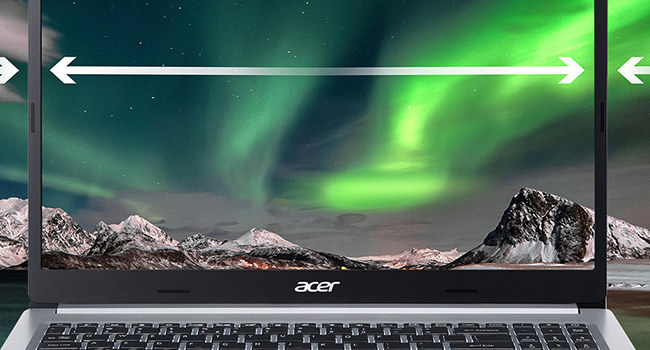
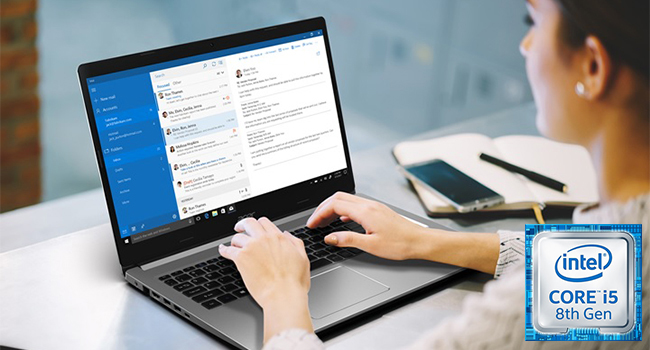
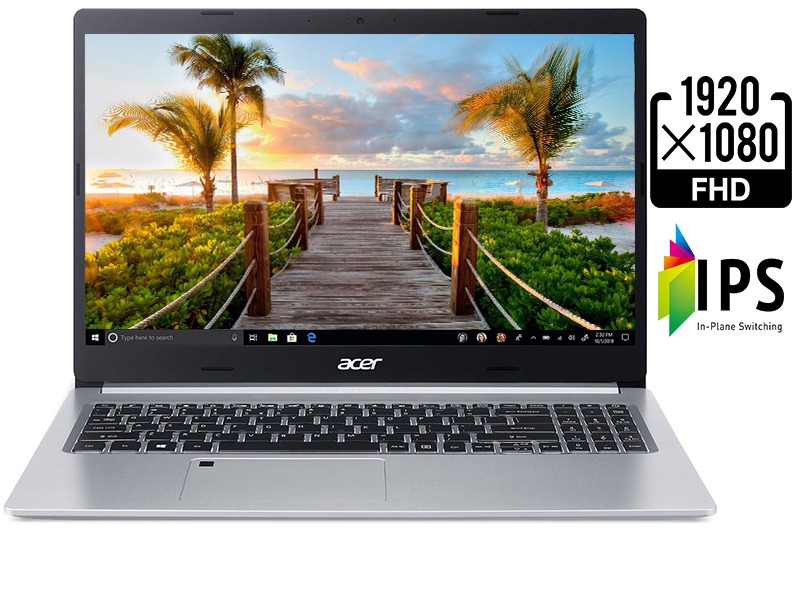
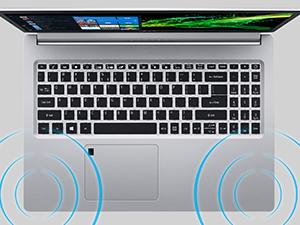
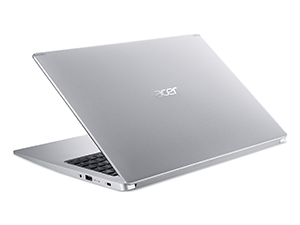
The Acer Aspire 5 Slim Laptop combines an 8th Gen Intel Core i5 processor, 8GB DDR4 RAM, and a speedy 256GB PCIe NVMe SSD to deliver fast, reliable performance for professionals on the go. Its 15.6-inch Full HD IPS display offers sharp visuals with wide viewing angles, while the fingerprint reader adds secure, quick access. With up to 9.5 hours of battery life and versatile connectivity options including USB-C and HDMI, this sleek 3.97 lb laptop is designed to keep you productive and connected all day.




| ASIN | B07RF2123Z |
| Audio Output Type | Speakers |
| Audio Recording | No |
| Audio features | Stereo speakers |
| Automatic Backup Software Included | Webcam |
| Battery Average Life Standby | 9.5 Hours |
| Battery Cell Type | Lithium Ion |
| Battery Life | 5 Hours |
| Best Sellers Rank | #72,700 in Computers & Accessories ( See Top 100 in Computers & Accessories ) #12,072 in Traditional Laptop Computers |
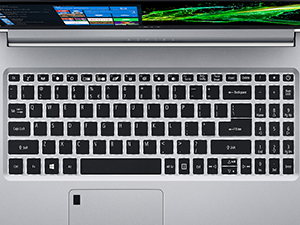
| Biometric Security Feature | Fingerprint Recognition |
| Bluetooth Version | 5.0 |
| Bluetooth support? | Yes |
| Brand | acer |
| Built-In Media | Laptop, AC Adapter, Power Cord |
| CPU Codename | Cezanne |
| CPU L1 Cache | 256 KB |
| CPU Model | Core i5 |
| CPU Model Generation | 8 |
| CPU Model Number | i5-8265U |
| CPU Model Speed Maximum | 4.5 GHz |
| Cache Memory Installed Size | 6 |
| Camera Description | Front |
| Chipset Type | Intel chipset starting with the prefix 8 |
| Color | Silver |
| Compatible Devices | External displays, mice, keyboards, storage devices, printers, and other accessories that use USB, HDMI, Bluetooth, or Wi-Fi connections. |
| Connectivity Technology | HDMI, USB |
| Control Method | Touch |
| Customer Reviews | 4.4 out of 5 stars 2,967 Reviews |
| Display Resolution Maximum | 1920x1080 |
| Display Technology | LED |
| Display Type | LED |
| Form Factor | Laptop |
| Global Trade Identification Number | 00193199257727 |
| Graphics Card Ram | 2 MB |
| Graphics Coprocessor | Integrated |
| Graphics Description | Integrated |
| Graphics Ram Type | Shared |
| Hard Disk Description | SSD |
| Hard Disk Interface | Solid State |
| Hard Disk Rotational Speed | 0.1 |
| Hard Disk Size | 256 GB |
| Hard-Drive Size | 256 GB |
| Hardware Interface | HDMI, USB |
| Has Color Screen | Yes |
| Human-Interface Input | Keyboard |
| Item Dimensions L x W x Thickness | 14.31"L x 9.86"W x 0.71"Th |
| Item Weight | 3.97 Pounds |
| Keyboard Description | Backlit |
| Keyboard Layout | QWERTY |
| LAN Port Bandwidth | 1 Gbps |
| Lithium-Battery Energy Content | 3220 Milliamp Hours (mAh) |
| Manufacturer | Acer |
| Memory Clock Speed | 2400 MHz |
| Memory Slots Available | 1 |
| Memory Speed | 2400 MHz |
| Microphone Form Factor | Built-In |
| Model Name | A515-54-51DJ |
| Model Number | A515-54-51DJ |
| Model Year | 2019 |
| Native Resolution | 1366 x 768 pixels |
| Notebook Pointing Device Description | Multi-touch Gesture Touchpad |
| Number of Drivers | 1 |
| Number of Ethernet Ports | 1 |
| Number of Ports | 5 |
| Operating System | Windows 10 Home |
| Optical Storage Device | no optical |
| Other Special Features of the Product | Fingerprint Reader |
| Power Device | internal battery |
| Processor Brand | Intel |
| Processor Count | 4 |
| Processor Series | Core i5 |
| Processor Speed | 3.9 GHz |
| RAM Memory Installed | 8 GB |
| RAM Memory Slot Total Count | 1 |
| RAM Memory Technology | DDR4 |
| RAM Type | DDR4 SDRAM |
| Ram Memory Maximum Size | 16 GB |
| Resolution | 720p |
| Screen Finish | Glossy |
| Screen Size | 15.6 Inches |
| Series Number | 5000 |
| Speaker Description | Two built-in stereo speakers |
| Specific Uses For Product | Business, Multimedia, Personal |
| Supported Monitor Maximum Quantity | 1 |
| Total Number of HDMI Ports | 1 |
| Total Usb Ports | 4 |
| Touch Screen Type | Capacitive |
| Touchpad Feature | True |
| UPC | 193199257727 |
| Video Output | HDMI |
| Video Processor | Intel |
| Voltage | 3.7 Volts |
| Warranty Description | One-year International Travelers Limited Warranty (ITW) |
| Warranty Type | Limited |
| Webcam Capability | Yes |
| Wireless Compability | 802.11ac |
| Wireless Technology | Wi-Fi |
N**D
Outstanding Value
I bought this laptop, and a Crucial 1TB SSD on Black Friday. After two and a half weeks, these are my thoughts: Speed: The primary reason I wanted to update my laptop from a nearly 6-yr old HP Pavilion was to get better speed. This laptop delivers the goods. With an 8th generation i5-8265u, 8GB of RAM (expandable to 20GB max), and a 256GB PCIe-NVMe SSD, it is only the Intel UHD 620 graphics that holds it back. From completely off (not sleeping), to booted and signed in, with a functional desktop, ready to respond, takes 12 seconds. The SSD gets most of the credit, though the fingerprint reader speeds sign in significantly (it doesn't work every time). Apps open quickly, and web pages load promptly. More importantly, it feels fast. On User Bench, it tests out as only a Surfboard as a gaming platform, and a Sailboat as a workstation (no big surprises based on the graphics and amount of RAM), but it is a Battlecruiser as a desktop. For everyday computing, this rig is a member of the Brute Squad. So, on speed, it earns a solid check mark. Screen: Excellent. It is bright, colors are nicely saturated, and, as expected these days, no dead pixels. At typical working distance, it is a retina screen, with not a pixel in sight. Thanks to the IPS technology, the wide viewing angle without the “photographic negative” effect is a solid plus. How many nits, and what percent of the color gamut can it display? Don't know, don't care. It easily passes the “eye test.” So the screen warrants a solid check mark. Of note, this is NOT a touchscreen. Keyboard: The other reason I wanted to upgrade was to have a back-lit keyboard. It was a MUST-have, and I will not purchase another laptop, or any other keyboard that is not back-lit. Are you listening out there, all you laptop manufacturers? I like the size of, and the feel of the keys. It is a fairly quiet keyboard. The back light does turn off after 30 seconds of no input, in order to conserve battery. Some have criticized this feature. If you continue input, it does not turn off. If it turns off, it comes back on by depressing any key. And the back light is not just around the edges of each key, but each character is is illuminated as well, so you can really see what you are doing. The only negative is that the Home, End, PgUp, and PgDn keys share double duty with 4 keys of the numeric keypad, and you have to turn NumLock on and off to use them. Also, the NumLock and the hated CapsLock key do not have indicator lights to tell you if the are on or off. Both of these are significant, though not fatal flaws, in my opinion. So on the keyboard - check. WiFi: It works. No fuss, no muss. Connects easily, and it is fast. On Speedtest by Ookla, it produces a download speed of 207mbps, and an upload speed of 116mbps, over a background of a nominal internet connection speed of 300mbps. Of course, your results will vary. WiFi – check. Form Factor: This is a 15.6” screen, and it weighs ~4lbs. It is comfortable to use. The track pad is fairly large, and works well, though I have yet to learn all the gestures that are available. I like it. Fan Noise: This has been an issue of criticism in some reviews of Aspire 5's. I would disagree. Most of the time, fan noise is minimal or absent. Occasionally, if the CPU is pushed harder, fan noise does become audible. However, it tends to be short-lived, e.g., <30 seconds. So I don't regard it as much of an issue. Battery Life: I mostly use my laptop plugged in, so battery life is not a major issue for me. However, the estimate of 5hrs of battery life on average seems reasonable, based on some experience on battery power. The claim of 9.5 hrs maximum seems a bit of a stretch, but not necessarily impossible if you maximize power saving. Adding a 2nd SSD: With only 256GB on the SSD, a 2nd hard drive of some sort seems mandatory. These days, given the prices of SSD's, there is little excuse for installing a traditional HDD. I added a 1TB Crucial SSD, at a very reasonable price, and the upgrade was relatively easy (the hardest part was prying the back off after removing the 11 screws), aided by a very helpful Acer YouTube video that walks you through the process. Also, the laptop comes with the needed bracket, cable and connector, and all the screws to add the SSD. So, adding the 2nd SSD, which was a MUST-have, was painless. Good one, Acer! In Sum: For <$500 (at the Black Friday prices for the laptop and SSD), I have an awesome laptop, built for general everyday computing tasks. In my book, this is an outstanding value. 5-month update: After 5 months with this laptop, I have only come to appreciate it even more. It remains very fast, everything works, the screen and the keyboard are great (excepting the few keyboard omissions noted above), battery life is more than acceptable. Best laptop I have ever owned, by a lot! It remains a tremendous value.
D**Y
Great laptop. Super fast
I bough this Acer a few days ago to replace a Toshiba Satellite C55-C5241 that suddenly died (monitor stopped working) 3 short years after buying it. I was originally reluctant to buy an Acer as I was not very sure about the quality, was concerned about another review that mentioned the fan was very loud, and was not sure I could live with a SSD of 256 only. Here are my initial impressions: 1 Speed. It is a JOY to power up this computer. In fact, I shut it down and then back up just to enjoy how fast it is to power up. I was always amazed by how the Chromebook my son gets from his middle school was so much faster than my Satellite (or even the HP I have at work) was to power up. I guess it all pretty much boiled down to the SSD vs. the HDD hard drive. If you are debating whether it makes a difference, I can grantee you it makes a world of difference. This computer is up and running in seconds. I used to DREAD doing anything in my 3 year old Satellite. No more. It is also very fast to write to the SSD if you are downloading large files. Fast fast fast. 2 Storage. I have a ton of pictures and videos and they won't all fit in this 256GB SSD, but is it VERY easy to solve that. This computer comes with an HDD harness and cable to add an internal HDD (max width is 7mm) and there are Acer videos on how to do it. I almost did it in about 15 minutes, but was unsuccessful only because I tried to use the 1TB HDD from my Satellite not realizing the width was 9.5mm until I tried to close the case back up. You can buy a compatible 1TB HDD for about $50. You can also add an external HDD of 2TB in capacity for about $60. With either of these solutions you get a really fast computer with enough storage. 3 Current Generation Processor (Intel Core 5 8th generation). You can check the benchmarks on how fast it is. For my General Family Laptop purposes it fits the bill just fine. 4 Build quality. This laptop feels very sold and I love the lighten keys that the Satellite did not have. 5 Really good overall value. I paid about $500 for this laptop, and if you factor an extra $50 to $60 for extra storage you are at a sub $600 setup with newest (as of July 2019) Intel Core 5, 256GB SSD, great build quality, good monitor, etc. I think it is a great deal. I have not tested this for video games or anything like that but for an overall home laptop it is great.
L**L
GREAT VALUE for the price -- very fast (but not for "hard-core gamers"!)
This laptop was purchased to replace a Chromebook (because many programs and platforms haven't caught on to the Linux thing, yet). Fortunately, using a Chromebook for a year taught me to utilize platforms and cloud storage for nearly everything, so hard drive space is not a concern for me. Also, I am not a "gamer" per se, so I don't need the gaming stuff (fast processors, awesome graphics processing cards, whatever). I use this primarily for writing, editing, photography editing, online research, etc. I also use it for watching movies/TV shows (whether streaming or downloaded), accessing large JPG files, and sometimes playing games that don't involve being chased or shooting anyone(thing) haha PROS: * This computer is very, very fast for what I need -- I am a professional screenwriter, writer/editor, and photographer, so I use it to do writing and photography editing. * I can have 20 tabs open on Google while simultaneously using Word for multiple-document editing, screenwriting software, AND downloading updates. Even on 2G wi-fi, the speed never even hiccups. * The graphics are AMAZING and the screen size is awesome. Love the backlit keyboard, and the ability to use night settings to cut down on blue light emissions so I (might) go to sleep on time! * For the money, this is a great laptop for those who aren't "serious gamers" -- although I have used it for movies, TV shows, streaming live, etc. and it is phenomenal. I don't do any gaming that requires fast processing, so this doesn't matter to me at all. * Downloading movies, TV shows, large documents, bulky JPG files, everything has gone very quickly and smoothly. Even using my screenwriting software hasn't caused any problems at all, regardless of how much I do all at once (I multi-task a LOT). I currently have 17 tabs open on Google Chrome, Word, and my system is updating. No issues! * Works great with portable hard drives, wireless headphones, wired earbuds, phone integration (cell phone synced with laptop for messaging while working), and the power cord actually was identical to my previous Chromebook! * Lightweight, large screen, nice-sized keyboard (includes the numerical pad) and a lot of features I still haven't gotten to explore! CONS: * The battery dies rather quickly, when used for movie/TV show viewing (about 4 hours from full charge). When used for writing/editing and online work (only) it lasts closer to 7 hours. * Sometimes, the touchpad will just stop working, altogether. However, I use a wireless mouse so this doesn't bother me very much. If you use the touchpad exclusively, this will be a MAJOR issue. * If you are used to having big, fat hard drive space -- well, that's just silly (use the cloud, people!!) -- then you will not like the "smaller" amount of hard drive space on this laptop. Easy solution: use a portable hard drive (I have a 1TB from Office Max for $54). Or learn how to use the multitude of cloud storage available (many are free!) ** Does not work with my current printer (HP DeskJet 2622) for wireless printing. But that is more the fault of HP, not Acer. Just not compatible (ugh) because the printer uses its own "network" and is only 2G (very strange). **
J**G
It seems they patched it's problems. Great college laptop.
Pros: -Screen is bright and colors are good (in the product I got, I saw some people complaining about this so they might not have the best quality control) -The screen quality + size combination allows me to keep multiple windows open without feeling cramped or squinting -Battery lasts for advertised time (it's only about 7 hours with ~10 tabs and a VM running, but that's great imo) -The thing is light for its size/price -The thing is thin, which is great for sliding it into my backpack -The thing is perty (subjective, but I think it looks mighty fine Cons: -The keyboard isn't the best I have ever used, but it's better than the keyboard on a Mac and it lights up -The F keys default to their laptop function (i.e. brightness, volume, etc.) so I can't refresh a webpage without pressing Fn + F5 (it's more annoying than you might think) -The fingerprint reader takes a couple tries sometimes Things that differed from what I saw in reviews: -The fan issues were INSANE when I first booted it up. But after I installed the updates they were gone completely and it doesn't get hot anymore, so that's nice. -The WiFi card wasn't amazing or anything, but it wasn't bad by any means. I can access the campus WiFi and the WiFi in my apartment easily from every range that I will ever need. -The CPU speed is fine. It handles multitasking well and will be snappy for web browsing, Microsoft Office programs, VMs, and the usually coding tasks. I swear to God some people expect a $500 dollar laptop to be a god tier workstation for their 69-dimensional rendering software that they use to make contemporary art. -It has 8 GB's of RAM, don't open 100 tabs and you will be fine. I honestly believe some of these reviewers have dementia and they open a new window every time they want to see what's happening on Yahoo! News.
D**S
Purcahsed in 2019
This Acer Aspire laptop was purchased on Black Friday 2019. In short, it has proved to be a wonderful computer and a great buy. It has been used by, myself as well as a backup computer for our son for virtual school, and my wife's PC needs. It's regularly used with a graphics tablet to run ADOBE Photoshop for school, and Affinity Photo/Publisher/Designer. While it's not the most powerful choice for graphics design, it works fine for college-level tuition. The display is fantastic, clear, great color, and clear. Also, the displays a good size for a laptop. It's also much better than a compatible-priced Lenovo we had to buy for virtual school. The keyboard is good, has an ok feel, and has been robust. The Lenovo keyboard has a better feel. Otherwise, this PC is nicely balanced with an i5 processor now running Windows 11. The SSD is fast enough and never lags even on big jobs. Above all else, we have had this computer for 5 years and not a single problem, and it still runs well. So in the long run the Acer has been a champ, and could not be happier with our original purchase. 100% recommended for the long haul, and a great user experience on the way.
N**D
Perfect laptop!! Fantastic buy.
This laptop is everything I would need from a laptop it’s just perfect for me. I was honestly expecting it to be a little heavier due to the 15.6 screen size but it’s surprisingly very lightweight! I can carry this in my backpack with no problems at all. I love the back lit keyboard and I don’t really like the touchpad mouse on laptops so I bought my own separate physical mouse that works great! It starts up fast and has a very nice screen with good graphics and color. I will say that the fan can get a touch loud, but it won’t stay on for very long. Mostly I notice it’ll run when the laptop is still warming up or just loading a lot of stuff. But the fan will shut off after a few minutes or so and will remain quiet otherwise. It doesn’t really bother me. I see some reviews that are really nit picky about certain details on this laptop, and honestly I don’t know what the big deal is. It’s not an $1000 laptop so it’s not going to be the best of the best but for the price that it is it’s a very comfortable and exceptional laptop. This laptop isn’t gonna be suitable for gamers or those that film videos or those that need an abundance of space, however you can add more space if you wish.
T**W
Terrible.
The fan noise on this laptop is so bad that when you first hear it you're going to think your next door neighboor is using a leaf blower outside. I DARE you to tell me i'm wrong. I have an Acer aspire E15 and an acer aspire 5 (5504) and the fan noise combined from those two laptops are less than 1/8th the loudness of this new laptop. IT IS TERRIBLE. Think you can live with that? There's more: If you're a long time user of acer products you've become used to the 2nd function keys being assigned between the F3 to F9 keys and in blue. Thats GONE with this laptop. Here's the new configuration. F1 (previously f4) is the sleep function key, F2 (previously unassigned) is now airplane mode/wifi disable key, F3 and F4 (previously wifi and sleep respectively) are to adjust screen brightness, F8 (previously mute function key) has switched places with F9 now serving the keyboard backlight on/off function, F9 (previously keyboard backlighting function) is actually the mute function key. F10 and F11 (previously unassigned) are now the volume down and up function keys respectively. Just to add some additional frustration to the mix none of these keys are the second function anymore. So if you're used to hitting F5 to refresh browser windows or F3 to search now you'll need to hit the Fn Key first as the media functions take precedence in this new keyboard layout. This can actually be changed by rebooting and pressing F2 to enter the bios settings before windows loads. Even if you change the F1 - F12 keys back to their original hierarchic order the arrow keys are no longer the keys to access brightness or volume control but instead are music media keys. Good luck with that confusion. This new laptop basically is an all out attack on keyboard shortcut users even the Home key is now a point of frustration since they removed the dedicated home key and you're only left with the numlock access only home key that shares functionality with the number 7 key on the keypad. I also had to finish install necessary driver level software like the "acer quick access application" because as this was not installed there was no way to know if num lock or capslock was engaged as there is no LED indicating the status of these keys. Even if you Update the bios to the latest firmware version like I did it still won't solve the problem of the USB 3.0 ports having slower read/write speeds than a typical USB 2.0 port. Anyway At least THANK GOD on the plus side as a result of all that fan noise you do get ample cooling so the laptop does stay nice and cool..... HAHAHHAHAHAHAH PSYCH NOOOOOOOOOOOO no such luck my friend this laptop gets VERYYYYYY HOTTTTT in your lap and it is just pathetic that for all the fan noise you have to deal with it can't even keep the laptop at a comfortable temp while sitting there idle without a single thing going on. The charger is also not the regular acer charger so if you have other acer laptops that can share chargers interchangeably this one will not work with them. BTW this is all within the first half hr of use. Imagine what I'll discover by this time tomorrow. Seriously guys and gals if you're a long time acer product user and you've become accustomed to any level of consistency across their products just forget it with this laptop. I currently use the A515-51G-5504 aspire 5 for productivity and while you may think that the only difference between the two is that one has a dedicated graphics card and the other does not TRUST ME those two laptops are like NIGHT AND DAY different when it comes to speed, noise levels, and general build quality. I cannot overemphasize how much you should AVOID buying this laptop. You are going to HATE IT!
D**M
Exceeded expectations almost everywhere.
Bought this unit as a budget replacement for my fairly high-powered Dell desktop which was lost during flooding. I wasn't expecting much from a $500 laptop but just needed something to get me reconnected. Setup was a breeze, setting it to my preferences was simple, removing the (modest) bloatware from Acer was easy and I was pleasantly surprised at the quickness of the unit. The memory and drive appear to be easily and inexpensively upgradeable but it functions flawlessly right out of the box. I wasn't paying for or expecting gaming-quality graphics but the display renders internet and video perfectly. Those that find fault with this unit must be comparing it to others costing 2 to 3 times as much. I wholeheartedly recommend it to anyone seeking a laptop to take care of their basic computing needs. Very nice product for the money. Well done, Acer. Update from 10 days later: Been using it relentlessly and comparing it to my desktop, which had far more memory, storage and graphics capabilities, and I am honestly thrilled. I was thinking of using this as a bridge-unit until I could go back to a new desktop but am seriously rethinking that. The thing that really impresses me is the boot-time. This guy goes from powered down to browsing in about 30 seconds. Not sure if that's just the SSD or newer CPU but I am loving it. Pretty sure I'm going to start using this as my main and adding a docking station, keyboard/mouse (of course), monitor, a bit more memory and storage, and just rolling with it. Disclaimer: I am not a gamer and I understand this machine won't do complex graphics. Update 2: Just to see if it would work, I installed a $65 16GB memory card to bring the total RAM to 20GB, the maximum Acer allows for the unit (it comes with 8GB but you have to remove a 4GB card to upgrade). It worked flawlessly and it is now far zippy-er than my Dell. From what I've read, the extra memory allows it to run cooler and hopefully adds to its service life. Update 3: (I promise this is the last). Thrilled with this little budget-monkey. Restart time, 25-30 seconds. Startup from shut down (not sleep), 12-15 seconds including pin-entry time. Kicking it up to 20GB memory really helped. For anyone that wants to try this stunt (and possibly void the warranty) all it takes is a plastic spudger (google it) and a small Phillips head screwdriver to take the back of the laptop off. 16GB memory cards are readily available from Crucial and Memorystock, usually on Amazon. The video that gave me confidence to try it was on YouTube but it showed how to add a hard drive, not a memory card. Older Acers had a removable panel over the memory but on the Acer Aspire 5 A515-54-51DJ, you have to take off the whole back. Don't even try it if you are confused about which end of a screwdriver to use or never read instructions. A final note about some of the drama-queen reviewers that complained that "it gets so hot" or "the fan sounds like a 747 taking off": Just because it's called a laptop doesn't mean you should use it on your lap covered with your fleece blanket blocking the air vents. Use mine on my desk and on the rare occasions that the fan kicks on under heavy use it makes a gentle whirring sound, barely noticeable. If it died tomorrow, I'd buy another. Loving it Update 4 (OK, I lied): After upgrading the memory and performing every performance-enhancing trick I could find on the internet with Windows, apps, settings and everything else, I started testing my budget computer. The most comprehensive free test I found was from UserBenchMark and I was kinda proud of the results. The test results can vary depending on the state of the computer but here was my best test (the others were pretty close): "Overall this PC is performing way above expectations (95th percentile). This means that out of 100 PCs with exactly the same components, 5 performed better. The overall PC percentile is the average of each of its individual components. This PC is likely operated by a technical master!" Did you hear that? I'm a technical master! All kidding aside, this $500 budget unit is working so far above my previous desktop that I'll never go back (sorry, Dell). I read that the average laptop only lasts 3-5 years before needing replacement. I'm OK with that and my next unit is definitely going to be a graphics-improved version of this machine, hopefully Acer. Totally pleased. Update 5: (from 8/19/2020). I installed a Samsung 860 EVO 500GB SSD (available here for about $69) for more storage space a couple of weeks ago. It went flawlessly. Well, except for the part when I buttoned it all up and it showed to have "no battery". Oopsie. Took it back apart and found that I hadn't pushed the battery connector completely in. Closed it back up, problem solved. If I recall correctly (I did this late at night after a few adult beverages) something had to be done to let the system recognize the device. Me and google had a few chats and I had a brand new 500GB drive D. There's a very good video on how to install it on YouTube. Just search "Aspire A515-54 How to Install an Additional Hard Drive". There's a clear statement at the beginning of the video from Acer that if you mess up, it's on you, not them. You'll only need a very small phillips head screwdriver and a plastic pry-tool (spudger) to open the back and remove/replace components. Acer ships the spare drive mounting bracket and screws with the laptop. Hopefully you haven't misplaced it. Others are available but they can only be the size of the ssd, no larger. One issue that I haven't resolved yet is that the Acer doesn't automatically put things on drive D yet since it's not a system disk. I can copy large files onto it from drive C easily, but but the system doesn't use it yet. I googled up on it and there is a way to merge drives C and D through something called "partitioning". It looks simple enough and I will do it as soon as I have time to spend a few hours researching the process (do we smell update 6 brewing?). Still thrilled with this little Acer budget-monkey and it puts my wife's thousand dollar Dell XPS 9360 to shame in terms of performance. Totally pleased. Update 5a: Semi-interesting wrinkle. Before I went to fumbling around to the the partitioning settings, I decided to create a system backup on a flash drive. Just in case I totally messed up. Didn't work. The flash drive was unacceptable to Windows 10 as a backup device. But Windows happily informed me that it could do the backup on drive D (oh, so NOW you recognize it, eh?). So I went ahead and did that but now I have my backup on an internal drive in the very machine I'm trying to keep protected.. Not completely useless but certainly not protected away from the laptop. Still investigating.
Trustpilot
3 weeks ago
5 days ago