
DOWNLOAD THE APP


Customer Services
Copyright © 2025 Desertcart Holdings Limited
DOWNLOAD THE APP






🚀 Unlock Enterprise Speed & Storage Power — Because Your Data Deserves the Best
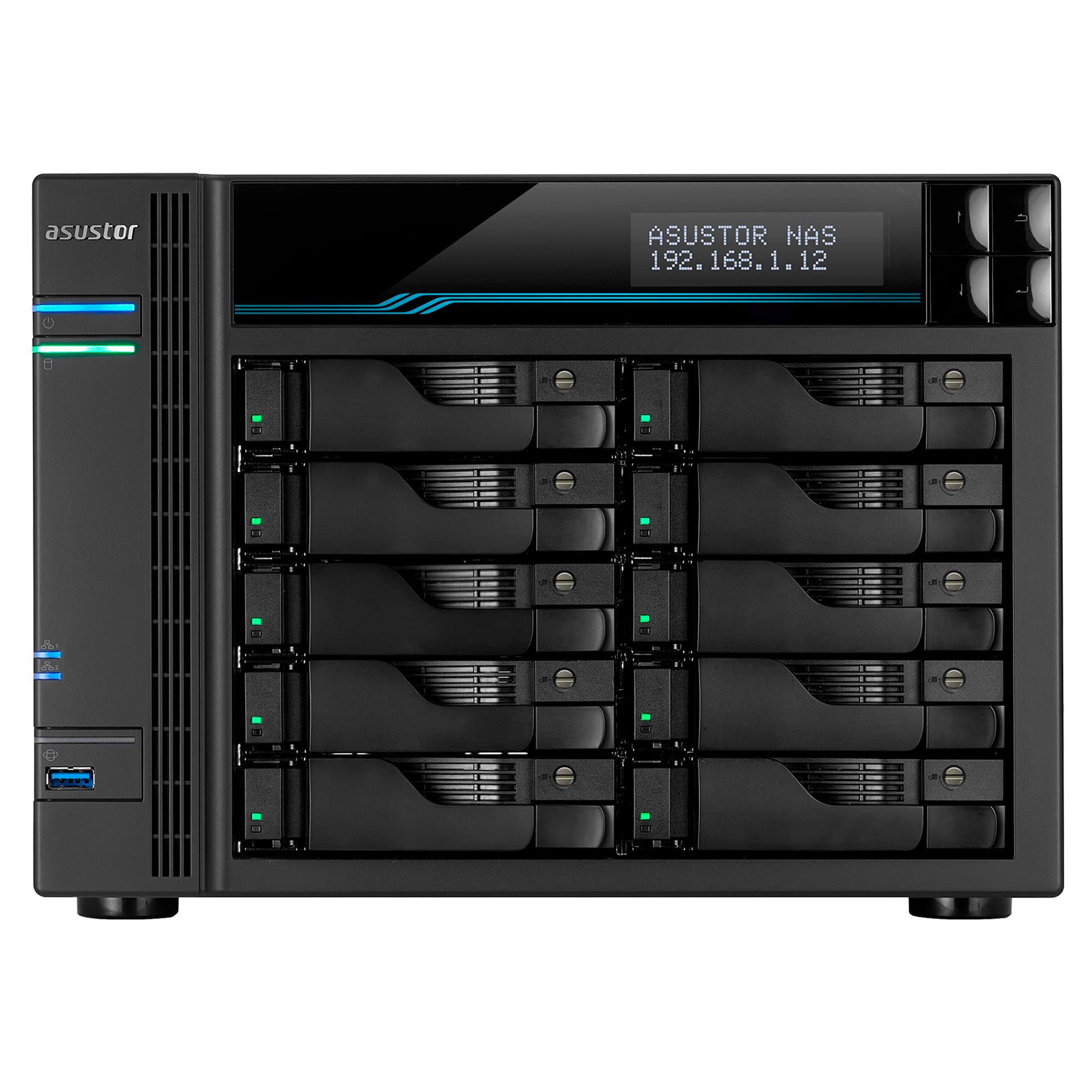
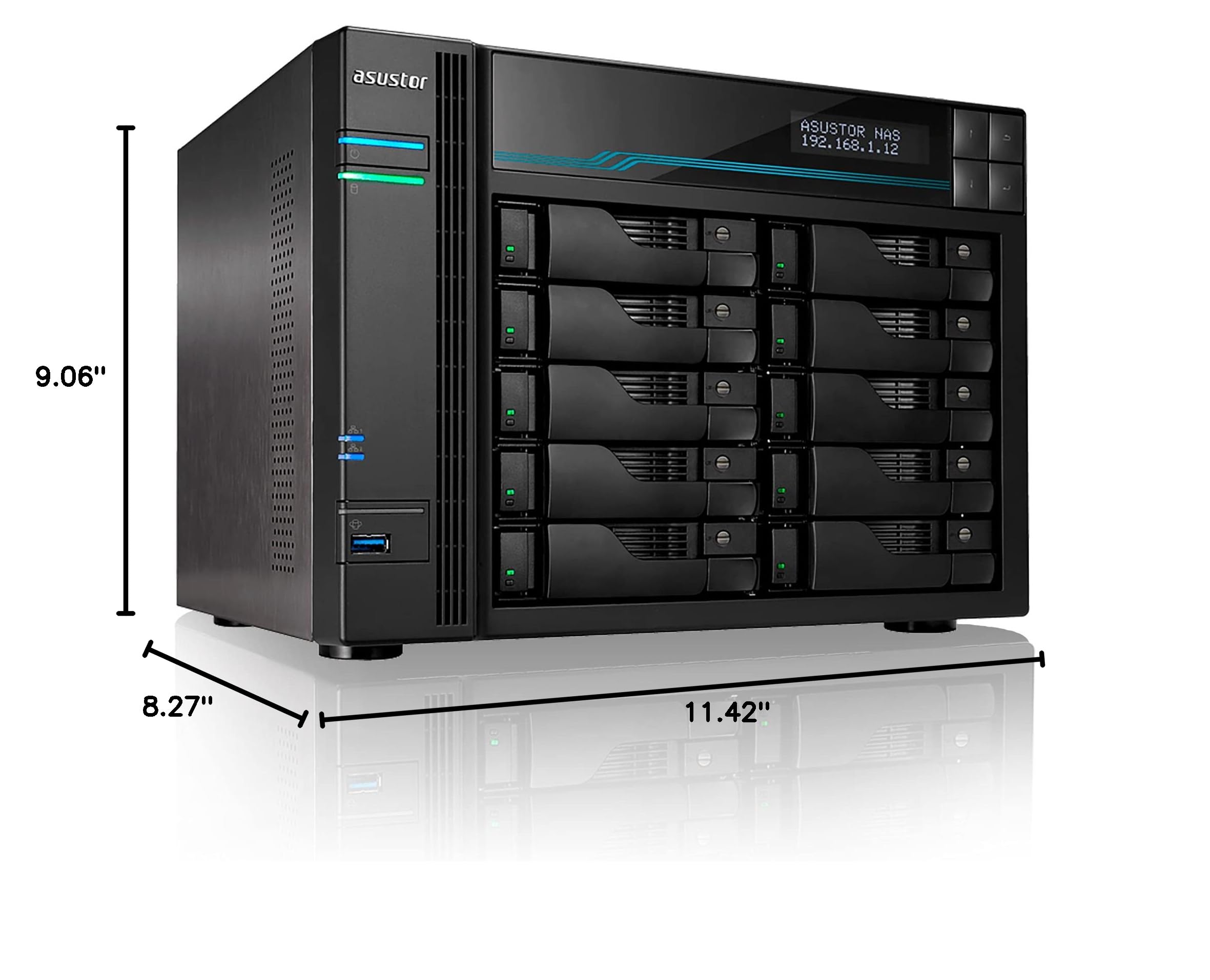
The Asustor Lockerstor 10 AS6510T is a high-capacity, enterprise-grade 10-bay NAS featuring a 2.1GHz Intel Atom Quad-Core CPU, 8GB DDR4 RAM (expandable to 64GB), dual M.2 NVMe SSD slots for accelerated caching, and dual 10GbE plus 2.5GbE ports for ultra-fast network connectivity. Designed for power users and businesses, it supports up to 180TB of SATA storage and offers easy setup with robust RAID options, making it a future-proof solution for demanding data environments.





| ASIN | B07Y2BJWLT |
| Best Sellers Rank | #21 in Network Attached Storage (NAS) Enclosures |
| Brand | Asustor |
| Color | AS65 |
| Compatible Devices | CPU |
| Customer Reviews | 4.4 out of 5 stars 685 Reviews |
| Enclosure Material | Metal |
| Is Assembly Required | No |
| Item Dimensions D x W x H | 8.27"D x 11.42"W x 9.06"H |
| Item Height | 21 centimeters |
| Item Weight | 13.67 Pounds |
| Manufacturer | Asustor |
| Material | Metal |
| Mounting Type | Rack Mount |
| Product Dimensions | 8.27"D x 11.42"W x 9.06"H |
| Size | 10 Bay |
| UPC | 887372001503 887372138438 |
L**N
Fast & Easy
Working great - nice and fast RAID5 operations. ;-) Was easy to setup.
N**Y
I'm in love
Everything has been plug and play so far... easy one click integration with apps on my phone, google gmail integration and apps on my windows clients. Added dual NVME cards ($80 each here on AMZN) and an extra 8gb stick (~$20) and yes this is a seriously fast machine. Running two RAID arrays, one for storage, one for backup, and then a 1TB SSD for OS and Apps. Connected to 10GBE ports via new switch (XGS1010-12-ZZ0101F) and have my primary windows client connected via 2.5GBE. The apps are all fine. Great for torrents, plex, remote file serving, email server, home automation, etc. Everything works as advertised. I would note that if you are new to the Linux world, you'll want to check out PuTTy so you can use command lines from a remote computer, learn about Portainer and Docker (youtube), and download WinSCP as a way to access the files remotely. Also, consider running a VPN service from the device (which is native to the OS) so you can safely remote into it when not on your home network. The only criticism I have is that the Atom based processors do get weighed down a lot. In the process of setting it up, my Plex library has taken days to build - probably 5x the duration of a high-end PC. I understand Asustor recently released a XEON processor version of this machine and it may be worth it for many people. The machine is not slow but certainly not what I'm used to running Plex on my PC. Wish I would have made that upgrade.
J**N
Highly Recommend
This Asustor NAS exceeds my requirements. It was purchased to replace an older Netgear NAS and I am not disappointed. I found the learning curve was easy. High quality with excellent connectivity. In addition to using it to store backups for 6 computers, I use to store duplicate files.
N**N
Product good, but ordering timing is key.
My new NAS is finally up and running and I'm transferring data to it at the time of writing. I like the product but there are a few gotchas to be aware of. If you want to add memory, one slot is easy to get to but the other requires the user to dismantle the unit. I found by accident, a video which takes you through the process step by step. This helped a lot so check their website and find that. Purchasing memory for main and cache was tricky as you need to find compatibility info on their website as not all manufacturer's memory will work. But my number 1 tip is get all your memory and hard drives from somewhere which has a better returns policy than Amazon before ordering the server from Amazon. I ordered the server first and then faced delays getting the HDs. My return period was almost up before everything arrived and I could build and test it. E.g. WD's current lead time is weeks after Amazon's return policy would expire so I ended up ordering alternative HDs. I like the product, it seems very fast and the user interface is way better than my old WD4100. Very easy to configure and use. Btw. If you add cache memory, be aware that you need to configure it, it doesn't work automatically.
R**D
works well, good price point
I have TWO of these things because the price is so sweet (looking at you synology) - so 20 drives in total. First thing I've done in all of them - install RAM (up to 64 GB) and SSDs (two). These devices have a read/write SSD cache mode which I find unimpressive - it's okay, you can set up the SSDs as a separate high speed array and I recommend that. The 10gbit LAN connections have worked without issue. The i/o and latency is solid, I use both windows file sharing (CIFS/SAMBA) and linux (NFS) Most importantly, I just had my second drive failure (RAID6). Buzzer was off. I keep it by my desk, and it just pops up a red light on the bad drive tray - so you don't need to figure out which drive is bad, that red light tells you exactly where the issue is. I login to the web interface, see SMART error, so simply popped out the drive (while it is running), replaced the bad drive with a good one, and put that tray back in -- all while the system was running. The system automatically detected the new drive and began rebuilding the array - impressive data preservation! Now, I haven't investigated to see if this drive was ACTUALLY that bad, but I can say it was up for about 3 years before this, so it's not a common issue, and it's best practice to be cautious with un-backed-up RAID arrays These are all great, but I do want to mention one bad thing which has struck this and many other NAS devices - hacking. Hackers will encrypt all the files and require bitcoin $ to decrypt. Asustor was historically hacked as such. I don't run any services that expose the box to the internet, and my box worked just fine through it all. Just be very careful, though, if you intend to both store important data on these AND connect it to the internet, it would be hacking vulnerable.
H**X
Flexible NAS options. Excellent fit and finish.
Although I am still in the middle of installing my Asustor Lockerstor 4 Gen3 AS6804T, the process has been straightforward so far. After installing the 2.0 TB SATA drives from my old HP (defunct) NAS, the Asustor informed me that two of the drives were faulty. After replacing them with new 2.0 TB drives, I now have a functional RAID 6 array. My final step is to set up user accounts and define how I want ongoing backups to be done. The built-in user interface is a novel (and quite useful) adjunct to the ASUSTOR Control Center PC application, which is easy to use and has very flexible options. Fit and finish are excellent. Over time, I'll also populate the four NVMe M.2 slots.
G**T
Well built, good support, but even with the best add-on and fast network it is unacceptably slow
This is a solid, well-built device with a lot of capacity and good potential. Unfortunately it is a big disappointment. I thought I would be able to offload files that need to quickly referenced with this, but the main problem is it is extremely slow, and worse chokes on large files and can't complete them. You can get better speed if you want to sit there sending small files one at a time but it just fails to function as a fast server. It couldn't even handle a copy of my iPhoto library (although it might work with Time Machine which does seem to work with it). Mind you I maxed it out with 18tb drives, two 1tb SSDs, and a high speed connection with two inputs. Even with a 10gbit output from my Mac it can't handle it. If it doesn't perform with that kind of configuration I can't imagine what it does with a lesser one. This is just incomprehensible given two SSD sticks for a dedicated buffer, and totally unacceptable. It also geared more towards a PC in terms of the variety of options, although the performance with a PC is no better. So basically what you end up with is just plain storage at a relative snail's pace. They are as good as QNAP with their programs and utilities. The unit by itself is very quiet, but if you fill it with hard disks it makes racket, which is not their fault but jarring especially in a studio situation like mine. Support is good and responsive but unable to ameliorate these problems. I can't rely on it to quickly load large samples in a timely fashion so it doesn't serve my intended purpose.
G**O
Muy Eficiente y Facil de Usar - Hay que tener en cuenta estos detalles
El equipo es de muy buena calidad, realmente es práctico y ocupa poco espacio (adjunto fotos) Lo tengo en la esquina de mi escritorio y no hace ruido. En hardware la instalación es simple, compré junto a el un HDD para NAS de 8 TB y todo funciona de maravilla, seguí las instrucciones que trae el dispositivo y se configuró correctamente. En Sofware, a pesar de ser intuitivo tuve que mirar uno que otro tutorial en Youtube sobre todo para entender que significaba lo que estaba configurando, soy ignorante en tema de redes y a pesar de que directamente en la página de Asustor hay tutoriales, tuve que complementarme viendo videos. El principal uso que quiero para este equipo es que personas de mi equipo de trabajo puedan acceder y manejar la información como nube privada y desde allí tener todo lo que necesitamos para nuestro flujo de trabajo y allí hay algo importante a considerar. Cuando intenté realizar las alertas y conexiones tuve que hacer ajustes con un SMTP propio para poder enviar las alertas bajo mi dominio, ya que con Google directamente aunque te deja no las enviaba y daba error, entonces tuve que realizar configuraciones en mi dominio y conectar un SMTP externo para que las notificaciones se enviaran y así poder dar acceso a personas externas a mi red local. Velocidades, actualmente tengo un internet domestico lo cual no es eficiente para la conexión remota, la velocidad de transferencia de mi red es de 600Mb bajada 30Mb subida, lo cual no es eficiente, el equipo tiene 2 entradas de red que soportan 2.5Gbits solo que mi red no tiene esa capacidad y estoy en proceso de colocar fibra simétrica para poder realmente darle el uso que deseo (tener esto en cuenta), hasta ahora no he sacado todo el provecho de la manera en que lo busco porque me faltan cosas que son ajenas al equipo, ya que la velocidad de transferencia que tengo con mi red no supera los 3megas por segundo al pasar información, que para mi tipo de trabajo, es lento. El entender todo de como funciona el servidor es algo que requiere de bastante aprendizaje, no es solo un par de clicks y todo listo, porque debes saber lo que estás haciendo, buscaría mejorar la documentación ya que hay cosas que se deben saber, por lo que he estado aprendiendo, en tema de seguridad etc. En general mi review es positiva y actualizaré cuando ya tenga la posibilidad de explotar al máximo el potencial de este excelente equipo. Éxitos en tu compra!
Trustpilot
1 week ago
2 months ago