We remain fully operational. Our teams are working around the clock to ensure your deliveries continue safely.

DOWNLOAD THE APP


Customer Services
Copyright © 2025 Desertcart Holdings Limited
DOWNLOAD THE APP

🎮 Elevate your desk game with hybrid power and vivid RGB flair!
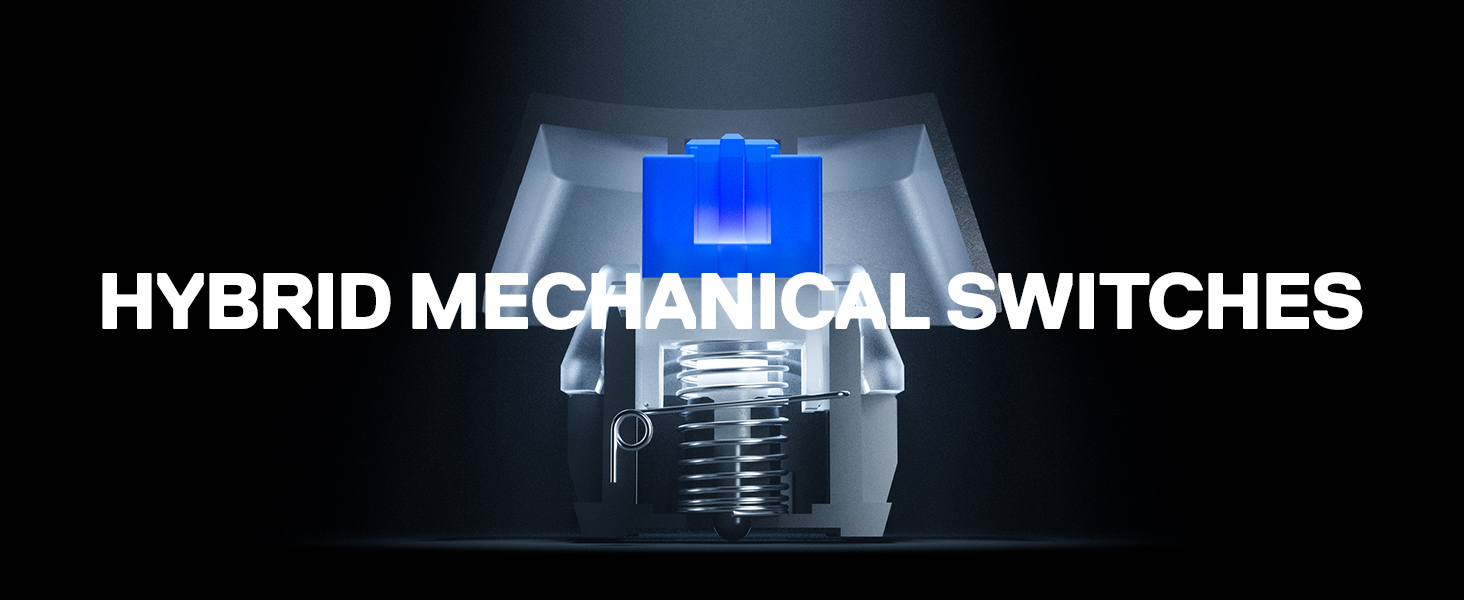
The SteelSeries USB Apex 5 is a hybrid mechanical gaming keyboard featuring tactile blue switches rated for 20 million presses, dynamic per-key RGB illumination, and a durable aircraft-grade aluminum frame. It includes a customizable OLED smart display for real-time info and a magnetic wrist rest for ergonomic comfort, making it a perfect fusion of gaming performance and professional style.




| ASIN | B07ZGDD6B1 |
| Batteries | 1 Nonstandard Battery batteries required. |
| Best Sellers Rank | #14 in Computer Keyboards |
| Brand | SteelSeries |
| Color | Black |
| Customer Reviews | 4.6 4.6 out of 5 stars (4,133) |
| Date First Available | January 15, 2020 |
| Hardware Platform | Laptop, Windows |
| Is Discontinued By Manufacturer | No |
| Item Dimensions LxWxH | 5.51 x 17.52 x 1.59 inches |
| Item Weight | 2.04 pounds |
| Item model number | 64539 |
| Manufacturer | SteelSeries |
| Number of Processors | 1 |
| Operating System | Windows, Mac OS X, Xbox, and PlayStation. USB port required |
| Power Source | Corded Electric |
| Product Dimensions | 5.51 x 17.52 x 1.59 inches |
| Series | SteelSeries Apex 5 Hybrid Mechanical Gaming Keyboard – Per-Key RGB Illumina |
C**R
SteelSeries Apex 5 – Almost a 5-Star Keyboard, but Not Quite (4.76 on My Scale)
The SteelSeries Apex 5 left a strong impression. It’s a well-built keyboard with some excellent features and clever design choices. The cable is thick, long, and even has a nice touch — the SteelSeries logo on the USB plug. The RGB effects are top-notch, with smooth transitions both on keypress and when idle. I was genuinely excited about all of this... until I noticed what was missing. And for me, that’s a big deal. Let’s break it down.😁 ### What Makes It (Almost) 5 Stars – The Good:😃 - Excellent Media Controls: The volume wheel is fantastic: easy to reach, smooth to use, and includes a click-to-mute function. The menu button also works similarly to the playback controls found on many headsets with built-in microphones or hands-free kits. Super convenient. - Onboard Controls – No Software Needed: You can manage brightness, RGB colors, effects, profiles, and more — all from the keyboard itself. No software required. Only macros can’t be directly viewed or edited in menu, which is a small detail worth noting. - Smart OLED Display: It shows the status of Num Lock, Caps Lock, Scroll Lock, and whether the Windows key is disabled. Very handy (though there’s a small catch — more on that below). - Customization & Visual Feedback: Besides full per-key RGB customization and reactive effects, pressing the “Fn” key (the SteelSeries logo key) lights up related function keys in red for quick reference. It’s super helpful… but again, not perfect (you can’t change the color — more on that too). - Profile Memory Built-In: You can save up to 5 profiles directly on the keyboard and toggle them on/off without cycling through all of them. I personally use just two: one for gaming and one for productivity. ### The Not-So-Good – My Gripes😒: - No Dedicated Context Menu Key: This is my biggest issue. A full-size keyboard should include the dedicated menu key (the "right-click menu" key). SteelSeries replaced it with their custom “Fn” key, which really disrupted my usual workflow. I ended up switching to Shift + F10 to keep things consistent across devices. - Fn Key Can’t Be Reassigned: The SteelSeries logo key, which replaces the context menu key, is fixed — it can’t be remapped. Personally, I’d have preferred having the Windows key only on the left, and using the right one for Fn, keeping the menu key in its usual place. - OLED Button Always Lit: The brightness of the button next to the OLED screen cannot be dimmed or turned off. If you’re working in a dark room or watching movies, this little light will keep shining at you — kind of annoying. - OLED Icons Overlap Custom Logos: If you upload a custom image to the OLED screen, the status icons for Num Lock, Caps, etc. may overlap your logo. Not a dealbreaker, but it limits how creative you can get with personalization. - No Visual Feedback When Windows Key Is Locked: Unlike other lock states (like Caps Lock), there’s no lighting change or visual indicator on the keyboard itself when the Windows key is disabled — just a small icon on the OLED. Feels inconsistent. - Function Key Highlight Color Can’t Be Changed: When pressing “Fn,” the related keys light up red — but that red is not customizable. If your RGB theme is red, this effect becomes basically invisible. - Slight Input Delay: There’s a small delay in key activation. I don’t notice it while typing or working, but for competitive gaming, it might matter. Rtings.com confirmed this in their testing too. - Non-Replaceable Hybrid Switches This is the most serious issue. The switches aren’t standard and can’t be replaced by the user. If a key fails, you’re stuck with relying on warranty, support… or scavenging another board. Not great. ### Neutral Points – Might Be Good or Bad Depending on You🤷🏻♂️: - Actuation Distance: I switched from a keyboard with ultra-light 0.8 mm actuation, and I kept typing extra characters. The Apex 5 feels much more precise and helped reduce typos — a big plus for me. - Key Feel & Keycaps: The keycaps aren’t made from premium material, but they feel decent. Coming from linear switches, the tactile feel took a bit of getting used to — but I adjusted quickly. - Magnetic Wrist Rest: I don’t use it much, but the magnets are strong and hold it firmly in place. - Macro Labeling (M1, M2, etc.): Some keys are labeled as macro keys (M1, M2...), which can be confusing at first — but you’ll get used to it. - Customization Without Software: You can change basic RGB effects and profiles directly from the keyboard. The software adds more depth, but it’s nice that you’re not forced to use it. - USB Plug with Logo: A small but smart touch: the SteelSeries logo on the USB plug helps you spot which device you’re plugging in. - No Physical Lock LEDs: The lock indicators (Num Lock, Caps, Scroll) have been moved to the OLED screen, and you can set those keys to change color when active. Some might miss the old-school LED lights, but I’m fine with it. ### Final Verdict 💸😇 The SteelSeries Apex 5 is a well-built, visually polished keyboard with great RGB, useful media controls, and a solid set of features for gamers and professionals alike. Still, a few oversights — especially the missing context menu key and the non-replaceable switches — keep it from being a perfect 5-star device in my eyes. If those flaws don’t bother you, then this keyboard is an easy recommendation. Just know what you're getting — and what you're not
I**R
Great entry mechanical keyboard with solid feel and comfort
I bought this for my 14-year-old, and it’s been a great keyboard for both gaming and schoolwork. The hybrid switches feel clicky and responsive without being overly loud, and the RGB is bright and customizable enough for their setup. The included wrist rest adds real comfort and doesn’t slide around. No issues with software or macros so far. It’s a well-rounded keyboard that feels more premium than its price suggests.
K**N
Outstanding, with a possible caveat
Five months into owning this keyboard and it's easily my favorite keyboard I've ever had. Reasonably heavy so it easily stays in place even banging out page after page of typing documents, but doesn't feel like a slab of lead. The entire assembly is well put together; the keyboard has a nice, satin texture across the body and the keys, which feels great under the fingers, though it does show some oils more easily so I recommend regular cleaning/wipedowns. This keyboard uses an odd hybrid system between mechanical/membrane, some proprietary/trade secret Steelseries BS, though honestly, if this wasn't pointed out to me after the fact I probably wouldn't have caught on. This uses cherry stems and switches, and the keys are naturally a cherry profile, so finding aftermarket replacements/decorative keycaps is easy as well. The keys feel responsive and clicky, delightfully so, when gaming or typing for general purpose. But there's a catch; it's a hybrid, so not truly mechanical. It does feel very good, but I have concerns that the membrane will wear down in time as opposed to a true blue mechanical keyboard, which will stay responsive and snappy for a lesser eternity where membranes begin to show wear after a year of heavy use. Time will tell. The lighting is phenomenal - the LEDs are bright, responsive, and have great color depth and range compared to a lot of RGB hardware out there. You can use Steelseries' own software to customize and program this keyboard outside of the 5 existing presets saved onto the board's memory, but you can also use other third-party RGB control software like SignalRGB. All in, it's a quality keyboard for a great price; one wire connects everything, you have a stop/start button, a wheel for volume, and a built in profile-swap button, which is entirely unnecessary but quite nice.
J**A
Quality keyboard
so far looks quality, and bit heavy, rgb is bright, oled screen is nice and bright, works on android device to
J**R
Nice keyboard - Amazon Refurbished just sucks
I have only had this keyboard for a few days at the time of this review, but from what I can tell it is a solidly built keyboard with a nice feel and decently responsive keys. I did have to knock off a star though as the keyboard I received was in poor condition with two of the keys having keypress detection issues. This however was NOT the fault of SteelSeries as I bought this one from Amazon Refurbished. Do NOT buy this keyboard from Amazon Refurbished. They do only the bare minimum to make the keyboard presentable, and do not open it to check the internals before shipping it. Or else they would have seen the gunk inside that was causing the key press detection issue. Thankfully, user maintenance was easy. Simple matter of taking off the key caps, taking out the cover screws, and the mainboard screws. Then I was able to clean it with a little alcohol and reassemble it. Works like it was new. Just didn't expect that I would have to be the one doing the refurbishing on day one. But that's why I gave it 4 stars, pretty easy to perform user maintenance on it to ensure that it continues to function. Which boggles me why Amazon didn't do that.
E**G
The keyboard is amazing. It has per key illumination which the software is very cool with. It gets recognised by signal rgb software so it syncs everything together. The feel is good it has mechanical clicks with membrane so doesn't feel like your bottoming out the keys.
Y**H
Never knew what I was missing out on before I got this. So. Worth. It.
J**E
This was rather pricey. Purchasing from Canada meant GST would increase the price by a noticeable amount, exceeding my budget, but I bought it anyway. It’s a very nice keyboard. It’s clean, looks a bit more minimalist which I really like. The RGB reflects nicely on the aluminum frame, though a couple more lighting effects would be nice to have. The software is good, took me a little bit of time to understand, but when I did, it was pretty good, you can customize each individual key to light up separately when pressed. The key caps are removable and can be replaced, which is great if I need to in the future. I won’t for a while though, they look really good, love the font, and they have a nice texture that is very comfortable for my fingers. The blue hybrid mechanical key switches feel awesome, they spring right back very quickly, and produce this slightly loud, but otherwise satisfying click, that also have a tactile feel. I typed much faster with this keyboard than I did with my old one. However there is one key that sort of makes this metallic reverberation, but then again it’s just one and I don’t let that bother me. It doesn’t take away from the overall experience. The caps lock key requires a bit more force because the led doesn’t always light up when it’s pushed gently so it’s hard to tell if caps is on or not if it’s not pushed hard enough. The wrist rest, despite not being cushioned or anything, is surprisingly very comfortable to use. I don’t sweat, and my hands stay on it nicely. Typing feels far more comfortable with it. Shame it’s not purely mechanical, but most of it is, I forget what makes it hybrid. Feels completely mechanical though, so I am happy! LED Display is a nice addition to it, but you need to download separate software to make it display discord notifications and other things, like time and Spotify. You have to open that application every time you turn on your computer to achieve that, but I honestly don’t care, it only takes me 3 seconds. I highly recommend this keyboard if you are willing to spend a little more money. It’s been great for me, and I’m sure it will be great for you too!
T**I
I love this keyboard because there was no scams, love the board nice texture perfectly the way pictured it, strong build P.S love the key clicking noises. I recommend buying it cause it is the best keyboard that’s not to pricy and not to cheap it’s just right very fast response! The 2 things that I love about this keyboard is The hybrid blue mechanical switches and secondly the OLED screen The 2 thing that I enjoy playing around with is definitely the illumination because of how creative you can get with it. Video of the clicking sounds! Above Definitely buy this keyboard! It’s awesome!!!
D**L
Excelentes materiales de construcción, amplias opciones para configurar prácticamente cualquier cosa del teclado y gran comodidad. Pasé de un teclado de membrana "gamer" Logitech G213 a este SteelSeries Apex 5 y la diferencia puede notarse. Desde los efectos RGB ampliamente configurables a través del software SteelSeries GG hasta el tacto en las teclas y el reposamuñecas (que está hecho de un material de plástico suave al tacto), todo es súper cómodo y de gran calidad. Algo que me gusta bastante de este teclado es su pequeña pantalla OLED en la esquina superior derecha, que puede configurarse con algún dibujo, algún GIF o con alguna de las integraciones que tiene con algunos juegos o programas. Yo particularmente la uso para monitorear mi sistema y ver la temperatura a la que se encuentra mi CPU y GPU de manera rápida y sencilla sin tener que ejecutar MSI Afterburner o RivaTuner SS. Sin embargo, tal y como vi en la propia página del producto y en algunas reseñas en YouTube, se podía visualizar la canción que estuvieras escuchando en el momento, pero por lo que pude investigar esto solo es posible si usas TIDAL y bueno, yo utilizo Spotify, por lo que esto no me agradó tanto. El sonido del teclado es notable y puede llegar a ser molesto si no estás acostumbrado o si vives con alguien más y sueles usarlo en las noches a no mucha distancia del resto de personas. El video que adjunto es muy fiel (considero yo) al sonido que obtienes una vez el teclado está en tus manos. Algo que me gustaría mencionar es que, a pesar de que el teclado venía bien empaquetado junto con otros productos, la caja del teclado en sí venía con algo de cinta extra en varios lados, lo que me hizo dudar un poco en si el producto era nuevo o usado, pero al abrirlo me di cuenta de que era nuevo o estaba en condiciones prácticamente perfectas, por lo que me quedé más tranquilo, pero ese detalle de cinta extra en la caja no me agradó demasiado.
Trustpilot
1 month ago
3 weeks ago