Buy anything from 5,000+ international stores. One checkout price. No surprise fees. Join 2M+ shoppers on Desertcart.
Desertcart purchases this item on your behalf and handles shipping, customs, and support to Philippines.
🎮 Level up your PC gaming with wireless precision and pro controller vibes!
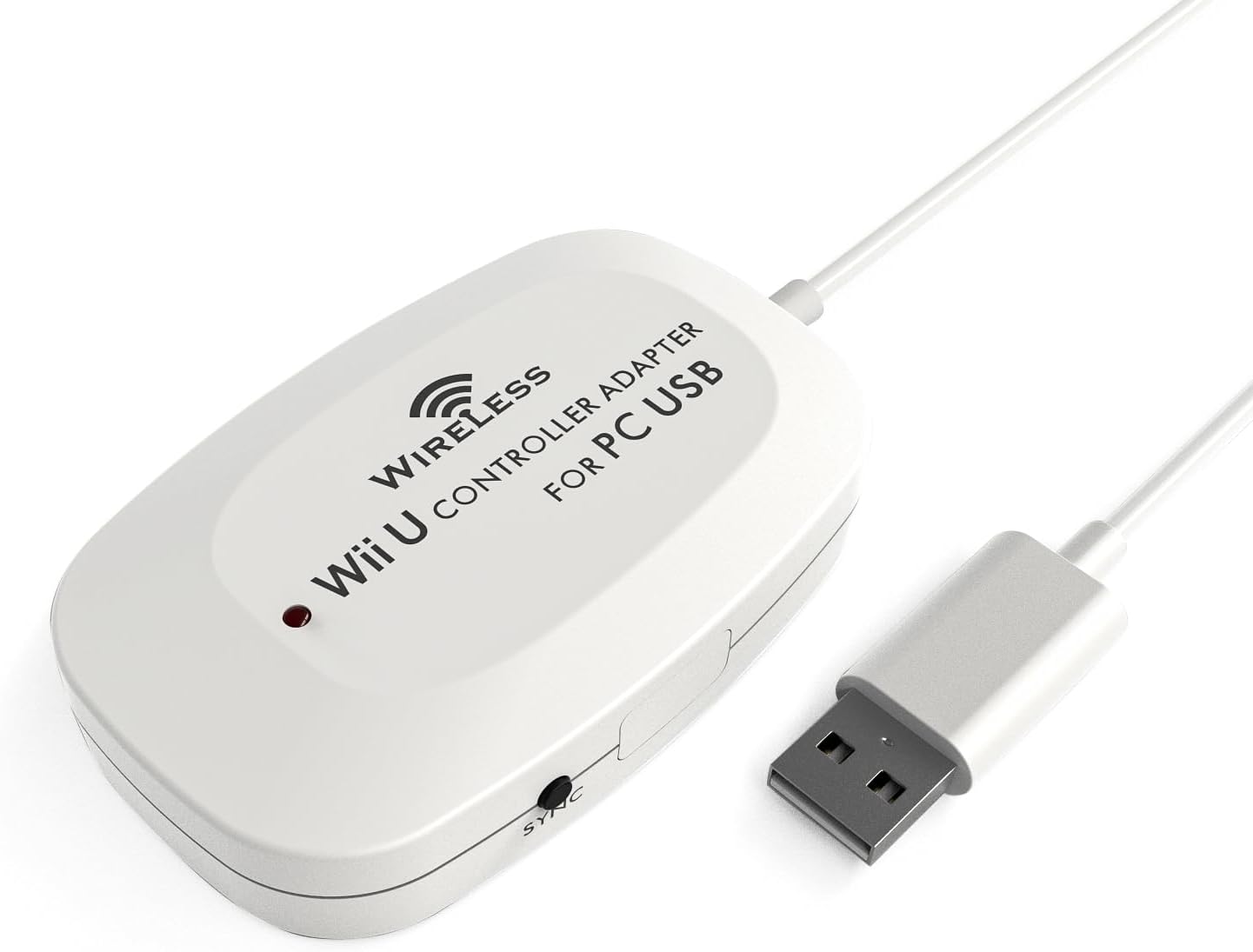
The MAYFLASH Wireless Wii U Pro Controller Adapter for PC USB enables wireless connection of up to four Wii U Pro controllers via Bluetooth v2.1 with enhanced data rate, supporting both Xinput and DirectInput modes. It offers turbo function customization, full vibration feedback without delay, and broad Windows compatibility from XP to Windows 8. Perfect for gamers seeking versatile, lag-free controller integration on PC.
| ASIN | B00E6553PW |
| Best Sellers Rank | #154,490 in Computers ( See Top 100 in Computers ) #1,035 in USB Computer Network Adapters |
| Brand | MAYFLASH |
| Color | White |
| Colour | White |
| Compatible Devices | Desktop, Gaming Console, Laptop |
| Compatible devices | Desktop, Gaming Console, Laptop |
| Connector Type | USB Type A |
| Connector type | USB Type A |
| Customer Reviews | 4.6 out of 5 stars 694 Reviews |
| Finish | Abs |
| Global Trade Identification Number | 06902012051404 |
| Item Dimensions | 10.2 x 5.1 x 1.8 centimeters |
| Item Weight | 0.1 Pounds |
| Item dimensions L x W x H | 10.2 x 5.1 x 1.8 centimeters |
| Manufacturer | MAYFLASH |
| Mfr Part Number | W009 |
| Model Number | W009 |
| Number of Items | 1 |
| Number of Ports | 1 |
| Package Quantity | 1 |
| Power Plug Type | Type G |
| Smart Home Compatibility | Not Smart Home Compatible |
| Specific Uses For Product | PC |
| Specific uses for product | PC |
| UPC | 796594141341 634041327040 |
| Unit Count | 1 Count |
F**E
Indispensabile per chi ha un pc, una ps3 e un Wii U
Il prodotto funziona alla perfezione e viene riconosciuto senza bisogno di driver come controller xbox 360. I tasti sono mappati 1:1 (A>A) quindi rispetto ad un pad 360 le due coppie di bottoni saranno invertite. Il tasto home funziona come il tasto guida del pad xbox ed è perfettamente supportato dallo steam big picture. Per quanto riguarda l'altra modalità di funzionamento,la dinput, essa consente di collegare fino a 4 controller a un solo ricevitore (la modalità precedente mappa massimo 1 pad per ricevitore) everranno riconosciuti come pad generici. La cosa bella di questo adattatore è che mettendolo in quest'ultima modalità esso funzionerà perfettamente anche con una ps3 e in questo caso i tasti saranno mappati come quelli di un pad playstation (A>O, B>X, etc...). Prodotto veramente consigliatissimo!
R**N
Works perfectly!
The Wireless Wii U Pro Controller Adapter for PC USB is surprisingly small with a long USB cord. The build quality seems fine. The adapter comes with a mini CD that installs drivers for the adapter, the software is tiny and has no bloatware or obtrusive tray items, you'd never know it was installed. I have two official Wii U Pro Controllers and have had no problems connecting both to the adapter. Syncing takes seconds, after use you will have to re-sync your controllers back to your Wii U if you own one. Using D-Input, when the adapter is active 4 separate controller inputs are added as input devices. I thought I might have to key-map the inputs but this isn't the case. Buttons and directions are assigned to games as you would keys. I had no problems with range in my sitting room, I haven't tried using the controllers beyond that distance. There were no problems pressing several buttons at the same time (an issue with keyboard mapping) and there was never any missed lag or missed inputs. The controllers felt as responsive as they would on the Wii U. Using X-Input the PC recognized the Pro Controller as a 360 controller, I haven't had much experience using the method, but it's artificial identity was successful. Overall I'm entirely satisfied with the adapter, it delivers what it promises with convenience and no obtrusive software habits.It would sit better in my set-up if it was black but that's not a real problem, and it's easily hidden. For the price it definitely deserves 5 stars.
C**O
Un producto fascinante
Un producto de calidad, se ve sencillo pero hace su trabajo, me gustó bastante. Llegó en tiempo. Así podre sacarle provecho a mi control Wii U pro
A**D
Works great, quick painless setup
Works great, quick painless setup, inexpensive, I love it! I split my video gaming between a home built gaming rig and a Wii U console. I was considering purchasing an xbox controller to use for gaming PC, until I started researching if I could use my Wii U pro controllers on PC and this adapter does the trick perfectly and sames me money! I love the feel of the Wii U Pro Controller and with certain style games a gamepad just feels right (I'm currently playing Gauntlet with it). I still play FPS and strategy games with Keyboard+Mouse, but this gives me more game play options for other types of games and allows me to give dual purpose to controllers I already own for my Wii U. Note: I think most modern games on Steam support gamepad controllers but only Xinput (not Dinput). With Gauntlet for example I have to use Xinput, which means only one of my Wii U Pro Controllers with this adapter. So for something like Lego Star Wars Complete Sage where local co-op play (2 people playing in the same room on one computer) I will likely have to get a 2nd one of these adapters for my 2nd controller for both pro controllers to work at the same time. If the game supports Dinput then up to 4 can be used on one adapter. This adapter allows you to switch between Dinput and Xinput (I cut the notes below directly from Mayflash's website) ●If the Input Switch is set to the "Direct Input" mode, the controllers are recognized as standard Human Interface Device. Your controllers can be calibrated at the Windows Gamepad Setup screen. Up to four controllers can be recognized by a single adapter while in this mode. ● Setting the switch to "Xinput Mode" will make it possible to fool certain PC games which lock out proper input modes from the user unless an Xbox controller is attached (for a list of these games, check Wikipedia). While in Xinput Mode Vibration Feedback is available. The drawback is that while in this mode, only one controller can be recognized by the adapter.
W**N
Plug and Play! Button Layout an Wii U Controller angepasst!
Ich muss sagen, dieser Adapter ist wirklich sein Geld wert. Nachdem der Adapter angeschlossen wurde, wurde er automatisch erkannt(Windows 7 64 Bit). Das Adapter ist auf XInput eingestellt, somit wurde der Controller nach der Synchronisation(welche nach Drücken der beiden Sync Buttons reibungslos funktionierte) sofort als Xbox 360 Controller erkannt. Ich musste keine zusätzliche Software oder Treiber installieren. Habe den Controller mit 2 Spielen ausprobiert, welche den Controller als Xbox 360 Controller erkannt haben. Somit werden alle Bedienelemente automatisch mit den Buttons des Xbox 360 Controllers angezeigt, wie man das von einem orginalen Xbox 360 Controller her kennt. Wie bereits in anderen Rezensionen beschrieben, sind die Belegungen des Wii U Controllers und des Xbox 360 Controllers nahezu identisch. Nur der Viererblock mit den Buttons Y,X,B,A sind quasi umgedreht. Ich war daher überrascht, dass die Belegung der Buttons dem Wii U Controller angepasst werden. Sprich wird z.B der A-Button angezeigt, muss auf dem Wii U Controller auch der A - Button gedrückt werden, trotz der unterschiedlichen Anordnung. Hatte die bisherigen Resenzionen immer dahingehend verstanden, dass das Layout identisch bleibt, und somit z.B bei Anzeige des A-Buttons auf dem Wii-U Controller der B-Button gedrückt werden muss. Sofern man nicht vorher permanent einen Xbox 360 Controller genutzt hat und somit die Buttonanordnung in Fleisch und Blut übergegangen ist, finde ich so eigentlich besser und weniger verwirrend, dass die angezeigten Buttons auch den tatsächlichen Buttons des Wii U Controllers entsprechen. Die Reichweite des Adapters ist ähnlich gut wie bei der Wii U. Auch in mehreren Metern Entfernung funktioniert der Controller noch ohne Abbrüche. Da lobe ich mir die Bluetooth Technologie. Die Rumble Funktion funktionierte auch auf Anhieb ohne zusätzliche Treiber. Mit diesem Adapter wird der Wii U Controller für mich wirklich zu einem der besten Controller für den PC.
Trustpilot
4 days ago
1 month ago