Buy anything from 5,000+ international stores. One checkout price. No surprise fees. Join 2M+ shoppers on Desertcart.
Desertcart purchases this item on your behalf and handles shipping, customs, and support to Philippines.
⚡️ Power, Portability & Precision — The Ultimate USB-C Hub for the Modern Pro
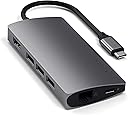
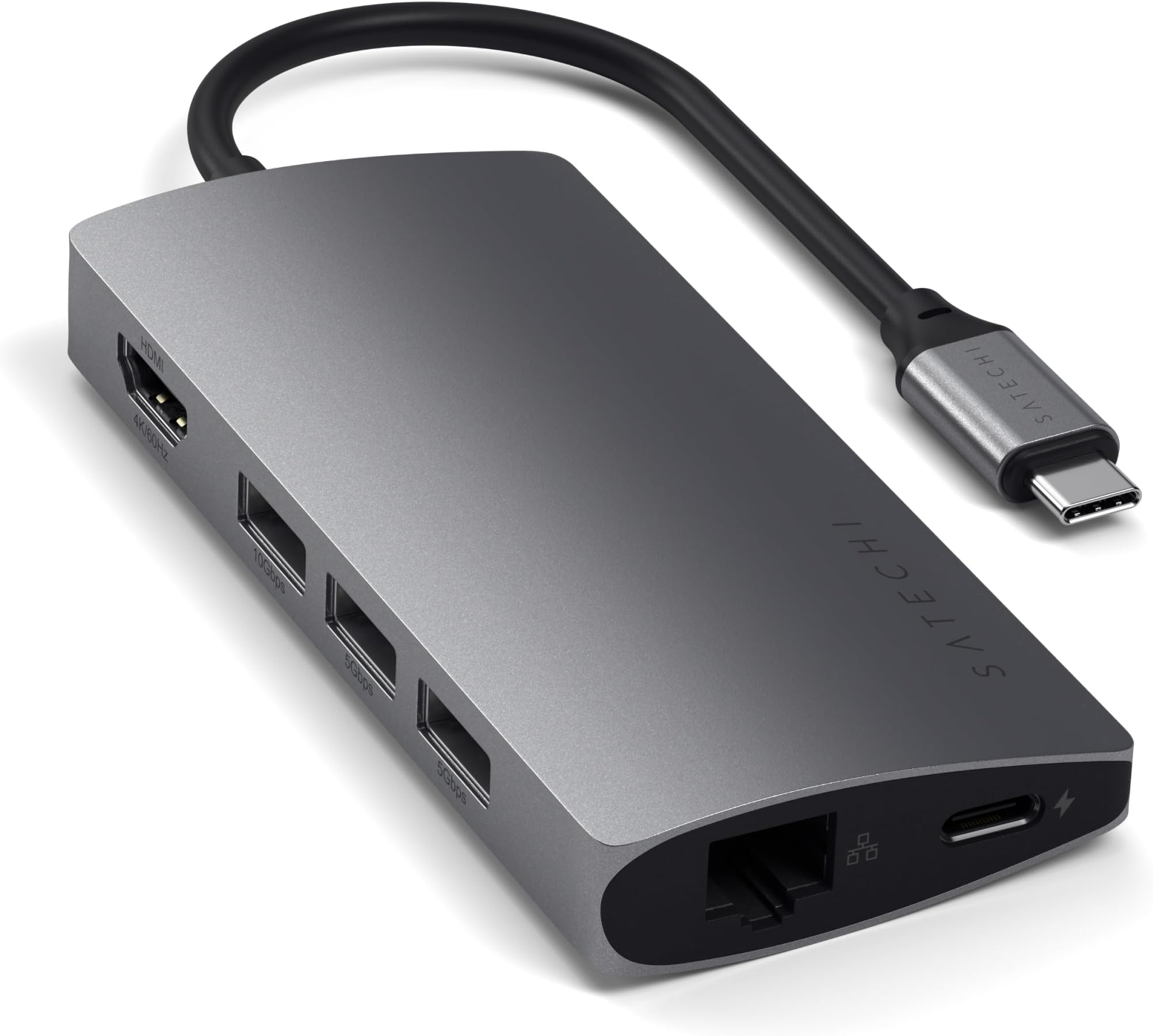
The Satechi 8-in-1 USB-C Hub V2 is a compact, aluminum multiport adapter designed for professionals and creatives. It delivers up to 115W USB-C Power Delivery charging, supports 4K HDMI output at 60Hz, and includes Ethernet, three USB-A ports, and Micro/SD card readers for seamless connectivity. Compatible with the latest MacBook Air/Pro models, iPads, Windows laptops, and more, it transforms any workspace with style and efficiency, backed by a 2-year warranty.


| Brand | SATECHI |
| Colour | V2 Space Grey |
| Compatible devices | MacBook Pro 14/16-inch (2026 M5/M4/M3/M2/M1), MacBook Air 13/15-inch (2026 M5/M4/M3/M2/M1), MacBook Neo 13-inch (2026), iPad Pro 11/13-inch (2025 M5/M4/M3/M2/M1), iPad Air 11/13-inch (2026 M4/M3/M2/M1), iPad Mini (A17 Pro/6), iPad (A16/10th Gen), iPad Pro 12.9-inch (6th/5th/4th/3rd/2nd/1st gen), Mac Mini (2024 M4/M2/M1), iMac (2024 M4/M3/M1), Mac Studio (2025 M4/M3/M2/M1), Lenovo ThinkPad, Microsoft Surface, Google Pixelbook Compatible devices MacBook Pro 14/16-inch (2026 M5/M4/M3/M2/M1), MacBook Air 13/15-inch (2026 M5/M4/M3/M2/M1), MacBook Neo 13-inch (2026), iPad Pro 11/13-inch (2025 M5/M4/M3/M2/M1), iPad Air 11/13-inch (2026 M4/M3/M2/M1), iPad Mini (A17 Pro/6), iPad (A16/10th Gen), iPad Pro 12.9-inch (6th/5th/4th/3rd/2nd/1st gen), Mac Mini (2024 M4/M2/M1), iMac (2024 M4/M3/M1), Mac Studio (2025 M4/M3/M2/M1), Lenovo ThinkPad, Microsoft Surface, Google Pixelbook See more |
| Hardware interface | Ethernet , HDMI , MicroSD, USB 3.0 |
| Special features | 4K HDMI |
| Total USB ports | 3 |
S**S
Nice product to Accompany the Macbook Pro
The product was shipped quickly and the overall product is Very Good . Works very good wit the Mac. I feel the price is a little bit High.
M**H
Good product but gets hot
After a while it gets very hot but it does the job
A**K
Good product
Good excellent build quality. The base is not strong enough when connected to hdmi. But otherwise the performance is so good
M**.
One of the best hubs money can buy
It’s light with excellent build quality. The ports speed is above average. Slightly expensive but worth it
S**N
Extremely Useful
Highly recommended
A**S
one function at a time
It seems the product does not do power pass thru and video pass thru if the network is connected. It overheats. You can perform one function at the time, but multi-function gives problems.
A**F
Amazing tool
Quality is excellent! Works great.
M**X
Super Qualität zu fairem Preis
Nachdem ich einige Konkurrenzprodukte gekauft hatte und diese alle qualitativ nicht zufriedenstellend waren (Verarbeitung, Funktionalität des HDMI-Ports), habe ich mir nun dieses vergleichsweise doch etwas teurere Produkt gekauft und bin absolut zufrieden. Die Verarbeitung ist sehr gut, der Farbton passt zum MacBook, die Ports sind gut (nicht zu streng und nicht zu lose), sogar neben dem MacBook macht es einen einigermaßen wertigen Eindruck und zu nicht zuletzt ist es voll funktionsfähig. Ich benutze den Adapter für meinen gesamten Schreibtisch, unter anderem ein externer Monitor (full hd) und eine externe Festplatte (HDD). Selbst bei größeren Kopiervorgängen hat der Adapter kein Problem die Festplatte mit Strom zu versorgen, während auch die anderen Geräte ohne Einschränkungen nutzbar bleiben. Hier noch ein Tipp für alle, die laufend einen externen Monitor über diesen Adapter verwenden: In osX ist der "Clamshell Mode" standardmäßig aktiviert, d.h. dass, wenn ein externer Monitor angeschlossen ist (was bei mir laufend der Fall ist) und man das Macbook zuklappt, der Standby-Modus nicht aktiviert wird, sondern das Gerät eingeschaltet bleibt und über den externen Monitor, sowie evtl. externe Eingabegeräte, weiterhin bedient werden kann. Um dies zu deaktivieren ist folgendes zu tun: - in den Recovery-Modus booten (Neustart und währenddessen command-r) - Terminal öffnen (über den Menüeintrag utilities (Dienstprogramme o.ä.) erreichbar) - folgenden Befehl eintippen: nvram boot-args="iog0x0" (dann Eingabetaste drücken) - Neustart (zurück in normalen Modus) und dann nochmal neustarten Nun sollte der "Clamshell Mode" deaktiviert sein und das Macbook nach dem zuklappen in den Standby-Modus gehen. Diese Einstellung wird aber gelöscht wenn der sog. "PRAM" zurückgesetzt wird, also muss die obige Prozedur falls dies mal nötig sein sollte wiederholt werden.
D**O
Excelente acabamento e funciona muito bem .
Comprei para utilizar com meu iPad Pro 11 polegadas, cumpre o que propõe.
タ**ー
M1 Mac、M1 iPadでも問題なし
M1 Macbook Pro とM1 iPad Pro で使用中 いずれの機器でも問題なく機能します。 外部DACと接続して音楽を再生したり、有線LANでネットに繋げたり、臨む機能は満足してます。一点だけ気になるのは、本体がかなり熱を持つこと。購入して1か月ですが、この発熱での耐久性が気になるところ。
E**O
Hub complet et haut de gamme
Très bien fini, solide et élégant. Tous les ports fonctionnent parfaitement, avec une bonne vitesse de transfert. Ne chauffe pas trop même branché longtemps. Un vrai indispensable pour un ordinateur portable.
S**I
Çok ısınıyor
Genel olarak çok mutluyum. Ürün bağlantı ihtiyaçlarımın hepsini sorunsuzca çözüyor. Tek bir dezavantajı var USB flaş bellek kullanılırken çok ısınıyor.
Trustpilot
2 months ago
1 month ago