We remain fully operational. Our teams are working around the clock to ensure your deliveries continue safely.

DOWNLOAD THE APP


Customer Services
Copyright © 2025 Desertcart Holdings Limited
DOWNLOAD THE APP
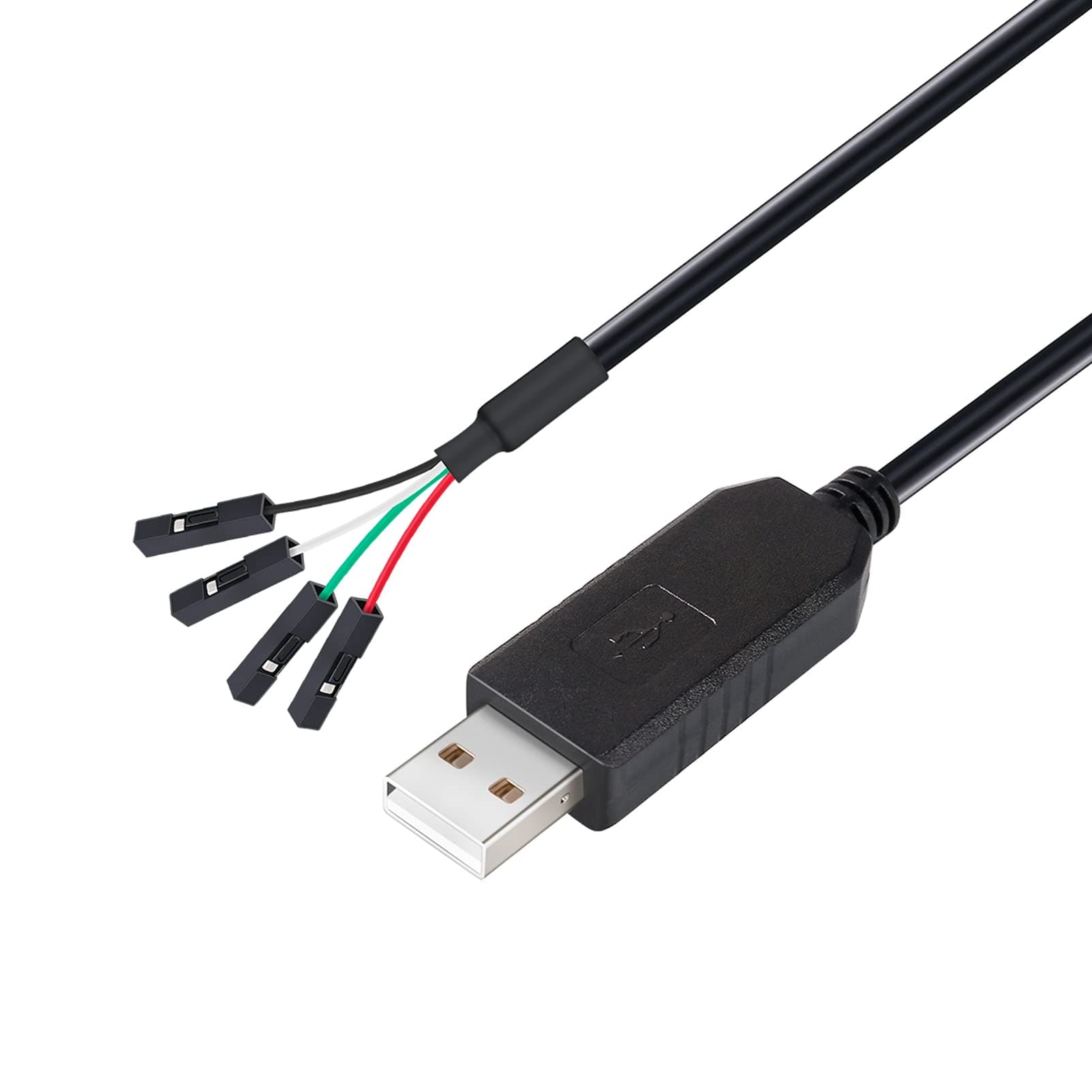
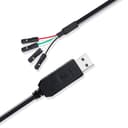
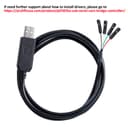
⚙️ Debug Like a Pro, Connect Like a Boss!
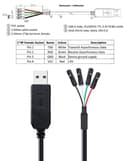
The DTech USB to TTL Serial Adapter is a 3-foot cable featuring a genuine Prolific PL2303TA chip that converts USB 2.0 signals to 3.3V UART logic levels. Designed for seamless debugging, programming, and firmware flashing, it supports data rates up to 3 Mbps and is compatible with a wide range of Windows operating systems. Its 4-pin female socket provides TX, RX, VCC, and GND connections, making it an essential tool for professionals working with routers, microcontrollers, and embedded systems.
| ASIN | B08BLKBK1K |
| Best Sellers Rank | #29,894 in Computers ( See Top 100 in Computers ) #68 in Serial Adapters |
| Brand Name | DTECH |
| Cable Type | USB |
| Color | 4 pin 3.3V |
| Compatible Devices | Router |
| Compatible Phone Models | Potentially compatible with smartphones, specific models unknown |
| Connectivity Technology | Serial Port |
| Connector Gender | Male |
| Connector Type | usb |
| Country Of Origin | China |
| Customer Package Type | Standard Packaging |
| Customer Reviews | 4.0 4.0 out of 5 stars (58) |
| Data Transfer Rate | 3 Gigabits Per Second |
| Indoor Outdoor Usage | Indoor |
| Item Shape | Flat |
| Item Weight | 0.04 Kilograms |
| Manufacturer | DTech |
| Maximum Current | 2.5 Amps |
| Maximum Voltage | 5 Volts (DC) |
| Model | DT-6553/1m |
| Model Name | 3ft USB to TTL 3.3v cable 4 pin |
| Number of Items | 1 |
| Number of Pins | 4 |
| Other Special Features of the Product | Data Transfer, PL2303 chip |
| Recommended Uses For Product | Indoor, router, modem,etc |
| Specification Met | CE |
| Unit Count | 1.0 Count |
| Warranty Description | 180 days afrter the date of the purchase |
W**P
The documentation was a bit confusing as the serial connection voltage was shown as 5v, but the cable was 3.3 volts as advertised and worked like a charm to program an ESP32 device. The specific part, in my case, was detected as a PL2303GC and was reported as real (unlike some other cables I bought before this one).
U**F
This review is for the "DTech USB to TTL Serial Adapter 3.3V Debug Cable TX RX Signal 4 Pin Female Socket PL2303 Prolific Chip Windows 10 8 7 XP Vista (3ft, Black)" First, the warning: Although this is sold as a 3.3V debug cable, the red wire is in fact soldered to the 5V line as you can see in picture 2. Minus 1 star since that could easily damage or destroy your device. It does have a solder pad inside that you could use to convert the VCC from 5V (standard) to 3.3V if that is your use case as long as you can solder. I strongly advise you check yours before you hook it up, as others have pointed this exact situation out in their reviews. If it is wrong, and you cannot solder it to the correct pad, return it. There is a genuine Prolific PL2303GC chip inside, not some generic knock-off. I already had the drivers installed since I have another known genuine debug cable already, and this one showed up immediately without needing to install drivers. I am running Windows 11. The one I received had a 38 inch long cord as measured from the end of the connectors to where the case starts for the USB. It is well made, and you can easily remove the casing to check the chip and put it back together again. The documentation is included and thorough. Specs: USB 2.0 Prolific PL2303GC chip Can provide 3.3V or 5V (see warning above) UART interface supports 7 or 8 data bits, 1 or 2 stop bits, and odd/even/mark/space/no parity Supports VID and PID Pinout: White: Transmit (TX) Green: Receive (RX) Black: Ground (GND) Red: 3.3V or 5V (VCC) - check yours before connecting to a device To test if it works: Connect the White and Green wires with anything that will conduct (small paperclip works great, or strip the ends on a bread bag twist tie and use that) Make sure the wire you used cannot touch anything that would ground it (like your computer case). If concerned, use scotch tape to insulate it or secure it somewhere safe Connect the device to your computer, and go to Device Manager Look under Ports (COM & LPT) Install the Prolific drivers if needed (download from prolific.com.tw, use GUEST login) Once the device has the drivers loaded, check to see which port number it was assigned (if you see multiple, unplug and plug back in to see what number disappears/reappears Open Putty or another terminal client program Change the Serial Line setting to your COM port number (e.g. COM7) Leave the speed setting at the default value Click Open A new terminal window will open Start typing. If you see your letters appearing on the screen, loopback is working. If you want more proof, disconnect the Green and White wires from each other and try typing again. I will give it a workout over the next week going firmware flashing and debugging. If I find any flaws or issues, I will update this review.
B**N
Works great for reading error codes in your PS3
A**R
If you are planning on using this cable to power a small device (such as a small microprocessor or sensor) take note that, although this is the version provides 3.3V signals on the TX and RX pins, the Vcc output is 5V, not 3.3V. So if you want to power a 3.3V device, you will either need to regulate the 5V down, or provide a separate 3.3V supply. (Of course, if you have a very low consumption of 3.3V, a simple resistor network may be sufficient to do this.) If you do need the 3.3V to power a small device, you might want to look at something like the DSD TECH SH-U09F (available on Amazon.) It has a jumper to switch between 5V and 3.3v signals, which also changes the Vcc output between 5V and 3.3V. It worked for my particular application where I needed both 3.3V signaling and 3.3v power for my device. I have no connection to DSD TECH, and didn't have any problem with this DTech cable other than needing to provide an additional 3.3V power supply for my application.
C**S
I've used this with no issues with Windows 10. After upgrading to Windows 11, I find they have no driver available for it. Instant junk. We were using this on a project with 5 other people and now we can't use it. Don't throw away your money!
Trustpilot
2 weeks ago
5 days ago