💡 Light up your life the smart way—because your home deserves the future today!
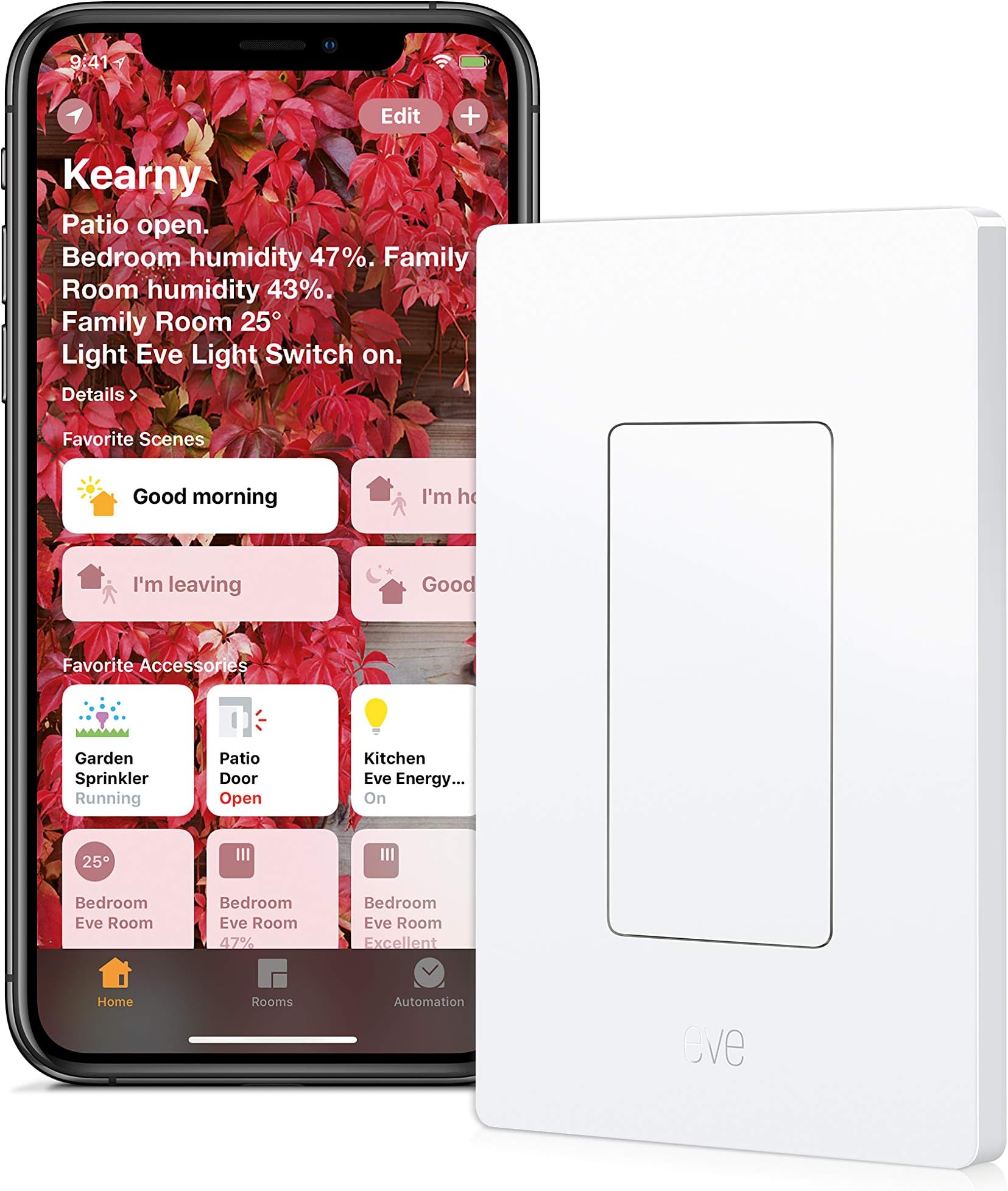
The Eve Light Switch is a HomeKit-enabled smart switch that lets you control your lighting via Siri or the Eve app using Bluetooth low energy technology. It supports 15 Amps at 120 Volts, requires no additional hub, and allows you to set schedules or simulate presence for enhanced home automation and security. Compact and easy to install, it integrates seamlessly with other Apple HomeKit accessories to elevate your smart home experience.


| ASIN | B01M8HI8L5 |
| Actuator Type | Push Button |
| Best Sellers Rank | #3,112,080 in Tools & Home Improvement ( See Top 100 in Tools & Home Improvement ) #537 in Home Automation Modules |
| Brand | Eve |
| Brand Name | Eve |
| Circuit Type | 1-way |
| Color | White |
| Compatible Devices | iPhone, iPad, HomePod, HomePod mini, Apple TV |
| Connectivity Protocol | Bluetooth |
| Connector Type | Wire |
| Contact Material | Wire |
| Contact Type | Normally Closed |
| Control Method | App, Touch, Voice |
| Control Type | Multi-level |
| Controller Type | HomeKit, iOS |
| Current Rating | 15 Amps |
| Customer Reviews | 4.5 out of 5 stars 505 Reviews |
| Global Trade Identification Number | 00813180020207 |
| Included Components | Eve Light Switch, Plastic Frame, Mount Plate, screw (4), wire nut (4) |
| International Protection Rating | IP30 |
| Item Dimensions | 1.5 x 2.75 x 4.5 inches |
| Item Type Name | Light Switch |
| Item Weight | 3.68 ounces |
| Lower Temperature Rating | 32 Degrees Fahrenheit |
| Manufacturer | Elgato |
| Material Type | Plastic |
| Model | 10027805 |
| Mounting Type | Wall Mount |
| Number of Items | 1 |
| Number of Positions | 2 |
| Operating Voltage | 120 Volts (AC) |
| Operation Mode | ON-OFF |
| Part Number | 10027805 |
| Smart Home Compatibility | Smart Home Compatible |
| Switch Type | Push Button |
| Terminal | Screw" Or "Quick-connect |
| UPC | 813180020207 |
| Unit Count | 42.0 Count |
| Upper Temperature Rating | 104 Degrees Fahrenheit |
| Warranty Description | 1 year |
| Wattage | 1800 watts |
A**R
Great switch, way better than most and looks nice.
This is a great switch and it works flawlessly. I got this and Philips dimmer switch so I have something to compare to. Since this switch is hard wired, there is never an issue with it. There is one gotcha if you're using Philips hue lights or any other IoT lights. Since this is a physical switch, it will turn off power to those lights making them inaccessible from your IoT devices/apps, but the beauty of this is that you can turn it on (even with Siri) and then you are free to use your other IoT devices to control the lights if they are wireless too. The other great thing about this is the app itself, I love how straight forward this is for setting up automation or certain triggers, plus it's a clean looking app, which lets you control other devices. Oh and I was able to put this together with a regular switch into one electrical box. I originally thought that it could only be placed by itself, but it turns out that all those front plates (2 of them) are removable and it can easily be screwed into a bigger electrical box that contains other switches/outlets. As for the delay between physical touches of the button to lights going on and off, it's way faster than my Philips hue dimmer switch, and I feel that there might be a 1/2 a second delay, but it's practically unnoticeable. It does have an interesting click to it when you tap the button (the button isn't physical, it's just a tap, but the click happens inside it once it's been tapped, kind of weird, but not annoying).
R**E
Great reliable switch
Updated 2019 Review (five stars) This switch works perfectly and gets the little things right. Now that my house if full of Homekit devices from a lot of brands, I can much more accurately review a product and better judge its performance. The fact that this switch uses bluetooth instead of wifi brings on a whole lot of trade offs. It increases the latency of the device, but it also uses less power and doesn't clog up my wifi. Typically, I have everything setup to use automations that run... automatically. If some device is delayed by 7 seconds, it has no effect on the outcome of that automation. When using this switch as a trigger for an automation, it works flawlessly, and with about the same latency as a wifi device. Bluetooth also means it will work even if my router is malfunctioning, but the range is limited to the bluetooth reach of my phone and AppleTVs. If you are all in on Homekit, you are also likely all in on Apple, and this should not be an issue. I really appreciate the indicator light on this switch. I also have wall switches from Sylvania (great, but has a rocker paddle with on/off and that is now a deal breaker for my wife), Koogeek, and Insignia (do not buy Insignia homekit stuff from best buy, total junk). All three of these other brands have indicator lights that are not programmable. They all illuminate green when on, and they turn off when off (Sylvania turns dim blue when off) when off. The Eve switch allows you to make its green light be: 1. always off, 2. on when the light is on, or 3 on when the light is off. I use option 3 so that it is easier to find in the dark. If it was in my bedroom, I would probably choose option 2, and/or use the other feature of choosing from one of three levels of brightness. One thing that I'm a little frustrated with about this device's app, and many others including iDevices, Koogeek, and Sylvania is that they try to be your "everything" homekit app. They show you all of your devices and have no real filter to just show the devices from this specific company. The main thing I use a device specific app for is adjusting settings for that specific brands devices, and for firmware updates. I have the native Home app, and several third party apps that are great for generally controlling arbitrary hardware. When I go into the Eve app, I want to check for Eve firmware updates and possibly change device specific settings. Pros: * Bluetooth - Does not clog up your wifi, uses less energy when doing nothing. * Programmable indicator light. * Simple touch to change the state of the switch (instead of discrete on/off switches). * No moving parts to wear out * Reliable Cons: (this list is really hard to fill, so I'm super nitpicking) * Doesn't look like a normal Decora switch (maybe a pro to some) * Bluetooth can lag 1-7 seconds * Does not track power consumption, but it can be inferred from the bulb rating and the time kept in the app. Original 2017 (four stars) Review This switch works perfectly fine, but being bluetooth, and not having any sort of physical button make it not as transparent as it could be. I basically bought this because I was too impatient to wait for the dimmer switch from iDevices (IMO the gold standard in HomeKit). Also, this was 1/2 the price of the wifi switch from iDevices. Basically, the capacitive or whatever it uses for sensing the on/off works well enough, but we have a lot of misfires. The bluetooth LE nature of the device means that it changes state about 3-6 seconds after requested from the phone. When touching it, it switches state immediately, unless you don't touch it just right, and then you have to touch it again. It is also a bit baffling how they include on/off monitoring, but not power monitoring. This was a great addition to our HomeKit home, but it is not perfect. I'm looking forward to the similarly priced switch I just preordered from Koogeek, which is wifi, rather than bluetooth.
C**P
Great HomeKit addition for an Apple TV 4 hub.
This is an excellent addition for an Apple ecosystem with the Apple TV 4. It works so well that I bought 4 more. Note that when the Apple TV is used as a HomeKit hub, it seems important to set the Apple TV so that it never sleeps. For me, HomeKit seems quicker and more responsive if the Apple TV 4 is awake and not sleeping. I had a few questions that you may have too. 1. First, the neutral wire is attached to the Eve switch to power the switch so it can monitor the bluetooth. The required neutral wire is likely in US houses built since the mid-1980's. To check whether your house has one turn off the circuit breaker and remove the switch plate. The neutral wire is the white wire in the switch box. It is probably not connected to any switch in the box (unless you already have a switch in the box that requires power). Take a look at the switch box. Is it plastic, or metal? A metal box may shield the signal reception. 2. Our 2-story frame house is over 3,000 square feet. I wondered if the bluetooth would work reliably through walls and floors. I used an iPhone app called SpreadMesh to measure the RSSI signal strength of the Apple TV's bluetooth at places where I intended to put the switches. All of my switches are in areas where the RSSI is between -90 (weaker signal) and -67 (stronger signal). One switch is upstairs and the rest are separated by distances up to 45 feet from the Apple TV. 3. The switch responds instantly to touch and works as well as or better than any manual light switch. Often times, there is a few second delay when triggering through HomeKit. In practice this is only a minor inconvenience because I use HomeKit to automate scenes that control several devices so even with the delay, it's an overall win. 4. With the Apple TV, I'm able to control the light switches from my iPhone any where I have cell access. I imagine the delays are longer when I'm away, but I'm not in the house to notice. Note that my Apple TV is set to never sleep. The Eve app's logging of the switch power usage is a nice record of activity in the house when I'm away. I really wish that changes in the on/off status could trigger a notification. If it did, then the switch could be a valuable security asset as well.
S**T
Works great
I've had this for a couple weeks now. The design is great, and the app is pretty cool because you can program it to link up with HomeKit and do a lot of things there. You connect to it via Bluetooth, not wifi. So you have to be within Bluetooth's proximity to have this device follow your commands; unlike wifi. But it mounted easily, I used it to replace the light switch in my double switch box for my ceiling fan/light. It has a very dim, pencil eraser-sized green light that is on when the source is switched off so you can see it at night. Its a captive touch, like your smartphone's screen, so theres no tactile click or switch to move, you just touch or tap it. Overall its a pretty cool product; however it'd be better if future switches become wifi and not bluetooth.
K**J
Well built and reliable light switch. Previous review mentioned a delay but it seems Apple is to blame. Fixed with iOS 11.
** As of iOS 11, Apple has corrected some of their performance issues with Bluetooth HomeKit accessories that were severely delaying the response time. I can happily say that the performance difference is drastic, and has largely removed all previous gripes. My previous review complained about the delay in turning lights on/off when using HomeKit. It seems however that Apple is largely to blame for poor response time with Bluetooth HomeKit accessories. After iOS 11 I'm happy to find activating over HomeKit is now acceptably consistent and quick. While wi-fi accessories still respond more quickly, the delay that currently exists is negligible; consistently well under a second. I feel somewhat guilty for blaming the light switch when it seems almost all of the blame falls on Apple. My old review is below, I have however put Pros first as I feel they remain relevant. Pros: Pairing was a breeze and the switch blends in perfectly with, in my opinion, an attractive small green LED back light when off (not at all bright or distracting, convenient in the dark for guests). Installation was simple and straight forward and the build quality was all in all great, a step up from your typical cheap feeling metal and plastic typical light switches are made of. **** Out of date cons, these issues no longer exist post iOS 11. **** While I'm ultimately impressed with its quality there is a very severe and inconsistent delay when using it over HomeKit. All of my other accessories, some closer some further from the hub respond consistently and without any noticeable delay, however this switch can at times can take a 2 seconds to respond or even up to 30 seconds! Once it does finally respond any controls immediately after are quick suggesting that after a short period without use it goes into some idle/inactive state and has to reconnect. Any signals sent during these delays are queued so if your impatient like me and keep turning it on/off hoping it will respond it will then catch up to each and every press when it finally does reconnect. It becomes very annoying... With that one major issue aside everything else is actually superb, which is why it's hard to rate it too low. If I could I would rate it a 3.5/5 instead as it's other qualities are too good for me to be too harsh. **** Out of date cons, this issues no longer exist post iOS 11. ****
D**E
Fantastic Connected Switch
This product is exactly what we were looking for. We needed an in-wall light that was stylish and had integration with Apple Home Kit. There are so many times that we get in bed on a cold night and forget to turn off the main lights in the bedroom and have to run across the room to hit the light switch and then come back in the dark without tripping the dog or something the kids left on the floor. Now I can turn the lights on and off by telling Siri to do so. What makes this product so great is that it can work by manual touch AND with Siri. I installed switches in our house before, so I didn't need an electrician but Eve does include handy install instructions with step by step wiring guides which is nice. The product easily paired with the App. During the pairing process I got a phone call on my iPhone and it caused the pairing to fail. The App could not detect the Eve switch until I reset it back to factory defaults (painless 20 second process that is documented in the instructions). The switch has detachable face plate which is what we needed because I installed it next to two other switches on the wall. A nice little green light shows me which one is the Eve. I highly recommend this for anyone looking to get into home automation.
M**C
The Best of all the Smart Switches
I've bought more of these. They're well designed and work flawlessly as the other Eve Homekit products I've purchased. I'm an old programmer dude that's had X-10, Insteon, Z-Wave, WiFi-Enabled and these Bluetooth LE products. It's my opinion these are superior in every way. - Security. WiFi devices put your whole network at risk if not properly fire-walled. Ring's doorbell was caught sending audio to China. Many other unknown branded wifi switches have been caught sending data to China. With Bluetooth LE, they are just not capable of anything like that. - Energy. The BLE devices use almost no energy. I've had Eve's Weather Monitor running on AA batteries for over a year and they've still got a good charge. This is while using the Eve app to download the data at regular intervals for monitor graphs. WiFi enabled devices consume a few watts of power. Not a lot but it's a huge amount more when you add it up 24x7x365. - Reliability. This is the most important factor for me. I tried Leviton's WiFi switch (DH15S) because I needed a 3-way switch. It would go offline (reddit and Amazon are full of complaints) and not be useable. The company sent me a new one at no charge but this one was also unreliable. I finally replaced with the Eve switch and rewired so it was no longer 3-way. Inconvenient but now it's reliable and I can always switch from my phone app. - Downside. Only one I can think of is distance which hasn't been a factor for me. I've got 3 levels of concrete and steel and have never had unresponsiveness. But I can imagine some extremely large homes where a wifi mesh network would work better. They don't make a multi-way switch which is not as important with voice control but it requires joining red and black wires in the other switch box.
G**E
I love the touch to activate surface.
It's been two weeks so I think it's time to write a fair review. Be aware that you need a nutural wire at the switch. This is easy to add for a electrician if you don't. Most switches have a hot and switch leg. You will need a 3rd wire and an optional ground wire. I love the touch to activate surface. Just tap and your light is on or off. The linking to Apple HomeKit was fast and simple. Took about 5 minutes to link the switch and outlet which I also bought. It has a small dim green led on the switch that helps locate it in a dark room. Now for the cons It took me two hours to install and I do electrical work professionally. It would've been a five minute job but you normally don't run across homes that have a common wire in the switch plate. The electrical system here is very old so I had to run a common from the fixture box to the switch. I'm going to assume that most houses will not have a nutural wire located in the switch box. So to sum it up there is no better way to control a light that has a switch if you use the type that just screw into the socket you run into problems of people turning off the switch disabling the app from working.
M**O
Bueno
No lo ocupe por qué no fue compatible con la instalación de mi casa
C**K
Such a cool light switch! I love saying "Hey Siri, turn on the lights!" haha
It does exactly what it's supposed to do! I love that I can walk into my room, and say "Hey Siri, turn on the lights!" or if you have multiple "Hey Siri, turn on the lights in my room" or something like that... it's so freaking cool! Works excellent with Homekit, and if I could afford it, I'd put these light switches all over my house. To turn it on, you just tap the button, but it's not like a touchscreen on a phone... it senses if something is getting close I think, my finger turns the light on when my finger is 2mm away from the switch. This means you can also turn the lights on with your shoulder, or an item that's in your hand... it's actually pretty cool. There can be a delay if you are turning the switch on for the first time in a while, because your phone has to search for it over Bluetooth and connect to it, but it only takes about 5 seconds top after I tell Siri to turn the lights on. After that, I can tap the on/off button in Homekit on my phone multiple times and the lights go on and off instantly! It's a really nice product, and it's been so useful. It also works from pretty far away... pretty much everywhere in my 3 story house, I can turn on the lights in my room, it's so cool! haha :)
H**F
Excelente
Funcionan perfecto
C**N
Great Product Works And Looks Great
Installed this yesterday so far I really like it. Very easy to install and set up. Looks very sleek and feels and looks like a high quality product. Something to note on this is that it needs a white neutral wire in order to be wired up and a lot of light switches won't have it as it's not needed for a generic light switch. I suggest checking you existing light switch first before ordering and then not being able to wire it up
I**V
No se pudo instalar
Nunca se pudo instalar... si prende pero no apaga al 100... no se si tendría defecto o es el tipo de instalación de luz de mi casa.
Trustpilot
3 days ago
2 weeks ago