Buy anything from 5,000+ international stores. One checkout price. No surprise fees. Join 2M+ shoppers on Desertcart.
Desertcart purchases this item on your behalf and handles shipping, customs, and support to Philippines.
๐ Elevate Your Office Game with Speed and Precision!
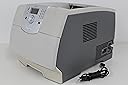
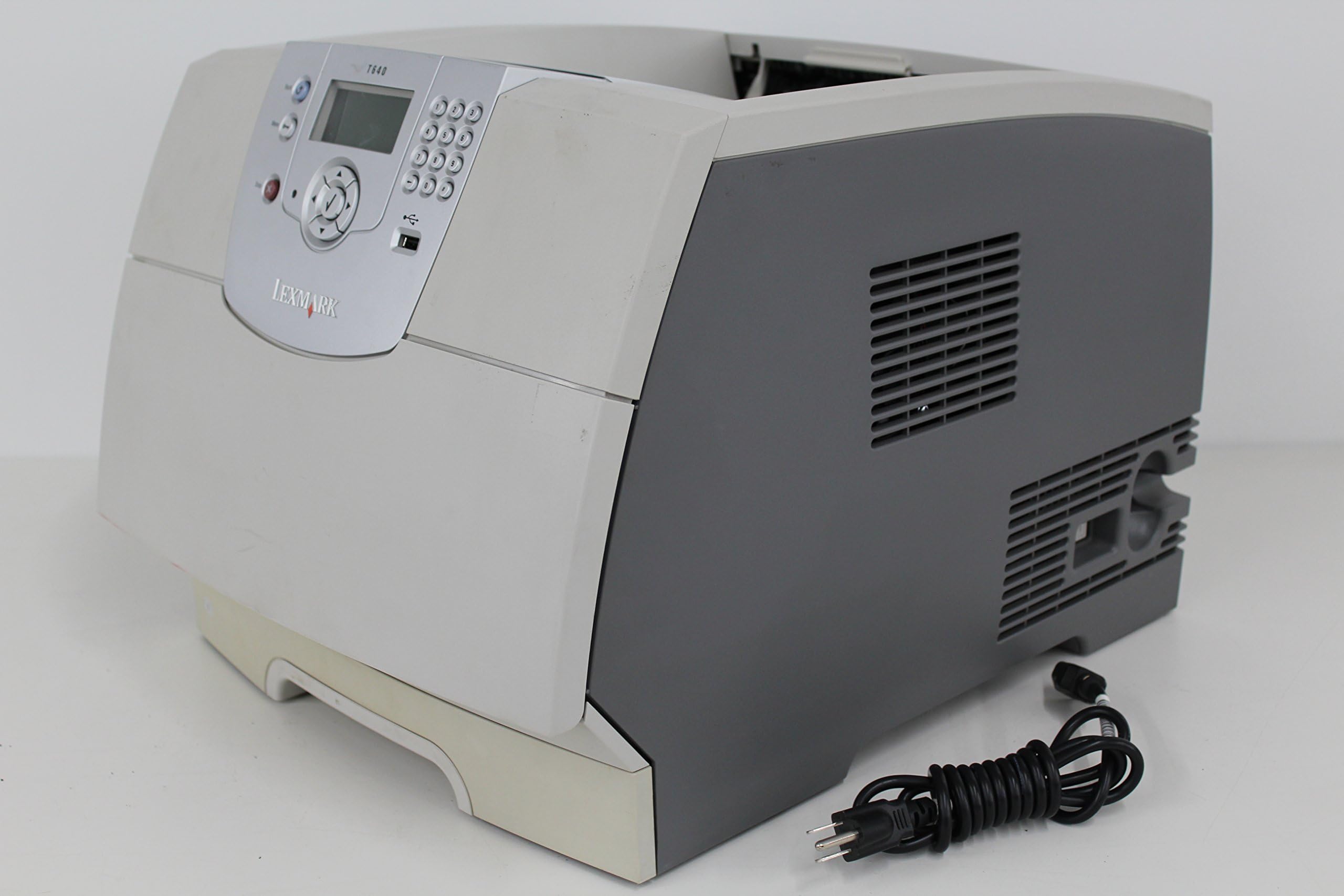
The Lexmark T640 Monochrome Laser Printer is a high-performance workgroup printer designed for efficiency and versatility. With a print speed of up to 35 pages per minute and support for various media sizes, it is perfect for busy office environments. Compact yet powerful, it delivers reliable monochrome prints, making it an essential tool for any professional setting.
A**F
Too much trouble.
This worked great for the 90 day warranty period. Now jams all the time. I have already taken it in for service. Wish it had lasted. Printer was wonderful when it worked, super fast, clean sheets. Printer jams every 12 to 15 sheets now and overheats. Not worth the trouble.
K**N
Excellent Value for Lexmard T640 Laser Printer.
I have purchased two Lexmark T640s from ceigreen. Both have been in excellent condition, and priced great. Our business owns about 12-15 over these printers; our software supplier demands we use them. Great printer, good print speed. Only problems arise when refilled toners are used. Recommend using only new Lexmark supplies. (No, this is not a paid sales pitch; just experience.)
J**S
Slooooooow!
I installed this printer a year ago at a non-profit I work for. It has a couple of gotchas, which caused us massive grief for a few months.If you print via the Internet Printing Protocol (IPP), the printer will crash periodically on seemingly random jobs. When it crashes, it doesn't automatically reboot. Reconfiguring your print server or desktops to use the LPD (or other protocols) will fix the problem. Lexmark has all but forgotten about this printer, and hasn't offered a software update since May of '07, and the frequent crashes are not addressed on their support site, but *are* mentioned all over the internet. :-)We are a PostScript based shop (but really just print Word and Excel documents), and this printer's emulation software is adequate, but unbelievably slow. I wrote some simple PostScript test pages which fly out of our other printers, but not the T640. When warmed up, time to first page varies from 5 to 60 seconds.The printer is *very* eager to print. The moment a print job starts downloading, the fans, rollers and drum fire up in anticipation. Then they shut off twenty seconds later because the PostScript interpreter hasn't finished rasterizing the page. It makes you get up from your chair ("It's printing!") only to fake you out. :-)Generally, PostScript benefits from having more available memory, so I added 512MB to the thing, and it really didn't make much difference.So yeah, the printer does what it's supposed to. Just slowly.
A**R
horrible printer
Printer in horrible shape. It makes a lot of noise while printing and it stopped printing after about an hour. So much for being in "good condition".
L**D
Great product
Works great. Had to replace current T640 (it is 6 and 1/2 years old) so I was able to find this one refurbished for a decent price and it is working great.
A**E
I was sold a LEMON! Old and unworkable. No Toner, No cables. Total Fraud!!!!
This was a total fraud!!!
A**R
Five Stars
Works great! Vendor was helpful with a minor issue.
T**K
Constant paper jams, bad design overall
I have had this printer installed at my place of business for about 1 year. I have constant paper jams from the add-on tray 2 that I purchased with the machine. This I believe is due to a design flaw which puts the pick up roller on a swing arm above a non spring loaded sloped bottom tray. The roller comes down to pick up the paper and it's not precise enough so paper jam occurs. I have improved the performance somewhat by adding a 1/2" block to the tray to raise the paper some more.Bad design as well if you are using the multi use tray (for checks, etc). Pickup roller is at the left end of the tray (instead of in the middle like the HP), so the paper goes in crooked and sometimes jams.The add on tray is also huge leading you to believe you can fill it right up (like with the HP), but you can only fill it half way, and the tray that comes with the printer only holds about 100 sheets.Another minor annoyance is that when you want to use the multi use tray, instead of defaulting to that tray when there is paper in it, you have to select it every time.Bottom line: spend the extra money and get the HP. I wish I did.
Trustpilot
2 days ago
3 weeks ago