Desertcart purchases this item on your behalf and handles shipping, customs, and support to Philippines.
๐ Print smarter, faster, and connectedโbecause your office deserves the best.
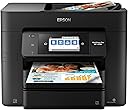
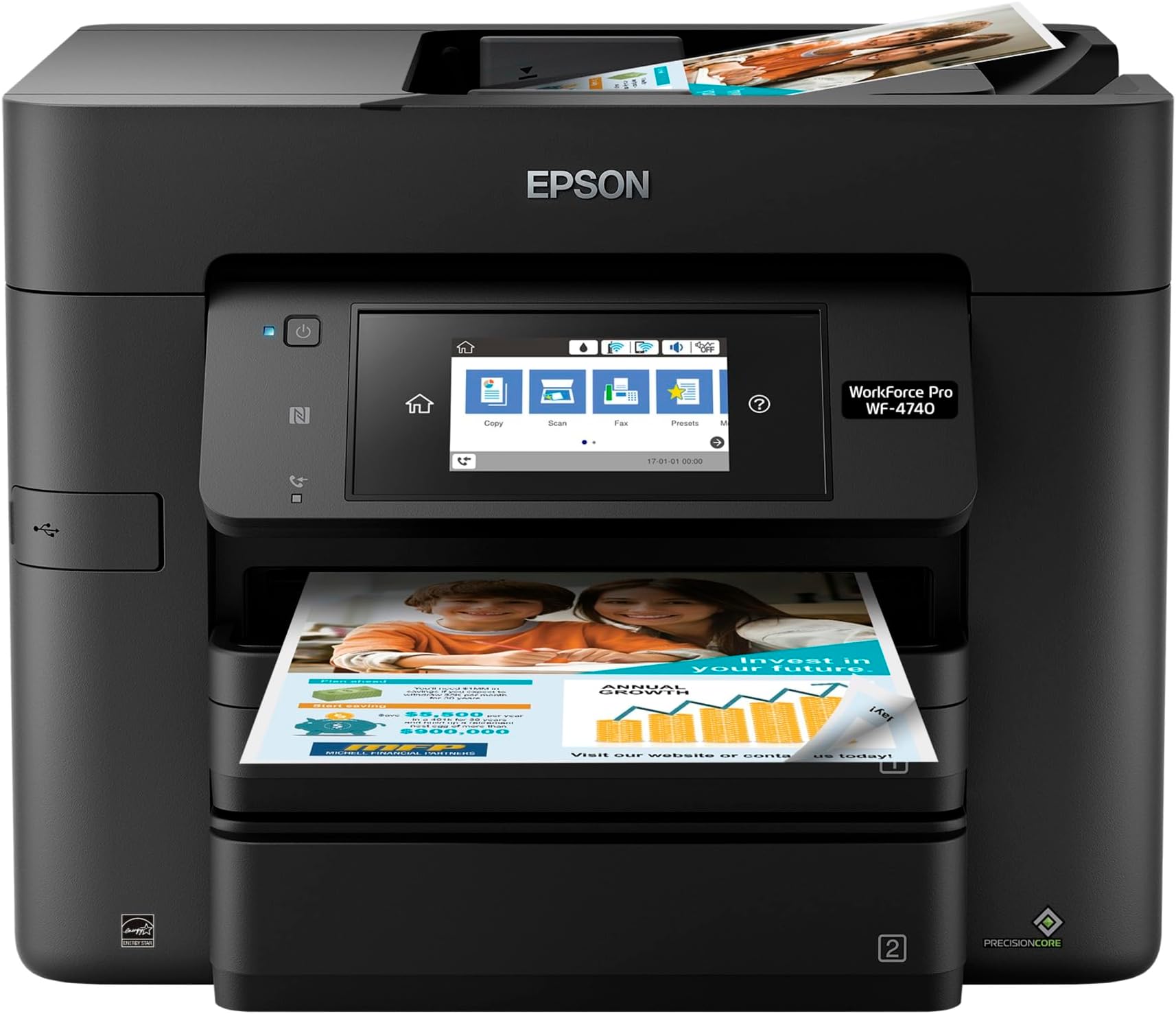
The Epson WorkForce Pro WF-4740 is a wireless all-in-one inkjet powerhouse designed for high-volume office use. Featuring PrecisionCore technology, it delivers the fastest color print speeds in its class (up to 24 ppm black, 22 ppm color), a large 500-sheet dual paper tray capacity, and smart Dash Replenishment for automatic ink ordering. With a 4.3" color touchscreen, Wi-Fi Direct, and Alexa compatibility, it offers seamless connectivity and intuitive control. It also boasts up to 50% lower printing costs compared to color laser printers, making it an efficient and budget-conscious choice for professional environments.


| ASIN | B01N7RZC9G |
| Additional Printer Functions | All In One |
| B&W Pages per Minute | 2 |
| Best Sellers Rank | #348,260 in Office Products ( See Top 100 in Office Products ) #234 in Ink Tank Printers |
| Brand | Epson |
| Built-In Media | 4x DURABrite Ultra Ink cartridges (1x Black ink cartridge and 3x color ink cartridges: 1x Cyan, 1x Magenta, 1x Yellow), CD-ROM with drivers, Power Cord, WorkForce Pro WF-4740 printer, instruction booklet |
| Color | Black |
| Color Depth | 24 bits_per_pixel |
| Color Pages per Minute | 2 |
| Compatible Cartridge | DURABrite Ultra |
| Compatible Devices | Laptops, PC |
| Connectivity Technology | Wi-Fi |
| Control Method | Voice |
| Controller Type | Amazon Alexa, Vera |
| Customer Reviews | 3.7 out of 5 stars 697 Reviews |
| Display Type | LCD |
| Duplex | Automatic |
| Global Trade Identification Number | 00010343931039 |
| Hardware Interface | USB 2.0 |
| Ink Color | Cyan, Magenta, Yellow and Black |
| Item Dimensions D x W x H | 16.7"D x 19.8"W x 13"H |
| Item Type Name | Epson WorkForce Pro WF-4740 Wireless All-in-One Color Inkjet Printer, Copier, Scanner with Wi-Fi Direct |
| Item Weight | 26.7 pounds |
| Manufacturer | Epson |
| Maximum Copies Per Run | 50 |
| Maximum Copy Resolution Black and White | 1200 dpi |
| Maximum Copy Resolution Color | 4800 x 1200 dpi |
| Maximum Copy Speed Black and White | 24 pages_per_minute |
| Maximum Media Size | 8.5 x 14 inch |
| Maximum Print Resolution Black and White | 4800 dpi |
| Maximum Sheet Capacity | 500 |
| Maximum print Resolution Color | 4800 x 1200 dpi |
| Model Name | WF-4740 |
| Model Number | C11CF75201 |
| Model Series | WorkForce Pro |
| Number of Licenses | 1 |
| Number of Trays | 2 |
| Other Special Features of the Product | Alcohol-Free |
| Paper Size | s 3.5" x 5", 4" x 6", 5" x 7", 8" x 10", Letter, Legal, A4, A6, Half Letter, Executive, User-definable (3.5" โ 47.2" in length) |
| Power Consumption | 20 watts |
| Print media | Paper (plain) |
| Printer Connectivity Type | Wi-Fi |
| Printer Output Type | Color |
| Printer Type | Inkjet |
| Printing Technology | Inkjet |
| Processor Count | 1 |
| Resolution | 4800 x 1200 |
| Scanner Type | Flatbed |
| Special Feature | Alcohol-Free |
| Specific Uses For Product | Office |
| Total USB 2.0 Ports | 1 |
| Total Usb Ports | 1 |
| UPC | 010343931039 |
| Unit Count | 299.2 Ounce |
| Warranty Description | Product Warranty |
| Warranty Type | limited |
| Wattage | 20 watts |
A**H
Our best all-in-one ever
We purchased this printer (WF-4740) in early November to replace the previous model WF-4630. We had moved and had kept the WF-4630 in storage for a few months - which doesn't work well for inkjets (had the same issue with another printer from different manufacturer). We had been happy with the WF-4630 as long as it worked, and the W-4740 is essentially a newer model of the same printer. The printer has two paper trays, which if you sometimes print on brochure paper, envelopes, etc. We could not be happier with the purchase. ADF scanning works perfectly, print speed and quality are good; doublesided printing may be a tad on the slow side but works like a charm. Some reviewers noted problems with paper jams or the printer grabbing multiple sheets, which was a concern prior to purchasing this printer. Fortunately, after almost two months, we have not had this problem (although we are printing a lot of in-house stuff on reused paper, which is not always pristine). Same for the ADF for scanning or copying - as long as the paper is more or less smooth the feeding works fine (just smooth out creases from folding and smooth out the holes left behind by staples). The footprint of the WF-4740 is also a tad smaller than the WF-3630 and looks more streamlined; gone are the physical buttons which have been replaced by a beautiful large touchscreen. Generally I feel that physical buttons are more "reliable" than touchscreens, but this one works really great. No problem with WiFi connection either. Print quality is fine (I have NOT tried to print photos yet, but text or text with graphics come out great). The scanning app has been improved. On the 4630, the scanning app may hand if you wait to long before saving the scanned pages, but I am not having this problem with the 4740. Now a few critical points: - Ink cost: The Epson 802 and 802XL cartridges look small when compared to the 786/786XL and are very expensive. For the more economic high-yield XL size, each of the four cartridges (three colors plus black) is $40, so the full set comes to $160. Which is much more than the 786XL cartridges for the previous model were. According to Epson, the black XL should give 900 pages and the color XL cartridges 650 pages, although this will depend on your use. So far I cannot judge whether this is somewhere in the ballpark or not. If you print a lot, then the ink cost may be an issue for you. - Draft print mode: The WF-4740 has a "draft" print mode which uses less ink. Unfortunately (and this seems to be an issue with many Epson inkjets), the draft mode prints extremely light (to the point of barely legible), so I am reluctant to use it even for in-house printing. It is more like a "superdraft" mode, and I wish there was a setting between this "superdraft" mode and the "standard" mode. We did have the same issue with the WF-3630, and this seems to be an issue with many (maybe all) Epson inkjets. I feel it is more of a problem with the WF-4740, due to the higher cost of the 802 ink cartridges. - First page slow/wake-up: It takes a long time for the printer to wake up from sleepmode, but depending on your printing frequency, you can change the timeframe when the printer goes into sleepmode. Even if not in sleepmode, there is quite a lag until the first page of a print job starts printing. (At least with the printer connected via WiFi, which is the way we have it set up). This lag is noticeably longer than it was for the WF-4630. Subsequent pages of a multi-page document print very quickly, though. The lag is only or the first page of a print job, and it is more a minor annoyance than a problem for us. Altogether I am very happy with this printer. My only concern is the ink cost, and time will tell how it compares to the previous model. I do wish Epson would give us a draft mode that sits between Standard and the current draft mode.
W**0
Garbage Printer. Updated My Review After 2 1/2 Years of Ownership
We had previously purchased the Epson WF 4640 back in May of 2014 and it was a bigger machine than this new WF 4740. Both seem similar and with the one digit number change I figured it was just an updated version of the old one. Well, it is extremely fast (like the old machine) however the difference lies in the ink cartridge size from what I can see. The older model, the 4640 used huge plastic tanks that slid in the front and just clicked in place. Not terribly expensive to replace the color you need however if you were replacing a whole set with the black, it could get a little costly. The new model, the 4740 has smaller sized cartridges similar in size to the competitors printers on the market. Not sure if they hold as much ink as they are much smaller but so far they are good. Setup on this machine was very quick and Epson respects the right that some people out there don't own a Windows computer and has all the updates easily downloadable online for the newest version of an Apple computer. Printing on this machine might just be a little quicker than the older version machine. The price is much less as we purchased on Amazon for $179 and our old Epson was $249. Our old Epson did die on us and we used the Square Trade warranty we purchased on Amazon. They were great about replacing the printer and gave us our full purchase price back on the old machine. Love this new printer. Text is very sharp, colors are very good. Pictures even on photo paper are just okay, not up to par with some of the other brands out there like Canon. However, if you are going to print pictures a lot, get a photo printer dedicated just for them. *****UPDATE TO MY REVIEW 3 YEARS LATER****** Our printer, they WF4740 has been giving us all kinds of problems in the last year. There is a 'can't scan" type of message that will not turn off. The ink usage on this machine is horrible and the cartridges are SUPER EXPENSIVE. More expensive that I remember for the older Epson machine. Looking now to replace this Epson printer. I will certainly NOT be looking at a new Epson and I would NOT recommend this printer. Getting all kinds of error scan messages on screen. Tells me to turn it off and on again. Now, the printer won't even go into a mode where it will print. Luckily, after owning the last Epson AIO printer that broke and I had an extended warranty I took the warranty on this one too. I WOULD NOT buy any all in one printer from any brand without taking a warranty. It seems especially with the Epson that these are being built to be a throw away item after using for just a couple of years. This time, for efficient ink usage at a great price, I just ordered the Canon G7020. It's a MEGATANK where you fill up the ink tanks with the bottles of ink that come with it and the refill ink bottles are super affordable. Yes Epson makes an ECOTANK system but after owning two Epson AIO printers since 2015 I am done with the brand. Besides, Canon will print photos MUCH better using the Canon glossy photo paper than any Epson AIO printer. I had a Canon small printer (not an AIO) many years ago going back to around 2003 and the photos printed on it in 8x10 on Canon glossy photo paper that I have framed at home still look amazing and not faded now in 2020. That speaks volumes about the quality of Canon. The only reason I went with a MEGATANK printer is it's easy to keep extra bottles of ink just in case as you always seem to need a cartridge of ink at the most inconvenient times and this way I am always prepared and not spending a lot for ink cartridges. I just bought a 3 color plus XL. black kit for the now broken WF 4740 printer and spent $125. Crazy expensive. DO NOT BUT this WF4740 unless you take out an extended warranty. It's a piece of garbage. And, the customer support by Epson is non existent too. Hard to get ahold of when and if you need them. Go with another brand even if not Canon.
J**B
Good product so far.
Iโve only been using this printer for about a month so keep that in mind. But so far, so good. I received and set it up as per the included instructions. It was pretty straightforward and easy. I set it up as a completely Wi-Fi printer. I now print wirelessly from my desktop, laptop and iPhone. I have had zero problems with the unit and have printed several dozen multi page documents using it. I would recommend this printer but one should be aware: this is an inkjet printer and needs to be used fairly frequently to prevent the ink in the print heads from drying out. But I like the unit. The fact that it can print both sides of page is great. July 03, 2022 - Printer is still operating fine. I am utilizing the "auto order" for the ink cartridges. Works great! But again - this thing IS an inkjet printer and if you don't print to it at least once a week the print heads will dry out and you will have to have the unit clean them. This uses ink up VERY quickly. In an office environment, this will be fine. June 4, 2023 - Printer is still operating great! But it DOES use the ink at a good clip. Still, the ease of set up and use is making this a good buy for me. I am happy with it. July 1, 2025 - Still going and not a moments problem with it. However, I will be replacing this soon with a Laser printer. The laser toner lasts for a long time and it doesn't dry up link the ink cartridges. And color Laser printers are getting much more affordable.
L**S
Fast, but photo margins may be changed
Day 1, Tuesday, got it set up in 30 minutes on both of my classroom computers. Put 4x6 photo paper in top tray and plain paper in the bottom. Ran a sheet through he feeder-one sided only. I was happy with it until I compared my first printed page with similar print out from my HP that I was replacing. The black seems more gray on some of the pages. Printed a picture and saw lines in the photo so I realigned and the next photo looked good. The next day, it said my printer was offline. What? I stopped the spool and restarted but only got error messages when I tried to print. Uninstalled and reinstalled and viola working again. It worked the rest of the week without issue. I was very pleased with the speed and ease of use. Love the touch screen. SO much better than the last 2 printers I have with touch screens. I figured out that you have to install the printer from the disk to be able to leave other papers in the top tray and have it automatically choose the correct tray. I also LOVE the favorite cassette choices so that I can quickly switch paper in a tray and then 1 button change the paper type. SOOOO much faster than the old way of choose size, choose paper, etc. HOWEVER, when printing 4 x 6 photos, it cuts off the top (if landscape) or left border (if portrait) Sometimes this isn't an issue but other times it cuts off things that SHOULD be there. What the heck?! I get a message that can't all be read about the printer margin. I have used at least 2 Epsons and 2 different HP's throughout the years and NEVER had this issue. Can't find answer in the user guide (yes, I have correct paper in tray, yes it is in straight, yes I have margins set in computer without errors) or online. If someone has an answer I'd be happy. I'm wasting ink and paper at this point.
D**T
Third one in probably 15 years
Why do I keep buying this printer when each one seems to last only 5 to 7 years? Well, it does last, and, when it breaks, there's no doubt it cannot be fixed. While it works, this printer is a dream. It does everything it should do ... scans, prints (2-sides if needed, hundreds of pages), enlarges, shrinks, copies, the works. I have had few paper jams either during printing or scanning, and all of those are easy to fix. The cartridges last ... longer than the printer cautions you. I always ignore the cautions and wait until the printing stops--probably 50 pages later. I'm a writer and a teacher. I need a dependable printer. I've looked at all the rest but this one has been reliable so why change????
A**.
Excellent printer (even though the ink is expensive)
My previous version of this printer worked beautifully for about a year and a half โ right up until the day it totally stopped working. Nevertheless, I bought another one, primarily because of the consistent high quality of the printing. Only this time, I also bought an Amazon 4-yr warranty. Extra expense, but hopefully less than buying another new printer in a couple of years! Epson inks, by the way, I know are extremely expensive; but they seem to be very reliable and give very high quality printing consistently. Unlike the cheaper alternatives that I've tried in years past, with very unhappy results.
E**.
How do I hate thee, oh printer, let me count the ways...
So many things I hate about this printer. In no specific order: 1) Epson uses chips on the ink to force you to buy their ridiculously expensive ink. 2) The quality is mediocre at best. Nothing like any of the Canons I have owned (I really miss my MX922). 3) The user interface is clunky and unfriendly. 4) Back to the ink cartridges -- it doesn't actually let you use all the ink in the cartridges. Instead, the chip on the cartridge counts the number of pages it has used and automatically declares the cartridge empty at a certain point regardless of how much ink is actually still in the cartridge! This of course serves only to make you buy more of their ridiculously overpriced cartridges. 5) Paper jams are frequent and take opening a lot of slots to clear. 6) I've never gotten the print heads to function properly. Ran so many cleanings and tests it's ridiculous. 7) To the ink again, when the chip does declare an ink cartridge empty you can't just override an print anyway like most printers. No, you have to replace it then and there or it won't print at all! 8) Back to the UI. Every setting on this is more difficult than it has to be. For instance, on my mac, it greys out the two-sided printing function on the main print page, and forces you to dive deep into options to turn it on or off. 9) Networking -- often the printer seems to go off in it's own little world where it can't be found, forcing me to reset the printer. 10) Forget printing quality photos. The colors are all wrong. 11) Confusing use of the two trays. Tray 1 has the most versatility for paper sizes. Tray 2 only does letter paper. So it would make sense to keep Tray 1 filled with photo or other alternative paper. Except the printer repeatedly will insist on using Tray 1 as the default. So I have to have plain letter in BOTH trays. So why bother having two trays at all? Oh there are more. But that's enough for now.
A**R
Don't even hesitate to buy this
Bought this to replace my WF-4540. I printed out a 13 page black and white/color proposal on the 4540 before I decommissioned it. Time to first page on the 4540 was 9 seconds, time to first page on the 4740 was 7 seconds. Time to print out 13 single-sided pages on the 4540 was 2 minutes 2 seconds, time to print the same document on the 4740 was 48 seconds. Sweet. It's not that big either. Paper handling is good and the LCD screen is great. Connecting to the WiFi network is a billion times better than the WF-4540...the color touch screen is so much better to join the network. I got this for $179 and the ink is reasonably priced. The heads never need cleaning or clearing - it just works well. You can't go wrong with this printer!
S**D
Five Stars
Excellent unit! Once configured works amazing, prints are quick and the quality is amazing!
H**S
Quality product
A great purchase, quiet to run, beautiful quality printing including photos. We chose it based on a Choice consumer magazine review, and nothing disappoints.
A**R
Avoid at all costs
The printer does not allow you to print AT ALL when one of the inks is out - e.g., you can't even print black and white when missing magenta, cyan, or yellow. The printer also picks up multiple pages at once when printing, which happens frequently and wastes ink. Horrible purchase, avoid at all costs.
C**W
Delivers Quality and Speed.
Couldn't believe how fast this printer is. Love it.
B**P
Quick and easy set up. Great quality prints. A few frustrations.
This has been one of the easiest printers I have set up right out of the box. I often have trouble with the wireless set up but this one found my network immediately. I had it unboxed, setup and printing in a matter of a half an hour. One of the things that I like most about the printer is that it has two cassettes that are capable of holding a lot of paper. It cuts down on having to swap out between letter and legal and having to refill often. The only thing that I wish were different here were that both of the cassettes had the same paper options. I can use photo paper in #1 and not #2. The display panel is very nice. It is very easy to read. It has a great response time and the sensitivity is just right. Everything you need for your printer and the settings can be accessed here from settings to maintenance. There are tons of options to customize not only the way you want everything set up, but settings for each job. The print quality is excellent. All my documents so far have come out crisp and clear. Even though it is not labelled as a photo printer, any photos I have printed on glossy photo paper have come out stunning. While I really do like this printer, there are a few frustrations that I have been experiencing. The first is with having ink bleeding on the edges of my photo paper when I do a print. Luckily it doesnโt interfere with the photo part. I have tried the guide cleaning, print head cleaning, etc without any resolve. I have also looked inside to see if there had been any leaks. That brings me to another frustration, which is that you cannot open and check around the print cartridge area unless you go into the maintenance settings first and choose ink cartridge replacement so that the ink cartridges can move. I suspect that the problem with the bleeding on the edges may be from a very slight curl on the edges of the paper, but I have had no issues with my prior printer. I will continue to troubleshoot, but it is costly to continue to print photos to do so. The ink for this printer is not cheap and the supply that came with it is already down almost half way. Despite the last few issues, I really do like this printer. The quality of the prints and scans along with all the features and customizations have made this all in one a favourite.
Trustpilot
2 months ago
2 weeks ago