Desertcart purchases this item on your behalf and handles shipping, customs, and support to Philippines.
๐ Elevate your home network to Wi-Fi 6E speed and securityโbecause buffering is so last decade.
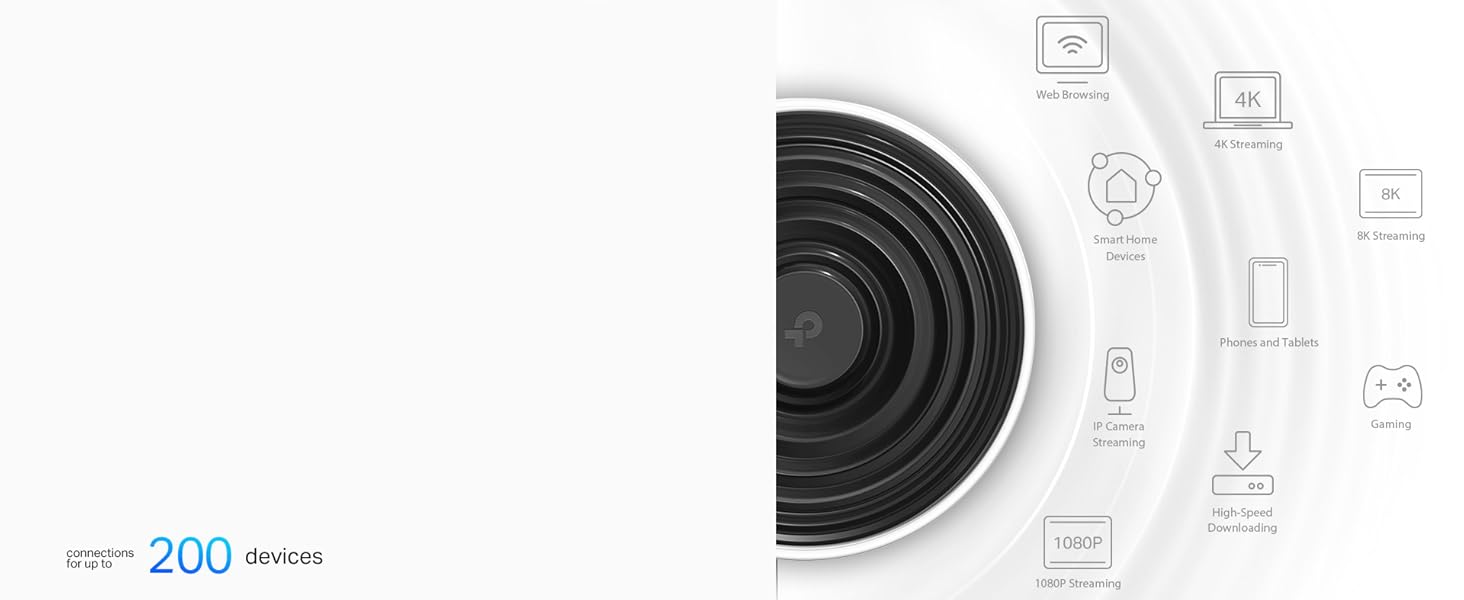
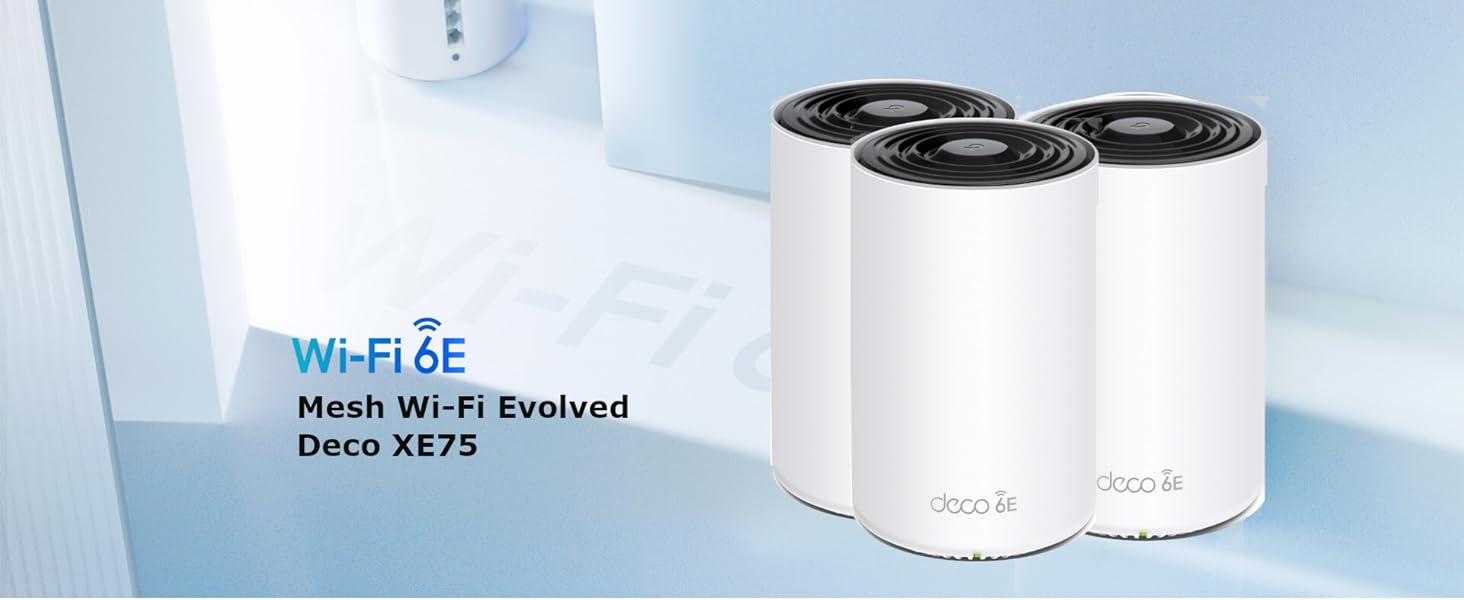
The TP-Link Deco XE75 (3-pack) is a cutting-edge Wi-Fi 6E tri-band mesh system designed to cover up to 7,200 sq ft and support over 200 devices with speeds up to 5,400 Mbps. Featuring a new 6 GHz band, AI-driven mesh technology, and robust HomeShield security, it ensures seamless, fast, and secure connectivity throughout your home, compatible with any ISP and modem, and backed by a 3-year warranty.


| ASIN | B0B12WYSLD |
| Antenna Location | Home |
| Antenna Type | Fixed |
| Best Sellers Rank | 4,298 in Computers & Accessories ( See Top 100 in Computers & Accessories ) 14 in Whole Home & Mesh Wi-Fi Systems |
| Box Contents | 1 Quick Installation Guide, 1 RJ45 Ethernet cable, 3 Power adapters, Deco XE75(3-pack) |
| Brand | TP-Link |
| Brand Name | TP-Link |
| Colour | White |
| Compatible Devices | Laptop, Personal Computer, Smart Television, Tablet |
| Compatible devices | Laptop, Personal Computer, Smart Television, Tablet |
| Connectivity Protocol | Wi-Fi |
| Connectivity Range | 7200 Square Feet |
| Connectivity Technology | Wi-Fi |
| Control Method | App |
| Controller Type | Switch |
| Country of Origin | China |
| Coverage | 200 mยฒ |
| Customer Reviews | 4.3 out of 5 stars 413 Reviews |
| Data Transfer Rate | 5400 Megabits Per Second |
| Frequency | 6 GHz |
| Frequency Band Class | Tri-Band |
| Frequency band class | Tri-Band |
| Has Internet Connectivity | Yes |
| Has Security Updates | Yes |
| Is Modem Compatible | Yes |
| Item Dimensions L x W x H | 10.4L x 10.4W x 17H centimetres |
| Item Highlight | 3 * Gigabit Ports, AI-Roaming WiFi Router Extender Booster, IoT WiFi, HomeShield, VPN, Easy Setup, Alexa & Google |
| LAN Port Bandwidth | 1000 Mbps |
| Manufacturer | TP-Link |
| Manufacturer Part Number | Deco XE75(3-pack) |
| Maximum Upstream Data Transfer Rate | 574 Megabits Per Second |
| Model Name | Deco XE75 (paquete de 3) |
| Model Number | Deco XE75(3-pack) |
| Model name | Deco XE75 (paquete de 3) |
| Number of Antennas | 3 |
| Number of Items | 3 |
| Number of Packs | 1 |
| Number of Ports | 3 |
| Operating System | Linux |
| Other Special Features of the Product | Parental Control, QoS |
| Product Warranty | 3 Years |
| RAM Memory Installed | 128 MB |
| Router Firewall Security Level | Advanced |
| Router Network Type | hybrid |
| Security Protocol | WPA3 |
| Special feature | Parental Control, QoS |
| Unit Count | 1.0 count |
| Wi-Fi Generation | Wi-Fi 6 |
| Wireless Compability | 802.11ac, 802.11ax, 802.11n |
| Wireless communication standard | 802.11ac, 802.11ax, 802.11n |
1**T
I could have saved a lot of time had I ordered this sooner
Our house is coming up to 200 years old and two thousand Sq Ft. Even the internal walls are over a metre thick in places. This means that Wifi is a challenge. We recently bought a Starlink system to replace the old slow copper internet provided by Zen via Openreach. From 10Mbs to over 200Mbs - incredibly happy. But the Eero mesh wifi system with 8 nodes was still poor and unreliable. In fairness we have more than 65 devices online so I wasn't sure anything could handle this perfectly. After some research, we decided on the TP-Link Deco XE75 AXE5400 Whole Home Mesh Wi-Fi 6E. What a good decision. The Deco app is beautifully laid out and setting up the system was simplicity and took no time at all. After setting it up with the same network name and password as the old Eero everything worked immediately. The Eero had 8 nodes and the Deco just three but the WiFi speed and strength covers everywhere in the house. One bedroom is slightly slower but still faster than the old system. I could not be more impressed with the Deco and just wish I had bought it sooner. We do have a summerhouse which I have cabled with Ethernet and adding a TP-Link RE330 AC1200 Mesh Wi-Fi Extender set up in AP Mode has given us fast WiFi again in the garden using the same network name and password. This isn't the cheapest Mesh product but if you are struggling with poor WiFi I would suggest you try this.
J**L
Quick and easy set up, improved WiFi area throughout house
This product is great, does exactly what it says it will. Bought this as my previous router did not have enough range for the whole house and WiFi extenders worked but were very slow and would have my devices staying connected to them even after I had left the area and gotten closer to my router but I would still be connected to the slow extender. Set up is simple and fast but you will need the app to do so. The app is great but could do with a few improvements such as choosing a preferred node for a specific device as sometimes a device may decide to connect to a node that's further. I use mine with wireless 2.4/5/6Ghz backhaul and it is working flawlessly currently. I don't have enough WiFi 6E capable devices in my home which is why I use the 6Ghz band as a wireless backhaul instead of using it as a WiFi band to connect me devices to. It's nice it gives you the option to use the 6Ghz as backhaul if you won't be making use of it otherwise. I also have a PC connected via ethernet to one of the wireless nodes and it's almost as if I'm connected straight to the main one which surprised me, very well done. And I haven't noticed any dropped connections or dipping internet speeds at all. Most of the features are controlled via the app but it's also possible to change settings through the web interface too. Overall I would strongly recommend this to anyone looking for a great WiFi 6E mesh system
C**N
Super design, easy to set up and works superbly
We live in an old house with lots of very thick walls, so getting a good WiFi network has always been problematic. Using hardwire connections to use a laptop in blank spots worked pretty well, but obviously this didnโt help with devices that couldnโt be plugged in - like iPads for example. And there were always some places - indoors and out - where there was either no signal at all, or not enough for anything to work reliably. Switching to the Deco6 mesh system has changed all this. For the first time ever we now have WiFi throughout the house, and pretty much everywhere outside too. In the one room where previously we really wanted to use iPads but couldnโt, itโs now easy to browse the web in comfort. And the signal is so good that we can even watch movies without using hardwired connections. Whatโs more, the units themselves actually look good. Theyโre very much in keeping with the Apple design aesthetic - clean, simple and minimalistic - and so look great next to a Mac, MacBook or iPad. And if you choose to have the small LED light on, itโs creates a lovely, peaceful, soft green glow. The set up is also really straightforward too - a huge leap forward from any other router Iโve ever used. But itโs not foolproof. Iโd watched several videos and read quite a few reviews so ended up slightly over-confident, and missed one key bit of information thatโs there in black and white in the instructions. Itโs this: you will need to have the Deco app installed and have access to it when you start. Iโd installed the app, but had disconnected the old router and had no phone signal either. I had to reconnect it to the old WiFi network to be able to open the app. But from there on it was simple. Just make sure youโve got your existing network user name and password to hand, plus your ISP user name and password. Should take 5 - 10 mins at most to be up and running. I found the best location for the 2nd unit by testing it in several positions, and then running speed tests on the network. Although the app is well designed, and easy to use, it is a bit lightweight and could easily be much more useful if TP-Link reviewed it and updated it to add more features. But that is about the only criticism I have of the Deco XE75. Itโs every bit as good as Iโd hoped it would be and a substantial upgrade to our internet experience.
P**R
Good signal, but with a big caveat.
I was suffering from blackspots in Wi-Fi coverage in my house, and wanted to improve the coverage of by EE/BT TV. I supply the TV via the internet rather than from an ariel. The setup of the system is very simple from the downloaded app, and it is very simple to create a mesh system that I can get throughout my house. I do not have any blackspots at all. I have 500Mb fibre broadband, and following the setup of these deco's, I get rock solid 450Mb Wi-Fi connections everywhere. The reason for marking the XE75 down to 4 stars, is that it cant handle the EE TV signal. There is no configuration to allow Multicast or configure IMPG Snooping. Both of which are required for EE/BT TV. As an FYI if you are interested, I ended up having to put them into AP mode and use the EE hub to provide the signal to the EE/BT TV box. Unfortuantely, this hub was what I wanted to remove from the system. In summary, I would recommend, but only if you have another way to stream EE TV
O**R
Very good. I now have Gigabit internet throughout the house
Likes: - Smaller than my previous Deco units (M4) - It contains 3 Gigabit ethernet ports instead of 2 on each unit - WiFi range is good, I haven't tested how far outside it reaches but it gets to where I need it - Very easy to set up. I set up the first one, and the remaining two set themselves up automatically, so all I had to do was rename the unit in the app. Dislikes: - Just the price. It's expensive but I imagine once WiFi 7 becomes a thing, WiFi 6 and 6E will become less expensive. I'm using the units using ethernet backhaul, so each Deco unit is connected to each other using an ethernet cable, meaning the speed is exactly what I expected. If you want to connect the units wirelessly, you should note that it uses the 6GHz band for the low latency connection between each unit and then uses the 5GHz band for the connection instead, so this would be good if your internet bandwidth is around the 500 to 600Mbps, you probably won't lose a lot, but I haven't unit it using wireless backhaul. The ping results appear to be lower depending on the device I'm testing on and the site I'm using, but it is lower than using the Virgin Media router. The average ping went from 20ms to 15ms (10ms is the lowest I got), and 1.1Gbps on WiFi at best, 900Mbps at worst.
D**G
Pretty fly for a WiFi
Great mesh solution, works as expected and the connectivity is good - range is clearly much better than using the Wifi provided by your ISP. Wife didn't even mind the aesthetics - looks like a small speaker (or the big Amazon Echo Studio speaker, but white) or an air freshener. Easy to set up with the app, also easy to maintain and view connected devices, bandwidth etc.etc. on the app as well. It has Wi-Fi tri-band - so 2.4GHz, 5GHz and 6GHz - but unless you're sat on the device, 6hz is pointless - very very fast - but doesn't travel at all though anything. I don't think this is the products problem but a 6GHz one, but it should be mentioned. Also the 6GHz signal has it's own name "YOURWIFINAME_6Ghz" that you need to add to your devices if you want to use it. Mesh is seemless, you can't tell when you're going from one of the routers to the other. Yes, they're pricy - but so are all the competition so what can you do? I've had wifi extenders before - much cheaper and you can tell why, you have to have them on different WIFI names and your devices will stick to one or the other until it loses range, regardless of the quality of the connection, so I would avoid and stump up the cash for a mesh solution like this and never worry about it ever again.
D**S
Wifi 6e was a huge let-down/disappointment - and beware Mac users
TL;DR These were a huge disappointment - very slow performance as a mesh network! Why I bought these/background: I bought the new TP-Link Deco XE75 AXE5400 3-node system to replace 5x of the old/first Google wifi nodes We live in a 2 storey, 3 bedroom, Edwardian house with Brick internal walls and with the old Google system, I'd often see no more that 6-8MB/s when transferring files between my MacBook and a Raspberry Pi-based music server (which is connected to a wifi node using ethernet). I've read and watched loads of reviews about these and seen some truly blistering performance, even when using these in wireless backhaul mode (some people seeing close to gigabit performance). Unpacking and setup: Box, packaging etc all good, units themselves were smaller and lighter than I'd assumed and seemed well built. The mains adapters were bigger than I thought though (although they fit in a multi-socket extension strip with no issues Setup was simple enough, although you have to download the app and register an account. It was also easy to add the extra nodes (one in the kitchen at the back of the house, and one in an upstairs office room), and update firmware etc Initial impressions: The first issue was that I couldn't connect to the music server from my MacBook (it was fine from my Windows laptop though) - looks like there's a well documented DNS issue with these devices! The workaround was to add .local to the name of the device (ie. <devicename>.local:<port number> This was the first thing that grated as in 2022 I wasn't expecting to run into such things Performance: Incredibly slow - worse even than the old Google wifi kit I've been using for years I can't really say any more than that - I was often getting <1MB/s transferring music files onto the server! This is a consumer product and as such should "just work" - but even after trying various things, the performance was still worse than the kit I was hoping to replace Maybe it's because we have all brick walls and the reviewers all live in flimsy new-builds, I don't know, but I have no clue why my results were so poor, but there we go Will be sending this back ASAP...
P**Y
Great upgrade for the cost with good Coverage and Performance across the board
Replaced an ageing Asus Wifi 5 mesh setup that was about 5 years old and hadnt been bad at all. I just noticed a few niggles, needed restarting on occasion and just generally felt an upgrade was due. Did a bit of research and usually I tend to run near the top end of tech but went closer to the middle range I feel with these and they have been faultless. Really easy to setup, great performance and also really good coverage in an old 16th century house. We use 3 to cover the main areas and I then went and purchased a couple of the smaller x10s to give some coverage in the Garden in summer. Not had any dropouts, no need to restart them, really good performance across the board. Ive had a fair few devices connected when friends and family round and never gave any issue. I like the guest network seperate from my office one that was easily setup, for said friends and family as well! The mobile app (Ive only used on iOS) is really well done, gives a good little map of how the meshes are connected which I liked to ensure the setup was working as I thought. I get notifications if other devices connect (thinking about it, I think this is only when Im out and about rather than at the home which is probably a good thing!). Updates have been smooth and pain free as well. Overall really pleased and would look to get other TP-Link products in future and have recommended to others!
J**G
Value for money
Easy to set up and easy on the pocket. Wifi 6e is worth it ...
M**D
Easy and Stable
I bought a pair a year ago. It was a simple install with good connection and coverage. I bought another pair to extend coverage further and the new pair slipped into the network seamlessly with a stable connection. They could work better through wells though. But other than that, theyโre perfect.
M**S
Woth the cost
Easy to install and connect. I now have a better and more stable connection in all bedrooms.
M**D
Excellent
Excellent coverage Very low latency Easy to install
S**H
worth it
worth it
Trustpilot
3 weeks ago
1 month ago