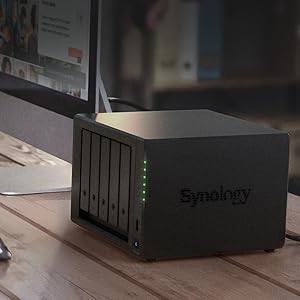
🚀 Elevate your data game with Synology DS1522+ — where speed meets scalability!
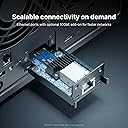
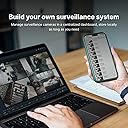
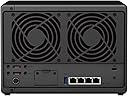
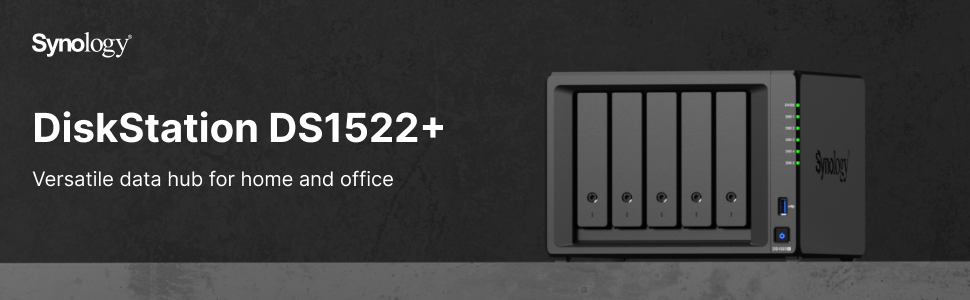
The Synology 5-bay DiskStation DS1522+ is a high-performance, expandable NAS designed for professionals and small businesses. Delivering up to 796 MB/s sequential read/write speeds, it features four 1GbE ports with optional 10GbE connectivity and supports up to 15 drives via expansion units. With robust RAID data protection, versatile built-in apps for backup, virtualization, and surveillance, plus a 3-year warranty, it’s a secure, scalable powerhouse for managing and safeguarding your digital assets.


| ASIN | B0B4DFBRZV |
| Best Sellers Rank | #14 in Network Attached Storage (NAS) Enclosures |
| Brand | Synology |
| Built-In Media | 1 x DS1522+ main unit; 1 x Quick Installation Guide; 1 x Accessory pack; 1 x AC power adapter; 1 x AC power cord; 2 x RJ-45 LAN cables |
| Color | Black |
| Compatible Devices | Android, Desktop, Laptop, Server, iphone |
| Customer Reviews | 4.6 out of 5 stars 508 Reviews |
| Is Assembly Required | No |
| Item Dimensions D x W x H | 9.17"D x 9.06"W x 6.54"H |
| Item Type Name | Synology NAS |
| Item Weight | 4190 Grams |
| Manufacturer | Synology |
| Mfr Part Number | DS1522+ |
| Model Number | DS1522+ |
| Mounting Type | surface mount |
| Product Dimensions | 9.17"D x 9.06"W x 6.54"H |
| Size | DS1522+ |
| UPC | 846504004461 |
| Unit Count | 1.0 Count |
| Warranty Description | 3 Years |
C**N
Synology NAS: The Secure, Versatile Powerhouse for Your Data Needs
TL;DR: Choose Synology over QNAP for security and ease of use, ideal for consumers and small businesses, feature-rich, great for backups and media storage, surveillance feature adequate but not standout, VPN and private cloud services are bonuses. In the arena of NAS (Network Attached Storage) solutions, the battle often boils down to Synology versus QNAP. From my battlefield, Synology emerges as the clear victor. Its software is the Fort Knox of digital security, boasting a robust, feature-rich, and user-friendly experience. QNAP, while a worthy adversary, has stumbled in the past with security breaches – a cardinal sin in the world of data protection. Now, let's talk about this particular Synology model, a contender that punches above its weight in the entry-level business category. It's a champion of data security with its RAID support, turning data recovery and hard drive upgrades into child's play. Picture this – one drive fails, and you're as cool as a cucumber, knowing your data's safe. Upgrading to a new NAS? A walk in the park, especially with RAID in your corner. And let's not forget about the freebie that's a total game-changer – the Active Backup for Business. It's like having an army of backup ninjas protecting your Macs and PCs, potentially saving you a fortune. For the home user, it's like having your personal cloud. Synology C2 online backup? Check. Affordable, simple, and secure. Say goodbye to rummaging through DVDs or Blu-rays – DS Video has got your back, organizing your movie library like a personal Netflix. And that's not all – you can access your cinematic treasure trove from anywhere. Just pack a Chromecast for your travels, and you're set. Surveillance footage storage? It's got you covered, though it's more of a sidekick feature – competent but not the star of the show. The VPN setup is a breeze, adding another layer of security to your digital fortress. Synology Drive is your private Dropbox – a slick way to access and share files remotely. The iOS client is like a loyal butler – always there, always efficient. Cloud Sync client? Yes, it's there too, syncing seamlessly with services like Dropbox, Google Drive, and OneDrive. In summary, if you're looking for a NAS solution that's easy, secure, and versatile, this Synology model is a no-brainer. It's like having a Swiss Army knife for your digital needs – robust, reliable, and ready for anything.
B**H
A NASty piece of hardware for data hoarders
What can I say, we all know why we consider Synology. They are basically the "Apple" of the NAS space. Positives: -User friendly interface -Robust options for safety nets (notice how I said how it's not a backup) -A large userbase with many helpful resources to guide through some of the few nuances. -Optional NVME SSD expansion for caching -Optional RAM upgrade -Optional 2x 5 Bay enclosure (should only be used as it's own, separate volume) for a total of 15 drives of storage. I love the features of BTRFS and SHR1, which are flexible "safety nets" that help protect you from losing all of your data from either a ransomware/crypto attack (BTRFS Snapshots), or a failed drive (SHR1 providing parity data). The advantage of SHR1 vs other RAID configurations is that you are not bound to replacing ALL drives in order to acquire more space. You can simply replace 2 drives with larger capacity drives, to start progressing into more space. These swaps into higher capacity must be done one at a time if using SHR1. Look into Synology RAID calculator if you need more info on how SHR works. Many of the integrations the Synology DSM software brings to the user are also nice (but could be improved on still, such as their Cloud sync application). Negatives: -I wish it had natively faster than 1gb ethernet connections, but it has the option for a 10gb expansion NIC. -If you are looking for a Plex server, this isn't the one you want, because there isn't integrated graphics. I believe the best one right now from Synology is the DS920+ but I have no intention of going this route so I did limited research on it. Do I recommend Synology? Absolutely Do I recommend this unit? If it suits your needs, absolutely. There are many options, which cater to different users/needs, so take your time and do your homework. I honestly couldn't be happier so far. If you want to learn more about this unit, I recommend a couple of channels on YT, which I watched for a couple of months leading up to my purchase. SpaceRex and NAScompares Good luck! --------------------------------------------------------------------------------- Just to elaborate on some of the features I am using as it pertains to my specific use case, this is not really part of the review, but more so for people interested in knowing how I use my Synology and why. System specs: i9-9900k 5ghz OC 32GB DDR4 3200 RAM RTX 2070 SUPER 8GB 1x M.2 NVME 2TB 2x SSD 2TB DS1522+ with 5x 8TB HGST Ultrastar He8, using BTRFS and a LUN (2TB allocated) I am using it to sync my Photography company's Dropbox files, create Lr catalog files from the files, and then store our active (not yet approved) client files. The Cloud Sync isn't as flexible as the Dropbox application in terms of visibility of "Only online" files. Your files can only be syncd as "Available offline" or in other words, stored locally. You do have 3 options of syncing, one way sync (either way) and two way sync. I didn't like being unable to view my "Only online" files and then choosing to sync them through my windows file explorer like I would have liked. This made me instead create a LUN through DSM, which created a drive that appears as local on my windows file explorer, so that I could set it as a target location for the Dropbox desktop application. My workflow is as follows: -Once dropbox is placed on a LUN, I syncd our entire photography file system to the LUN in Online Only mode. This took a while, since there were about 1.6 million files for just our photos. -I select which clients I want to sync that need to be built into a catalog, and download the files to the Synology LUN -Once they are downloaded, I copy these locally stored files to my M.2 NVME local storage (May not be necessary once I upgrade the Synology to have the 10Gb NIC), import the images to my master catalog file on Lightroom Classic, and build them into a seperate Catalog with Smart Previews. -I assign the catalog + smart previews to an editor by simply copying the zipped smart previews and catalog to the Dropbox folder assigned to the editor. -The editor then begins their edits to the catalog directly from their folder which syncs to me, and if they are not currently working on it with Lightroom running (which I know when they are clocked in or not), I can open the catalog and see their progress or make corrections if they are needing to be made, the next time they clock in, they see the changes I made to it. -Once the catalog is done I pull it from the syncd folder, open my master catalog file, import from another catalog (the one that was just turned in), and then export as JPEG. -Once this is done, I then move all of the RAW image files, off my M.2 NVME drive, to a home folder (accessible on Windows explorer using SMB share) on the Synology, then set the Dropbox files that they originated from, back to Online Only status. -In my master catalog file, I relocate the missing folder that was just moved from my local storage, to the Synology home folder (which is still viewable from Lr), and now I have access to all those RAW files in Lr still, without the need to keep them on my M.2 NVME local drive. -If during review from one of my admins, certain images are needing to be replaced due to a poor cull, I can still pull up the catalog, make the necessary changes, and export as a JPEG while the RAW exist on the Synology SMB Share folder. That is where I am at now. This is where I want go next in due time, and it highlights just a couple features that the Synology offers to improve my workflow efficiency, and save money. Once I upgrade the Synology with the Expansion slot for 10Gb ethernet, and add a PCI NIC for at least 5Gb (maybe I'll also go 10Gb there too), I may not even need to move anything onto my local NVME, since I will be able to access everything from the Synology at a fast enough speed that I'll be bottle necked by my CPU rather than the disk read/write. This will need to be tested once I acquire those 2 pieces of hardware. Another improvement I can make, is instead of syncing my editors catalog files and smart previews through Dropbox, I could do it through Synology Drive, which is their version of Dropbox. What's the advantage? My editors will not require a Dropbox account to be able to use the Dropbox application sync feature. I could save some of them a monthly subscription (or save ourselves that money for the veteran editors on our team), by just using my NAS as the cloud provider for the editors. I have not gone this route yet because I have not yet had the time to research the best way to open my Synology up to the internet in that way. This is one of the few things that (from my understanding) Synology seems to be doing the best with in comparison to other NAS solutions, but it's a risk that I am not willing to take without educating myself fully on the best approach. Who knows what other optimizations I will discover as I use the Synology more.
C**D
Easy set up, dual network connection handy, proprietary network upgrade expensive
Installed 5 x Ironwolf PRO NAS 18TB HDD on arrival, connected up external power supply, two Ethernet connections and used Synology device locator… easy install and configured for RAID 5 array for 62.8 TB storage. Immediately backed up over 7 TB at over 100 Mbps. Flawless and background optimised. Synology GUI is intuitive and familiar after owning the 1520+ and running DSM 7. The 10 gigabit Ethernet would be handy but it is not cheap - have not added the NVME cache as yet. I had used Samsung NVME in the previous 1520 but will review compatibility as Synology changed recommended media with the 1522 (again). To me, external power supply is a plus as replacing internal is a PITA. Multiple Ethernet ports handy too. Do I care about the change to Ryzen in the 1522 vs the Celeron in the 1520? More cores in the Ryzen and marginally faster - but the Celeron has Intel UHD built in if you run Plex Media Server or Video Server native on the NAS. I don’t so I’m happy with the Ryzen on the 1522. My 1520 is in another geographic location so once I upgrade the HDDs - I’ll be backing up the 1522 regularly to the 1520 for a super robust backup (two full NAS in RAID5 on different continents).
D**H
Exceeded my expectations, although has some issues, hopefully solvable.
Received this box yesterday and the hard drives today. Installed and configured, but was trapped by some setup inconsistency. Once the unit was connected to LAN I pinned the IP address and once the unit restarted after the initial setup the setup application lost it, so I reconnected to the new IP address, but the entire sequence was lost and the setup decided on its own and created configuration, that I didn't want. After some games around I simply ran the factory reset, since there is no way to delete the volume and the storage pool created by the setup tool. Once restarted and reinstalled the required OS the things moved forward way faster and more smoothly. I fixed the IP for all 4 NICs, then bound 3 of them, but left the 4th one just in case, it's sitting on the dynamic IP address, while the routed has its IP address fixed. I've done that on purpose - it something happens to the first 3 bound NICs I still have a way to connect to the device thought the 4th NIC with dynamic IP. Other than that... 5x 18TB Iron Wolf, 2x 2TB 980 PRO in RAID1 mode for R/W, etc. The speed is not over 100 MB/sec, which is very impressive for this device, especially keeping in mind 2 separate threads, from my laptop and from my phone, plus the unit is still optimizing and indexing the disks, which also takes time, the ETA is over 2 days and 6 hours, and that's after 17% were already done. I'm copying dons of stuff in background, so it all makes sense. Originally it wanted 22 hours for the entire process. I'm not enforcing it anyway, picked the lowest of 3 modes and it works pretty well. The entire impression is pretty good. I think I will get an extended warranty for 2 more years, it makes sense, don't want to take any risk, the storage is really huge to lose anything. The good news is that I can use a regular share to get full access to the required directory inside NAS and map to it my phone and laptop so access anything I need any time. A new more accounts have been added, but they are still waiting until everything is properly setup. What great is - this is a hardware RAID, the connection is stable and all 4 NICs can be bound and work together, significantly increasing the speed.
K**K
Absolute Terrible and incompetent Tech Support.
We bought this NAS as we came to the conclusion that Synology was perhaps the best solution for us. Backup of the computers we have and run Windows 11 as virtual machine for a few apps as we all are on Apple computers. All good and then when we installed Windows on the Virtual Machine Manager, then the problem began as "Windows 11 can't be installed on this PC" the Windows installer said. The we contacted Synology Technical Support, and presented the issue. We got response on what to do, only problem those functions and setup we were given did't exist!!??!! We ask them to elaborate on where to find those functions as we couldn't find them. Synology Technical Support came back and said "Go find a network engineer, we do not have resources for this!" Hire a network engineer for installing Windows on their Virtual Machine Manager Software??? I do think they outsource their Technical Service to some overseas country as it is very bad. -Or they just can't find competent people. I give it 4 stars as the machine is great and it runs good and easy to use. One issue is that their RAM is very expensive, but there is unofficial RAM to buy. It is said it is not recommended as the service will be void. However, since Synology Technical Service is rubbish I'll just go-ahead and buy unofficial RAM. We use WD RED Plus SATA 8TB and they work fine, will not buy the recommended Synology Drives as they are Toshiba and not on WD level. Synology is trying to be "Apple" of NAS but forsure not there yet. With our experience the perhaps QNAP would had been better, we will need another NAS shortly and QNAP is high on the list as told service is great -not like Synology, heard from other that similar issue with support.
N**Y
Great Smooth Transition and Improved Functionality
I have been a Synology user and believer for years now. My 1515+ died and frankly was getting a bit dated. The new 1522+ has so much more processing speed and on-board caching and with M2 drives I'm pleased. Two big points - 1- Seamless migration - I was worried in that my old 1515+ was dead and could not migrate to the new 1522+ smoothly/gently. I had no choice; I swapped out disk for disk into the new unit 1522+. Synology's transition and upgrade worked seamlessly. The upgrade process even brought over all my previous settings. Sweet :) 2- Amazon Delivery - As you can imagine I needed the new unit TODAY. I ordered through Amazon and had the unit the next day. Again, sweet. Even better, the driver was careful with my "new baby", no bashed or dented cardboard. All in all, a great transaction, delivery and a fantastic product.
C**V
Best NAS ever
Worked with a lot of Network attached storage devices over the years but this is by far the best one. I upgraded the memory to 64 Gb and have 2x 1Tb nvme modules. I also upgraded the network capabilities by adding the 10Gb network card. The greatest thing is that you can run software on the NAS or set it up for your specific needs. It has capabilities to provide services as ldap, web-services, backups. For developers, you can use git, python, Maria db, virtual machines and so much more. I have this for several months now and I still discover new things I can do on the NAS. Be careful with using ISCSI. I use ISCSI on only for 1 computer. If setup on a second computer it seems to have issues to keep the data in sync and it is contant notifying about data corruption. So I setup a shared folder between the different computer instead of using ISCSI. Great NAS that deserves a recommendation. Especially when it is upgraded with more memory and the NVME.
C**2
Easy to setup, a pleasure to use.
I bought the 1522+, set it up with btrfs, with check sum for data integrity and shr-2 (raid 6 allowing for 2drive failure with option for expandability). This replaces an old 212j (that replaced an 208j) and exceeds expectations for easy of use, transferability, and capabilities, including multiple sync folders with multiple users. Originally looked at the 923+ but wanted shr-2 and needed the extra drive bay for that. Check sum tell’s operating system which copy files are corrupted so it knows which on to overwrite to correct. Know your wants and needs and refer to synologys raid calculator to help pick the right model for you. Watch that model like a hawk, there are substantial sales, pounce when they hit your price point. I’m using modest 4Tb enterprise class nas drives (I’ve had laying around) and plan to expand if they fail or storage is insufficient. It’s got enough horsepower to spin up a VM or four, but doesn’t transcode. It’s perfect for me, and my use scenario. I plan to install m2 ssds as a storage pool ( I don’t think it’s officially supported) but not difficult to do, for VMs. All of my past synology nas purschases have been solid for over a decade. The 208j was too old, too small and too slow to keep in service. Replaced one failed drive on the 212j (no data loss, long rebuild, never truly optimized after replacement, did not significantly affect use or stored data.)
Trustpilot
2 months ago
2 weeks ago