We remain fully operational. Our teams are working around the clock to ensure your deliveries continue safely.

DOWNLOAD THE APP


Customer Services
Copyright © 2025 Desertcart Holdings Limited
DOWNLOAD THE APP
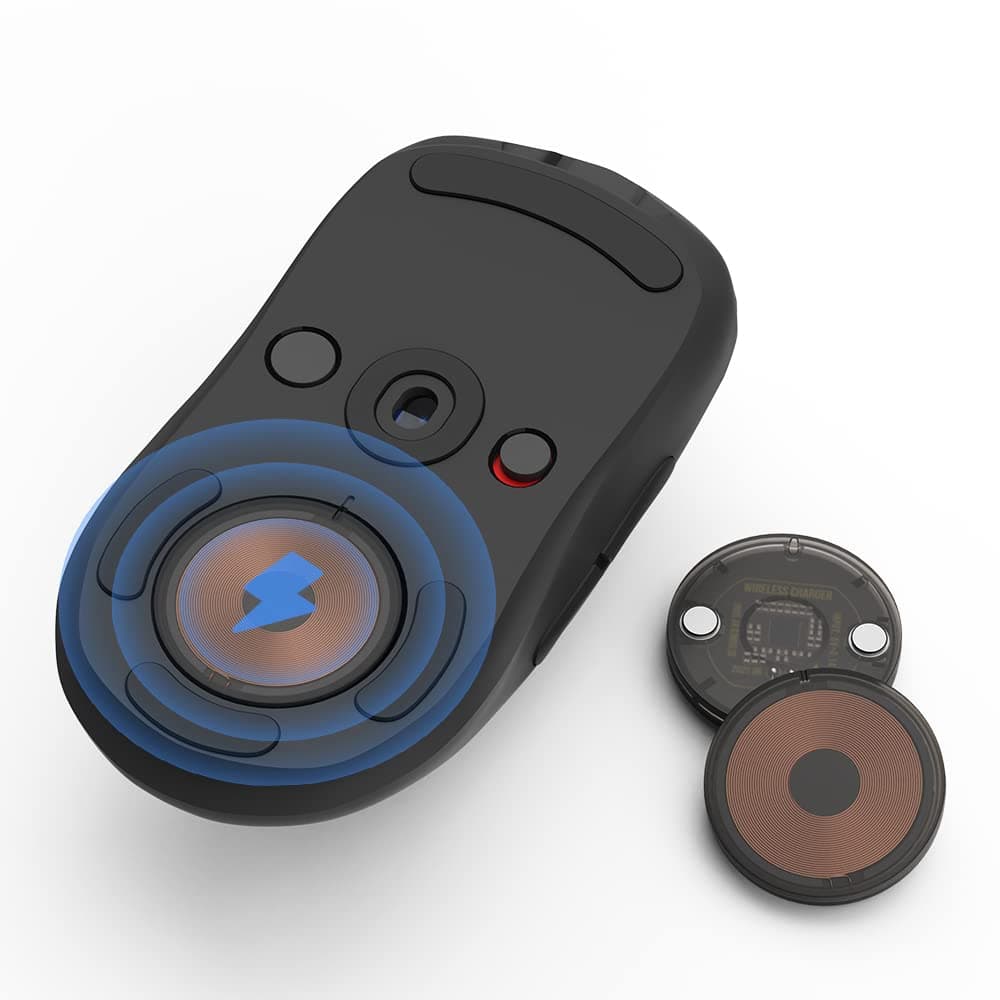
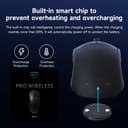
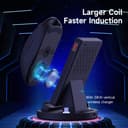
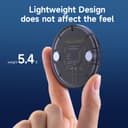

⚡ Power your game anywhere with Qi wireless freedom!
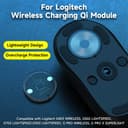
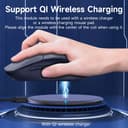
This Qi Charging Coin replaces the original charging module in select Logitech wireless mice, enabling universal Qi wireless charging compatibility. It supports multiple Logitech models including G Pro X Superlight 2 and G502, offering flexible charging on any Qi-enabled dock. Designed with smart battery protection, it stops charging between 75-85% to preserve battery health. Note: incompatible with Logitech PowerPlay mats and wired mice.


| ASIN | B0B4B7FJT2 |
| Best Sellers Rank | #170,982 in Cell Phones & Accessories ( See Top 100 in Cell Phones & Accessories ) #1,796 in Cell Phone Charging Stations |
| Brand | SIKAI CASE |
| Built-In Media | POWERCORE module |
| Color | Black-Coin |
| Compatible Devices | For G502,G703, G903, GPRO, GPW GEN 1 GEN 2 GAMING MOUSE |
| Customer Reviews | 3.8 out of 5 stars 65 Reviews |
| Input Voltage | 5 Volts |
| Manufacturer | Hangzhou Hang Kai Technology Co., Ltd |
| Total USB Ports | 1 |
| Total Usb Ports | 1 |
| Unit Count | 1.0 Count |
| Warranty Description | 1 year seller |
| Wattage | 5 watts |
C**S
Works great on my Lightspeed 502
This puck lets your mouse use induction charging on a high current charging pad. It takes some time to fully charge this way. I have not had any serious heat issues through a couple uses. Placing the mouse on my induction pad, I had to be very precise on where it is set. There is no way to tell it is charging unless you open the GHub app on your PC to verify. That would be my only complaint. I don't have the original Logitech power pad version to compare to see if that shows charging status better. But pressing the battery button does not show that the mouse is charging this way. Only the app really lets you know. That being said, it does work to charge the mouse slowly, overnight. If I place the mouse in the evening, it is charged by the morning and ready to go several days again.
Y**P
It kind of works...
It charges it for a short time. It almost seems like it over heats and stops. It warm to the touch. After about 10mins of a charge. I can charge it at 75% and it barely makes it to 80% before stopping and not going any higher. Everything else is fine as far as fit, magnets hold in place. It's just a super slow charge of 5%. I had to try it for the 20 bucks. But I wouldn't recommend that you do. I'll probably just get the Logitech one eventually.
T**R
Plug and play, still working great after a month
I was a bit skeptical because its an off brand and the reviews were about 4/5. Its been working great for about a month now... You just pop in the puck where the weights are held (cant use the weights anymore unfortunately). Then get a flat Qi charger from Walmart or something and plop the mouse on there. One complaint I have is you have to get the puck directly over the "charging area" on the Qi charger and sometimes it seems it needs perfect alignment. After looking for a charger with a larger area, it seems like its more a limitation of Qi charging than anything. This puck cant make itself bigger than the circle it has to go into... I looked around for a charger with a larger "area" but its not really a thing. Something about how the coils have to match up.. anyway its has been perfect for me other than that... I use my g502 wireless mouse with my TV setup. So for most of its life its sitting at a "charging station" with the keyboard , xbox controllers, etc in the back of the living room. This has made it super easy to just grab the KB and mouse and start using the TV.
N**N
Maybe works, maybe doesn't? - Not a fault of the product though.
Purchased 2 of these for some Logitech g903's at the house. The Coin themselves feel very well built. Extremely easy to install as they are keycoded which way to go, and also installs perfectly flush and without issues on the bottom. A lot lighter than the 10 gram weight I had installed in the slot, but not horribly so off where the mouse feels different. The install is extremely painless and idiot proof. So why the maybe works, maybe doesn't in the title? Well if you are charging, there's no charging confirmation led's that come on on the mouse. A charging led does come on the wireless pad though. So more than likely it's working. I've only had the unit for 4 days though and the mouse seems fine and charged, but if I plug it into a usb charger it always says it needs a little more to top off, even after the mouse has been charging wireless overnight. Another issue not related to the coin is the placement of it is slightly off centered on the g903. So if you are using that mouse, please be aware that you will need to position your mouse to touch the wireless charger correctly. This means on some chargers the mouse looks pretty off centered and could fall off if the wireless charger is smaller. Will update if the product doesn't work, but as of right now it looks like it does work but with some cavaets.
A**N
Works great!
Got it for my Logitech G502 X Plus. Literally seconds to install, and works great with my flat Qi wireless charging circle. You do have to keep the puck relatively centered with the charger, but it's not too fussy. DO KEEP IN MIND that you really won't be able to put the factory weight back in, so if you need extra weight, you'll have to get creative
H**!
Flawless Victory
I use this for my SUPERLIGHT 2. Please people, *READ*** the product Description. This is for Qi Compatible charging pads. A F00L posted "doesn't wireless charge with the mat" Why does Amaz0n allow n0n-sense review like that? It CLEARLY indicates that it's not for that. Get yourself a NICE QUALITY and "FLAT" Qi "CERTIFIED" compatible charger. THIS - IS - NOT - COMPATIBLE - WITH - LOGITECH'S - OWN - CHARGING - SYSTEM. This is the cleanest, easiest, and most elegant way to charge your mouse. I reckon it won't be long before Logitech steals the idea. In fact, I'm wondering why they haven't' yet.
J**N
Doesn't work with Powerplay charging mat.
Doesn't work with Powerplay charging mat. That makes it garbage and a waste of money for me. I'll be trying to return it.
B**C
Quick Way to Add Qi-capability
Fits perfectly into any powerplay-compatible Logi mice. Works great; it automatically cap the juice at 88% full, to preserve battery life, which is a great feature. A little expensive. Wish it'd be $10 or so.
Trustpilot
3 weeks ago
1 day ago