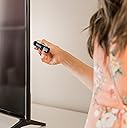
Desertcart purchases this item on your behalf and handles shipping, customs, and support to Philippines.
🔥 Elevate your streaming game with Roku’s powerhouse stick! 📺
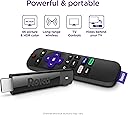
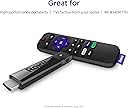
The Roku Streaming Stick+ delivers ultra-smooth 4K HDR streaming powered by a long-range wireless receiver that quadruples your Wi-Fi reach. Its intuitive voice remote consolidates TV and streaming controls, eliminating remote clutter. With effortless setup and access to over half a million movies and shows across top platforms, it’s the ultimate upgrade for cord-cutters and binge-watchers craving brilliant picture quality and seamless connectivity.


| ASIN | B075XLWML4 |
| Best Sellers Rank | #12,717 in Electronics ( See Top 100 in Electronics ) #66 in Streaming Media Players |
| Brand | Roku |
| Built-In Media | Remote and power adaptor, Two AAA batteries, USB power cable, USB power extender cable |
| Color | Model |
| Compatible Devices | Television |
| Connectivity Technology | Wi-Fi |
| Connector Type | 4-Pin Mini DIN |
| Controller Type | Remote Control, Voice Control |
| Customer Reviews | 4.7 out of 5 stars 126,121 Reviews |
| Global Trade Identification Number | 00829610001951 |
| Item Dimensions L x W x H | 3.7"L x 0.8"W x 0.47"H |
| Item Type Name | Streaming Media Player |
| Item Weight | 0.27 g |
| Manufacturer | Roku |
| Memory Storage Capacity | 16 GB |
| Mfr Part Number | 829610001951 |
| Model Name | 3810R |
| Model Number | 3810R |
| Number of Items | 1 |
| Other Special Features of the Product | Wireless |
| Resolution | 4k |
| Special Feature | Wireless |
| Supported Internet Services | Apple TV, HBO, Hulu with Live TV, Netflix, Prime Video, Showtime and Google Play, The Roku Channel |
| UPC | 829610001951 |
| Unit Count | 2 Ounce |
| Warranty Description | 1 year warranty |
L**E
The REMOTES are JUNK in less than one year!?!?!
Update on 7/25/2020: 2 Remotes have quit working within 8 months of my purchase. I have replaced batteries, tried to resync and nothing solves the issue. We now have to use my cell phone and Roku app in 2 different rooms of our home just to use the streaming sticks which are our only source of TV news and movies. I purchased 2 replacement devices about one month thinking I was giving us backup devices and now I am past their return window and I know those remotes are going to crap out on me too...NOT HAPPY with dropping a total of $250+ when the remotes last less than 1 year. Update on 01/07/2020: We now have three if these because our Daughter’s “smart” TV that is just over a year old suddenly decided to have issues with all of the built in apps. This stick is perfect for those who have this happen, or have a TV without built in apps, or those like me who used their game system for streaming until too much use fried an expensive console and caused the loss of hundreds and hundreds of hours of save game data! I recommend these to everyone because they are perfect for our streaming only household. Orig Review: Okay...I absolutely fried my PS4 because as much as I would use it to game on I would also use it to fire up my Amazon Prime, Netflix, Hulu, etc. I never checked into these types of devices before because I guess I just thought my PS4 would be eternal (LOL). As all things tech related eventually do, my PS4 completely crashed and hundreds of hours on my games were lost to me, but in that awful sad moment I decided to replace my PS4 AND go ahead and buy 2 of these to use here at home so that our XBox One wouldn't suffer the same fate in our living room. I know...I'm terrible, huh? Anyways - ROKU. LOVE IT, LOVE IT, LOVE IT! So easy to setup, easy to add apps to your menu, easy to navigate, quick to load the apps and most important of all I no longer have to worry about using my gaming consoles as entertainment beyond the games they are meant to play! Win Win!!!! I am seriously amazed at how quick the apps launch/load - it's darn near immediate and the interface is clean and easy to use. I love that I can add apps/manage everything from anywhere even when I'm not at home - adding and removing channels is a breeze. It even recognized our TVs without any issues and even some of the universal TV remotes we've bought cannot do that as efficiently as the ROKU did. We are definitely going to be long-time ROKU fans and will buy new ones when needed because they are well worth the price. My husband loves the one in the living room and he has never watched as much TV as he has since I installed the ROKU out there. If we had more TVs we would have more ROKU's.
T**1
Great streaming even on slow connection
Here are my experiences with the 2017 Streaming Stick+ Roku. First let me specify my setup. I have a slow 2.4 (typically) Mbps Internet connection. Previously I was using a Panasonic BMP110 Blu-Ray player for what little streaming I did. That was mainly used for trying out the Vudu free movies. It was marginal; with my slow connection, sometimes it would work pretty well, and sometimes it would complain and give up intermittently. I have a Yamaha VX-477 Receiver. And it all feeds into a 2011 Panasonic Plasma TV. Setup: It probably isn’t very important, but the remote uses AAA batteries, not AA. I slapped in a couple of Eneloops and it’s happy. I see people complaining about having to give credit card information to activate their Roku. This is not necessary. Go to the page made for this option: my dot roku dot com/signup/nocc, and you can create a Roku account without entering any credit card or PayPal information. I know, because I did it. If you’re wondering about using the Roku with an A/V receiver, that works. I plugged the stick into one of the HDMI inputs on my Yamaha, and it works just fine. 4K wouldn’t cut it, because my receiver doesn’t really support it. But my TV isn’t 4K anyway, so that isn’t a problem. Some people are complaining about HDCP errors. This is probably because they’re trying to use 4K video on a TV that doesn’t support HDCP 2.2. My five year old TV works just fine, because it’s only 1080p. If you want to see 4K video, make sure your TV really supports HDCP2.2. And you need an HDMI connection that also supports HDCP 2.2. On some TVs that’s only one port. If 1080p24 is important to you, Roku says only the 4K devices can do it. I had to turn it off; when the movie would break for commercials, the receiver usually flaked out. I would have to switch HDMI inputs on the receiver, then switch back to the original. The guide says the screen may flash black; mine mainly went to snow, and wouldn’t recover. So I’m doing without 1080p24. It might work better for people who plug it directly into the TV; I didn’t try that. The specs talk about 802.11ac, but it works just fine on my old router without ac. To set this thing up, look at the Quick Start Guide, or just go to the Roku page about your specific device. Basically I just plugged the stick into an HDMI input, plugged the power adapter into my UPS, and connected the cables. It started right up. I haven’t tried different models, so I can’t offer a comparison. But the Streaming Stick+ works great. First you have to pick a wireless network, and provide the password. Then the stick downloads the latest firmware. When it restarted, mine didn’t connect the first time, even though it indicated it still remembered the password. After sitting for a while with a spinning wheel, it finally gave a 014.40 error, and suggested some alternatives. I just unplugged the power cable and plugged it back in. It restarted, and everything was fine. It will go through a few screens, and give you a four letter code. Go back to the page you end up at after creating your account online, or the page they refer you to. Enter the code, and you’re all set. You can select some channel options. Your stick is now busy setting up channels. And things seem to be working great. It does fine showing a movie in standard definition. It has trouble with the commercials; I wonder if they’re a higher definition. But it gets over it quickly. Things like rewind and fast forward are far better than on my old Blu-Ray player. So far I’m just using things that are free. Look around online at the Roku site, and you can see what’s available. So in summary: This thing works surprisingly well with a slow connection. You don’t get 4K video, but it looks pretty good in old-fashioned 1080p (which is probably really a lot less, as in standard def upscaled to 1080). It works plugged into a receiver that then separates out the audio, and passes the video on to the TV. It works with old routers that don’t have 802.11ac. And it works with new routers that have 5GHz ac. You can create an account without providing any credit card information. I recommend this device to anyone that needs a streaming connection.
M**Y
All My Apps and Amazing Picture Clarity
I have 2014 Samsung 55" curved screen TV I bought when I was working overseas. Since I have been home I have had limited streaming apps I could load due to the regional software package it runs on. But the TV is in good shape and I did not want to replace it just because of streaming ad casting limitations. I decided to try out the ROKU stick as an alternative. The one thing this TV does not lack is HDMI and USB ports. Got the ROKU today. It took about 15 minutes to set up. (Have your phone, laptop or both handy to confirm account creation) I added all the streaming apps I currently use and it took me about 20 minutes to open and logged into all of them (again laptop, phone or tablet devices handy for dual authentication steps where required. Everything logged in successfully. I decided to check out some of the free streaming app options that come with the device. A lot of options. Played a movie and was blown away by the quality of the picture. I hadn't realized how mediocre the streaming quality was running on the TV platform apps that I knew were not the most current. The ROKU has really amazing quality. I did not have to power with a plug, the device was sufficiently powered running from a USB port on the TV (The port is rated at 5V) This is well worth the price and an excellent option for anyone looking for solutions to upgrade their streaming capability of older TVs or those like mine that are from another global region limiting the app and casting compatibility with US stuff.
B**Y
Has lasted me through Coovid and Beyond
I bought my Roku Streaming Stick back in 2020, and it’s still one of the best tech purchases I’ve made. It was super easy to set up—just plug it into the HDMI port, connect to Wi-Fi, and you’re ready to go. The interface is simple and user-friendly, even for non-tech-savvy folks. I’ve used it daily for years to stream Netflix, Hulu, Prime Video, and YouTube without issues. Pros: • Long-lasting performance (still works great in 2025!) • Compact and travel-friendly • Fast streaming with minimal buffering • Works with most TVs • Easy to navigate remote and voice search Cons: • Occasionally needs to be restarted if apps freeze (maybe once every few months) • No power button on the remote (minor inconvenience) I’d highly recommend this for anyone looking to upgrade an older TV without smart features or anyone who travels and wants to stream on the go. It’s great for both tech beginners and seasoned streamers. For the price, reliability, and convenience, this little stick is seriously impressive.
N**K
I'm mostly pleased
First off, I want to be clear that activation of the Roku device is free. Purchasing the device is the only money you pay to Roku. If you have somehow end up on a website claiming that you have to pay them an activation fee or an upgrade fee just to be able to use your Roku device then you have navigated to the wrong address and it is a scam. What you do have to pay for, if you choose to do so, is any of the paid subscription streaming services you want. Some services require a paid subscription and some don't. To name a few: Watching basic YouTube (the same ones you watch for free on your phone, tablet, or computer), Tubi TV, Pluto TV, and hoopla (if available through your public library) are all free of charge. Netflix, Amazon Video, CBS All Access, YouTube TV, and Apple TV+ charge a monthly fee, but that has nothing to do with whether or not you use a Roku device to access their content. We bought a TCL Roku TV a couple years ago and, between Netflix and Prime, found that we weren't watching cable television anymore. So we downgraded to internet-only service through our cable provider and got this stick for our bedroom TV. Unlike some of the less expensive Roku offerings, the remote that comes with this one does both TV power and volume, so as long as you're getting all your content through Roku (and never need to switch inputs to, say, cable/satellite/antenna service or a DVD player) you don't need to have a separate TV remote. I was surprised the remote doesn't have a mute button, though. Our TCL Roku TV's remote had such a button. So if you're a heavy user of the mute button you may find that this does not in fact save you from needing a separate TV remote. I'm also a little troubled that our Roku TV, which we bought new only about two years ago, doesn't support Apple TV+. This particular streaming stick does support it. But it seems like a couple years is way too early for a streaming device to be even starting to creep into obsolescence. I have no interest in buying a new Roku stick every few years, and hope this isn't a sign of what's to come. If you have a home server for media, be aware that the Roku Media Player app is terrible. It only supports a fairly minimal set of formats, requires a UPnP/DLNA server and doesn’t support a simple SMB file share, and it just seems a little buggy sometimes. People would tell you the correct thing to do is to install Plex, and they’re probably right, but seriously can’t I just play files that are available over my network? Any computer or smartphone could do it. We desperately need a VLC app for Roku. It's also clear that the Roku stick has no idea whether the TV is on or off. This means that (unless the Roku is being petted by a USB port on the TV that turns off when the TV does) if you just push the power button on the remote in the middle of watching something, it will keep playing--and perhaps even advance automatically to the next show. This means you'll lose your place in a series and, perhaps more importantly, will consume more power and data. So remember to stop playback when you turn off the TV. Or get one of those power strips that automatically turns off accessories when the master device turns off. (Or buy a Roku TV instead of a separate TV and Roku stick--but remember my comment above about sliding into obscelescence.) If you're looking for free entertainment, there are some options but you probably won't find them up to par with paid cable TV or perhaps even with free over-the-air TV. Tubi has some content, including a "Not on Netflix" section. Pluto TV is okay--it has a lot of channels, but they're largely underwhelming. There's a local news "channel" that in our case gives us content for the nearest big city, an hour away, rather than our actual local news stations. The Roku Channel occasionally has a movie worth watching. Your public library may offer some content through Hoopla as well. So there are some free options, but you're unlikely to be completely satisfied without some form of paid entertainment.
K**R
From a value perspective, this might be the best Roku yet...
I'm a long-time Roku user, having purchased devices from every generation throughout Roku's evolution. I've had the very original Roku N1100, Roku 2 XD, Roku 2 XS, Roku 3 (2013 version), Roku 4, a TCL Roku TV, Roku Ultra (2016 version)...and now this Stick +. While I've only had it for a couple of days now, this might be the best Roku I've seen from a value perspective. My house is a Roku house. We have 5 televisions but don't have a cable or satellite subscription.. One of the TV's is a Roku TV and the other 4 all have a Roku attached to them. Literally everything we watch is delivered via the Roku. Our OTA material is delivered from a Tablo DVR to our Rokus. Our local media is served up via a Plex server to the Rokus. We also have PS Vue, Netflix, Amazon video, etc. etc. Bottom line, we use Roku a lot, and I'm very familiar with them. I wouldn't consider myself to be a Roku "fan boy", though. While most of the Roku's I've had have been great...there have been some clunkers. The Roku 2XS was a turd that never got any better. The Roku 4 was a turd at the start, but gradually got better with each subsequent firmware update. Unfortunately, the cooling fan in one of my Roku 4s (The 4 was the only Roku model to ever have one) has begun to make the dreaded "grinding" noise in recent weeks, so I decided to try replace it with a stick+. I've generally been leery about all of the "stick" form-factor devices. They've generally lagged behind the more traditional "box" form-factor devices as far as specs go. The Stick+, with its quad-core processor, HEVC support, and 4K capabilities convinced me that the gap may have finally been closed. So, after a couple of days with the Stick+...here are my thoughts on this device - It's snappy and smooth. It's maybe not quite as quick as my Roku Ultras...but it's every bit as fast as the Roku 4. - The new remote is great.The ability to control the TV's power and volume without a second remote or a universal remote is loooong overdue. - Excellent wireless reception. I had two walls between the Stick+ and my router, but was easily streaming 16mbps local media through Plex. - Powering via the TV's USB isn't optimal. Assuming your TV stops providing power to the USB when turned-off, the Stick+ will have to go through the boot-up sequence and then connect to your wireless before you can do anything with it each time you turn on your TV. This can take ~30 seconds. I highly recommend plugging it directly into an outlet using the provided adapter. So, this is a great Roku device. It doesn't have the same bells-and-whistles that my Roku Ultra's have...but then again, I also paid nearly twice as much for those. This Stick+ is much cheaper, provides basically the same UI/playback performance, and also has a remote that will make having to juggle your Roku and TV remotes a thing of the past. That's why I say, absent some deal-breaker that I haven't encountered yet, this is the best dollar-for-dollar Roku yet.
C**S
Arrived Same Day - Working Perfectly!
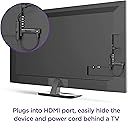
Interested in "cutting the cord", I researched the best streaming devices, and found that the Roku Streaming Stick+ was consistently in the top 5 and was the best value for the money for our particular family. I was able to choose same-day delivery, and received them in the late afternoon. They were contained in a larger box, so no one could see what was in the package, and the delivery person thoughtfully put them behind a half-wall in our entry court, rather than right in front of the door where they could be seen from the street, which I appreciated! When removed from the box, the items were just as described, in unopened, original packaging. The quick start guide takes you step-by-step through attaching the Roku to your TV and syncing it to the remote, and from that point on, you simply follow the on-screen directions as it walks you through setting up your Roku account (free - but keep in mind that you will need a laptop, desk computer, or phone present in order to access the Roku website to do this), linking your device to it, and starting to use it. It was easy to add the streaming services we already had, such as Netflix, Hulu, and Amazon Prime, and interesting to browse the many free options available and add the ones we wanted - the Western TV & Movie Classics" channel is a big hit with my husband and his dad. Once set up, there are links on the home page to a "Getting Started" with Roku page, and a "Tips and Tricks" to Using Roku page for more information regarding your Roku, in addition to tiles for whatever channels you chose during your set-up. We have been using these (we installed two in our home, and one in my 90-year-old father-in-law's home) for a month now, and have had no issues whatsoever. We have not had any problems with lag, and pictures are clear and bright (any fuzziness in the photos I've provided are the fault of the camera operator!). The user interface is pretty standard for this type of thing - the biggest learning curve we faced was figuring out exactly which apps the shows we normally watched were on. However, between being able to customize which streaming apps appear on your home page, and the two ways to search - you can either type in the name in the search bar, or you can hold down a microphone-iconed button on the remote and, for example, say "Search Criminal Minds", it is fairly easy to get to where you want to be without having to flounder around in the interface. Even dad-in-law, who is somewhat electronically challenged, got the hang of it fairly quickly, and is very comfortable with using the interface at this point. We are all very happy with the device and service. Highly recommended! NOTE: Regarding the stick being at the side of the TV in our photo, in case anyone is concerned about the aesthetics of having this sticking out of your TV - there were other HDMI ports we could have used at the back of the TV, where the stick would have been hidden and only the Roku power cord coming down next to the TV power cord would have been visible. However, these were difficult for me to reach, and since my husband is not very technologically savvy, I am the one who usually deals with the electronics and troubleshoots when there are problems, so I was more concerned with the device being easily accessible that I was about how it looked. Rest assured, if you want a neater look, it is certainly available if you choose to use an HDMI port at the back of your TV. :- )
P**R
BUY IT! IT WORKS GREAT! SIMPLE TO USE 4K 60FPS YES! HDR, YES! DOLBY ATMOS, YES!
I bought this from Amazon to use with my LG OLED TV. I wanted something that would support all that my LG TV can be. This stick is amazing. It's very easy to set up. The setup is quick. We like the large menu display (we are in our 60s). We were watching shows in ten minutes flat! It helps to register online using your computer first then sync your account with the stick. It will ask to do that so just follow the directions. Then it will do an automatic update to the latest firmware. Adding content is easy from you computer or directly from the TV screen. It's super easy. Signal strength is very strong for us. Picture quality is excellent. Sound quality, also excellent. No latency or video slowing or stopping. I had to fix one thing during setup because of my ignorance. The stick recognized 4K at 30fps but I know my LG can do 4K at 60fps. A quick google showed me I needed to pair the HDMI slot with the HDR LG deep color setting which I did and re-ran setup. The stick then recognized 4K at 60fps. Problem solved. By the way there are many, many free channels and live channels along with all the standard premium content offered by Roku. All easily accessible from Roku's simple menu. If you are looking to break from cable, this Roku stick will greatly aid in that endeavor. I am very happy with the Roku stick plus. Buy it. You will be happy too!
M**A
Muy bueno, muy bueno
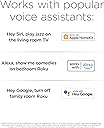
Me fue difícil decidir cuál de todos comprar Xiaomi, Fire de Amazon, o éste; pregunté si funcionaba HBO Max y en otros sí en Fire no me quedó claro y en este sí se instala la App y otras más; después éste vi que es compatible con HomeKit y fue lo que me encantó para integrarlo a la domótica de casa. Aunque sólo enciende-apaga y hay pocos Atajos que se pueden integrar, nada mal para el uso diario y la creatividad. También me gustó qué hay una App para controlar el dispositivo y no hay necesidad de que cada persona requiera usar el control. Una diferencia de este modelo “americano” que vi es que el control tiene en sus teclas el botón de Apple TV+ Lo que también me gustó por utilizar este servicio. Utilizó Prime, Netflix, Disney, HBO Max y YouTube; cada una es una app que se instala y configura independientemente. La Interfaz gráfica es simple, nada comparable con el Apple TV, pero su simpleza me gustó mucho; vi que reconoce 720, 1080, 4K en 30,60, UHD y otras resoluciones en automático sin que te duela la cabeza si no sabes de ello y funciona muy bien. Estoy feliz relación calidad-precio ¡Excelente!
G**E
Fonctionne très bien
Fonctionne très bien, je l'ai acheté car je suis abonnée à Amazon Prime, donc je voulais en bénéficier, car gratuit avec l'abonnement Amazon Prime. Par contre je ne suis pas satisfaite d'Amazon Prime car la majorité des séries et films ne sont pas traduits en français, donc finalement ça n'a aucun intérêt pour moi (films et séries sous-titrés, donc pas agréable à regarder). Ensuite il faudra payer pour ajouter des chaînes supplémentaires sans être sûr de pouvoir regarder les films ou séries en français. Finalement je l'utilise uniquement pour écouter de la musique (genre Spotify) car ma TV est reliée à un Home Cinéma.
G**N
TV'de Netflix Problemini Çözdü
Ürün çok hızlı ve stabil. Menüler arası geçişler seri ve kolay. Youtube, netflix gibi uygulamaları kanal listenize ekleyip rahat bir şekilde kullanabilirsiniz. Bunun dışında birçok kanala da üye olup kullanabilirsiniz. Ancak IPTV için alıyorsanız maalesef desteklemiyor.
コ**ん
日本でアメリカのテレビが観れる!但し、ひと工夫が必要!
どうしてもアメリカのテレビを日本で見たくて購入しました。Rokuは日本でサービスを提供していないので、Smart DNSと言う別のサービスを契約して視聴しています。そのままではサービス地域以外と表示されて、何も観ることができませんので、日本で使いたいと思われている方はちょっとした工夫が必要になります。
S**B
Pessimo supporto per l'Italia
Il prodotto risulta molto carente quando attivato dall'Italia. Alcune feature sono completamente assenti: - il telecomando vocale non funziona (non nel senso che non funziona la lingua italiana, ma proprio che non funziona nemmeno in inglese: il pulsante sul telecomando attiva un'altra cosa) - la ricerca dei canali non è supportata, e per un prodotto che si vanta di avere migliaia di canali non capisco proprio come possa mancare quando usato dall'Italia - l'applicazione per Android non è installabile in Italia. Tutte queste feature (a eccezione dell'applicazione) si attivano solamente se l'account Roku viene creato da una nazione che li supporta (ad esempio, gli Stati Uniti). Se questo non bastasse, varie piattaforme di streaming italiane non sono disponibili: Amazon Prime Video non è disponibile tramite Roku in Italia (mentre è disponibile se l'account Roku viene creato dagli Stati Uniti). Altre piattaforme di streaming italiane come Infinity, Now TV, Sky Go, Chili TV, RaiPlay non sono disponibili del tutto. I canali Roku offrono alcuni contenuti aggiuntivi gratuiti (con pubblicità) ma in inglese. Varie recensioni online confrontano le caratteristiche tecniche del telecomando o dell'interfaccia grafica, ma ignorano completamente il grosso problema: a questa piattaforma MANCANO I CONTENUTI se vi registrate dall'Italia e cercate prodotti in italiano. Troverete Netflix, YouTube, AppleTV, CiaoTV e poco altro. È un prodotto interessante per vari motivi, e se cercate contenuti esclusivamente in inglese è sicuramente valido, ma è molto deludente dal punto di vista del mercato italiano. Da un prodotto che costa quasi il doppio di un Amazon Fire Stick avevo aspettative più alte.
Trustpilot
3 days ago
5 days ago