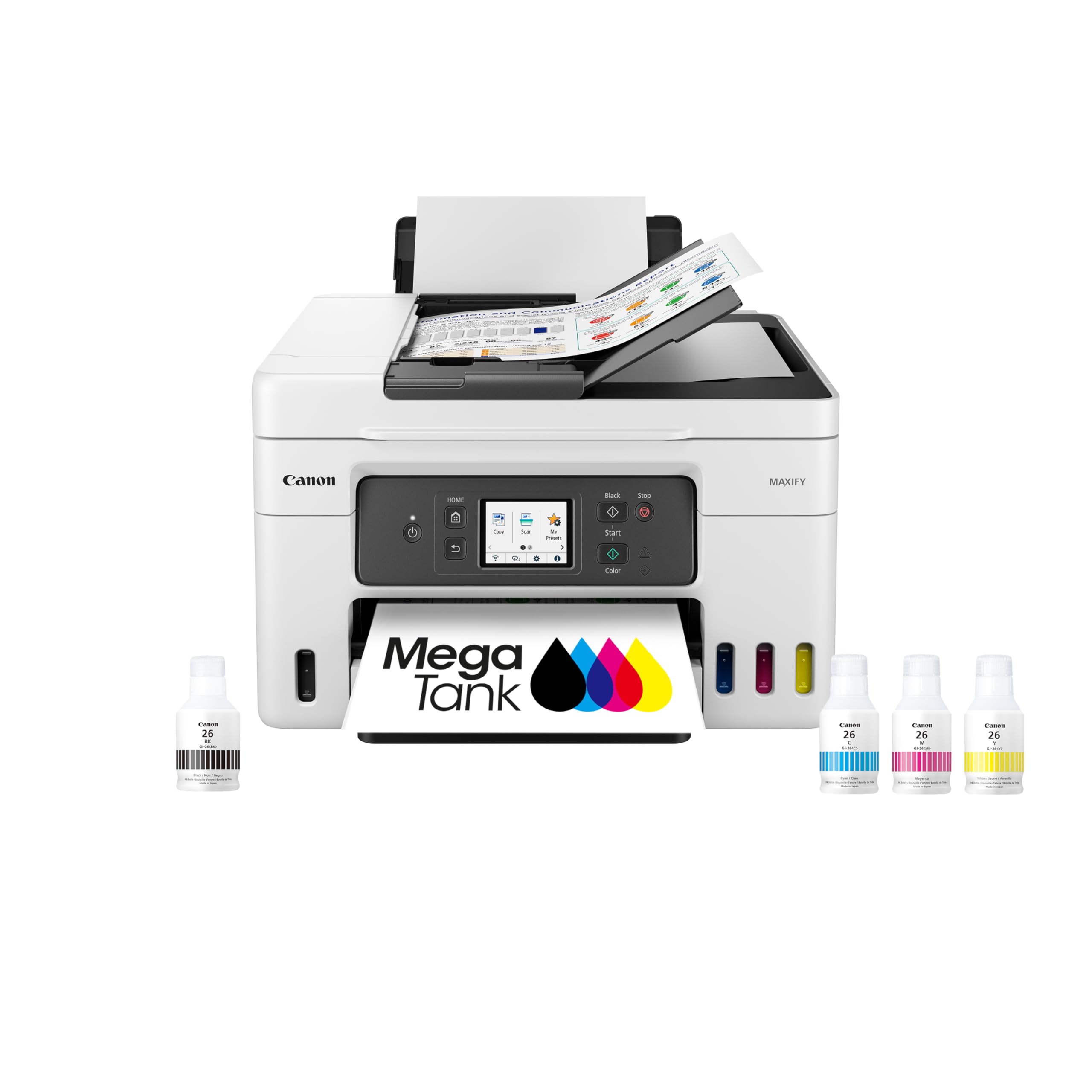
🖨️ Elevate your office game with Canon’s powerhouse all-in-one printer—ink that lasts, features that impress.
The Canon Megatank GX4020 is a wireless all-in-one printer designed for small offices and professionals seeking reliability and cost-efficiency. It features ultra-high ink capacity enabling up to 14,000 color pages per refill, a 2.7-inch color touchscreen for easy control, automatic duplex printing, and a 50-sheet semi-auto document feeder. Compatible with mobile devices, it supports print, copy, scan, and fax functions, making it a versatile centerpiece for any modern workspace.


| ASIN | B0BN6XFFFP |
| Additional Printer functions | All In One |
| Best Sellers Rank | #56,530 in Office Products ( See Top 100 in Office Products ) #57 in Ink Tank Printers |
| Color Depth | 24 bpp |
| Compatible Devices | Smartphones |
| Control Method | Touch |
| Controller Type | Android |
| Customer Reviews | 3.7 3.7 out of 5 stars (297) |
| Date First Available | December 6, 2022 |
| Dual-sided printing | Yes |
| Duplex | auto |
| EU Spare Part Availability Duration | 1 Years |
| Global Trade Identification Number | 00013803350999 |
| Hardware Interface | USB |
| Included Components | Documentation, Fax Modular Cable, MAXIFY GX4020, Power Cord, Set Up Ink Bottles (GI-26: BK, C, M, Y) |
| Ink Color | White |
| Item Weight | 20.9 pounds |
| Item model number | 5779C002 |
| Manufacturer | Canon |
| Max Copy Speed (Black & White) | 18 ppm |
| Max Input Sheet Capacity | 35 |
| Max copy resolution black-white | 2400 dpi |
| Max copy resolution color | 1200 dpi or higher |
| Maximum Black and White Print Resolution | 2400 dpi |
| Maximum Color Print Resolution | 2400 dpi |
| Maximum Media Size | 8.5 x 14 inch |
| Maximum copies per run | Not Specified |
| Model Series | GX4020 |
| Number of Trays | 3 |
| Number of USB 2 Ports | 1 |
| Output sheet capacity | 35 |
| Print media | Glossy photo paper, Paper (plain) |
| Printer Ink Type | Dye-based or pigment-based ink |
| Processor Count | 1 |
| Product Dimensions | 15.8"D x 28.4"W x 12"H |
| Scanner Type | Sheetfed |
| Series Number | 4020 |
| Sheet Size | 4” x 6”, 5” x 5”, 5” x 7”, 7” x 10”, 8” x 10”, 8.5” x 11”,8.5” x 14” |
| Supported Media Sizes | 4 x 6 inches, 5 x 7 inches |
| Total USB Ports | 1 |
| UPC | 013803350999 |
| Warranty Type | 3 Year (or 80,000 Sheet) Warranty |
K**R
Reliable workhorse
I have a small office that relies on fail-safe printing, scanning, and copying. For years I have chucked out HP, Epson, and other printers because they were unreliable, frequently had software issues, and hardware failures. I took great pleasure in taking them to the dumps and throwing them into the detritus. This Canon is the exception. I have had it for about nine months, and it performs wonderfully. I recently had to print out a complex project involving 2,000+ pages. There were no printer errors, and the final product was outstanding. A couple of times the printer notified me that it needed ink. The process for filling the tanks was easy and straightforward. Scanning was sometimes interrupted because the documents being scanned were irregular or bent. It was easy to clear the documents and re-scan. My only complaint is that the instruction window is a bit small, but it’s a vast improvement over previous models. The cost to keep this machine in ink is low, and the printer is frugal in its ink usage. My experience with this printer has been refreshingly positive. I rarely give product reviews, but my experience with this printer has been outstanding.
P**Y
FRAUD! They sent a Canadian printer instead of US Printer! AND it broke in 2 months!
Update: This printer had an error code that wouldn't clear, which happened 2 months after purchase. Canon would have replaced it for me with no problem, BUT this is when I found out it was a Canadian model, so Canon couldn't help me at all. Do NOT buy from this page, click on the "Visit Canon Store" under the product description. Otherwise you'll get something from a 3rd party seller, which may not be what you ordered! Note: One complaint I had was no USB for scanning: Canon confirmed that all US models DO have a USB port for scanning (no USB port, it's not a USA product). Previous Review: So far, it's a decent printer. It prints. What I absolutely HATE is pain it was to set up and the pain it continues to be for scanning. Strike 1: They REALLY push reliance on an app and/or QR codes both for setup and for ongoing use. Strike 2: You can't simply connect it to your WIFI, you have to download an app and add it to your device (Why?! I have Bluetooth headphones and speakers that don't require this nonsense). However, once one device in your household has introduced the printer to your WIFI, the other devices can find it without installing the app. Strike 3: No USB port for scanning. MAJOR issue because I don't want to use their app, I want them to stay out of my business. Your other option is to email a scan (very tedious to set up, VERY non-intuitive set up process, and it gives a lot of error messages). It's been about a month and I still haven't gotten it to scan because I've been too busy to keep fighting with it. Why couldn't they have included the USB port for simple and private scanning?! The print quality is average. It's as noisy as most inkjet printers, but not more so. The buttons should really be backlit since the print tray overshadows them. Another very irritating issue is that it doesn't automatically turn itself on when you send a print job; if it's been idle for awhile, you have to go push the button and sometimes you even have to re-send the print job. My last printer automatically turned on when a print job was sent. So, LOTS of room for improvement here! Including a USB port option for scanning, a direct device WIFI set up (without an app) AND a standby mode so I don't have to manually turn it on when printing will be key features when I look for my next printer. What I like is the large ink tanks that will hopefully make this a more affordable investment in the long run. Whether that price break will actually be worth all hassles that their over-reliance on apps and QR codes creates remains to be seen. I have my doubts at the moment. Ease of use and privacy matters; it would be nice if companies respected that.
I**Y
After two years of moderate use, I would buy again.
I have owned this for about 2 years now so it is a good time to post a review. Very reliable, excellent print quality and I recommend it. The only thing lacking that I would like to have is auto duplex scanning and printing. It can scan double sided and print double sided but document feeder on top can only scan one side and it requires you to flip the original. But I don't really need that feature very often. I print a lot and the ink lasts a long time. A real cost saver.
R**N
Nice Printer, bad support from Amazon for missing item
The Canon Megatank GX4020 itself is a solid all-in-one printer—great print quality, fast, and economical with ink once it's set up. I’ve been happy with the device's performance overall, especially for home office use. Setup was mostly straightforward, and the touchscreen interface is easy to navigate. However, my experience was marred by an issue with the delivery. The box was missing the cyan ink bottle, which is essential to get the printer up and running. I reached out to Amazon expecting a quick resolution, maybe just a replacement ink bottle—but instead, I was told I’d have to return the entire printer just to fix this issue. That’s a major hassle for something that could have been resolved with a simple shipment of one item. Disappointed that Amazon couldn’t handle this more efficiently. If you're buying this printer, just double-check that all ink bottles are included before getting started.
O**R
The best
I had to go through 2 dud printers before I got to this one. Third one is the charm. Epson and HP had many issues, most of all complicated set up and failure to air print. This printer, set up was a breeze and connected to my WiFi network instantaneously. Printing is effortless and of great quality. Couldn't be happier. My tech deficient spouse uses it with no difficulty, desktop or air print.
Trustpilot
1 month ago
1 week ago



