
DOWNLOAD THE APP


Customer Services
Copyright © 2025 Desertcart Holdings Limited
DOWNLOAD THE APP


🚀 Elevate your workspace with power, speed, and style — don’t get left behind!
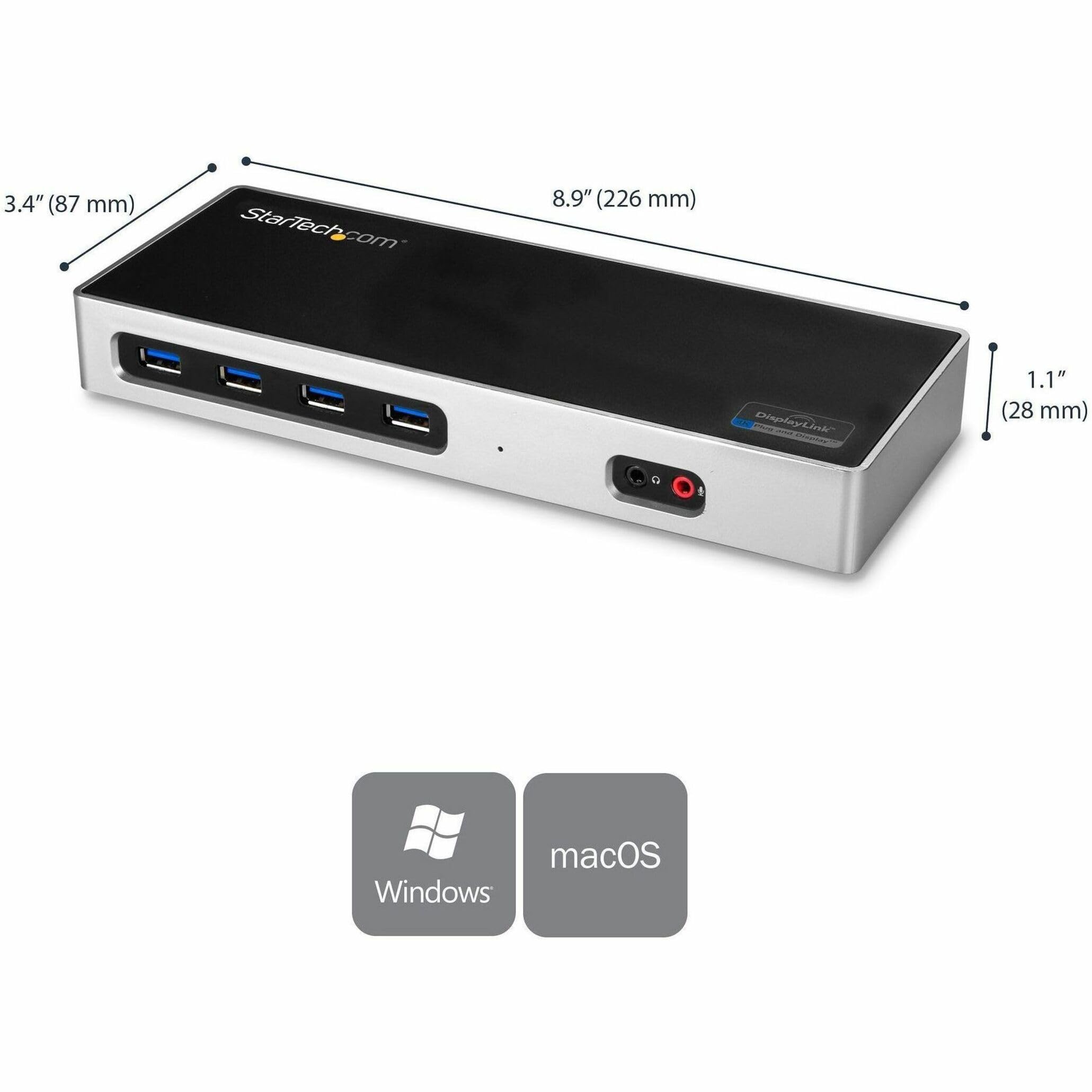
The StarTech.com Dual 4K Docking Station (DK30A2DH) is a versatile USB-C and USB-A compatible hub designed for professionals who demand high-resolution dual monitor setups at 60Hz. Featuring six USB 3.0 ports, Gigabit Ethernet, and audio jacks, it supports Windows, macOS, Chrome OS, and Ubuntu. Its durable aluminum build and comprehensive warranty make it a reliable centerpiece for any modern workstation.



















| ASIN | B074VKW195 |
| Best Sellers Rank | 17,104 in Computers & Accessories ( See Top 100 in Computers & Accessories ) 166 in Docking Stations 3,912 in Tablet Accessories |
| Guaranteed software updates until | unknown |
| Item model number | DK30A2DH |
| Language | German |
| Manufacturer | Startech |
| Product Dimensions | 22.61 x 8.64 x 2.79 cm; 301 g |
M**L
Very high quality docking station
Excellent docking station, there is an on/off switch which is a very useful feature. I am totally satisfied with the performance of this product. The casing is made of a aluminium which adds to the overall quality of the docking station. Definitely 5 star for me.
A**L
Works perfectly
Great docking station for my Razer Blade Stealth 2019. It doesn't charge the laptop although I didn't want this feature anyway. Multi monitors work flawlessly - make sure to go into device manager to install the latest drivers from Windows to get this set up. Quite expensive but you get what you pay for.
Y**E
BE CAREFEUL IT WILL STOP WORKING AFTER 6 MONTHS
BE CAREFUL, the stopped working after just 6 months, and i'm not the only one to whom it happens. And there's no support or whatsoever ... Pure scam
D**E
Decent Dock
Works well, zero issues, StarTech is a good brand, all their stuff is solid....
A**X
Works well
This is all you're likely to need with loads of USB ports, and support for dual screens - which works well. More of a desk top type dock with an external power supply than a take with you type. The on/off switch is a nice feature. It's a bit disappointing that driver software has to be downloaded from a website, would have been nice to have it included - not a big deal though.
D**S
Helped with working from home
Recommended but definitely worth it. Had struggled for ages to get the use of two extra screens. This worked where others didn't.
A**R
Tends to overheat
Nice hub, gets my MacBook to drive 2 monitors plus a bunch of USB devices. Disadvantage: it randomly stops working occasionally - both monitors go blank. Sometimes switching it off and on again helps, sometimes it doesn't. I think the cause is overheating; it's ok once it's cooled down. I'm making sure to switch it off when I'm not using it, so it has a chance to cool down. Still, seems like a design fault.
D**E
Versatile Docking Station
I've owned this docking station for a little under a month so far and it has been great! I've been able to connect 2 HD monitors via HDMI cables and had them both running in extended display mode to both an old Windows 7 laptop and a brand new MacBook Air M1 (2020). Both of these devices only support one external display out of the box, so this dock has made all the difference. The drivers took a little while to download and install on the old Windows laptop, but once they did, it was up and running exactly as required. For the M1 MacBook I had to google "Startech DisplayLink Mac drivers" to find the correct installation package. This is an expensive bit of kit, but well worth it for me so far.
S**S
After the trouble I had getting two monitors to work with my laptop, I was sceptical when I purchased this docking station. I plugged in the docking station and it worked straight away with two high resolution ultra wide monitors without any need to install drivers. I needed a potable docking station and this is the smallest and lightest docking station I could find with power.
L**.
Excellent product. Worked right out of the box! Save yourself tons of time with trial/error and returns! My needs were quite simple: - When working at home, I simply wanted to set my laptop on my desk, plug in a USB cable (and a power cable to my laptop itself) and be done with it! My hardware: - Lenovo Flex 5 Laptop with USB C 3.0 port non-powered (from Costco) - Dual LG 34", 21:9 aspect ratio, 2560 x 1080 resolution, wide monitors (from Costco) - Logitech wireless keyboard/mouse combo (from Costco) I had bought literally a half dozen different docking station type of units to try. Until purchasing different docking station products, I did not realize that many of the solutions did not support a USB C 3.0 port that's on my laptop. I would search for USB C 3.0 products on Amazon, and somehow, apparently the units I bought, even after reviewing countless specs, did not work as advertised. The next best solution I found was by a company called J5. Their docking station worked well too, but it did not work for both of my monitors - one of the HDMI ports only supported 2K. I learned the hard way that 4k is needed for my 21:9 ratio monitors running 2560 x 1080 resolution. The StarTech.com Dual 4K Docking Station was going to be my last option before giving up. Thankfully it worked right out of the box. I chose to use the standard USB A port to connect to my laptop because it was more of a solid connection than using the USB C port. The USB A port has a USB C connector on the other side of the cable to connect to the docking station. I would recommend spending the money on the StarTech, getting something that just works, and stop trying the cheaper alternatives! Lesson learned!
R**1
Je l'ai initialement acheté pour brancher des écrans sur un macbookair M1; vous serez en 60 htz mais avec un PC et une bonne carte graphique, deux écrans en 100htz; produit conforma à startech, de la bonne qualité
A**ー
Macbook proで使用しています。このような製品は本体同様の大きさで重いACアダプターがついてくることがありますが、これはACアダプターが小型軽量でよいです。 何年か前の製品ですが、自分には十分な機能で、値段も下がっているのでぴったりでした。USB3.0 Type-Aが6個口あるのがいいです。他にも色々見ましたが、USB Type-Cが混ざり、なかなかこの形でUSB3.0 Type-Aが6個あるものはありませんでした。 4Kモニターは使用していませんが、USB、LAN、HDMIすべて機能しています。 Macで使えないといったレビューがありましたが、公式サイトではMacに対応していると記載もあり、Mac用のドライバもダウンロードできるようになっています。自分はMacbook pro OS 10.14で使用できています。公式サイトを見ると、様々な質問に答えられていて、何か使い方がわからなくてもきちんと説明を受けて解決できそうだなと思いました。
J**C
Muy fácil de configurar y pude conectar 3 monitores a mi MacBook Pro M1
Trustpilot
2 months ago
5 days ago