🔒 Stay connected, stay secure—no WiFi, no limits!
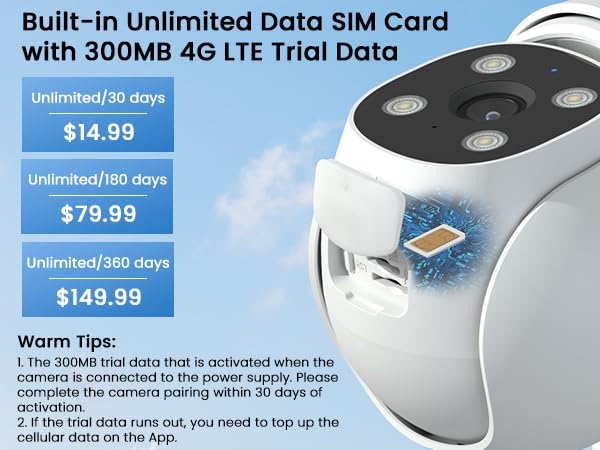
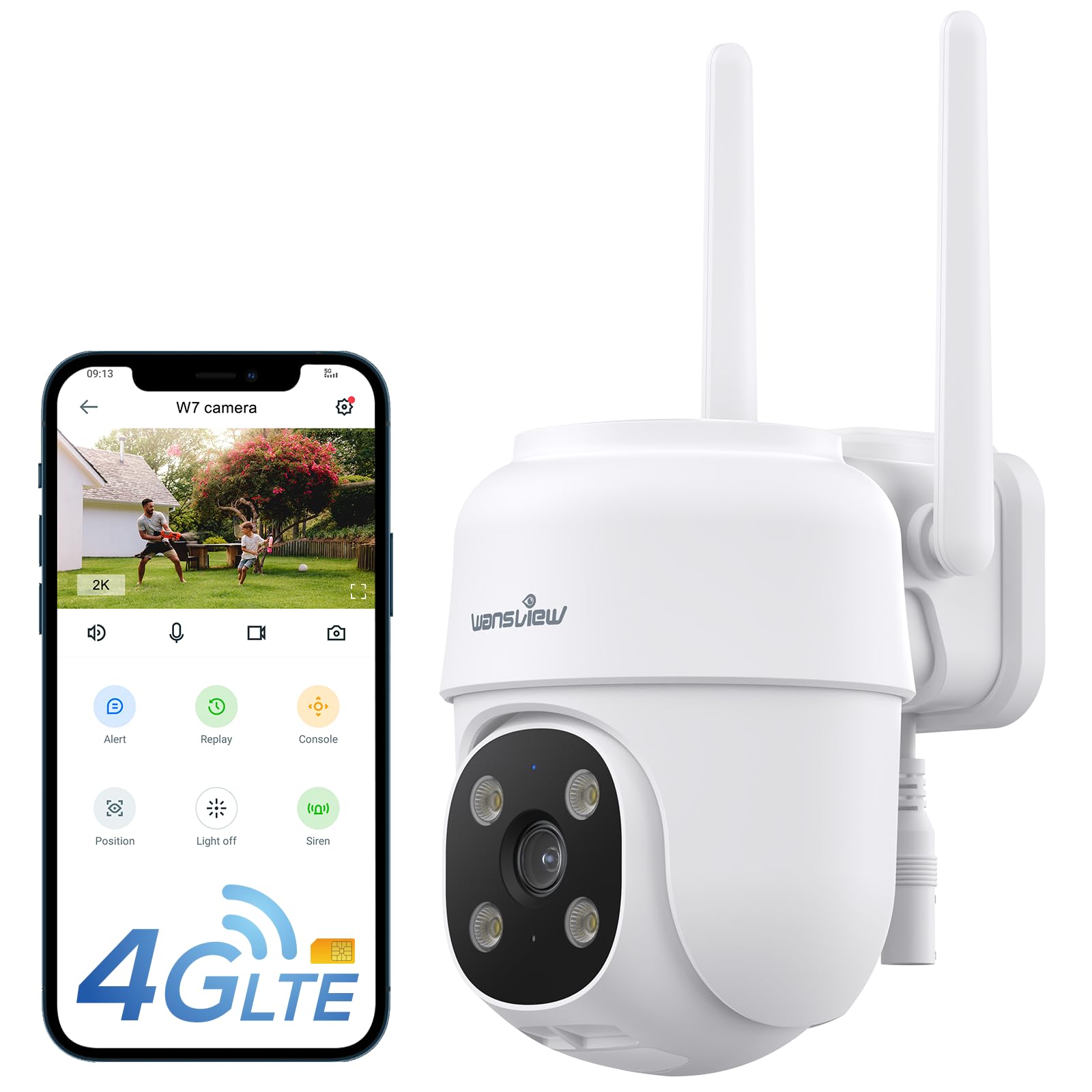
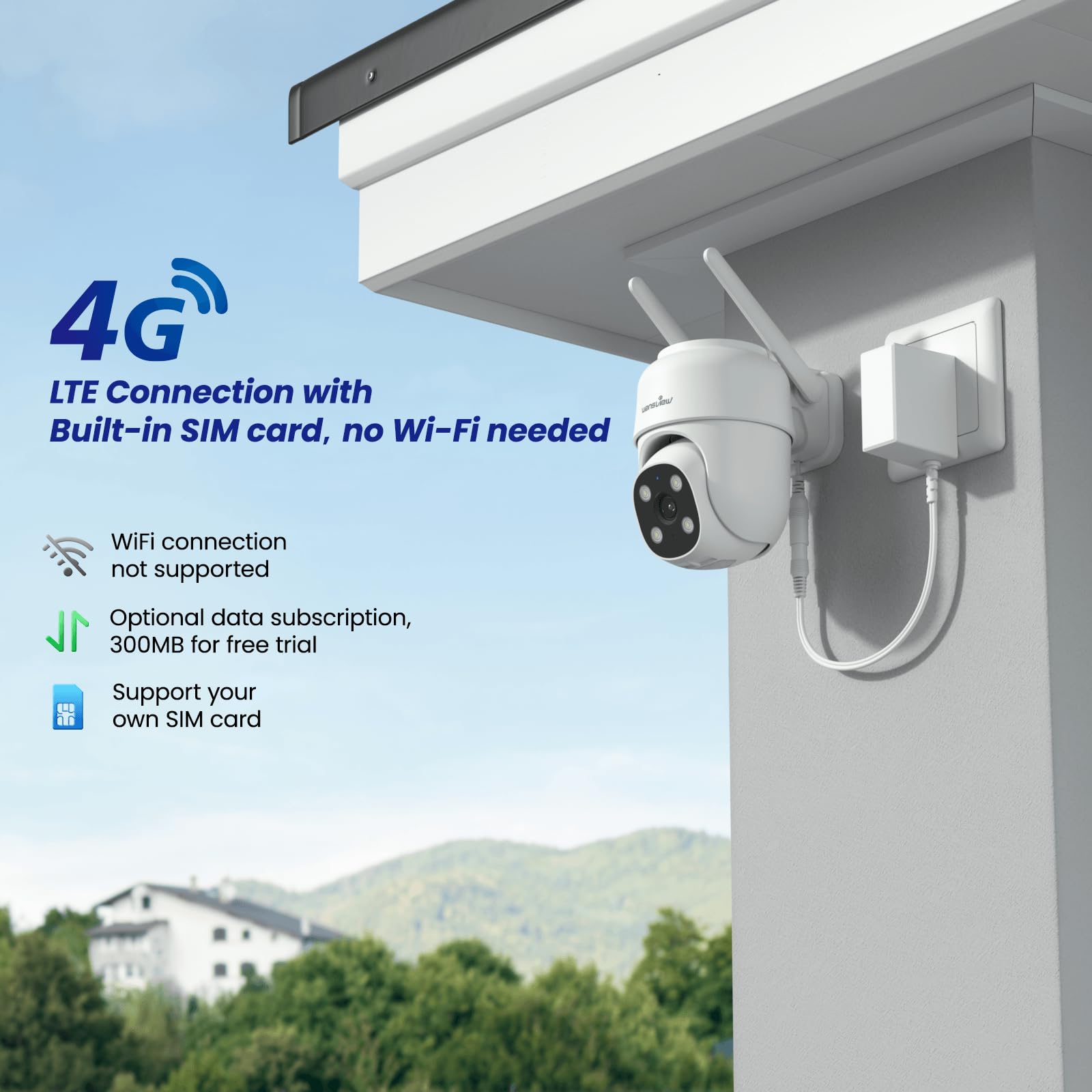
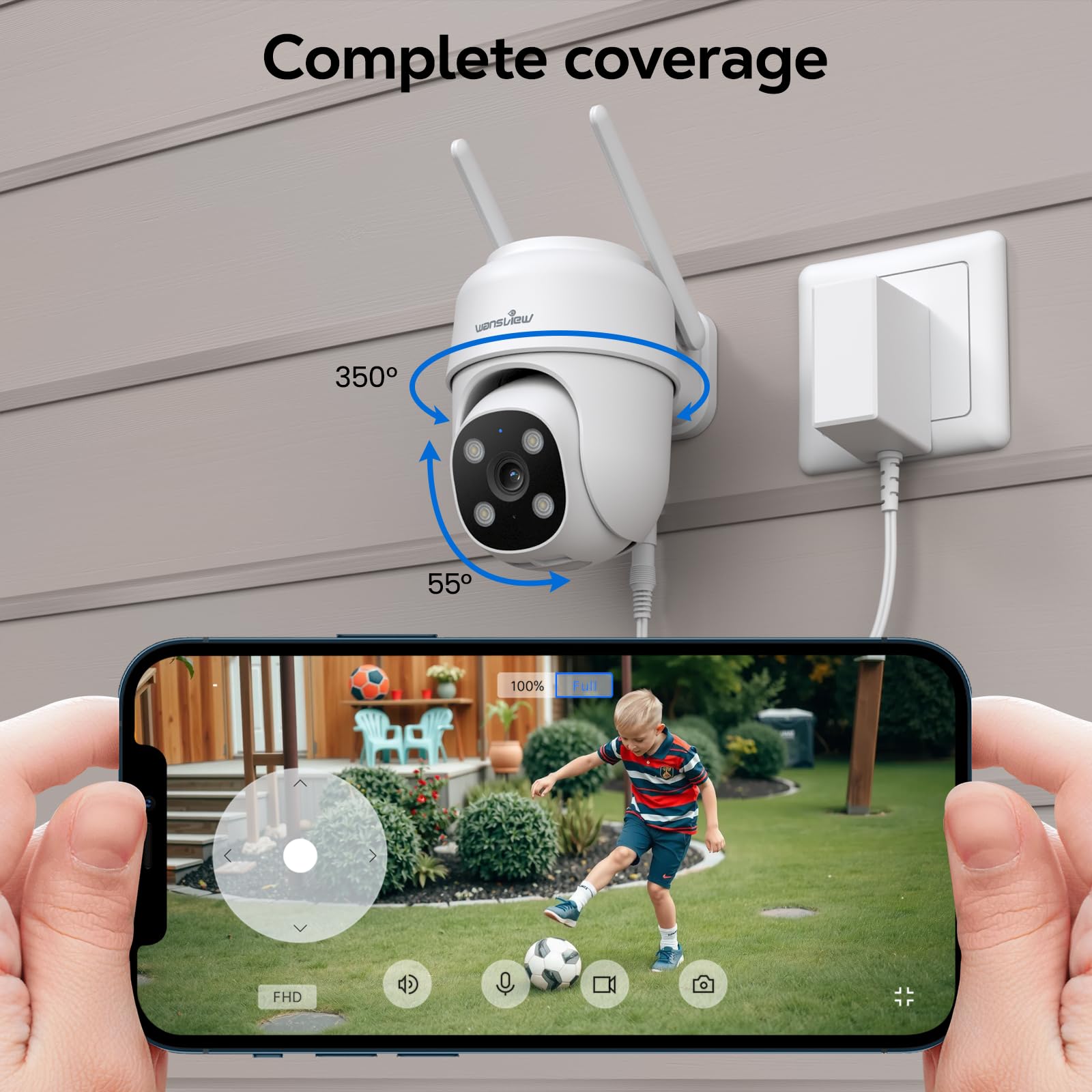
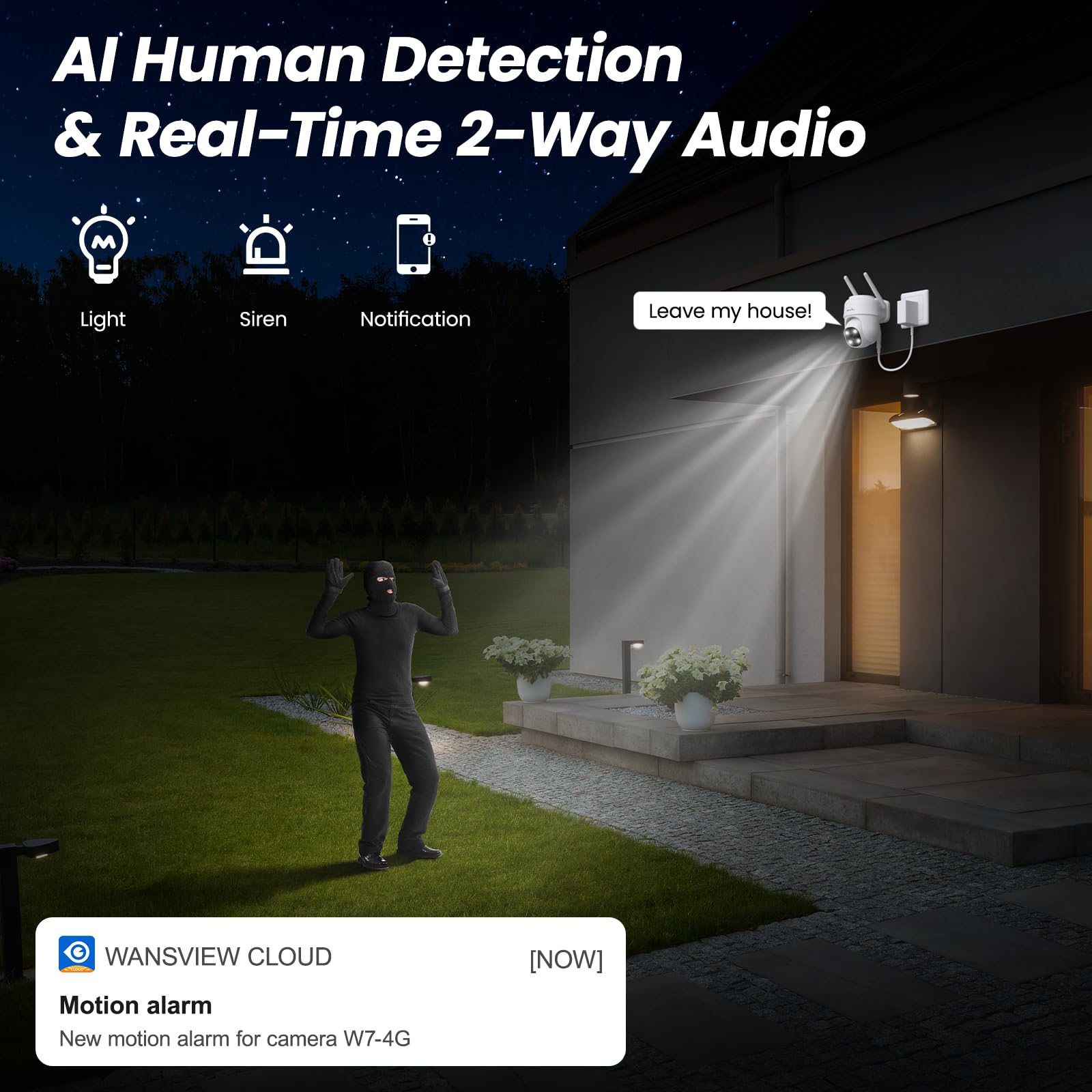
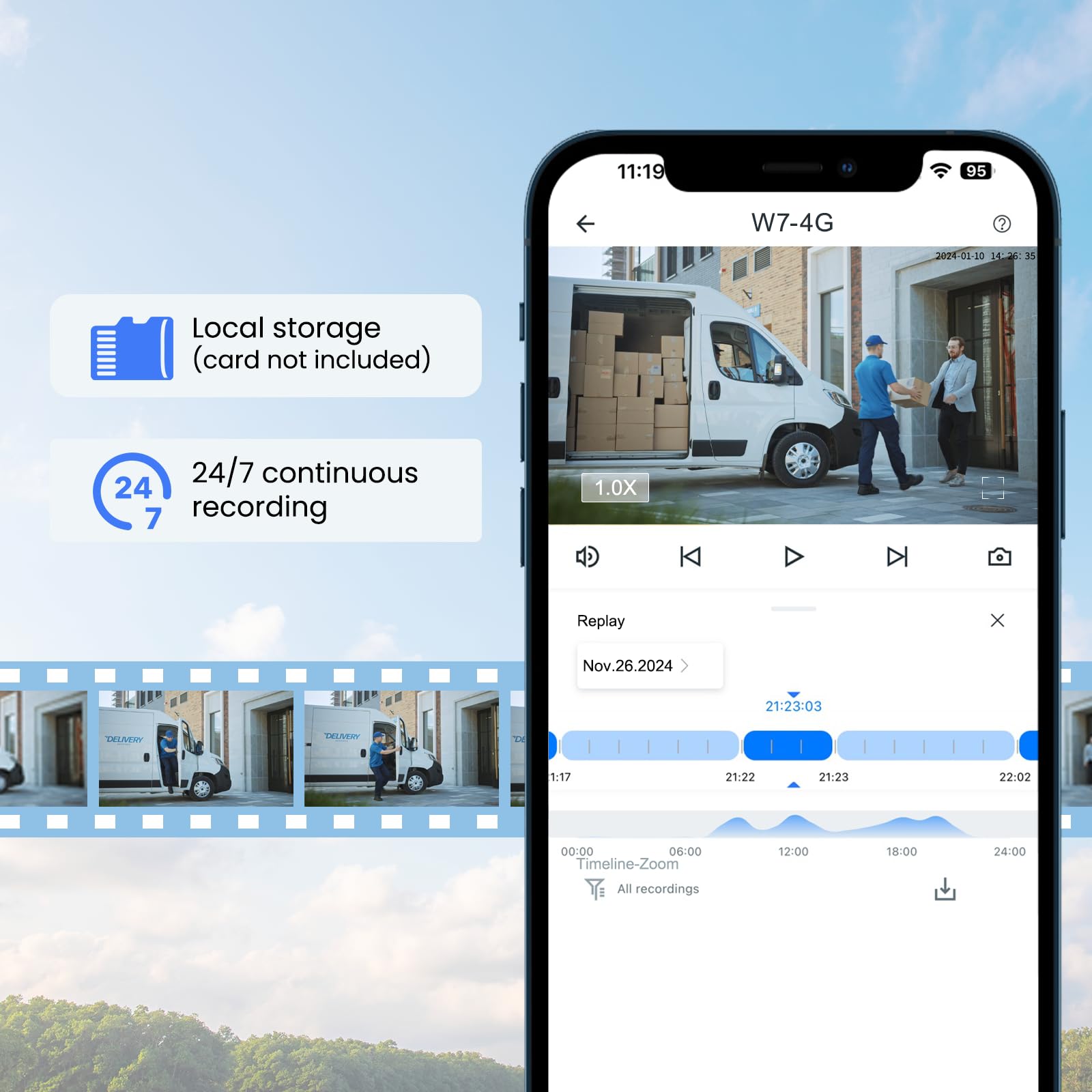
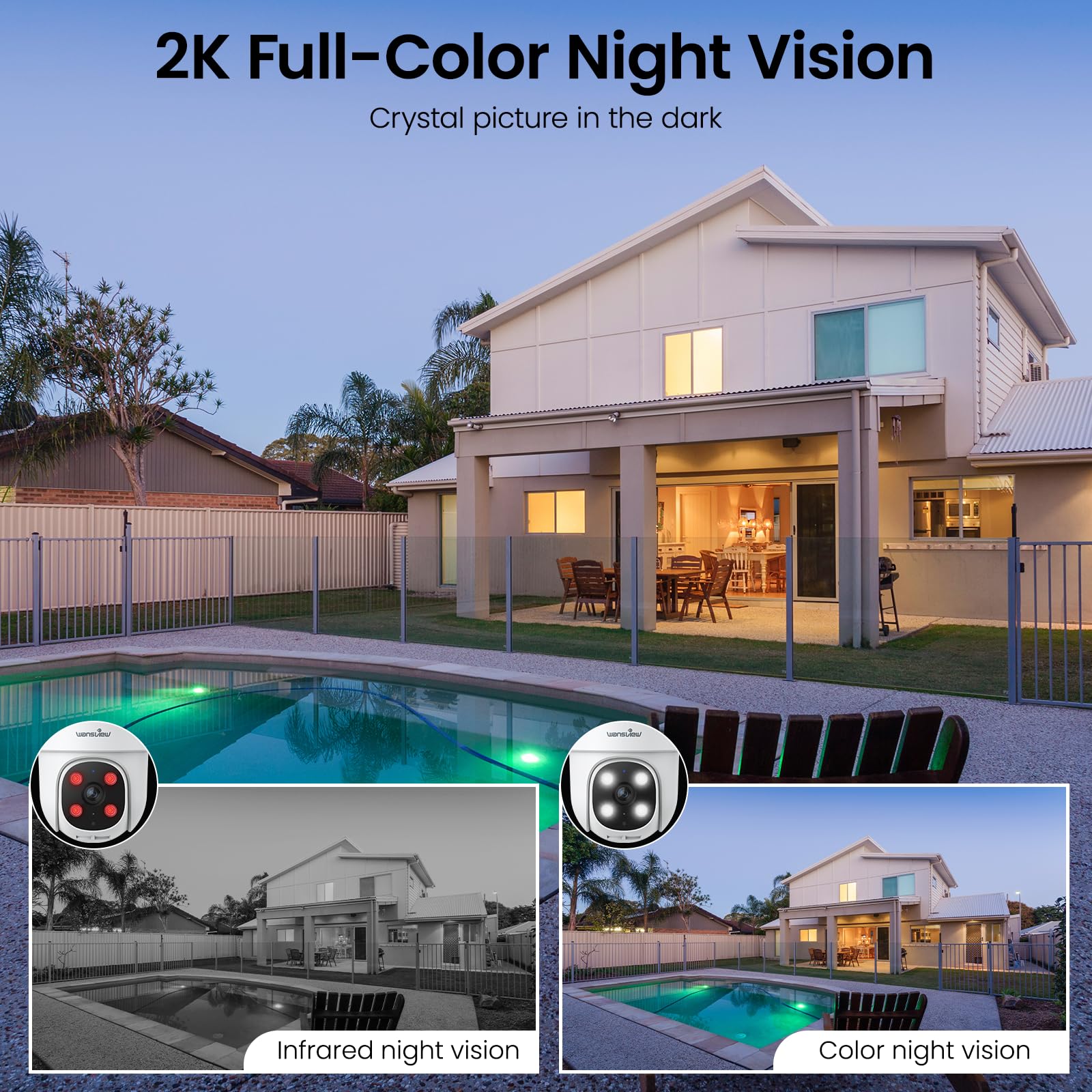
The Wansview W7-4G is a cutting-edge outdoor security camera featuring 4G LTE cellular connectivity that eliminates the need for WiFi, perfect for remote or WiFi-challenged locations. It delivers crystal-clear 2K resolution with advanced color night vision and offers full 360° pan-tilt-zoom control for comprehensive coverage. Equipped with 2-way audio and 24/7 SD card storage, it supports seamless communication and reliable local recording. Compatible with Alexa and Google Home, this corded camera combines robust performance, easy setup, and smart home integration to keep your property secure anywhere in the US.



| ASIN | B0D5HMYVH2 |
| Antenna Location | Indoor Security, Outdoor Security, Pet Monitoring |
| Are Batteries Required | No |
| Best Sellers Rank | #552 in Bullet Surveillance Cameras |
| Brand | wansview |
| Built-In Media | camera*1, 12V DC power cable*1, plug *1, and installation guide*1 and packs of mounting screws*2 |
| Color | White |
| Compatible Devices | Smartphone |
| Connectivity Protocol | 4G |
| Connectivity Technology | 4G LTE, Wired |
| Controller Type | Android |
| Customer Reviews | 4.3 out of 5 stars 2,488 Reviews |
| Enclosure Material | Aluminum |
| Indoor Outdoor Usage | Indoor, Outdoor |
| Indoor/Outdoor Usage | Indoor, Outdoor |
| Item Dimensions | 4.5 x 3.44 x 4.8 inches |
| Item Height | 4.8 inches |
| Item Type Name | bullet-cameras |
| Item Weight | 0.57 Kilograms |
| Manufacturer | wansview |
| Model Name | W7 |
| Model Number | W7 |
| Mount Type | Wall Mount |
| Number of Items | 1 |
| Other Special Features of the Product | 2-Way Audio, HD Resolution, Night Vision, PTZ Technology |
| Power Source | Corded Electric |
| Recommended Uses For Product | Indoor Security, Outdoor Security, Pet Monitoring |
| Special Feature | 2-Way Audio, HD Resolution, Night Vision, PTZ Technology |
| Specific Uses For Product | Barn, Farm, Surveillance, Trail, Warehouse |
| Unit Count | 1.0 Count |
| Video Capture Format | MPEG-4 |
| Video Capture Resolution | 1296p |
| Video Encoding | H.264 |
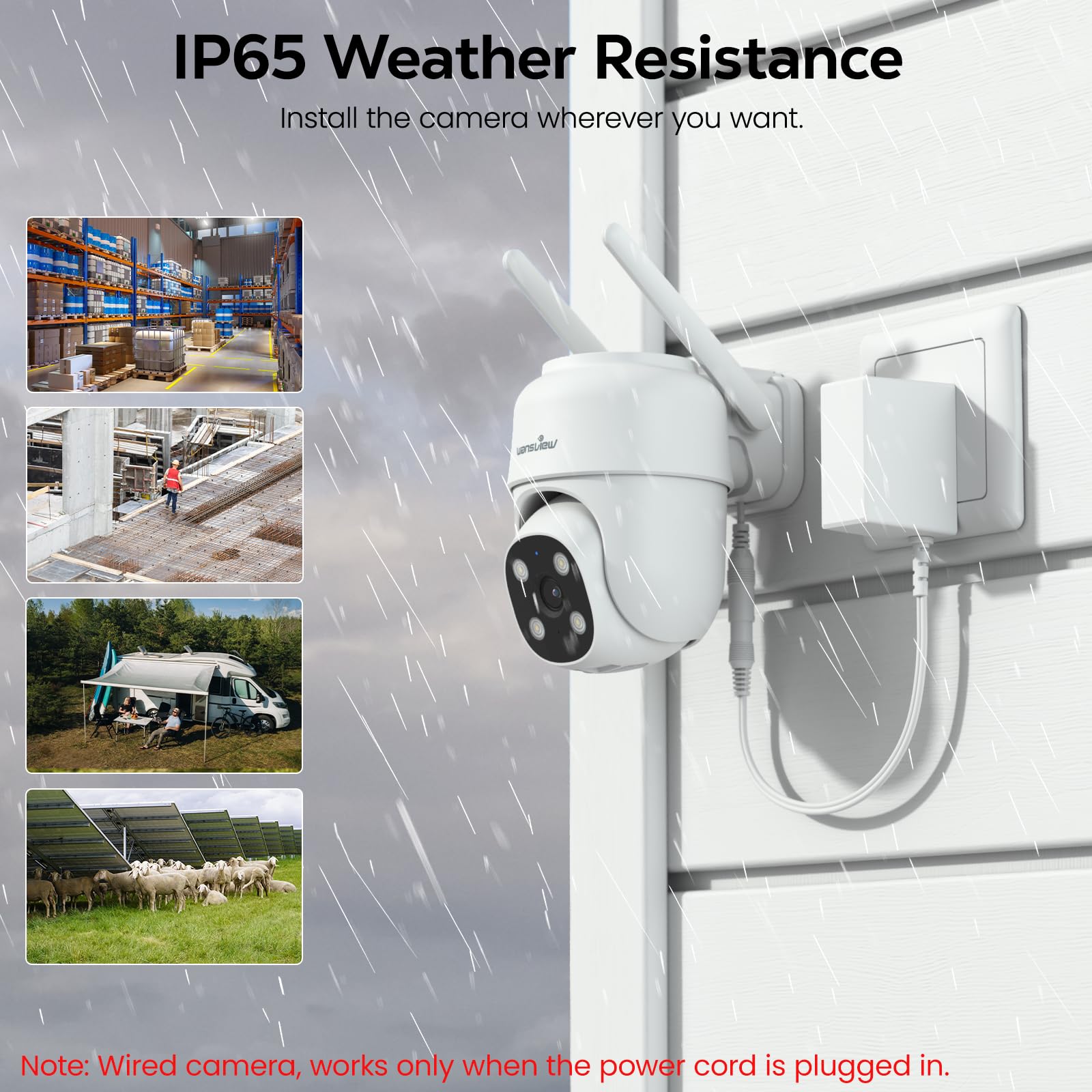
| Water Resistance Level | Water Resistant |
| Wireless Technology | 4G |
| Zoom Type | Digital Zoom |
K**Y
Buy it now! It's a steal at less than $30
I would rate Wansview W7 camera AND their customer support 6 stars if it were available. Before I justify my evaluation, let me point out that my primary need for an outdoor camera is for surveillance purposes only. I do not need two-way talk, nor recording, nor photos, and not even pan and tilt. So for the first three features are not part of my 5-star rating. Having said that, I’ll comment first on the virtues of the W7 then on the customer support. The Wansview W7 provides 2K (2x better than 1080P) resolution and the color is accurate. For those two features alone is it a steal at less than $30. I realized that the virtual pan and tilt feature serves two very useful purposes: first, it permits simple adjustments to keep direct sunlight from entering into the camera due to seasonal changes and second, it allows fine adjustments when there’s a need to see something just outside the current view. What separates the W7 from name brand cameras is the field of view. The W7 camera views the street in front of my house and the street is straight line. Name brand cameras attempts to widen its field of view to maximize coverage but would make the street curved on the left and right side of the view. A little disorienting for me. Even a great camera at any price isn’t good unless you can fully operate and maintain it. Wansview customer support is outstanding! I emailed Wansview about camera setup and operational questions and received a response in less than 24 hours. Not only are they courteous, patient, and respectful but I always got the same person each time, not just “whomever is available”. So it is easy to build a one-to-one relationship with one customer support technician. Realize, the customer, me, may not accurately describe the problem precisely so it may take several emails isolate the real issue. But the customer support technician stuck with me until the issue was satisfactorily resolved. I commend Wansview for their policy to serve the customer ahead of simply making a profit. Since every customer’s need for the W7 is different, allow me to list a few tips that I used to make your installation a simple as could be. I’ll admit, the written instructions need improvement. 1) be sure there is a power outlet within 9’ of where you plan to mount the camera; allow for the thickness of walls if the outlet is indoors 2) check that your planned camera mounting position has a strong wifi signal; I had to use a wifi extender in the garage for the camera I installed outside and above the garage door 3) after detaching the usb power adaptor from the W7 power cable, tape it to the end of an 12-18” dowel to help guide it through the hole in the wall if your nearest outlet is indoors 4 the camera comes with a full size self sticking template to show exactly where to drill the three mounting holes; be sure the two holes are at the top 5) the camera has a detachable camera mounting plate that needs to be removed before it can be mounted to a wall; see the photo below; it may require some thumb pressure (press and push) to release the “tongue” of the mounting plate from the camera’s base; the camera is very well constructed so you’ll have to take a real close look where the pieces separate 6) when using the Wansview Air app to connect the camera to the home wifi, there will be a step where a QR code will appear on your iPad or iPhone, whichever you’re using; the app directs you to face that QR code to the camera; you may have to move the iPhone/iPad toward or away from the camera in order for the camera to "see the whole QR code" 7) when proceeding through each setup step on your iPhone/iPad, be sure to scroll up on each screen because sometimes a fixed banner at the bottom hides a command/direction behind it I hope this evaluation helps you decide that you may not need the name brand cameras to meet your needs. For me, Wansview is an excellent choice. Think: quality, performance, and customer support are Wansview’s high marks.
S**E
Great camera with great features
Setup was easy, after downloading the app, if you look at pictures 1 thru 3 you will see. You select the plus sign in the app at top right corner (Pic #1) then (2nd Pic), you select the camera which here was the W7, then (the 3rd picture) I chose the second option. I scanned the top of the camera's QR code then followed the screen prompts. It took maybe 5 minutes. I do want to say that when removing the camera from the mounting bracket, pull it straight out,not up. It's a bit difficult especially when there's nothing that says how to do it. (Pic #4 ) shows the features. When you are in the app you'll see all the camera's you have set up. When you click on one of them to open it you'll see a settings button in the top right corner. Click that and it will open all the options pic #5. The first one is to invite family members, this is how you'll share with others in the household or others in general. They will need to have the app installed on their phone first. The one for motion detection, you can select the sensitivity here to detect movement by sliding the dot from low to high (pic #6). I kept mine at normal. If you put it on high, it will detect every tiny movement like leaves blowing from the wind. When you click on detection area above the sensitivity level. You can select an area that you want to get notified about movement. Drag the box side's until you get the area that you want (pic #6A). In my case, I didn't want to be notified of people just walking by so I moved the box to select just the area I wanted to monitor. It will still record that area, just not notify me of movement. When you click on Motion alert, you can turn on alerts or turn them off. Light and night vision you can see the options see Pic#7. Device management (pic #8), here you can reset the camera without going outside to physically do it or do it while away from home when it's not functioning correctly. You can also reset it to factory settings or delete it from your app all together here. Pic #9 is a picture of the motion, you can find these under "alerts" on the main page in the app. The quality of the picture is great, you can zoom in with 2 fingers like how you do on your phone when looking at a picture. You can pan the camera from the app to look around and change the view you have. If you tap the picture, you'll see a box on the bottom right, if you tap the box, you'll make the picture full screen. You can still use pan just by tapping the screen, the pan option will show right on the picture to use. Pic #10 is night vision The last 2 pictures are the two camera views during the day. I did not purchase the cloud that was offered, I use an SD card. But the cloud is offered to you if you want to use it for a monthly fee starting at $2.99. I had first purchased an indoor camera from Wainsview to check on my dogs while I'm out and had been using it for more than a year. I also had already purchased the w7 outdoor camera for my mother about 2 months ago and have been impressed with that as well before getting these for myself. Mom with very little tech knowledge, can use the app with ease. I'm impressed with the company overall and their costumer service too. I would recommend Wainsview to anyone. The camera's are an inexpensive way to add security to your home.
B**S
Wansview 4G LTE Cellular Camera
I’ve been using the Wansview security camera for a while now, and honestly, it’s been a game-changer for keeping an eye on my house and dogs. Setting it up was super straightforward—just plug it in, connect it to 4G, and you’re good to go. The video quality is surprisingly clear, even at night, which I didn’t expect for the price. The app is really user-friendly, and I love that I can check in on my pups anytime from my phone. The motion detection feature is a nice bonus—it sends me alerts when the dogs are moving around or (ahem) causing mischief. I also appreciate the two-way audio; it’s fun to talk to them and watch them get all confused trying to find me. 😂 Overall, this camera gives me peace of mind when I’m away from home, and it’s super affordable compared to some other options out there. If you’re looking for a solid, no-fuss camera to keep an eye on your home or furry friends, I’d definitely recommend it!
J**S
Good all around security camera at an affordable price.
For the most part very happy with the Wansview cameras. I now have 3, two at home and one for on the boat. All are viewable and controllable thru the app on my phone. Angles can be adjusted from slightly above 90 deg. to straight down and can be rotated thru nearly a full 360 deg. around. Lots of functionality adjustments to kinda customize what you want them to do. The microphone function can be fun, I've scared skunks out of our back yard by yelling at them thru speaker mode. Depending on your selected sensitivity setting, it will take a pic when detecting movement and record a short video until the movement has stopped. I only have 3 complaints, and these are relatively minor: * * The developers will occasionally do a software upgrade, a couple of those so called "upgrades" have messed up some functions, but they are also quick to "fix the bug" when brought to their attention. * They keep pushing for you to buy into their "Cloud" storage. You don't have to, but it is a really good idea to buy and install a micro-SD chip in the camera. * I wish the attached power cord was at least twice as long as what's standard. I've had to add cord extensions to both the home cameras to reach a power source, but for one of them I would have probably had to add an extension even if it had a longer cord. Would I buy again? Yes. They've been very easy to set-up and so far very reliable.
L**E
High quality video, good nighttime illumination, motion capture and camera functionality
I have installed and operated several of these cameras outside and they have performed reliability in delivering high quality real-time and recorded Wi-Fi video though many harsh weather conditions. I am very satisfied with using the Wansview application to view these and the other models of Wansview cameras. I install 32 gigabyte micro-Sd cards in each camera and don't subscribe to the monthly cloud-based service.
Y**R
Load of features at low price with room for improvement. Great product!
Pros: 1. Low price. That counts for one star. 2. Easy installation. Just follow the instructions provided; even a layman can do it in less than 10 minutes. Mounting the camera should be easy if your hand is strong enough (no tool is needed) to pull the base off the unit. 3. High resolution. The 2K is better than 1080P. The difference becomes obvious when you zoom in to see the details. 4. From Motion Detection setting, you can select the area you want to monitor and exclude the area you don’t want to. 5. In terms of PTR, it’s one of the best in the market. It’s very easy to control it with Console. 6. Once favorite positions are set with Console, go to Position to select for quick moves. 7. The Intelligent Light setting will turn on LED white light at night for color pictures when it detects movement. Otherwise, it stays in Auto Infrared Mode. 8. Intelligent alert allows you to select Person, Vehicle and Pet. I only enabled Person and it worked very well, that is, when it detected me, I received a “Possible Person …” notification and a related alert video clip. No notification was sent related to the other clips that didn’t have my face showing there. 9. Two-Way Audio works very well. It’s clear and no background noise. 10. You can share the camera with up to 3 family members or friends. I haven’t tried it yet. 11. It’s an outdoor camera. If it’s mounted outside and gets sabotaged or damaged, even without cloud service, you still have the alert video clips pushed to you on your device, such as phone and tablet. It’ll be useful for insurance claims and police reports if needed. Cons: 1. Doesn’t have local backup during Wi-Fi and power outage. 2. It only works with 2.4 GHz. It’s good for better range. However, if higher performance or speed is preferred, 5 GHz is better. 3. Each alert video clip is only about 10 seconds. I kept moving in front of the camera with counting numbers loud from 1 to 60. Two alert video clips and corresponding notifications were sent to my phone. One covers about 1 to 10 and the other 51 to 60; thus 11 to 50 got lost. You have to subscribe cloud service to see complete alert videos. Otherwise, you shouldn’t expect much from the alert video feature. The main concern with this problem is that if the event you consider critical occurs during 11 and 50 as described above, the camera is simply useless for that event. I think that is one of the main reasons some people gave one star to this camera, because they didn’t get alert videos and notifications as they expected. However, once you get the notification, you can always manually record whatever you want to without skipping things and/or take photos along the way. 4. To see manually recorded videos and photos, go to Me->Local Video or Local Photo. However, each selection leads to Videos. If you want to see photos, you have to click on Images to see them. This annoying minor thing should be easily corrected by manufacturer. 5. To see downloaded alert videos, go to Me->Local Video->Videos instead of Me->Local Video->Download. I don’t know what the Download option is used for. Clarifications: 1. It needs to be powered by connecting to an AC power outlet with a build-in USB cable and a provided charger. Any charger with 5V and >=1.0A DC output can be used. I even used an USB port on my laptop to power it and it worked well. “Wireless” means it communicates through Wi-Fi, not cable. 2. IP65 waterproof rating means “water projected by a nozzle (6.3 mm) against enclosure from any direction shall have no harmful effects”. For daily usage, ALA it’s not immersed in water, it should be okay with being exposed to rain. Where I mount it doesn’t have water issue, so I can’t comment on this feature. There are too many features to be mentioned in this short review. According to my about one week experience, if the cons are not important to you, I strongly recommend this product. Otherwise, avoid it. I will report any quality problems here whenever they occur as some people experienced.
W**I
Wansview yet again!! Best reasonably priced cameras ever!
I have lost count of the number of Wansview cameras I’ve purchased over the years. All have been easy to install and, in fact, the first one I ever bought still works. This one hits it out of the park with the quality of video and how easy this is to PTZ and is so extremely quiet doing it. I can’t even hear when this camera pans or tilts. One of my dogs can (which is tripping him out a bit), but he’s a dog, so since we don’t have dog hearing, this won’t even alert intruders you are watching them if you pan/tilt to follow movement. This one also has the option to fire LED white light at night for color pics when it detects movement vs infrared. You can choose either. I’m using mine indoors so chose to use infrared only. Another thing I appreciate about this camera is they have given me back the option to recorded 24/7 and not just when motion is detected. The microphone works great which my dogs don’t understand when they get spoken to when I’m not even home! I’m using this in my RV so can monitor the whole thing with just two cams indoors and one outdoors. They’re all Wansview and all work very well. To be so inexpensive, this camera has some weight to it and feels quality built. I’m frankly amazed at the price point. And one of my favorite things about wansview is they have always given me a choice to use SD card and/or cloud recording service. I’ve never used their cloud service as the SD card review is all I need. I’m overall very impressed with this iteration of Wansview’s latest line up.
K**H
HIGHLY RECOMMEND...
Wow .. I have been using Wansview Cameras for many years now. I have decided to expand my coverage to my boat Dock which has no power and is about 75 yards away from my house. I always wanted to have the ability of having the opportunity to check on my boat at anytime. I researched different WiFi extenders and found the perfect companion to extend my surveillance of my property. The combination of the Wansview B7 solar cameras, and the Wavlink Ax3000 Access/ extender is the perfect answer to the peace of mind I was seeking. The B7 has all the features needed,...Pan , Tilt, Zoom, Mic, Speaker , .. night vision.. long enough wire to mount the solar panel in most convenient location. I did have a slight problem with the solar panel not charging one of my cameras. I notified customer service and what a pleasant and fast response. We troubleshot the situation and determined the solar panel was defective. I had a new one one in 2 days. I am so pleased with these cameras and service from the Wansview company, that I HIGHLY recommend trusting them with all of your surveillance needs ...💯
Trustpilot
5 days ago
2 weeks ago



