


Desertcart purchases this item on your behalf and handles shipping, customs, and support to Philippines.
๐ค Build Bold, Stay Cool, Game On!
The Thermaltake Versa H17 is a compact Micro ATX mini tower gaming case crafted from durable SPCC steel with a stylish brushed aluminum front panel. Designed for entry-level builders and gamers, it supports Micro ATX and Mini ITX motherboards, tool-free 2.5โ/3.5โ drive bays, and advanced cooling options including multiple fan mounts and AIO liquid cooling compatibility. With a covered PSU area and ample GPU clearance up to 350mm, it balances sleek aesthetics with practical functionality, all backed by a 3-year warranty.
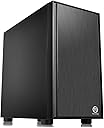
| ASIN | B0797GHT9F |
| Antenna Location | Gaming |
| Best Sellers Rank | #294 in Computer Cases |
| Brand | Thermaltake |
| Built-In Media | Computer Case, Fan, Manual, Tool Pack |
| Case Type | Mini-Tower |
| Color | Black |
| Compatible Devices | Mini ITX, Micro ATX |
| Cooling Method | Air |
| Customer Reviews | 4.5 out of 5 stars 890 Reviews |
| Enclosure Material | Alloy Steel |
| Fan Size | 12 centimeters |
| Global Trade Identification Number | 00841163001059 |
| Hard Disk Form Factor | 2.5 inches |
| Internal Bays Quantity | 2 |
| Item Dimensions D x W x H | 15"D x 8.1"W x 15.4"H |
| Item Type Name | Thermaltake Versa H17 Black SPCC Micro ATX Gaming Computer Case CA-1J1-00S1NN-00 |
| Item Weight | 10.2 pounds |
| Manufacturer | Thermaltake USA Direct |
| Material | Alloy Steel |
| Mfr Part Number | CA-1J1-00S1NN-00 |
| Model Name | Versa |
| Model Number | CA-1J1-00S1NN-00 |
| Motherboard Compatability | Micro ATX |
| Number of Fans | 1 |
| Number of Items | 1 |
| Other Special Features of the Product | Advanced Cooling Systems, Tool-less Installation, Covered Power Supply |
| Power Supply Maximum Output | 500 watts |
| Power Supply Mounting Type | Bottom Mount |
| Recommended Uses For Product | Gaming |
| Supported Motherboard | Micro ATX |
| Total Expansion Slots Quantity | 4 |
| Total USB 2.0 Ports | 2 |
| Total USB 3.0 Ports | 1 |
| Total Usb Ports | 3 |
| UPC | 841163001059 |
| Unit Count | 1 Count |
| Warranty Description | 3 Year Warranty |
R**E
Quality Case - Budget Conscious Price
Needed to add some extra storage to my wife's PC and her OEM case wasn't setup to handle it. What's more, the OEM case had a single exhaust fan and no option for adding an intake fan or anything. (I'm looking at you ASUS). So I went looking for a replacement - wanted something that looked nice, would be easy to build in, and not too expensive. The Thermaltake Versa H17 definitely fit the bill. This is my first Thermaltake case. After my experience with the H17, I expect it won't be my last. (I'm giving serious consideration to moving my home server to a V21 cube chassis.) I'll go into detail about my experience with building in the case. First I'll mention, if you're re-using old parts or if you're on a tight budget and you've got / are getting a wired power supply instead of modular, the case is ideal. The H17 doesn't use traditional drive cages of any kind to mount drives - no doubt a cost saving measure - and instead uses a system rubber washers + screws where you can mount a 3.5" hard drive to the floor of the case under the PSU cover and second 3.5" hard drive under the top of the PSU cover. With this mounting system instead of drive cages, this leaves TONS of space to neatly tuck away your unused power supply cables. You mount 2.5" drives in the same basic fashion as the 3.5" drives, except the drives can mount on either side of the case's motherboard tray. I chose to mount drives to the back side of the tray to make cable management easier. The motherboard tray has a very large cutout to make access to the CPU backplate a breeze, should you ever need to. The side panels go on and off without any issues at all - unlike many other cases I've used over the years. Behind the motherboard tray there is PLENTY of room for cable management - especially when you include the space under the power supply cover. There are plenty of zip-tie points to help keep your wires tidy as well. If this case is missing anything it would be rubber grommets and velcro straps, however, including these would only end up increasing the price of the case. Let's talk for a minute about fans and cooling. With having a mostly solid front panel, there is going to be some restriction on the amount of air coming into the chassis. However, because the ventilation holes are on the front of the panel (instead of on the sides of the front panel like some other cases) the incoming air doesn't need to make a directional bend and lose pressure. The front of the case is listed as supporting up to 3 x 120mm or 2 x 140mm front fans along with 1 x 120mm or 140mm top fan (featuring a magnetic dust filter) and 1 x 120mm rear exhaust fan - a 3 pin basic black Thermaltake fan is included here. Only including the one fan is another cost saving measure on Thermaltake's part. When I purchased the case, I ordered 2 x 120mm Cougar Vortex PWM fans to use with it in addition to a 120mm Cryorig fan that I already own. While I don't think most people will need to add three fans to this case, I do highly recommend you get at least 1 decent fan to include as a front intake. My original plan was to include all 3 fans in the front of the case and leave the top fan location vacant. I changed my mind on this during the build for 2 reasons. 1 - The wires for the buttons, LEDs, and ports on the top of the case are attached to the front panel. When you install the fans too high up in the case, it becomes difficult to route these wires into the case. 2 - After I noted the position of the top fan location is in a more "forward" position relative to the CPU, I decided to put the 120mm Cryorig fan there as an intake fan. If the position were more toward the back, I'd have instead configured it as an exhaust fan. If I'd have made this fan an exhaust where it's located, I'd literally be stealing cool air that's coming into the chassis and exhausting it away from the CPU before it has a chance to make use of it. This is not withstanding that positive air pressure is best for managing dust. If this computer had a tower style CPU cooler (such as a Cryorig H7 or CoolerMaster 212 EVO) instead of a stock downdraft style cooler, I would not have added the top fan at all as this would just cause turbulence. If I were going to ding the score of this case for any reasons at all, it would be these points about the fan mountings. However, I don't feel it's appropriate to deduct from the score of this case at all. Here's why. As this case is a budget case, I don't expect many people who purchase it to plan on using 360mm AIO coolers - which could be difficult due to the wire issue that I mentioned - and in all honesty, I think the cooling configuration I've got in place right now is likely more optimal than my original plan for 3 fans in the front of the case. Running the 3 fans in the front would only have blown extra air under the power supply cover. Having the top fan more forward winds up being a plus because running an intake fan here alleviates any problems this case would have with pulling in sufficient air to keep things inside cool. All-in-all, if you're looking for an attractive case (especially if you don't want a windowed side panel) that is high on build quality but low on price, I would highly recommend you consider the Thermaltake Versa H17.
S**S
Good no frills case for the money
Start off by saying I am not trying to win any fancy case competitions nor do I need lights inside my case. This does not have a window on the side of it. It is just a bare bones case to house my PC parts and I like it like that. This case does the job with plenty of space for everything I wanted to do which was very simple, mount my micro ATX MB and CPU, mount my PSU, install 1 old school 2 TB SATA drive and a 250 GB SSD "music" drive. I have a 2 TB M.2 SSD on the MB and no GPU so not much room being used but there is plenty of space if I want to add a GPU later, I am running a Ryzen 5 5600G integrated GPU. Cable management was good from the PSU in the basement, plenty of space to hide wires and lots of places to run wires through the MB mounting plate to keep it neat inside. Plenty of ventilation but don't set it down on carpet because the PSU ventilation will be blocked on the bottom of the case, could have been avoided with just a little taller legs, maybe half an inch. The legs it comes with are tall but I wish they had taller legs you could order to avoid ventilation problems, I have mine sitting on cardboard until I can find a board for it to sit on, maybe an old shelf or something. It has a large open filtered fan hole on top of the case as well, the filter is held on with a magnet so not great on that but it works. Love where they put the power button and USB/mic/headphone ports on top of the front bezel, one of the reasons I bought it because it sits on the floor under my desk and buttons and ports are easy access. Came with one pre-mounted 120mm fan at the back of the case which seems to do the job for my low heat system. I do wish it could be just a little smaller but I really like it a lot for what it is and what I paid for it (less than $50).
E**N
Excellent first time builders case; airflow could be better
First off, this was the case I chose for my first computer build in 15+ years, and it made things very easy and organized. It may not have all the flash, bells, or whistles as a lot of the fancier stuff on the market, but its significantly cheaper and gets most of the important stuff very right in my eyes. Pros: - Very easy to build in, with a great backplate to hide excess cables and excellent channels for cable routing - Aesthetics are deeply subjective, but I think this case looks awesome. It seems like its harder and harder to find a sleek and simple looking case with no gaudy additions like RGB or huge windows, without also looking like a 10 year old office PC. For me, this case toes that line perfectly and fits into my office very well - Instructions were simple and clear, not a whole lot of verbage but the pictures made things clear enough for me - Built in PSU shroud, which I think makes the whole package look so much tidier and isn't common at this price point - Enough room for a full size GPU; I have a 1660 ti in mine and there's plenty of space to spare - Fits a good amount of fans; I have 3 140mm fans installed in the case in addition to the one rear 120mm fan that came included Cons: - Airflow in the case could be better, specifically the front plate blocks a good amount of airflow from being brought in. There are very small perforations in the front panel and a small opening at the bottom, none of which allow for much air to be brought in. There is a pretty noticeable difference in the amount of air being brought in with the front panel off, which makes me think its definitely the front panel design and not just my fans. When I'm gaming for any significant time, the side panel gets fairly hot to the touch. All that being said, according to CAM software my Ryzen 5 hasn't been pushed over 65 degrees and the 1660 ti has hit 69 degrees max under heavy load. - If I'm being nitpicky, I wish the side panels and front panel were a little more uniform looking. The front panel is matte black plastic and the sides are matte black aluminum, and I just wish they looked a little more uniform at the point they meet. That's me really looking for something though... Overall, I love this case and am very glad I went with it. I was considering a Fractal Designs case that was three times as much for the same basic functionality, and I'm happy I chose to put that money to work elsewhere in the PC budget. Yes, the case is a little on the warm side, but not so much that it's a major concern for me. If you're looking for a simple and clean case to build a moderately powerful PC in, this should be at the top of your list.
J**L
Simple yet gets the job done
This case is amazing. Nothing too overly fancy which is what I prefer. I'm not a fan of over the top Sci Fi looking cases with RGB stuff. I build PC's for the sake of performance, not how it looks on the outside, and this case is exactly that. For only $40 it's a steal. The material I would say is excellent. Far better than my previous PC build's case and I believe I paid more for that one. So much room in my PC, not to mention how dead quiet it is. I know even if I install several fans it'll still remain quiet. My new workstation PC is not only looking great but performing great with this case. Not only is the case awesome but they give you plenty of extra screws. Cable management is a breeze and the PSU is hidden at the bottom which is always a plus in my eyes, with plenty of room left in the case as you can see in my picture. Super happy with this case and overall build!
D**N
Perfect Budget Case with Beautiful Cable Management
I've only assembled a few PCs in my time, but this was definitely the easiest. For being a smaller form factor PC (but not console small) it is an incredible bargain that rivals a lot of the more expensive cases in terms of build quality and design. The design is unique for such a budget friendly product. I don't mean aesthetics, I mean functionality. The bottom portion is covered where the PSU goes, which is perfect for hiding those power supply cables you aren't using. Mounting the HDD was different than I'm used to, but still fairly simple. The design of the case makes it so that cable management is intuitive for those not skilled in it. My corsair case cable management looks horrendous compared to this build, and that's mainly because the slots and design of this case are perfect for routing specific power cables through their own slots, leaving very minimal cable exposed. Overall, the highlights of this case are the cost, cable management, and ease of assembly. I highly recommend this case for someone looking for something simple and budget friendly and I will likely order more of these in the future for other builds.
V**D
3 Stars. Ok PC Case.
The Thermaltake Versa H17 is a pretty good case but I personally donโt think is the best you can get for the money. It has a decent build quality and if you are looking for simplicity, this one is great in that regards. The texture and color matches perfectly in the plastic and metal portions of the case and all the lines are straight. The metal doesnโt feel flimsy at all. Cable management wise is spacious enough to allow for a clean build. I just built an air-cooled build media center / budget gaming PC with 4 fans for pushing and pulling and the air flow is good. There is no room for an optical drive but I knew that going in so is not a con I would take a star for. Also, it is a spacious case for the size of it; I have a smaller video card but I can definitely see a bigger card fitting with no issues and a radiator. Had a few issues while putting the computer together with this case. I had to re-tap one of the holes for the standoffs. The standoff would not screw completely in and it was crooked. The space for the 2.5 drives in the back wall is great for displaying them but they only fit in one direction because of the connectors, thus my Samsung drive says โSamsungโ upside down. Not a huge oversight on a case that doesnโt have a window, but an oversight nonetheless. The 3.5 HDD I had to screw to the top of the PSU shroud because the connectors would not reach properly if secured as intended. It came with only one fan and it is not a good fan. It is not the worse fan I have seen but for a case that is not in the lowest end and it has only one, it doesnโt move enough air. So in summary, Pros: - Clean looking simple case. Decent not great quality. - Good cable management opportunities. - Ample space for bigger cards and radiators considering the case size not being a mid ATX case Cons: - May need to fiddle with the case to make stuff fit. - Poorly planned layout for the drives. - Only one fan included and is not the greatest fan. - Price wise is not the most expensive but for a lower price point you can find similar cases. If my review helped you in any way, please let me know by clicking the "helpful" button below. Any questions you may have, feel free to askโฆ Thank you!
A**E
Thermaltake H17 versa, best budget case fot its price
Best budget case for under $40 USD. Other cases in this price range are not the gaming type. What I mean is that this budget case has a PSU shroud, holes on the motherboard tray to route cables cleanly and the back has lots of clearance for cables. Also other budget cases in this price range are really flimsy, mostly the side panels. This case has an ok side panel, not too flimsy so that was a plus. The front panel comes off completely with enough room for 2 120mm or 2 140mm fans. It says 3 120mm but the wires that connect to the USBs, Audio and USB 3.0 get in the way of the third fan. If you want to put a a radiator on it you have to put fans on the outside and the rad inside the case. The only that thing bothered me was the shield cover for the back of the GPU screws would not hold or screw back tightly. They could have fixed this by just using 2 screws to hold it in place. The clips on it don't clip back into the case, and if I install it vibrates so I have to take it off. The best budget case for this price though. Lots of good features, the ssd mounts are awesome as well, they come with anti vibration screws.
D**O
Fun little case to build in
This is a cool little case. Lots of space to work, lots of good places to run cables and tie down in well thought out areas. The case is inexpensive but for what you're paying the quality is actually very good. I would build in this case again. It's a little old school looking and I'm fine with that. This build was for a family member that needed something inexpensive that could play some games. The CPU, memory and GPU are used from eBay. The case, power supply, motherboard and NVME are new. If you're looking for an inexpensive case and don't mind having something a little on the larger side this is a good choice.
K**A
Tiene un ventilador!!!
Cumple su propรณsito. Incluye un ventilador.
J**M
Best case 40$ can get you!
I'm not sure why the last reviewer gave 1 star since his cons are all wrong. This case has a perfect cable management setup and also has 5x 120mm fan slots. I mean, you paid 40$ for a case, you get a premium design, sturdy case, plenty of room for air cooling or any AIO water-cooling kit... even your powersupply as his own hidden compartment. I have not doubt in mind that this case is the best gaming case you can get for that price. I bought this case for my kids and didn't want to invest much on it since I already have a gaming PC for my needs. Well let me tell you that my Fractal Define Nano S is not "that much" greater than this case. Of course there is a difference but you can buy 3 Thermaltake case like this for the price of one Fractal case.
P**.
well made,great value
Bought a few of these now for work very well made small and compact perfect to build with micro boards .
M**T
Good case for no fancy things.
It delivers what I want so far. Great material without any fancy lighting, heat ventilation seems fine to me until now. My CPU and GPU temperatures are not overheating. Just make sure you tidy you internal cables and choose the optimum cooling system and this case will serve you well.
C**N
Buen producto, vale lo que cuesta
El producto es muy bueno, la ventilacionnfrontal es lo unico donde flaquea
Trustpilot
2 days ago
3 days ago