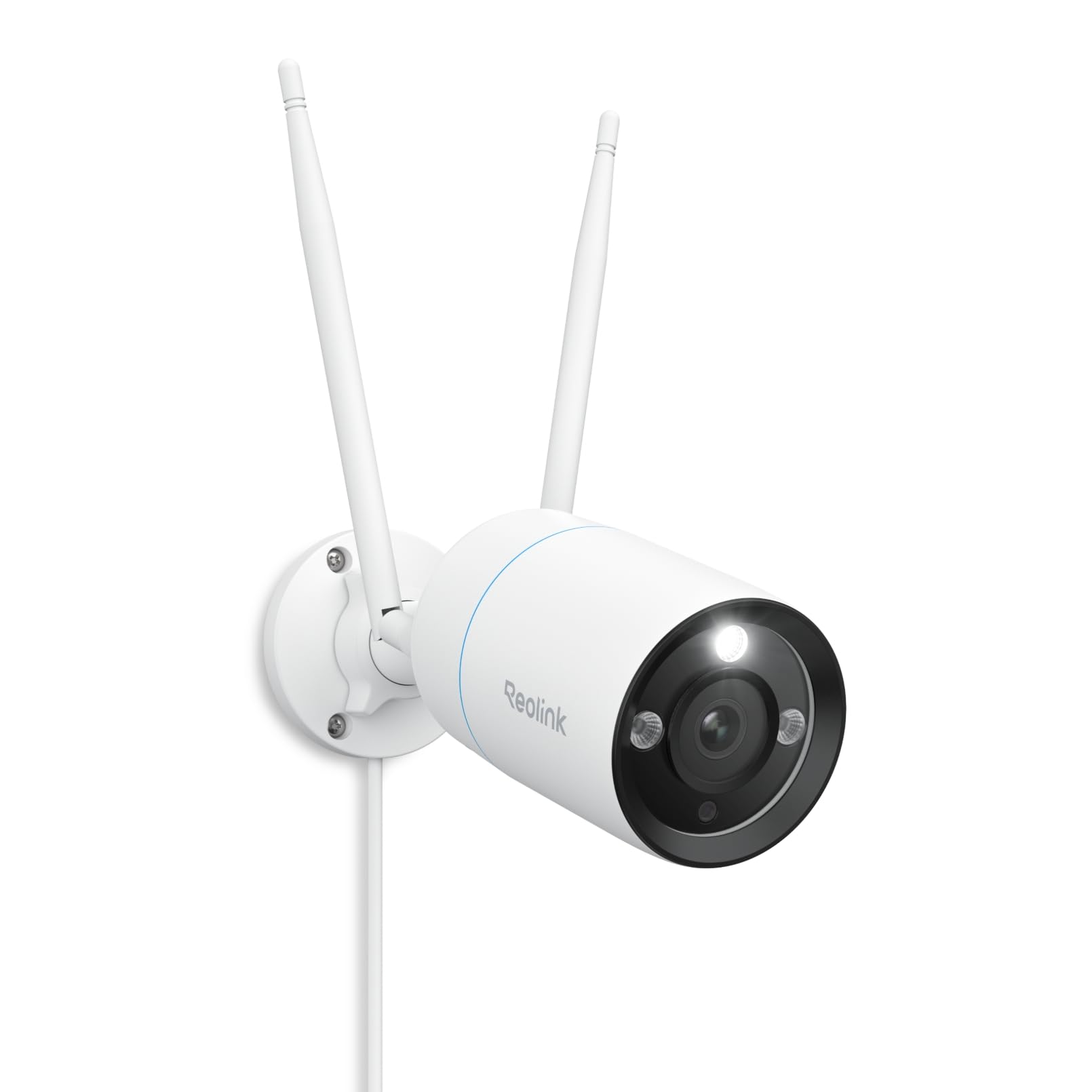
🔒 Elevate your home security with 4K precision and smart alerts — because peace of mind is priceless.
The REOLINK RLC-810WA is a cutting-edge 4K UHD outdoor security camera featuring dual-band Wi-Fi 6 connectivity, AI-powered human, vehicle, and pet detection, and vibrant color night vision. Its rugged IP67-rated metal housing guarantees durability against harsh weather, while two-way talk and instant alerts keep you connected 24/7. Designed for professionals and tech-savvy homeowners, it delivers crystal-clear surveillance with seamless app control and continuous recording.


| ASIN | B0CDPXD4BT |
| Alert Type | Person/Vehicle/Animal/Motion Detection |
| Batteries Required? | No |
| Best Sellers Rank | #260 in Bullet Surveillance Cameras |
| Color | White |
| Compatible Devices | Reolink PoE NVR, Reolink WiFi NVR, Reolink Home Hub Pro, Reolink Home Hub |
| Connectivity Protocol | Wi-Fi |
| Control Method | App |
| Controller Type | Reolink APP, Reolink NVR |
| Customer Reviews | 4.2 4.2 out of 5 stars (357) |
| Date First Available | August 28, 2023 |
| Effective Still Resolution | 8 MP |
| Flash Memory Supported Size Maximum | 512 GB |
| Focus Type | Manual Focus |
| Form Factor | Bullet |
| Frame Rate | Main stream: 2fps - 20fps (default: 20fps); Sub stream: 4fps - 15fps (default: 10fps) |
| Included Components | Camera*1; DC (12V/1A) Power Adapter*1; 4.5m Power Extension Cable*1; 1m Network Cable*1; Quick Start Guide*1 |
| Indoor/Outdoor Usage | Indoor |
| Installation Type | Screw In |
| International Protection Rating | IP67 |
| Item Weight | 2.2 pounds |
| Item dimensions L x W x H | 2.64 x 2.64 x 7.36 inches |
| Item model number | RLC-810WA |
| Light Source Type | Infrared |
| Low light technology | Night Color |
| Manufacturer | Reolink Digital |
| Material | Metal |
| Maximum Webcam Image Resolution | 8 MP |
| Mounting Type | Wall Mount |
| Night Vision Range | 100 Feet |
| Number of Channels | 1 |
| Number of IR LEDs | 2 |
| Number of Items | 1 |
| Photo Sensor Technology | CMOS |
| Power Source | Corded Electric |
| Product Dimensions | 2.64 x 2.64 x 7.36 inches |
| Room Type | Back Yard, Driveway, Garage |
| Shape | Bullet |
| Specific Uses For Product | Outdoor Security, Outside, Outside; Professional |
| Unit Count | 1.0 Count |
| Video Capture Format | MP4 |
| Video Capture Resolution | 8MP |
| Viewing Angle | 106 Degrees |
| Voltage | 12 Volts (DC) |
| Water Resistance Level | Waterproof |
| Wattage | 12 watts |
| Wireless Communication Technology | Wi-Fi 6+2.4/5GHz Wi-Fi |
| Zoom Type | Digital Zoom |
M**M
Good camera
I've been using Reolink for many years and have used an assortment of their camera models, both wi-fi and POE. The phone / iPad app is xlnt and user friendly. I have 8 outdoor cameras on my property and have never had one fail which speaks to their excellent durability. Overall I have been very pleased with their products, but I think this one of my favorites for connectivity, sharpness, and night vision so I'm giving it 5 stars. It does not have a wide field of view so it won't cover the entirety of a room, such as a garage, but it is fine for larger areas. Also, you can't adjust the the electronic shutter speed or aperture, but that may not matter for most users. I always find that the initial wi-fi set-up never goes smoothly, but eventually I get there. I could see some folks getting really frustrated. When in doubt, read up on how to do a complete reset while connected to your LAN and enter a new password. It seems very hard to find documentation on how to use the various software features other than trial and error. Connectivity will be a function of distance from your router and wifi signal strength. You might need to use extenders like I did for better performance, but overall I think it is pretty good on this camera.
C**E
Great system - make sure you have good wifi coverage
Overall, I am very happy with this NVR system. I used it to replace an old wired DVR system I used for over 10yr. It took me a while to get the wifi working consistently. Since old system was wired, this was a real challenge. All of my cams are outside and some are a distance from the house (up to 180ft away). I have an Asus mesh router but connection was inconsistent or nonexistent for cameras away from house. I had to purchase 3-TPLink outdoor access points (EAP650-can setup hardwired or wifi), a TPLink controller (OC200) and POE switch (TL-SG1005P) – quite a learning curve with all the TPLink components but got it working and it is great. TPLink has great documentation and lots of youtube videos,etc. The person/vehicle/animal detection works well and works at a good distance (further than Eufy cams which I also tried). There are occasional false alarms but nothing significant. Only problem I encountered was with 2 cams that would stop/start recording randomly. Reported to Reolink support but they had no info on problem. After much experimenting, I found it was with outdoor cameras with a lot of greenery – something about the intensity of the color(?). I reduced the contract, brightness & saturation for the cameras and now works fine. In addition to the 4 cameras it comes with, I added 4 more Reolink cams - including one zoom and one 180 degree camera – very impressed with both. I purchased a 12TB hard drive which I will install soon. The Windows software works well as does Android software. Takes a while to learn each but that is expected. All cams are connected via wifi and record continuous at 4k. My current laptop does not display 4k so next purchase will be new laptop capable of 4k. I’ve had this system for a couple months and feel confident I will be able to depend on it as I did with old wired system and it is REALLY nice not to run wires to each camera. I did have to buy a number of electric extension cords for the Reolink cameras but was able to place them where they are discrete and not in the way of foot traffic,etc. Should work better than old wired system with thin wires that were occasionally chewed on by animals, even when buried.
H**.
Great upgrade
I had an OOSSXX security camera set which had bad quality video and disconnect issues. The ordered this system which has 16 channels and was disappointed that I couldn't get the OOSSXX cameras working on this system but that's ok I guess. It was easy to set up the cameras. Just connect the camera to the Reolink system with a network cable, it'll find the camera automatically and then click on sync to push the wifi information into the camera, unplug it and do it for the next camera. Note that it will only sync the 5 ghz wifi connection. After you configure the cameras, install the app. If you want certain cameras to connect to 2.4 ghz, plug the camera into your home wifi router, it'll automatically show up at the bottom of the app. You may have to put in the camera password, which mine was very long and you can get it from the Reolink system - it may also be a blank password. After it's connected, go to the settings and you'll see a wifi option and you can choose the 2.4 ghz Reolink network. Then delete that camera from the app and remove the network cable to activate the wifi. My experience with the 2.4 ghz was pretty bad though. A lot of lag and disconnects so I instead used a TP Link 5 ghz extender for the cameras outside that is far away. All 10 of my cameras are running with very minimal lag of a couple seconds at most, very good and smooth video quality, easy to use the app and watch recorded videos. The 2TB hard drive filled up after a week so I got a 8TB hard drive which I bought for about $100. Night mode is good, all cameras have mics and speakers, and you can increase the video bitrate within the app. All in all, well worth it if you can get the 5 ghz signal to go through your walls.
Y**H
A good budget 4k camera
A good camera but wifi is hit or miss better to go with poe
D**Y
Reolink - FIX THE RTSP FEEDS
I really dont know how every other manufacturer and thousands of software products are able to figure out how to send and decode a reliable RTSP stream. Until Reolink stops focusing on hawking their cloud service and starts making them interoperable with open source products they are going to continue to get returns and move far less product than they would otherwise. It's mind boggling that they cannot figure this out. If you want to just use Reolink's ecosystem and pay for their services, works fine and is other wise a well engineered product.
S**E
I love everything about these cameras and a major improvement over my 2K, 1920/1080P Wyze cams with required yearly subscriptions (which have all been replaced with Reolinks now). I bought 2 of these to cover the back of the house as I already have my Duo 2 Wifi covering the entire front of the house. Easy setup, purchased 256Gb micro SD's for each, no yearly subscription required (unless you really want to), 2 to 3 seconds detection notifications and highly configurable. Now I'll just have to wait to see how long they survive the test of time. Definitely worth the buy.
D**E
Camera works well. NOTE: for initial configuration, you need to connect to the camera via the included ethernet cable plugged temporarily into a router. Camera was easy to find on the network and configure, only after that could I connect it to my wifi network, and disconnect the ethernet cable forever. Unplugged the included power supply and relocated the camera to its final location. for ongoing access via wifi.
D**T
This was a replacement for my existing security system. It worked great and the range was 400 feet plus on Wi-Fi.
B**F
Realy good picture quality and the camera is sturdy aluminium. It took a while to get the sensitivity right and setup non detection zones but it was worth it to exclude annoying notifications. Great value for money. I am looking for an excuse to buy more.
L**4
Great camera especially if you want to use it with scrypted and in turn homekit. Do not for HKSV you will need to lower the resolution down to 2k before adding it to scrypted as it uses h265 on 4k which is not compatible with home kit. But motion detection is great and overall quality is awesome. Super impressed for the price!
Trustpilot
1 month ago
1 month ago



