We remain fully operational. Our teams are working around the clock to ensure your deliveries continue safely.

DOWNLOAD THE APP


Customer Services
Copyright © 2025 Desertcart Holdings Limited
DOWNLOAD THE APP


🎮 Elevate Your Game with 4K Precision & Speed — Don’t Just Play, Dominate!
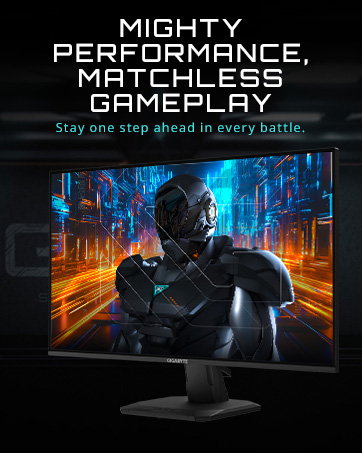
The GIGABYTE M32UC is a 31.5-inch curved gaming monitor delivering stunning 4K UHD resolution with a rapid 1ms response time and a 144Hz refresh rate, overclockable to 160Hz. Featuring a high-contrast SS VA panel with wide 178° viewing angles, it supports vibrant color gamuts (93% DCI-P3, 123% sRGB) and VESA DisplayHDR 400. Connectivity is robust with DisplayPort 1.4, dual HDMI 2.1, USB Type-C, and multiple USB 3.2 ports, plus KVM functionality for multi-device control. TÜV Rheinland certification ensures eye comfort with low blue light and flicker-free technology, making it a premium choice for professionals and gamers seeking immersive, smooth, and vivid visuals.








| ASIN | B09WPTKDQY |
| Are Batteries Included | No |
| Brand | Gigabyte |
| Colour | M Series |
| Customer Reviews | 4.2 4.2 out of 5 stars (533) |
| Date First Available | 14 July 2024 |
| Guaranteed software updates until | unknown |
| Item Weight | 11.8 kg |
| Item model number | M32UC-SA |
| Manufacturer | GIGABYTE |
| Number of HDMI Ports | 2 |
| Product Dimensions | 18.29 x 71.12 x 55.63 cm; 11.82 kg |
| Resolution | 3840 x 2160 Pixels |
| Screen Resolution | 3840x2160 |
| Series | M32UC-SA |
| Standing screen display size | 31.5 Inches |
| Voltage | 19 Volts (DC) |
C**N
Es un excelente monitor a pesar de la gama comercial de Gigabyte, tiene excelente calidad, resolución y la facilidad de conectar dos equipos sin necesidad de dispositivos terceros. La única observación que tengo, es que no tiene el cable USB de tipo C
J**R
Last year I was luck enough to get both a PS5 and an RTX 3070ti (paired with a Ryzen 9 5950X) at retail prices thanks to some lottery style selections. But my 27" 1080p MSI Optix G27C4, while a fine monitor, just didn't let my PS5 and PC flex their true muscles. I really wanted to go 4K and 32" and after some research it looked like the Gigabyte M32U was the best there currently is coming in at the top of many lists. Then I noticed the recently released M32UC was cheaper, but also had better specs, and since I'm the only one using it I didn't care that it's a curved VA panel. Even though there are very few reviews out there I decided to take a chance and go for it. I've only had the monitor for two days, but my first impressions are great! First off the assembly was easy, the base is very sturdy and the stand moves well, though it doesn't really have the down tilt I was looking for, but it does what it needs to. Happy to say there were no stuck/dead/bright pixels on my monitor. Also if you're buying this from outside of the US it does come with three different plug options coming out of the power brick so no worries of coming up with the right version with the right plug. Interestingly the power brick is flat so it's more of a power slab, never seen one of those before. Anyway, it comes with all of the cables you need including the USB, DP 1.4 and HDMI 2.1 cables, but they're only about 3 feet long, the DP just barely reached my PC just under the left corner of my desk. Actually using the monitor my first impression was that it was pretty dark, and I was starting to wonder if I had made a big mistake. Going through the settings I quickly realized the default display setting is the low power "green" setting. Changing to "standerd" brightened things up considerably even though the actual brightness setting is only at 65. I found higher than 65 to be too bright and hard on the eyes. I thought my old MSI monitor was bright at 100 so this is quite the upgrade. The M32UC is edge lit so when the screen is dark there is a noticeable brightness in the corners, but it's still pretty dark thanks to its 3000:1 contrast (the M32U has a worse 1000:1 contrast). As is I was only getting 8bit color from this monitor which is what the specs say it's capable of, but once I turned HDR on in windows I actually got 10bit which is not listed in the specs so that's nice. Also it does 144Hz pretty easy, but it will overclock to 160Hz in the screen settings. Only PC game I've tried so far is WWE 2K22 which isn't all that well optimized on PC and the graphics are locked to the FPS so anything over 60FPS is sped up so it isn't a great test game but it did look fantastic! On PS5 it recognized the monitor as HDR capable immediately and ran me through some special setups. Tested it out with Horizon Forbidden West and what little I messed around with looked incredible. There was some ghosting with movement, but turning off Overdrive in the monitor settings cleared that right up. I look forward to playing a lot more AAA titles with this monitor! Overall it's just an amazing monitor that does everything I was looking for. I doubt I'll ever use the KVM function, I don't even know if I'll use the USB and I don't care, this monitor does everything I need it to, well worth the money! Side note, it's pretty light weight and the box has a single carrying handle on the top, and yet UPS plastered "heavy" and "team lift" stickers all over the box. :D
S**T
I've been using this monitor with my M2 Mac mini for just over a month, mostly for work and watching YT and movies. I'm using it at 3008 x 1692 resolution for work—spreadsheets, word processors and some coding, and at 4K for watching movies and playing Call of Duty. Text is sharp and clear. Videos, movies and games are clear and smooth, the screen is at ~23 inches from my face when working but I usually sit a few inches further out when watching vids or gaming. I use it every day for at least 9 hours, including weekends. I'm now using a Silkland USB C to DisplayPort 1.4 Cable 3.3 FT (great cable, btw) and there's nothing negative I can point out so far concerning the resolution, motion or brightness. There's no flickering or any other defect. I used the HDMI cable that comes with the monitor for a couple of weeks and although the refresh rate only goes up to 60 Hz, text and 4K videos are still great, sharp and clear. I didn't play games with the HDMI though, so I can't confirm or deny the rumours. I set the monitor up with the stand that gives a few inches of up and down and a few degrees of tilt—as conveyed in the product description, which is fine for my everyday use. The curve is smooth and nice to have, nothing bad to say about it, but you have to be aware of the fact that many light bars that clip on to the monitor will not work properly with curved screens. I opted for a desk light big enough that it clamps on the desk right behind the monitor and comes up above the screen, works great. I'm using all the ports at the back, which is also big plus. Haven't tried the KVM feature yet. Speakers are awful, as in most monitors, so you definitely need decent speakers if you're going to watch movies. The monitor itself looks good, thin bezels, the stand is solid but not huge and looks good altogether. Verdict: Assuming it will last at least 4 years without a problem at its current use, it's really worth it.
R**S
It was on sale and with Amazon warehouse deals this was $716 + tax (very good condition) which was a bargain price! And I must say I am impressed! Even though it is a VA Panel (IPS price difference was $140) I couldn't care less about the ghosting/viewing angles/smearing or whatever. The contrast ratio blows IPS out of the water and at 4k with good peak SDR brightness at 500nits this completely changed my workstation. This is fully compatible with PS5 for VRR and ALLM at 4K/120hz. Amazon Warehouse has changed my opinion, you can pick great deals there. Also, if you pick this up new right now the price is $849+tax, so look out for good warehouse deals to save some cash.
E**Z
Muy buen monitor calidad precio, es un poco grande entonces cuidado con el espacio
Trustpilot
4 days ago
1 week ago