Desertcart purchases this item on your behalf and handles shipping, customs, and support to Philippines.
๐ Upgrade to the future of WiFi โ speed, coverage, and security that keeps you ahead!
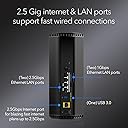
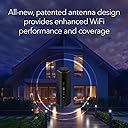
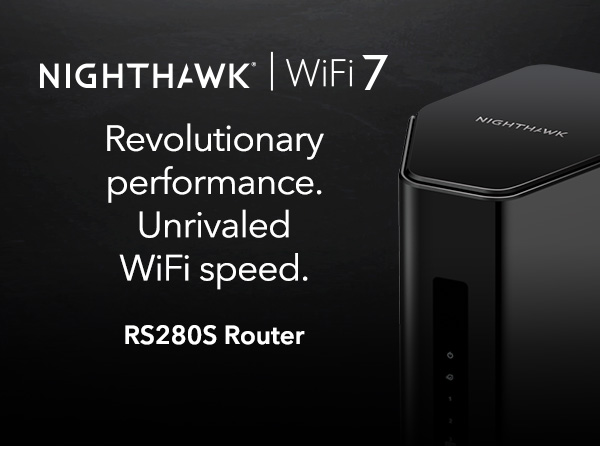
The NETGEAR Nighthawk RS280S is a cutting-edge WiFi 7 tri-band router delivering up to 9.2 Gbps speeds and coverage for up to 2,500 sq. ft. Equipped with a 2.5 Gigabit Ethernet port and advanced security via a 1-year NETGEAR Armor subscription, itโs designed for high-demand homes and professionals seeking ultra-fast, reliable, and secure internet connectivity. Compatible with multiple devices and easy to set up through the Nighthawk App, this router is a future-ready upgrade for seamless streaming, gaming, and smart home integration.


| ASIN | B0DGPLBRDQ |
| Antenna Location | Business, Gaming, Home |
| Antenna Type | Internal |
| Best Sellers Rank | #3,900 in Computers & Accessories ( See Top 100 in Computers & Accessories ) #144 in Computer Routers |
| Brand | NETGEAR |
| Built-In Media | One (1) 12V/3.5A power adapter, One (1) 2m Ethernet cable, One (1) WiFi 7 Tri-Band Router (RS280), Quick start guide |
| Color | Black |
| Compatible Devices | Gaming Console, Personal Computer, Security Camera, Smart Television, Smartphone |
| Connectivity Protocol | Wi-Fi, Ethernet |
| Connectivity Range | 2500 square_feet |
| Connectivity Technology | Ethernet, Wi-Fi |
| Control Method | Touch |
| Coverage | 2500 square feet |
| Customer Reviews | 4.3 out of 5 stars 466 Reviews |
| Data Transfer Rate | 9.2 gigabits_per_second |
| Frequency | 6 GHz |
| Frequency Band Class | Tri-Band |
| Item Highlight | Reliable Performance, Easy Set Up |
| LAN Port Bandwidth | 2500 Mbps |
| Manufacturer | NETGEAR |
| Maximum Upstream Data Transfer Rate | 9200 megabits_per_second |
| Mfr Part Number | RS280S-1CCNAS |
| Model Name | RS280S-1CCNAS |
| Model Number | RS280S-1CCNAS |
| Number of Items | 1 |
| Number of Ports | 1 |
| Operating System | Proprietary Operating System |
| Other Special Features of the Product | Internet Security |
| Router Firewall Security Level | Advanced |
| Router Network Type | Tri-Band |
| Security Protocol | WPA2-PSK or WPA3 |
| Special Feature | Internet Security |
| UPC | 606449171310 |
| Unit Count | 1 Count |
| Warranty Description | 1 Year Limited |
| Wi-Fi Generation | WiFi 7 |
| Wireless Communication Standard | 802.11.be |
| Wireless Compability | 802.11.be |
N**E
Really great unit.
I bought this 1 year ago and have used it daily ever since then with 3 users' PCs, phones, laptops and tablets, It's been used for routine web browsing, e-mail, online purchasing and ...wait for it...gaming. I've had several modems and routers. I prefer Netgear overall. This one and the 2 prior were this brand and were trouble-free. The ONLY reason for change was to upgrade due to improvements in the current technologies. Also my earlier units were combination modem-routers. This time I got a modem that takes advantage of the near-DOCSIS 4.0 speeds I can now get. (Hitron CODA56 Multi-Gigabit DOCSIS 3.1 Modem) I have Comcast/Xfinity which is upgrading its systems to DOCSIS 4.0. Xfinity in my area is officially DOCSIS 3.1. However, not all DOCSIS 3.1 modems are created equal. Some are more advanced than others and can take advantage of the system upgrades. This unit is NOT a modem. It is a dedicated router. It runs perfectly. The WIFI on this router handles the whole house (slightly over 2000 sq. ft.) The grandson games on a pc in the next room via WIFI. The streaming boxes on our TVs run on the wifi from this. Zero negative issues; it just works. Install was very normal and no issues. I absolutely highly recommend this unit - especially in combo with the Hitron modem as earler stated.
M**S
Netgear Nighthawk BE9200 RS280S - So far, So good....
The Netgear Nighthawk was fairly easy to set up. The software is a bit "clunky" when it MAKES YOU WAIT 3 minutes for a complete reboot when you can clearly see the router is "ready to go", and 3 minutes FEELS like an eternity, but it's not so bad. The router comes with a year of "Armor Security" (which has already detected some DDOS attacks on my home) but I have to wonder what happens after the "free year?" What if I DON'T renew? What functions will I lose completely? The wireless range is not quite what I was expecting, but it's still pretty good. I've only had it a few days, and I'm still learning, but, so far, so good.
E**S
RS280S - Setup was Simple and Seamless Connection of all Devices
This review is for the Netgear RS280S (BE9200). Overall setup was easy through the iPhone app and took about 20 minutes. Runs strong and speed test confirms I am getting the full download and upload speeds I am paying for. The network is tri-band (2.4, 5, and 6 GHz) which will help keep things moving as more and more devices become connected. There is also only ONE network to select -- as opposed to the 2.4 or 5 options on my 7 year old Netgear that I replaced today. I have strong wifi through my house (basement, main floor, and upstairs) and all across my backyard. I was prompted to either accept the pre-programmed network name or given the option to change the network name and password to match my old network. Great option, as this allowed all devices to reconnect without a new logon (Ring, Nest, hue light bulbs, Alexa devices, Maytag Washer and Dryer, all phones, computer and TVs) all worked automatically without issue or having to log devices in. Overall very happy with this purchase.
M**)
Failed at two months and replacement was very time consuming!
Had Netgear routers for years without problems. This one failed after two months. Suddenly only allowed incoming but no outgoing connections even after factory reset. Now I have to wait on hold and try to get an RA to return for replacement. Might have just got the only bad one in the batch. Who knows. Update: I purchased a TP-Link Mesh system, installed and connected to the internet right away. After many emails and phone calls from Netgear support, I was finally given a link to return the modem for replacement. Every phone call was hard to understand with a foreign dialect and wanted me to connect the modem again for them to troubleshoot. I told the tech the router I just installed connected instantly, but still they wanted to troubleshoot the Netgear router. After resetting the modem back to factory settings to no avail, the tech said to connect my computer direct to the isp's equipment. When this failed, he said it was the isp's problem. Further research on my end found that I could not access the internet this way because the isp equipment was not a modem, just a connection to the dish. I finally asked the tech after several phone calls if thowing the router into the trash would solve the problem? Netgear finally sent instructions to return the router at my expense for a replacement. I have it stored for emergency use in the future but I will not be buying anything produced by Netgear in the future. Total nightmare!
R**T
Overall great, just understand the physics of Wifi 7
Incredible router for the price. Just note that if you want Wifi 7 anything, just due to the physics of how that wavelength works you should not expect it to penetrate any walls. I am currently using the 6e and I am genuinely impressed. My download speed is definitely impacted from wifi 6 but latency is much better. This guy has pretty awesome range for stuff like the 2.5 ghz bands and penetrates a lot more than my tp-link routers. The routers ip point access is fairly simple and you can set it up without an app by clicking bottom of the screen which is a plus. There isnt a bunch of visual clutter inside and it integrated instantly with my pfsense server. The shape is nicer since I wanted to use this in a rack with a 3d printed housing. It doesnt get hot from what I have noticed and is completely silent. I took a gander looking at all the one stars that were on this device and from what I have seen is most people just don't understand how a lot of these machines work or the capabilities of the bands they are using. Dont expect wifi 7 to go through walls ever. 6e will significantly struggle so if you need distance/walls, you should lower your settings for the network you are adding in the configs.
A**S
Good 2.4/5Ghz performance for the price. Disappointing 6Ghz band.
Recently purchased and set up this router for my home, and here are some thoughts. First of all, on the specs themselves, I thought this was a steal at $188, compared to the RS300 at $280. I did a lot of research and these are practically identical routers, the only difference being the 2.4Ghz band does not support WiFi 7, so it's 500Mbps instead of 600Mbps, which seems completely trivial. Anything you need high speed for should be using the 5Ghz or 6Ghz band anyways. Setup: I did run into an issue when setting it up. After it asked me to name the network, it then needed a firmware update. The firmware update completed fine but the network name reverted back to the default name, even though in the Nighthawk app it still showed the new name I gave it. The only way to fix this was to turn off the smart connect feature that merges all the SSIDs into one, and once there were three different SSIDs, the names showed up correctly. Performance: So far the performance is good, but hasn't blown me away. The range for the 2.4/5Ghz bands is pretty much the same as the cheap TP-Link AX1800 that this replaced. The 6Ghz band range is terrible. There's no other way to put it. It pretty much only works in the same room. I was sort of expecting it to be worse based on what I've read online, but it's worse than I thought. Additionally, it's actually a littler slower than the 5Ghz band on the one device I have that currently can use the 6Ghz band, which is my new phone I just got that has Wifi6E. I tested both bands while standing right in front of it and the 5Ghz band outperformed the 6Ghz band by about 5-10%. I bought this for future proofing, so we'll see if Wifi7 devices will work better with it in the future. My desktop PC has a wireless AC card in it and was able to max out my internet's bandwidth at 800Mbps on the 5Ghz band no problem, so that was great (I upgraded my modem at the same time, which was previously bottlenecking me to 130Mbps no matter the device or band). Other: I have noticed at times that my phone will connect to the 2.4Ghz band instead of the 5Ghz band, so I made my phone forget the 2.4Ghz SSID to force it to always use the 5Ghz band. I suppose if the smart connect feature had worked, it would have fixed this (but I can't say since I never got to test it out). Conclusion: Definitely not perfect, but still good overall for the 2.4/5Ghz bands. For the price, I think it's a good deal and hopefully will work well with Wifi7 devices in the future.
T**T
Easy to use
Nice unit with great range.
J**N
Easy to install with app
Easy to install, works well thus far!
H**R
Exelent
Exellent
Trustpilot
1 month ago
3 days ago