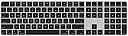

⌨️ Elevate your Mac experience with the keyboard that works as hard as you do.
The Magic Keyboard with Touch ID and Numeric Keypad is a wireless, rechargeable keyboard designed for Apple Silicon Macs. It features fast biometric authentication, an extended layout with document navigation controls, and a full numeric keypad ideal for finance and gaming. With over a month of battery life per charge and seamless Bluetooth pairing, it combines premium metal construction with Apple’s ecosystem for a sleek, efficient, and secure typing experience.
| Brand | Apple |
| Compatible Devices | iPhone Air, iPhone 17 Pro, iPhone 17 Pro Max, iPhone 17, iPhone 17e, iPhone 16 Pro, iPhone 16 Pro Max, iPhone 16, iPhone 16 Plus, iPhone 15 Pro, iPhone 15 Pro Max, iPhone 15, iPhone 15 Plus, iPhone 14 Pro, iPhone 14 Pro Max, iPhone 14, iPhone 14 Plus, iPhone 13 Pro, iPhone 13 Pro Max, iPhone 13 mini, iPhone 13, iPad Pro 13-inch (M4), iPad Pro 12.9-inch (6th generation), iPad Pro 12.9-inch (5th generation), iPad Pro 12.9-inch (4th generation), iPad Pro 11-inch (M4), iPad Pro 11-inch (4th generation), iPad Air 13-inch (M3), iPad Air 11-inch (M3), iPad Air 13-inch (M2), iPad Air 11-inch (M2), iPad Air (5th generation), iPad (A16), iPad (10th generation), iPad mini (A17 Pro), MacBook Neo, MacBook Air (13-inch, M5), MacBook Air (15-inch, M5), MacBook Air (13‑inch, M4), MacBook Air (15‑inch, M4), MacBook Air (13-inch, M3), MacBook Air (15-inch, M3), MacBook Air (15-inch, M2), MacBook Air (13-inch, M2), MacBook Air (M1), MacBook Pro (14-inch, M5 Pro or M5 Max), MacBook Pro (16-inch, M5 Pro or M5 Max), MacBook Pro (14-inch, M5), MacBook Pro (14‑inch, 2024), MacBook Pro (16‑inch, 2024), MacBook Pro (14‑inch, 2023), MacBook Pro (16‑inch, 2023), MacBook Pro (13‑inch, M2, 2022), MacBook Pro (14‑inch, 2021), MacBook Pro (16-inch, 2021), MacBook Pro (13-inch, M1, 2020), iMac (24‑inch, M4, 2024), iMac (24-inch, M3, 2023), iMac (24-inch, M1, 2021), Mac Studio (2025), Mac Studio (2023), Mac Studio (2022), Mac mini (2024), Mac mini (2023), Mac mini (M1, 2020), Mac Pro (2023), Studio Display (2026), Studio Display XDR Compatible Devices iPhone Air, iPhone 17 Pro, iPhone 17 Pro Max, iPhone 17, iPhone 17e, iPhone 16 Pro, iPhone 16 Pro Max, iPhone 16, iPhone 16 Plus, iPhone 15 Pro, iPhone 15 Pro Max, iPhone 15, iPhone 15 Plus, iPhone 14 Pro, iPhone 14 Pro Max, iPhone 14, iPhone 14 Plus, iPhone 13 Pro, iPhone 13 Pro Max, iPhone 13 mini, iPhone 13, iPad Pro 13-inch (M4), iPad Pro 12.9-inch (6th generation), iPad Pro 12.9-inch (5th generation), iPad Pro 12.9-inch (4th generation), iPad Pro 11-inch (M4), iPad Pro 11-inch (4th generation), iPad Air 13-inch (M3), iPad Air 11-inch (M3), iPad Air 13-inch (M2), iPad Air 11-inch (M2), iPad Air (5th generation), iPad (A16), iPad (10th generation), iPad mini (A17 Pro), MacBook Neo, MacBook Air (13-inch, M5), MacBook Air (15-inch, M5), MacBook Air (13‑inch, M4), MacBook Air (15‑inch, M4), MacBook Air (13-inch, M3), MacBook Air (15-inch, M3), MacBook Air (15-inch, M2), MacBook Air (13-inch, M2), MacBook Air (M1), MacBook Pro (14-inch, M5 Pro or M5 Max), MacBook Pro (16-inch, M5 Pro or M5 Max), MacBook Pro (14-inch, M5), MacBook Pro (14‑inch, 2024), MacBook Pro (16‑inch, 2024), MacBook Pro (14‑inch, 2023), MacBook Pro (16‑inch, 2023), MacBook Pro (13‑inch, M2, 2022), MacBook Pro (14‑inch, 2021), MacBook Pro (16-inch, 2021), MacBook Pro (13-inch, M1, 2020), iMac (24‑inch, M4, 2024), iMac (24-inch, M3, 2023), iMac (24-inch, M1, 2021), Mac Studio (2025), Mac Studio (2023), Mac Studio (2022), Mac mini (2024), Mac mini (2023), Mac mini (M1, 2020), Mac Pro (2023), Studio Display (2026), Studio Display XDR See more |
| Connectivity Technology | Bluetooth |
| Keyboard Description | Standalone |
| Recommended Uses For Product | Business, Education, Everyday Use, Gaming, Photo Editing |
B**A
No Backlighting - But Otherwise the Perfect Keyboard for Apple Hardware
I'm going to do a 5 star rating here - even though this board lacks backlighting which is something that is really helpful for me when I do low-light video editing. Battery consumption (if that's Apple's logic for no backlighting) can be easily managed with a simple on/off switch for the backlighting function. All that said, the fingerprint reader more than makes up for the lack of backlighting in my opinion. I use mine with a 2 monitor setup connected to a MacBook and a docking station. Lots of other reviewers have mentioned the overall quality of the board, so no need to beat that horse again as I agree with that. The other important part is the physically thin form factor which is metal, very sturdy and built to last for a long time. The metai material looks great, but also allows the board to be rigid enough to be small while retaining full keyboard space. Price seems high, but it's Apple and functions perfectly with the rest of the Apple ecosystem. I don't regret the purchase.
R**S
The Best Keyboard for Mac Users, Period!
I've been using the Apple Magic Keyboard with Touch ID and Numeric Keypad for a while now and it has completely elevated my desk setup. It's one of those accessories that just works exactly the way you'd expect from Apple. The typing experience is smooth and satisfying. The keys have a nice low profile feel with just enough travel to make extended typing sessions comfortable without any fatigue. Once you get used to it there's really no going back. Touch ID is a game changer for a desktop keyboard. Unlocking your Mac and authorizing purchases with just a fingerprint tap is incredibly convenient and works instantly every single time. The numeric keypad is a great addition for anyone who works with numbers regularly. Having it built in keeps the layout clean while adding real functionality. Battery life is excellent. Since I purchased it has been updated to charge via USB-C and a single charge lasts a long time, so it's rarely something you have to think about.
J**D
Why did I wait to replace my old apple bluetooth keyboard?
This is an amazing keyboard. I have been using variations of apple bluetooth keyboards for a number of years with my laptop and Mac mini. Now to have a full keyboard with numeric keyboard and Touch ID, this makes my connectivity and work life so much easier. I don't know why I waited so long to replace my old keyboard (which still requires a lightning cable to charge). This new model has great battery life. Works with my MacBook Pro 14" (M4) model. And it replicates the look and feel of my current MBP keyboard. Definitely worth getting!
B**R
Smooth Typing, Reliable Touch ID, and Perfect for Productivity
The Apple Magic Keyboard with Touch ID and Numeric Keypad is easily one of the best keyboards I’ve ever used. Typing on it feels incredibly smooth — the keys are quiet, responsive, and have just the right amount of travel. It’s comfortable for long typing sessions and makes everyday work feel faster and more enjoyable. The biggest upgrade is definitely Touch ID. It works flawlessly for unlocking the Mac, approving App Store purchases, and autofilling passwords. It’s fast, accurate, and so convenient that I can’t imagine going back to a keyboard without it. The numeric keypad is a huge bonus if you do any data entry, budgeting, spreadsheets, or shortcuts. It turns the keyboard into a real productivity tool, especially for work-from-home setups. Build quality is classic Apple — slim, lightweight, solid, and premium. The battery life is exceptional; I’ve gone weeks without needing to charge it. Pairing is instant, and it stays connected with zero lag or missed keystrokes. If you’re in the Apple ecosystem and want a reliable, comfortable, and secure keyboard, this one is absolutely worth it. The Touch ID alone feels like a game-changer, and the typing experience is excellent.
T**2
Beautiful design, Apple build quality, & TouchID! Expensive but worth the $$$.
Likes: Beautiful Design: The Magic Keyboard has a sleek, minimalist design that complements my Apple devices perfectly. It looks great on my desk and adds a touch of elegance to my workspace. Excellent Quality: The build quality is outstanding, as expected from Apple. The keyboard feels durable and well-constructed. Key Travel and Feel: The key travel and tactile feedback are just right. Typing on this keyboard is a pleasure, with just the right amount of click sound. TouchID: I came from the Satechi X3 Slim, which was much cheaper and almost as good in many areas. However, the TouchID on the Magic Keyboard is worth the upgrade. It’s a huge difference compared to having to reach over and use the MacBook’s keyboard when it’s docked. The convenience of quickly unlocking my Mac and authorizing payments with a touch is invaluable. Dislikes: Lack of Risers: I wish it had risers to lift the front of the keyboard just a bit. This would improve the typing angle and overall comfort. Price: The keyboard is expensive. While it offers excellent features and quality, the cost may be a consideration for some. Others have praised the Magic Keyboard for its easy connectivity, battery life, and overall performance. The TouchID feature is frequently highlighted as a significant advantage, especially for those using their Mac in clamshell mode. Some are upset about no backlighting and lightning cord charging. I concur with them on all accounts, but ultimately the pros outweigh the cons. It's the best keyboard choice for Mac. If you don't mind the budget, you won't regret getting one.
S**Y
Exceptional Keyboard with Touch ID
The Apple Magic Keyboard is fantastic! The typing experience is smooth and responsive, with just the right amount of key travel. The addition of Touch ID is a game-changer—logging in and making purchases with a fingerprint is so convenient. I also love having the numeric keypad, which makes it ideal for spreadsheets and data entry. The battery life is impressive; I only need to recharge it every few weeks, even with daily use. It connects easily over Bluetooth without any lag, keeping my workspace cable-free. If you’re an Apple user looking for a premium, efficient keyboard, this one’s a perfect choice. Pros: Touch ID for secure logins and purchases Comfortable typing experience with responsive keys Numeric keypad, great for productivity Long-lasting battery life Wireless Bluetooth connectivity for a clutter-free workspace Cons: Higher price compared to other keyboards Only fully compatible with macOS
R**1
Magic Keyboard
Its Apple, so it's beautifully made and seems to be the product I've come to expect of everything I purchase from Apple. Unfortunately, I'm having issues getting my Touch ID to work? I hope that it is just a set up issue and not something wrong with device! Remains to be seen. Other then that don't hesitate if you are Apple fan and want the typing feel and travel you're used to with Apples keyboards? Go for it...
S**N
Slightly more affordable pricing
Macintosh computer accessories at top notch design and function - however overpriced. This was a more affordable option than apple store. Product as advertised. Functioned right out of box fully charged! Thank you
Trustpilot
1 month ago
5 days ago