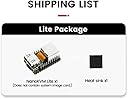
🚀 Elevate your remote server game with NanoKVM Lite — control, connect, conquer!
The Sipeed NanoKVM Lite is a compact RISC-V Linux-based remote control and maintenance server featuring HDMI input, USB2.0 HID device emulation, and 100M Ethernet connectivity. Designed for seamless remote desktop access and server monitoring without internet dependency, it supports multi-device compatibility and is ideal for both individual DIY enthusiasts and enterprise batch users.


| ASIN | B0DR91CK4D |
| Best Sellers Rank | #5,468 in Single Board Computers (Computers & Accessories) |
| Brand | MiiElAOD |
| Built-In Media | NanoKVM Lite |
| Compatible Devices | Computers (PCs, laptops, servers), HDMI devices, USB devices, Ethernet-enabled devices |
| Connectivity Technology | Ethernet, HDMI, USB |
| Customer Reviews | 3.6 3.6 out of 5 stars (9) |
| Item Dimensions L x W x H | 4"L x 4"W x 5"H |
| Manufacturer | Miistore |
| Model Name | NanoKVM Lite |
| Operating System | Linux |
| Processor Brand | SiFive |
| Processor Count | 1 |
| RAM Memory Technology | LPDDR3 |
| Total Usb Ports | 1 |
| Warranty Description | 365 days |
B**D
Great for streamlining access to homelab servers
I was slightly concerned about the origin of the firmware, so I just blocked access to the region. I'll be switching to an alternative firmware in the future. Setup was easy, just write the ISO to an sd card and boot it up. Latency and user experience is acceptable. Works with everything I have tried it with (Mac, windows, linux, laptops, raspberry pis, nvidia jetsons). Good value for the money.
R**S
Tricky.
I purchased the NanoKVM Lite. The instructions are a bit cryptic, but some perseverance (and figuring out where the nano SIM goes) and it came right up and works with Windows. However, it does not support EDID emulation or DDC pass-through, so it won't work to get to the BIOS / Power-on Password screen, which is what I wanted it for.
G**E
Worked for a short time, now it has failed.
Well... It starts off without being able to update, you'll need to get into the cli and change the DNS so that it can actually get out to the internet. Then it worked, but not for long. Mine no longer has video from the computer, I tried sever computers, several Displayport to HDMI adapters, several HDMI sources, and several HDMI cables, it no longer works. The web interface is there, mouse and keyboard seem to work, just no video. I wiped the SD card and flashed the OS back on to make sure it wasn't some kind of setting that made this happen, still no video. I've spent the last little bit looking for a way to contact Sipeed or this seller, and can't find anything. I'll have to try posting on the github page and see what happens, but I'm not expecting any help. My recommendation is to stay far away from this product. Either it is too fragile, or it just doesn't have a good build quality.
N**E
Literally will not work unless it has internet access.
Literally will not work unless it has internet access. It wont start up without internet (extranet) access. It will fail if you disconnect internet after started.
Trustpilot
1 week ago
1 day ago