
DOWNLOAD THE APP



Desert Online General Trading LLC
Warehouse # 7, 4th Street, Umm Ramool, Dubai, 30183, Dubai
DOWNLOAD THE APP
Desert Online General Trading LLC
Warehouse # 7, 4th Street, Umm Ramool, Dubai, 30183, Dubai


🚀 Elevate Your Network Game with Silent, Speedy, and Smart Switching!
The TP-Link TL-SG105 is a compact, fanless 5-port Gigabit Ethernet switch featuring energy-efficient technology, shielded metal casing, and advanced traffic optimization. Designed for plug-and-play ease, it delivers reliable, high-speed connectivity with silent operation and a robust 3-year warranty, ideal for professional and home office networks.



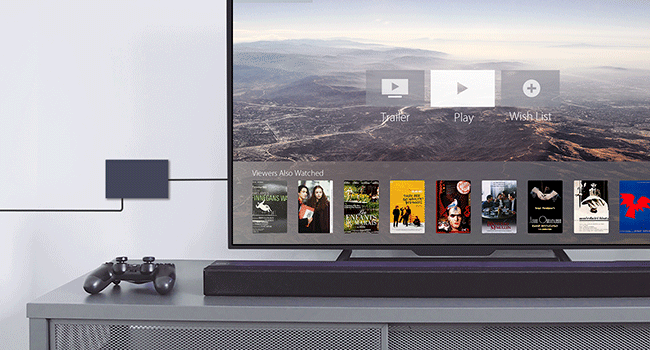
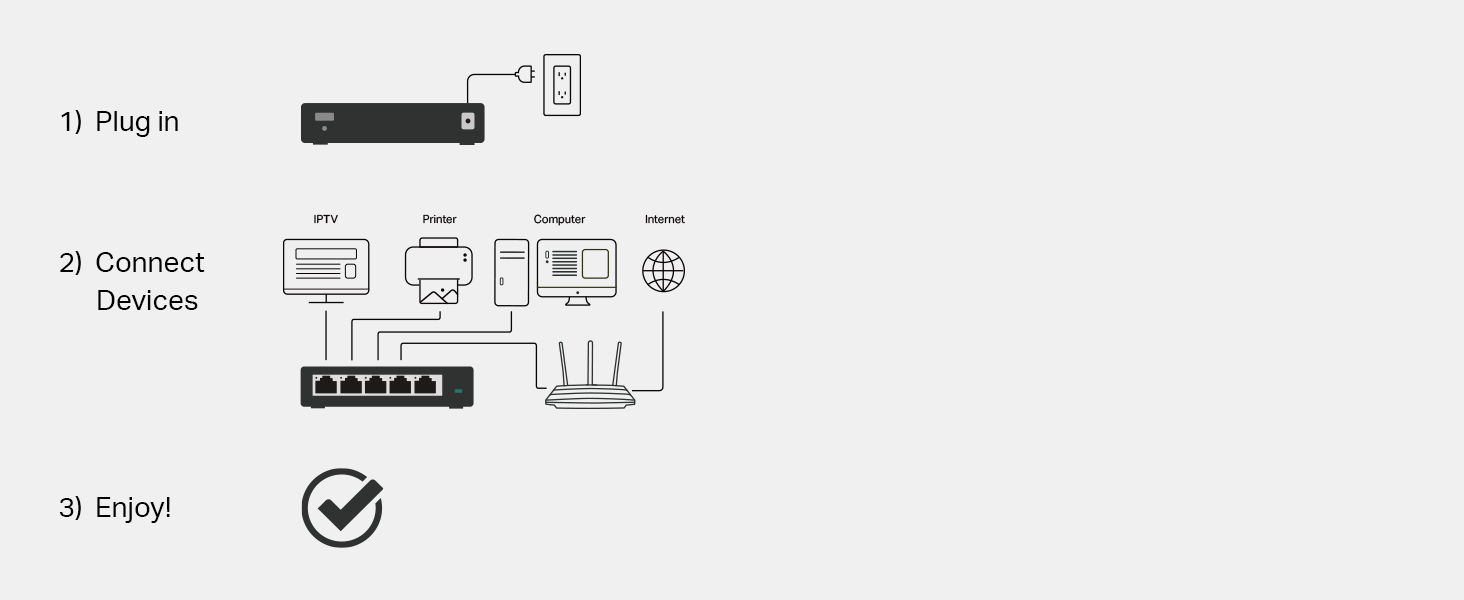
| Color | Navy Blue |
| Case Material Type | Metal |
| Data Transfer Rate | 1000 Megabits Per Second |
| Current Rating | 0.6 Amps |
| Platform | No Operating System |
| Switch Type | Metal |
| Voltage | 230 Volts |
| Interface | 5 10/100/1000Mbps, Auto-Negotiation, Auto-MDI/MDIX Ports |
| Upper Temperature Rating | 40 Degrees Celsius |
| Number of Ports | 5 |
| Item Weight | 0.22 Kilograms |
| Item Dimensions L x W x H | 3.94"L x 3.85"W x 0.98"H |
L**S
So far, so good!
I’ve been using this connector several days now, and it’s working as expected. I’m using it plugged into a WiFi extender to hardwire our TV and PlayStation. This is giving us faster and more consistent connection. Even though we have fiber internet, the location it was installed in our house is not central, so we’ve had to do the extensions. And our Sony TV’s internal WiFi won’t keep a connection (a common issue for Sony TVs), and game downloads were taking too long as well as not being able to play a live game while downloading. This little box has fixed the issues. It really is just a plug-and-go item. Super easy and you don’t have to be techy to understand how it works. Keep in mind that one port will be dedicated to the WiFi box or extender, so buy the size you need accordingly. If you’ve got 6 devices to connect, you need at least 7 ports. I didn’t know what “looping” was, so after looking into it, I left that switch to “off.” It was not recommended, and warned of slowing speeds and mixing up devices. It’s working great so far. TV connection hasn’t faltered since switching to the box (and not directly into extender box). And the PlayStation downloaded a game in 5mins that, unwired, estimated 30mins! My husband was very happy. He then downloaded Cyberpunk 2077, which is a huge file. When he tried downloading it unwired, it quoted like half a day, lol. Hardwired, it took less than 1.5hrs, AND, at the same time, he was able to play a college football game that uses the network for live play. One thing to note: this did change our IP address, so when we went into Hulu after getting it connected, we got the “it looks like you’re not at home?” message. We had to “update our home location” even though we didn’t really move. You get 4 of these home changes a year, so just FYI. I’m sure Hulu is familiar with this and would work it out if you don’t have any home address changes left, but the hassle and time would be annoying. Overall, I couldn’t be more pleased. If this box stops working after a time, I’ll update my review. But for $12.50 on sale, it’s a steal. The box itself seems quality and well made. It’s got a weight to it and was packaged well. Definitely recommend.
B**N
Fast & Easy-To-Use!
Edit 11/21/2025: I periodically like to perform check-ins on my previous reviews. Over 3 years later I am happy to say this thing still works flawlessly. Haven't encountered a single hiccup. Very consumer friendly and is truly "set it and forget it". ----------------- First off I need to mention that Amazon asked me to rate 3 "features": 'WiFi signal', 'Tech Support', and the 'User Interface'. Let me be clear that this device does not use WiFi and it does not have it's own local IP address to let you log into a "User Interface". Just wanted to point this out in case you come across other reviews that have these two "features" rated that could be misleading you. I recently built a house and had it wired for Cat 6 Ethernet, with there being 1 wall port in each room. One room in particular I have a desktop PC and an Xbox that I wanted both to have a wired internet connection to which is what required the purchase of this device. It is extremely easy to set up, and with it being "unmanaged", there was no portal I needed to sign into that would require me to mess with settings. It's a very simple "plug-and-play" set up, you simply need to connect an incoming ethernet cable from your router/modem (in any port) and then you can now share that internet connection to 4 other wired devices - that's all there is to it. One important note is this: if you have a modem-only device (these devices usually only have a single ethernet port on the back) then you are probably needing a router - not a switch. A router is capable of assigning your devices their own internal IP addresses via DHCP - which is important if you don't know how to assign them yourself. It's also what manages your NAT for situations your devices may need to use the same internet port number. While you don't necessarily need to know what all of this means, you need to understand that a switch is not a replacement for a router. If you are a consumer (as opposed to a business) then you're likely considering this switch to extend/add more ports than what your router has (they usually have around 4 or 5). Even the devices that are connected directly to this switch will still be getting their local IP addresses assigned from your router. The benefit of this switch over a "hub" is that it knows how to route your internet traffic to your devices. So even though it's not responsible for assigning IP addresses to your devices, it knows how to route specific traffic to the devices that require it. It does so lightning-fast - I notice absolutely no additional latency (which is great for gaming) and no compromise in speed either. If you're on the market for a small unmanaged switch, then this is an affordable and excellent choice... A hub, on the other hand, will route all traffic it receives to all devices that are connected to it (they do not 'switch' traffic to specific devices), which essentially requires the devices themselves to ignore the traffic it doesn't want. It adds additional overhead and can potentially cause dropped packets and they just essentially add additional network congestion. I could see a hub being used for something like printers or IoT devices where latency isn't critical, but I think it's ultimately beneficial to just not use them at all even though they might look similar to a switch. And as I've said above, this device does not contain WiFi. You cannot connect this wirelessly to any device. You would be able to purchase a separate device that would connect to this to transmit a wifi signal, but this will not do it on its own.
T**S
The little Ethernet Switch that could!
I needed an ethernet switch that I could essentially set and forget, this accomplished that goal very well. I've been using TP-Link products for over a decade now for everything from routers to Wi-Fi adapters and their products always come in at a reasonable price point and pretty good performance to boot. TP-Link products always offer a good blend of longevity and durability. I didn't need a ton of ports, really just 3, but this one comes with 5 ports which is just an added bonus. My goal was to hardwire my wall mounted PS5 pro and my TV. After I installed the switch, I tested the speeds for both my PS5 pro and TV and there was zero drop off. I love that it's small enough to mount behind my TV via command strips and thankfully the power supply was also a smaller size. I couldn't be happier with this product.
A**N
Review properly
I have been using this switch since November going on basically two months, I have been using tp-link products for a few years. This item seems well built and stand up to the name trusted. My only issue when i need to log in i have to keep resetting the switch to do anything with the software. It ask me to set password but log out and to log back in, it is say password or user name error. Since i don't need to log in more than once or so it really dosn't bother me. Thats just for someone who might be annoyed needing to log in every now and again. It showed up the weak points on my old network which was just a basic router i realized i was using a basic 100mbps router. I wanted gigabit service so i resort to a old mikrotik i have home to get gigabit into the switch. Did some minor adjustment reprogramming and it work. I might have to get a TP-link router later on but for now i can manage. So basically i am using it on two tv, the old router for wifi untili can improve that router, a printer and copier, a cable box which all of those items are 100mbps full duplex. My laptop is recieving full gigabit full duplex. The quality of my tv and cable box has improve significantly my router is no longer over loaded and bottle necking. Very few freezing i get on the cable box which i can live with and that is for just a few stations which sometimes servers over load and not IP issue or your equipment may just be at fault. Also use a wifi expander for out side and may add another later on. i would recommend this product if your just doing basic networking accross the home and office nothing complex easy plug and play if you know your way around it. It cane also work for gaming consoles Cabling is very important to your network let me say, because i had to rebuild some of my cables. Cat5e/cat6 recommended and it is also good to colour code the cables so you don't have a bondle of cables same colour. Make sure to use a good gigabit router or other equipment with good managment for your switch to get full potential from it. I have no regret buying this equipment for now and not hopping for any in new future. Make sure to also back up your network system with a ups for outages, outages can be very harsh on these sensative equipment they are very delicate. When ever there is a power outage and power returns there normally what is call spikes (voltage may increase) so a good ups is importantant for set up with surge protector. So you can properly shut down and save your hard earn investment. My ups 1000watts gives me up 7hrs or a little less of back up time if needs be but planning on adding a second back up system which maybe a complex idea if your not tech savvy. Its good to get a professional do this for you if going so far. Networking is becoming more complex not for only office and business but also for homes because cameras, gaming, iptv ect, is becoing more advanced. The challenges is getting proper set up into homes for satisfaction and these little equipment and make a great difference in dealing with some of the challenges we all face from day to day. Getting and choosing equipment can be very challenging because there are so many on the market but getting the right one can make such a difference. If your having challenges tp-link will solve the issues long as you know how to setting up their products or get a good pro to do it for you.
K**I
Good
it's been reliably handling my home network setup. Setup truly is plug-and-play—no configuration needed. The metal casing feels sturdy and stays cool, and the compact size fits neatly behind my desk. Performance has been solid across all five ports with no dropped connections or speed issues on my gigabit internet. It’s exactly what I needed to expand my wired connections for work and streaming. power adapter feels a bit flimsy compared to the unit itself. Overall, a dependable and affordable switch that does its job well. Recommended for basic home or office use.
B**N
Great, Inexpensive Network Switch
I love this switch! I've got two of them on my LAN, and they work amazingly well. Once you set them up you never need to worry about them again. They are simple, inexpensive, and get the job done. They are small and easy to tuck out of the way. The one in the picture on this review is tucked behind my workstation in my office. The other is in the utility closet that contains my router and modem. They allow me to take the single Ethernet port in a given room and split it out for multiple devices. I think the only downside is that it doesn't have 2.5Gb/s ports because my router and my workstation do support 2.5Gb/s Ethernet. It is not a huge deal, though. My internet connection is only 800Mb/s, so I would only be able to utilize the extra bandwidth with devices on the LAN. It would have no benefit for my WAN connection. I would recommend these switches to anyone looking to wire their home network.
B**N
plug and play at full speed
we got new internet provider, and needed a faster more reliable switch at a faster speed. light weight, plug and play, and held up to multi different speed test. no issues. if ur speeds are 2.5 and less, this will work perfectly and perfectly priced
E**O
Fast to install and high speed data transferring
The speeds I am getting now are truly amazing. The moment I connected my devices to the 2.5G ports, I saw an immediate and massive jump in transfer rates and overall throughput. It has completely eliminated network bottlenecks and made large file transfers instantaneous. Beyond the raw speed, it simply works flawlessly. Setup was the definition of plug-and-play, and the switch runs cool and quiet while maintaining a rock-solid, high-speed connection without a single hiccup. If you need a reliable, high-performance, multi-gig switch, look no further—this is the one to get!
Trustpilot
2 months ago
4 days ago