
DOWNLOAD THE APP


Customer Services
Copyright © 2025 Desertcart Holdings Limited
DOWNLOAD THE APP
![WARRKY 4K HDMI Audio Extractor, Convert HDMI to Optical S/PDIF and 3.5mm Aux RCA, [Supports Dolby Atmos Digital Plus, DTS], for TV Fire Stick, Speakers, PS5, Blu-ray Player, Amplifier, Headphones](https://m.media-amazon.com/images/I/71bhvUKmHTL.jpg)
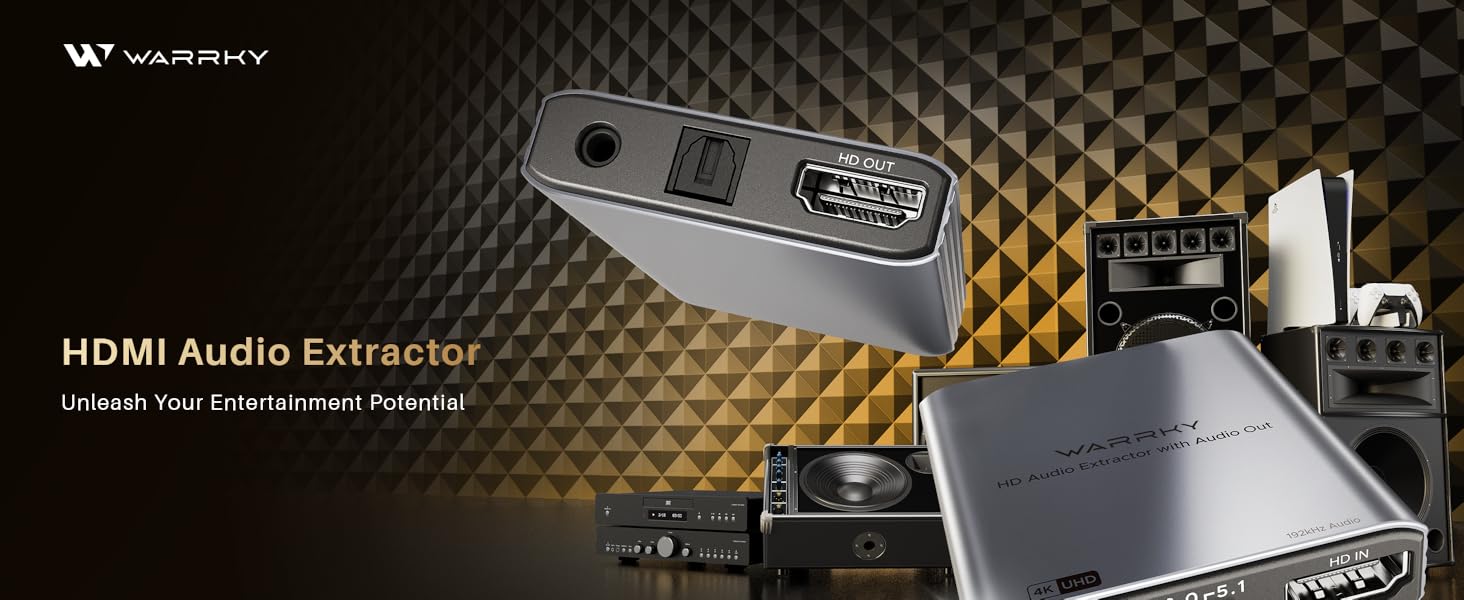
🎧 Elevate your audio-visual game — don’t just watch, experience every detail!
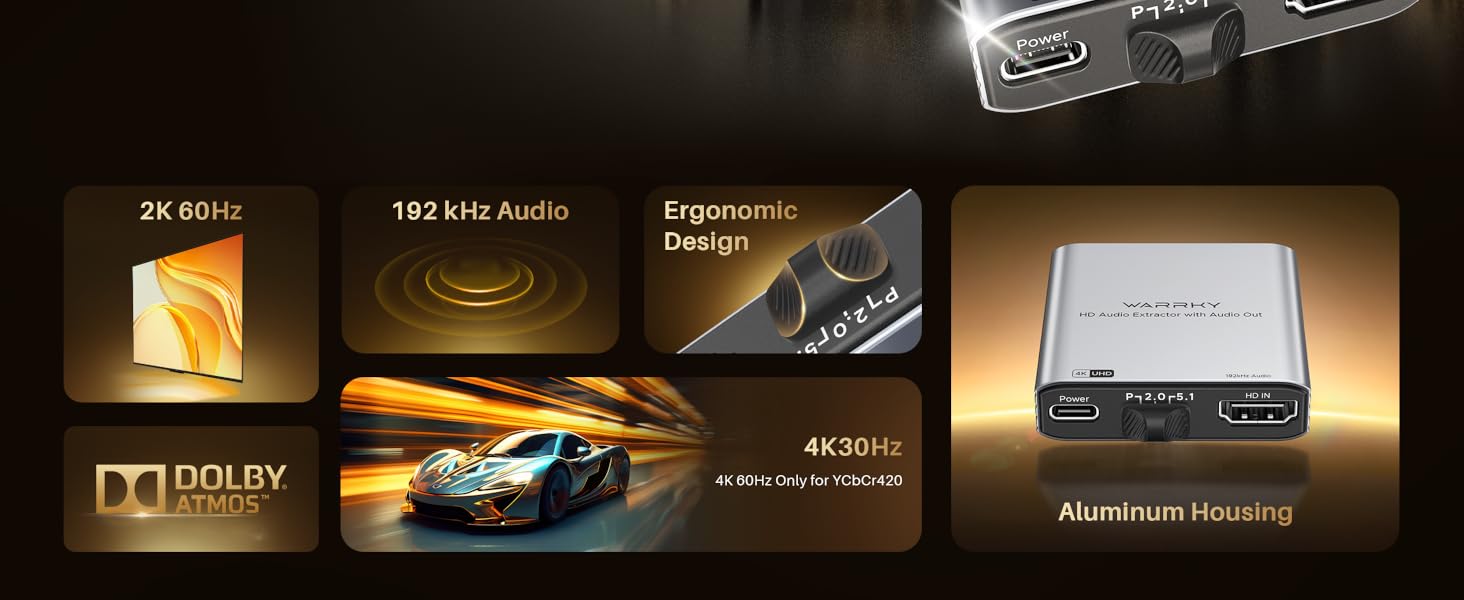
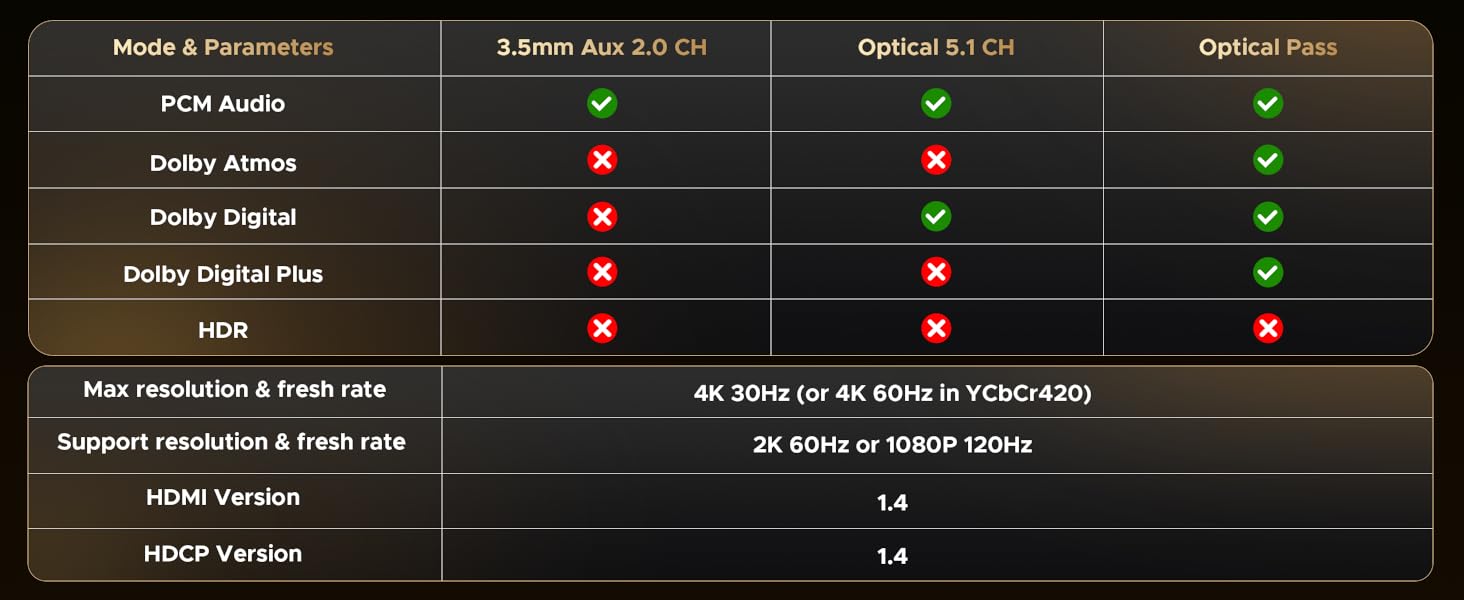
The WARRKY 4K HDMI Audio Extractor converts HDMI signals into high-fidelity optical and 3.5mm audio outputs, supporting advanced formats like Dolby Atmos and DTS. Compatible with 4K resolution at 30Hz and multiple devices including PS5 and Fire Stick, it delivers premium sound and picture quality in a compact, durable aluminum chassis with essential accessories included for immediate use.





| ASIN | B0DRP1Z1M8 |
| Best Sellers Rank | #16,291 in Electronics ( See Top 100 in Electronics ) #32 in Digital-Analog Converters |
| Brand | Warrky |
| Date First Available | December 27, 2024 |
| Interface Type | 3.5mm Audio, HDMI, Optical, RCA |
| Item Weight | 4.2 ounces |
| Item model number | WARRKY-AV-HA01 |
| Manufacturer | WARRKY |
| Material | Aluminum |
| Number of Channels | 7 |
| Number of Pins | 65 |
| Package Dimensions | 7.09 x 4.72 x 0.75 inches |
| UPC | 721295572835 |
J**S
Good value - works well for my need
This purchase was to get sound out of my Raspberry Pi 5. There are no physical sound ports on the RP5, but the HDMI out has full stereo sound. This Warrky audio extractor passes the HDMI video through, and gives a 3.5mm jack for the sound output. I added a pair of powered speakers and had my solution with no software or drivers needed. BUILD: The build quality is very good, especially at the price. It is compact, and feels sturdy. SOUND: The sound quality is good overall, with no discernible distortion or noise. This makes sense as HDMI sound is a digital signal. However, there is a distinctive "pop" sound on powering on, and a lesser pop on powering down. Not a serious problem, but also not a difficult problem to solve for the designers. The inexpensive speakers may also contribute to the pops. There is no amplifier on board, so no physical volume control. The RP5 volume setting and the physical volume knob on my powered speakers give better range than I've seen with USB-fed speakers, which seem to be very flat on the volume curve. PICTURE: The picture quality was fine. I have a 4k monitor and everything was sharp and clear. The refresh rate at 4k is only 30Hz, but this is fine for my application of web browsing and document editing. Gamers might need something better. DOCUMENTATION: The documentation is decent as far as Chinese products go. The only real question I had was the function of the slide switch for choosing audio format. The "2.0" setting is for normal stereo output via the 3.5mm jack. The "5.2" setting is for optical digital output via the SPDIF port, which I was unable to test. It was unclear to me what the "P" position is for, but I think it is for pass-through audio on the HDMI output. I only tested the stereo 2.0 setting. RATING: I rate this five stars based on value for the money. I receive no compensation for my review, and bought this for daily use for myself.
M**E
EDID advertises audio and actually works with a computer!
EDID works with computers for audio. I had tried a different brand, but none of my computers recognized it as an audio device. This one (At least in 2ch mode) advertises EDID audio to the PC it is connected to!
P**H
Low profile and extremely functional
This worked extremely well with my HDMI switch. My father is almost completely deaf and has to use high-end headphones in order to hear the TV but the TV only has a single HDMI input and no Optical output or digital output. This allowed me to capture the HDMI audio coming out of my switch so that anything being displayed on the screen can be imported into the stereo where his headphones are attached.
P**N
ok when it works, in between frequent black screens with no audio
Worked poorly for a day. RCA audio output only worked in raw passthru and only on one channel (left) with noticeable noise, which often cut out and caused HDMI output to black screen on your tv for a few secs. This might happen every five seconds or every minute. Tech support said bad power supply. I was using unkown amperage ps, then tried two new 3amp, then a more expensive 5amp for raspberry PI. It still cut out very frequently. Wait a few seconds and it would often come back. Tried the optic cable and sound was great when working, more aggravating to watch than bad reception tv. Sometime no audio fixed by removing optic cable and replug. Metal case did not get warm. None of four power supplies got hot.
M**T
Gaming/Projector setups
Great product for my gaming projector setup. I'm leaving a review for anyone with something similar. I have a gaming projector with a 4pc surround sound that takes optical. I have a PS5 with no optical port so this is my work around for audio. Keep this converter on the 1st pass through settings because the others just cause you to lose picture every 15-30 secs.
K**8
HDMI Audio Extractor 2
I previously reviewed another version of this product and will update my review. The HDMI audio extractor is an inexpensive way to extract HDMI audio and send it to analog audio devices, optical audio devices and as a pass-through to HDMI devices like televisions. The product comes with an Auxiliary to RCA cable, an HDMI cable, an HDMI extender, a USB-C power cable and a 5V 1A power plug. You plug an HDMI cable into the HDMI input and the USB-C power plug into the power input. To plug the power cable into an outlet instead of a USB port, it can be attached to the 5V power plug. There are three outputs on the device which include a 3.5 mm stereo jack, an optical audio output and an HDMI output. I don't have any devices that have an optical input, so I couldn't test this part of the device. I will update my review once I am able to test an optical audio device. There are three audio modes that you can switch between. The P on the device is for passing the signal through the device. The audio is unprocessed and the output matches the input. The 2.0 on the device is for 2.0 channel sound. This setting is for stereo devices. The 5.1 on the device is for 5.1 channel sound. It is for multi-channel sound systems. 1. I used the 3.5 mm jack with a stereo cable that was connected to the line in jack in my computer. I used my own cord and noticed that the jack was tight on the device. It was hard to plug it in at first and a piece of metal on the stereo plug came off. I eventually got it to go in and I didn't have any other issues with the device. I used the Voice Recorder program to record audio from my devices and it worked well. I adjusted the line in jack volume in the sound settings on my computer. 2. I tested the 3.5 mm jack with my head phones and a volume control so I could adjust the volume. I also had an HDMI cable plugged into the HDMI output and then attached to an HDMI USB capture device in my computer at the same time. I used both jacks simultaneously. 3. I tested the 3.5 mm jack with my computer speakers and a bass boost. The sound quality was excellent. 4. The last setup that I tested was the HDMI output to my television and the 3.5 mm output to my analog stereo amplifier with speakers. The HDMI picture and sound worked on my television while the 3.5 mm stereo output sent the sound to my amplifier and speakers. The sound quality was great. Overall I am happy with the product and the accessories that are included in the package. I used my own stereo plug and HDMI cable because I needed something longer, but most of the wires that you would need to connect the device are included. The device is small and lightweight and has a lot of features for something so inexpensive. The device was only $26.65, which is a great price for all of its features. My only complaint is that the 3.5 mm jack seemed tight when I plugged in different stereo cables. I didn't notice this with the Auxiliary to RCA cable that came with the device. I will update this review once I am able to test the digital optical cables.
S**R
Xbox sound
Worked great to get sound from Xbox to 5.1 PC speakers. Used the optical outport for better sound. Powered by Xbox USB port.
Trustpilot
2 weeks ago
5 days ago