Desertcart purchases this item on your behalf and handles shipping, customs, and support to Philippines.
🚀 Elevate your home network to warp speed and never miss a beat!
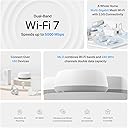
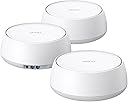
The TP-Link Deco BE25 Mesh WiFi 7 system delivers ultra-fast speeds up to 5013 Mbps using cutting-edge WLAN7 tech, covering up to 2000 sq ft with a 3-pack setup. Featuring dual 2.5G Ethernet ports, it supports high-capacity wired connections and integrates seamlessly with all WiFi generations and Deco devices. Managed via an intuitive app with built-in HomeShield security, it’s designed for smart homes demanding reliable, high-performance connectivity.
| ASIN | B0DKVDZXSN |
| Antenna Location | Home |
| Antenna Type | Internal |
| Best Sellers Rank | 158,994 in Computers & Accessories ( See Top 100 in Computers & Accessories ) 1,214 in Routers |
| Box Contents | 1 x RJ45 Ethernet cable, 3 x power adapters, Pack of 3 Deco BE25, Quick installation instructions (English language not guaranteed) |
| Brand Name | TP-Link |
| Colour | Wi-fi 7 | Be5000, Dual-band |
| Compatible Devices | Gaming Console, Personal Computer, Smart Television, Smartphone, Tablet |
| Connectivity Protocol | Wi-Fi, Ethernet |
| Connectivity Range | 6600 Square Feet |
| Connectivity Technology | Ethernet, Wi-Fi |
| Control Method | App |
| Controller Type | App Control, Voice Control |
| Coverage | 6600 square foot |
| Customer Reviews | 4.3 4.3 out of 5 stars (1,388) |
| Data Transfer Rate | 5000 Megabits Per Second |
| Frequency | 5 GHz |
| Frequency Band Class | Dual-Band |
| Has Internet Connectivity | Yes |
| Has Security Updates | Yes |
| Is Modem Compatible | Yes |
| Item Dimensions L x W x H | 15L x 15W x 6.2H centimetres |
| Item Weight | 3.28 Pounds |
| LAN Port Bandwidth | 2.5 Gbps |
| Manufacturer | TP-Link |
| Manufacturer Part Number | Deco BE25(3-Pack) |
| Maximum Upstream Data Transfer Rate | 5000 Megabits Per Second |
| Model Name | Deco BE25(3-Pack) |
| Model Number | Deco BE25(3-Pack) |
| Number of Antennas | 1 |
| Number of Items | 3 |
| Number of Packs | 3 |
| Number of Ports | 2 |
| Operating System | TP-Link OS |
| Other Special Features of the Product | Access Point Mode, Alexa Compatible, Remote Access |
| Router Firewall Security Level | True |
| Router Network Type | dual-band |
| Security Protocol | WPA3 Personal |
| UPC | 810142820318 |
| Unit Count | 3.0 count |
| Wi-Fi Generation | Wi-Fi 7 |
| Wireless Compability | 802.11.be, 802.11ac, 802.11ax, 802.11g, 802.11n |
C**1
For a British consumer, this is a nightmare.
This router has a US plug, not a UK plug, which was not mentioned in the product information. It is difficult to imagine buying a US electrical appliance on Amazon UK. How should a consumer distinguish between them?
A**H
5/5 ⭐ Excelente producto, totalmente recomendado.
Excelente producto, llegó en tiempo y forma. Cumple completamente con todas las especificaciones indicadas. No tengo ninguna otra observación; ya llevo varias semanas con el producto y funciona tal cual se describe. Sin duda una excelente compra.
L**A
TP-Link Deco BE5000: Fast Wi-Fi, Flexible Mesh, and a Smarter Way to Connect Your Home
The TP-Link Deco BE5000 is an excellent option for anyone looking for fast, reliable Wi-Fi coverage throughout their home. With Wi-Fi 7 technology and combined wireless speeds of up to 5 Gbps, it offers a modern networking solution for today’s connected homes. One of its biggest advantages is its Mesh technology. You can connect multiple Deco units to extend coverage throughout your home, creating a unified network that allows you to move between rooms without manually switching Wi-Fi networks. This is especially useful in larger homes or properties where walls can weaken the wireless signal. Another standout feature is the Deco app, which makes network management simple and convenient. You can monitor connected devices, manage network settings, and create a separate guest network for visitors without sharing your main Wi-Fi password. One of the things I appreciate most about Deco is the flexibility to combine compatible devices from different Deco models. You don’t necessarily have to buy multiple units of the exact same model to expand your network. Instead, you can build a Mesh system that suits your home’s layout and connectivity needs while potentially reusing devices you already own. This flexibility makes it easier to expand your coverage over time without having to replace your entire system. I originally chose eero because of its compatibility with Apple Home. However, after using Deco, I realized that I don’t necessarily need my Wi-Fi system to be tied to a specific smart home ecosystem. My smart home devices can continue working through their respective apps and platforms, while Deco provides the reliable connectivity they need. My Apple Home setup can still work with compatible devices and a supported home hub, even though my Wi-Fi system is no longer eero. What I appreciate most is the freedom to choose smart home products based on their features, performance, and price rather than limiting myself to a particular brand or ecosystem. For me, this is one of the biggest advantages of switching to Deco: more flexibility, more options, and fewer restrictions when building a connected home. The Deco BE5000 is a great choice for anyone looking for a modern, expandable, and easy-to-manage home Wi-Fi system. Beyond Wi-Fi 7 speeds, its real strengths are the Mesh experience, convenient app-based management, guest network functionality, and compatibility with other Deco devices. If you’re building a smart home, you don’t necessarily need your router to belong to the same ecosystem as your smart home platform. Sometimes, keeping your network independent gives you more freedom to choose the devices that work best for you. Overall, the Deco BE5000 has been a great step toward a more flexible and connected home.
J**F
Big Improvement is Speed and Signal Strength
I replaced my Deco M5 mesh system (3-units) with the Deco BE5000 and was amazed at the difference. Both speed and signal strength are greatly improved in all parts of our long multi-level home. Speed tests using WiFi connections on both PC and iPhone are nearly the maximum speed provided by my internet service package. I haven't found any weak spots. The transition from my older Deco M5 to the Deco BE5000 was fairly easy using step-by-step guidance provided by the Deco app. And no one in the house knew that I had changed the WiFi system. All of the WiFi devices in the house continued working as if nothing had changed. Fantastic!
X**X
Great Product, Worth Trying!
The product is excellent! I bought it after hearing many recommendations from friends, and it truly proved its efficiency. It covered the entire villa without any interruptions and supports a high-speed network with complete stability. I highly recommend purchasing it—an outstanding experience worth the investment.
M**K
Fantastic App. Solid And Reliable Connection.
I waited nearly a month to write this review. Setup was a breeze and the control is as good as I've ever had in a network system. Over the past several weeks I have had the Deco-BE25 WiFi 7 3pk up and running through wired backhaul in our home and it has been nothing short of fantastic. I haven't experienced any drops or interruptions in my signal the entire time. Signal strength is better than my ISP provided all in one unit and the amount of settings and control I have is so much more and much easier to manage through the Deco app. I've had nothing but a great experience with this system and the app. I love being able to chose which band to use for each device and I also love the fact I can direct each device to use a specific unit as it's signal source rather than have it roam. I can rename every device to help me better identify it in my system and I've been able to direct each unit to the best possible unit for optimal signal strength. This made it a seamless transition getting all my 2.5ghz smart bulbs and such connected. I can create a blocked list and guest wifi effortlessly through the app and everything can be done in realtime without having to reset the units. If I want to make a system setting change I can just do it through the app and it applies to my system without missing a beat. This is truly a refined and well thought out system. I will acknowledge that I'm using these units through wired backhaul and have no experience with the wireless signal. But for my use case I couldn't have asked for a better experience. The APP truly is one of the best in the industry and one of the better experiences I've had in home networking. The units run cool and quiet and have been flawless in their reliability and signal strength. Highly recommended from me.
Trustpilot
2 weeks ago
2 weeks ago