We remain fully operational. Our teams are working around the clock to ensure your deliveries continue safely.

DOWNLOAD THE APP


Customer Services
Copyright © 2025 Desertcart Holdings Limited
DOWNLOAD THE APP
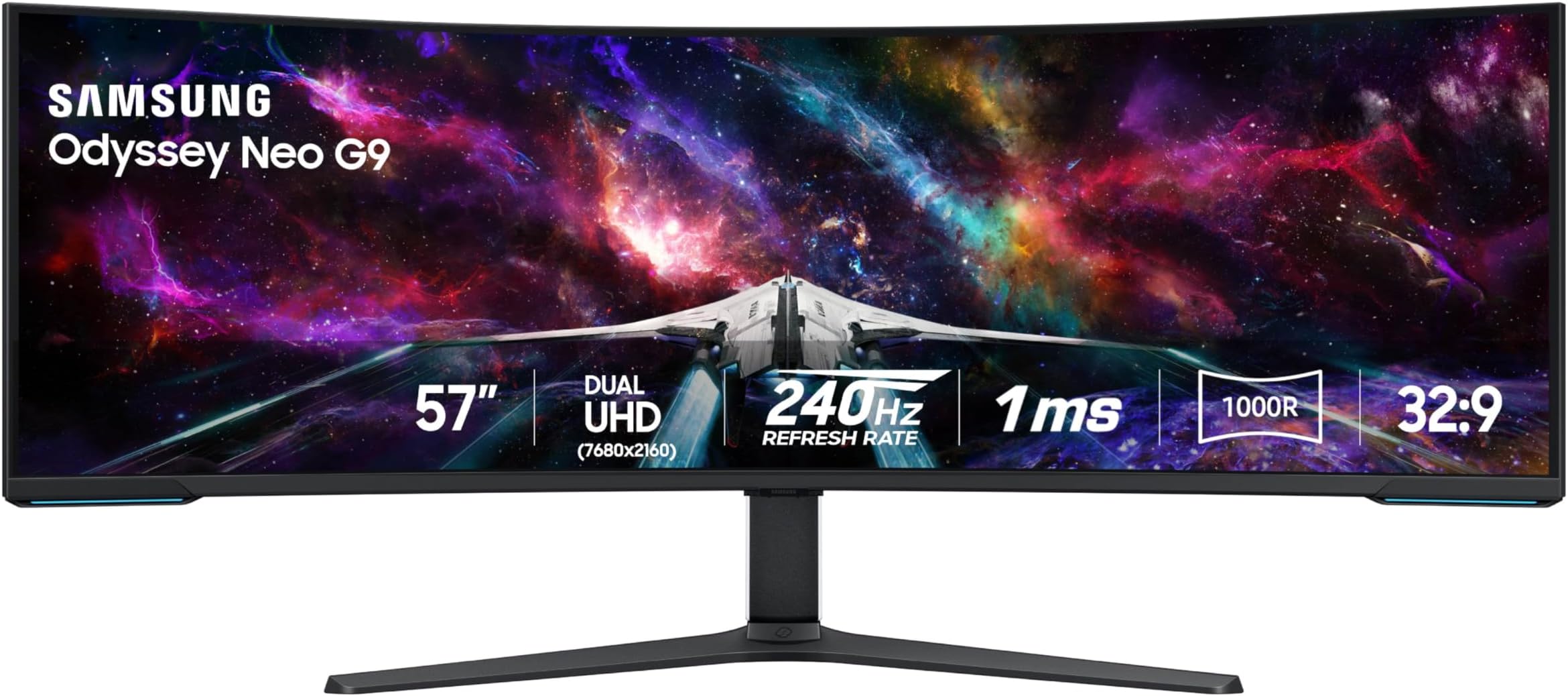










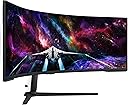



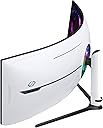


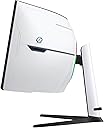

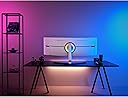
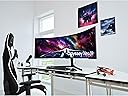
Buy Review: I took a chance on this monitor hoping it would work well with my setup, and I’m very glad I did. I don’t game at all. This is used 100% for business and productivity. My setup: • MacBook Pro M2 Max • 32GB RAM, 1TB SSD • macOS Tahoe 26.2 • OWC Thunderbolt Dock • Apple wireless keyboard with Touch ID and Apple Mouse Connection-wise, you can use HDMI, but I strongly recommend DisplayPort to USB-C. In my case, I already had the OWC Thunderbolt dock from a previous setup, so this was an easy upgrade. I only needed to buy a DisplayPort-to-USB-C cable. The result is exactly what I wanted: one cable to the MacBook, running in clamshell mode at all times. The monitor drives full native resolution at 120Hz, which is perfect for macOS. Everything is smooth, sharp, and stable. I did need to update the firmware. Fair warning: the firmware update failed a few times (three, to be exact). After resetting the monitor and trying again, it succeeded on the fourth attempt. My advice: be persistent, once it updates, everything works as expected. As for daily use: this monitor is awesome. The amount of screen real estate completely changes how you work. I can keep multiple applications and windows visible at the same time without constantly switching between desktops or displays. That alone has been a huge productivity boost. The image quality is excellent. Crisp text, very bright, and incredibly immersive. For serious work, this feels far more efficient than running dual or even triple monitors. Bottom line: if you’re a Mac user looking for a high-end productivity display and are willing to spend a little time dialing it in, this monitor is absolutely worth it. Once set up, it’s rock solid and a joy to use. Review: This monitor is amazing! It replaced my dual screen setup, and while in terms of screen space I have neither gained, nor lost, it does have flexibility to split my screen into 3 or 4, which is very handy. Though I believe it is marketed as a gaming monitor, I use this monitor almost entirely for productivity, and a little bit of media. The curvature is great for me, no eye strain and I do not have to swivel my neck around which is great as I have some neck issues. Text, and I work with text all day long plus some, is very clear. The instructions for assembly were clear, and while I could do most myself, I did need to get someone to help me actually lift it out of box and onto my desk. It is heavy! I have a sit-stand add-on on my desk and this monitor is too heavy for the sit-stand to "lift" (maybe I can adjust with settings though I suspect I exceed the weight limit). A sit-stand desk may be better in that case. Also be prepared to have a lot of room to set up and breakdown materials, as this is a big monitor in a big box with a lot of protective wrapping. I am so pleased I went with this size. It was expensive ($2,199 at time I purchased, though $1,998 at the time I am writing this review) however I have zero regrets. It was well worth it as it has really boosted my productivity, and even made my day job more pleasurable. I'd recommend this even for the non-gamers amongst us who are more interested in productivity uses. If you work in a relatively boring office environment though, be prepared for people to ask when your space suit is coming back from the dry cleaners. The rear of the monitor definitely has a futuristic look.
















| ASIN | B0CDQM55C9 |
| Aspect Ratio | 32:9 |
| Brand Name | Samsung |
| Customer Reviews | 4.2 4.2 out of 5 stars (436) |
| Hardware Connectivity | DisplayPort, HDMI, USB |
| Has Color Screen | Yes |
| Item Weight | 41.9 Pounds |
| Model Number | FBASAMLS57CG952 |
| Response Time | 1 Milliseconds |
| Screen Size | 57 Inches |
| Total USB 2.0 Ports | 2 |
| Total USB Ports | 2 |
| Total Video Out Ports | 3 |
| UPC | 887276756738 |
| Voltage | 240 Volts |
B**N
I took a chance on this monitor hoping it would work well with my setup, and I’m very glad I did. I don’t game at all. This is used 100% for business and productivity. My setup: • MacBook Pro M2 Max • 32GB RAM, 1TB SSD • macOS Tahoe 26.2 • OWC Thunderbolt Dock • Apple wireless keyboard with Touch ID and Apple Mouse Connection-wise, you can use HDMI, but I strongly recommend DisplayPort to USB-C. In my case, I already had the OWC Thunderbolt dock from a previous setup, so this was an easy upgrade. I only needed to buy a DisplayPort-to-USB-C cable. The result is exactly what I wanted: one cable to the MacBook, running in clamshell mode at all times. The monitor drives full native resolution at 120Hz, which is perfect for macOS. Everything is smooth, sharp, and stable. I did need to update the firmware. Fair warning: the firmware update failed a few times (three, to be exact). After resetting the monitor and trying again, it succeeded on the fourth attempt. My advice: be persistent, once it updates, everything works as expected. As for daily use: this monitor is awesome. The amount of screen real estate completely changes how you work. I can keep multiple applications and windows visible at the same time without constantly switching between desktops or displays. That alone has been a huge productivity boost. The image quality is excellent. Crisp text, very bright, and incredibly immersive. For serious work, this feels far more efficient than running dual or even triple monitors. Bottom line: if you’re a Mac user looking for a high-end productivity display and are willing to spend a little time dialing it in, this monitor is absolutely worth it. Once set up, it’s rock solid and a joy to use.
A**A
This monitor is amazing! It replaced my dual screen setup, and while in terms of screen space I have neither gained, nor lost, it does have flexibility to split my screen into 3 or 4, which is very handy. Though I believe it is marketed as a gaming monitor, I use this monitor almost entirely for productivity, and a little bit of media. The curvature is great for me, no eye strain and I do not have to swivel my neck around which is great as I have some neck issues. Text, and I work with text all day long plus some, is very clear. The instructions for assembly were clear, and while I could do most myself, I did need to get someone to help me actually lift it out of box and onto my desk. It is heavy! I have a sit-stand add-on on my desk and this monitor is too heavy for the sit-stand to "lift" (maybe I can adjust with settings though I suspect I exceed the weight limit). A sit-stand desk may be better in that case. Also be prepared to have a lot of room to set up and breakdown materials, as this is a big monitor in a big box with a lot of protective wrapping. I am so pleased I went with this size. It was expensive ($2,199 at time I purchased, though $1,998 at the time I am writing this review) however I have zero regrets. It was well worth it as it has really boosted my productivity, and even made my day job more pleasurable. I'd recommend this even for the non-gamers amongst us who are more interested in productivity uses. If you work in a relatively boring office environment though, be prepared for people to ask when your space suit is coming back from the dry cleaners. The rear of the monitor definitely has a futuristic look.
M**.
I've had this monitor for 3 months now and I am very pleased. I really have no significant complaints. The only down side so far for me is that my video card supports a max of 120hz at 7680x2160. That's no fault of the monitor but rather a limitation of my RTX 4080 Super. Beyond that, there are only positives. Most of my time is not spent gaming so it's important that the monitor does well at non-gaming tasks, which is really does. Text is beautifully crisp, colors are vivid - just a pleasure to use every day. Gaming performance is excellent - best screen I've had to date. Just beautiful. Overall, a monitor I can easily recommend based on my experience to date. Well worth the money.
E**N
The Samsung Odyssey NEO G9 is an absolute powerhouse when it comes to immersive gaming and productivity. The 49-inch curved display with Quantum Mini LED technology delivers incredible picture quality, with deep blacks, vibrant colors, and exceptional contrast. Whether you're gaming or working, the 5120x1440 resolution provides crystal-clear visuals, and the 240Hz refresh rate ensures smooth, responsive gameplay. One of the standout features is the HDR2000, which makes everything look incredibly lifelike. The G-Sync and FreeSync Premium Pro support eliminate screen tearing, making it perfect for high-intensity gaming sessions. The ultra-wide screen is like having two monitors in one, which is great for multitasking without the need for multiple displays. However, there’s one big drawback: its size. The monitor is so large that it overwhelms my 23-inch deep desk, making it difficult to position comfortably. If you don’t have enough desk space, you might find it challenging to fit this beast into your setup. Despite this, if you have the room and budget, the Odyssey NEO G9 is a top-tier monitor that delivers an unrivaled experience in both gaming and productivity. Just be sure to measure your desk before making the investment!
J**X
Love it. Was unsure about moving from two, side-by-side ASUS monitors, pivoted in towards the center, to this monitor, but now I wonder why I didn't make the move sooner, and don't think (at least for Day Trading), that I can ever go back to my previous setup of side-by-side monitors. Was also a little apprehensive about a curved monitor and it maybe being "too close," but loving it. Form Factor Lines are clean, back cable insertion bay (and cover) are tidy, response time is great, resolution is crisp. Running this off a 2025 Mac Studio M3 Ultra. Had a few little wonky times setting it up (more Mac related, I think). Because I wanted to utilize as much real estate as the monitor would allow, I set the resolution to 5120 x 1440. When I'd restart the computer, my Mac Studio would sometimes reset the resolution to something else (ie: lower res / bigger windows / less able to fit on the screen). I found an App called "Better Display" / "Better Display Pro", and that has been a Godsend. If it's monitor related, this App will let you configure it in a zillion ways. The App has more resolution options than I've ever seen (I'm used to seeing like 4-8 options....this App was offering up to like 30(?)+ resolution options. Have actually thought about replacing the multiple ASUS 27" Pro Art monitors I have above THIS Samsung unit, with ANOTHER one of these Odyssey Neo G9's...but, need to make a little more money to be able to justify that (haha)...but, seriously considering it. If you need an arm for this monitor, so that it levitates off your desktop, I highly recommend: ULTRARM Heavy Duty Monitor Arm for Ultrawide Monitors up to 57" and 44 lbs, Single Desk Stand, Pneumatic Height Adjustable, Modular Extension Arms - Max VESA 100x100, White, MODEL: MA20PW-S
Trustpilot
2 weeks ago
2 weeks ago