




✨ Elevate your Galaxy Tab game with magnetic flair and colorful command! 🖤
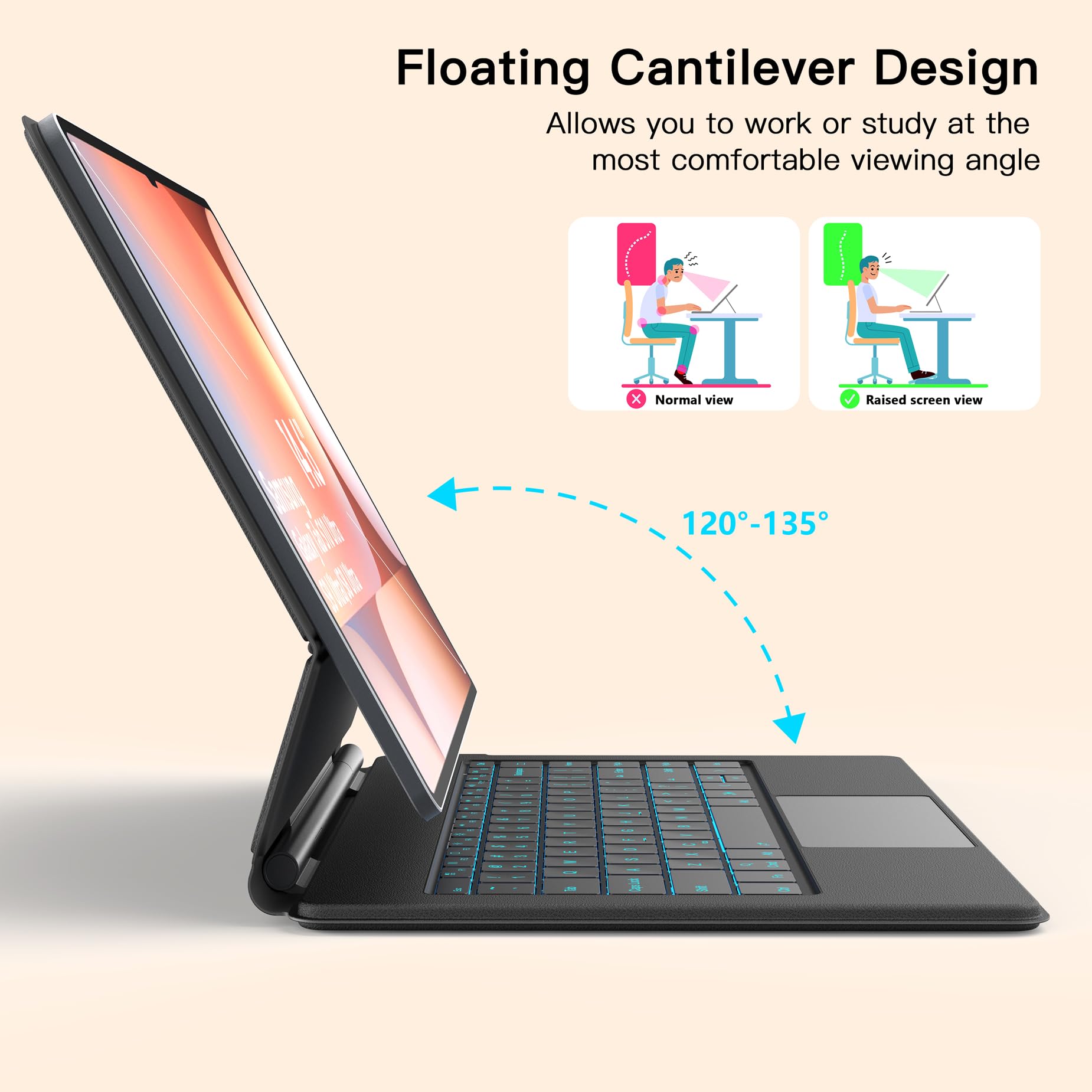
The Samsung Galaxy Tab S10Ultra S9 Ultra S8 Keyboard Case is a premium matte black accessory tailored for 14.6" Samsung Ultra tablets. Featuring a unique floating cantilever magnetic stand, 7-color adjustable backlit keyboard with 3 brightness levels, and a built-in multi-gesture touchpad, it transforms your tablet into a versatile productivity powerhouse. Lightweight yet protective, it offers seamless access to all tablet functions and supports up to 80 hours of wireless use without backlighting.


| Brand | Sackei |
| Product Dimensions | 33.4 x 22.48 x 1.52 cm; 907.18 g |
| Batteries | 1 CR5 batteries required. (included) |
| Manufacturer | Sackei |
| Colour | Black |
| Power Source | Battery Powered |
| Are Batteries Included | Yes |
| Lithium Battery Energy Content | 500 Milliampere Hour (mAh) |
| Lithium Battery Packaging | Batteries contained in equipment |
| Number Of Lithium Ion Cells | 1 |
| Item Weight | 907 g |
| Guaranteed software updates until | unknown |
S**A
UPDATE 11/8/2025: The replacement was delivered yesterday, and it's working perfectly. Amazing service! UPDATE 11/4/2025: I contacted the manufacturer (Sakei) through their Amazon storefront and explained the issue. They got back to me a few hours later and asked for the order number and my address. They said that they will ship the replacement soon. I am impressed! I am restoring the rating back to 5 stars. UPDATE 11/3/2025, after 4 months of use: some of the keys (like "C") stopped working. I rebooted the tablet and power cycled the keyboard, and it temporarily came back to life, only to stop working again. The second time, power cycling did not help. I am dropping the rating down from 5 to 3 stars while I wait for Sakei's product support to get back to me with a solution. I will post an update as soon as I hear back from them. Original review: Keyboard: The keyboard is very well made: the material feels premium and pleasant to touch. The keys have decent travel and the keyboard is *much* more convenient to type on than Samsung Keyboard Book Cover (with trackpad and backlight) and its Slim version (lacks trackpad and backlight). In fact, I feel like I can comfortably type for hours on his keyboard, but I cannot say the same about the above original Samsung keyboard book covers. The trade-off is that this cover is heavier, but I will take this trade-off. The backlight is bright, and you can choose between several colors and levels of brightness. The hinge does not open all the way to the advertized 120 degrees and rather stops at 110 degrees (see attached photo). Not a dealbreaker, but an extra 10 degrees would be nice to have. However, even with the opening of 110 degrees, when I type on my lap, so the keyboard and tablet are slightly inclined away from me, I have to hold down the keyboard with my palms so it does not tip over -- I got used to it rather quickly and soon this became my second nature. The hinge is solid but springy, so the tablet wobbles towards and away from the keyboard if the keyboard shakes (e.g., when in the car). In addition to the standard keys on Samsung Book Cover keyboards, the Sakei keyboard has an extra vertical column of buttons, which includes Home-PgUp-PgDn-End keys. I have not yet gotten used to them and keep pressing the End key, which is in the bottom right corner of the keyboard, instead of the Right Arrow key. I have not found an "Fn Lock" shortcut, which would permanently map the top row to F1-F12 keys: so, in order to access the function keys, I have to use the Fn+F1, Fn+F2, etc. key combinations. Not a deal breaker, but the standard Samsung Book Cover keyboards allow Fn lock by long-pressing the Fn key. Trackpad: The trackpad is feels like it's also made of a premium material, however, it's a bit awkward to click it, especially if using the keyboard on your lap. However, tapping it is OK. Scrolling (two finger up or down swipe) is also a bit awkward, at least for my larger hands, because the touchpad is pretty small. Even at the slowest scrolling speed setting on Samsung Galaxy S10 Ultra, the scroll speed is too fast; moving the cursor is OK. The scrolling becomes more reasonable if I disable the "increase pointer accuracy" option in settings, however, then the mouse cursor does not accelerate when you move it faster, and it becomes hard to move it around the screen. I wish that there were two separate settings of "increase pointer accuracy": one for moving the cursor around and another for scrolling. To perform the right click, you need to use a two-finger tap gesture, which is not something I am used to, but does not seem to bother me because I rarely use the right click. There is a shortcut (Fn+Space) to disable the trackpad. Backlight: The keyboard backlight is bright, and you can choose from 4 levels of brightness (using the Fn+Right Shift shortcut, which cycles through off-1-2-3 brightness levels) and 7 different colors (using the Fn+Enter shortcut, which cycles through red-green-blue-yellow-cyan-purple-white backlight colors). Stylus attachment: The cover leaves the stylus exposed in its "parked" position on the back of the tablet. On the one hand, this makes it really easy to access the stylus by reaching over and behind the tablet with my index and middle finger and pulling the stylus up and towards me, which causes the stylus to "roll" out of its parked position with a satisfying amount of magnetic resistance. Some other reviews mentioned the concern about possibily losing the stylus. So far, I have not experienced that, and the magnetic attachment seems to be securely holding the stylus in place. When using the stylus to write on the tablet while the tablet is magnetically attached to the cover, there is weird quarter size "blind spot" towards the bottom right of the screen, where the stylus does not register touch (if you draw a straight line through this spot, the line will skip the spot. Stylus touch sensitivity comes back once the cover is disconnected from the tablet. Although a bit annoying, this is not a deal breaker, because I typically detach the tablet from the cover when I write on it. Finger touch sensitivity does appear to suffer, so you can navigate using touchscreen instead of trackpad if you so prefer. Charging and battery life: I left the keyboard to charge for a few hours upon unpacking it, and have not yet run out of juice. The manual says that the battery life is 5 or 6 hours, which is less than the battery life of the tablet, but I have not yet been able to drain the keyboard battery. Connectivity: The keyboard connected without any problems to my Galaxy Tab S10 Ultra. After a period of inactivity (around 5 or 10 minutes), the keyboard goes to sleep in order to save power, but it seemingly instantly wakes up if you click any key or touch the trackpad. This has worked smoothly in all apps except when watching full-screen movies on the CW website in Firefox Beta browser: every time the keyboard switched on or off, the browser would exit full screen and go to the previous web page. I have not experienced the same issue in any other apps or web pages, so this might be a weird fluke. Overall rating: Excellent! I am extremely impressed by the quality of this keyboard and the typing performance. This keyboard is the closest to converting the gynormous Samsung tablet into laptop and is a lifesaver for travel. It allows you to type while resting the keyboard on the lap, although the touchpad becomes more finnicky for clicking (okay for tapping). The original option that allows typing on your lap is Samsung Keyboard Book Cover Slim, however, it has very short key travel distance, is much less comfortable to type on, and has neither trackpad nor backlight. I got it on sale for $143, and in my assessment it's worth every penny, because it finally provided a way of converting the beautiful tablet into a fully-fledged android laptop. If you install graphical Linux through the combination of F-Droid + Termux + Termux-X11, you can have access to fully fledged linux deskop apps, including jupyter server, LibreOffice Desktop, various text editors (e.g., Emacs), and PDF viewers (e.g., qpdfview).
B**N
Works descent as a keyboard and would be great if it wasn't for the intermittent bluetooth connection loss. The keyboard is build well and feels good and solid. The color options is average but decently bright. The battery life is amazing and honestly the best thing from this keyboard. I wish the cantilever would fold further back but it's usable. Honestly the two things holding this back is connectivity issues and the limited view angles.
D**.
This keyboard is as sturdy as it is ergonomic and sleek! The magnetic base is strong and mounts the tablet with no effort. It never slides off, nor does it fold close unless you make it do so. When closed, it’s naturally slim and fits well in any standard backpack or travel bag with ease. The backlit keyboard feels like quality to type on as the keys give a satisfying “click”. Connectivity is a breeze and the battery lasts a decent amount of time. Only two drawbacks are the limited degree of angles one can tilt the screen, but for my purposes it is quite sufficient. Also, if you sit the tablet and case on an uneven surface such as a bed, it can get a little too heavy and fall backwards. Overall, if you are seeking a Magic Keyboard experience for the android family, you can’t go wrong with this product. Highly recommended!
M**N
It is just a bluetooth keyboard. The case is nothing all that special and in fact the over priced Samsung keyboard is a better option.
G**V
works good for it price
Trustpilot
1 week ago
2 months ago



