Desertcart purchases this item on your behalf and handles shipping, customs, and support to Philippines.
✍️ Elevate your iPad artistry with the smoothest paper-like feel—because your ideas deserve the best!
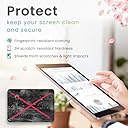
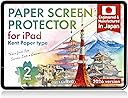
The BELLEMOND Kent Paper Screen Protector for iPad Air 11 (M4/M3/M2) offers a premium matte surface inspired by traditional Kent drawing paper, delivering smooth Apple Pencil control while reducing tip wear. Designed and manufactured in Japan with high-quality PET materials, this 2-pack protector balances low glare and optimal texture for artists and writers, ensuring durability and enhanced creative performance.


| Asin | B0FK4769TR |
| Best Sellers Rank | 8,671 in Computers & Accessories (See Top 100 in Computers & Accessories) 134 in Tablet Screen Protectors |
| Brand Name | BELLEMOND |
| Clarity | 7 |
| Colour | Clear |
| Compatible Devices | iPad |
| Compatible Phone Models | iPad Air 11" (M3 / M2), iPad Pro (11"), iPad Air (11", M3 / M2), iPad Mini (6th / 7th Gen), iPad (10th Gen) |
| Country Of Origin | Japan |
| Customer Reviews | 4.3 4.3 out of 5 stars (1,341) 4.3 out of 5 stars |
| Finish Type | Matte |
| Included Components | Kent Paper Screen Protetctor x 2, Installation Kit x 2 |
| Item Dimensions L X W | 24.8L x 17.8W centimetres |
| Item Hardness | 3H |
| Manufacturer | BELLEMOND |
| Material | Polyethylene Terephthalate |
| Model Name | GFLPLKNTIP-ARM2-2S-1100 |
| Model Number | GFLPLKNTIP-ARM2-2S-1100 |
| Number Of Items | 2 |
| Part Number | GFLPLKNTIP-ARM2-2S-1100 |
| Product Warranty | Limited manufacturer warranty provided by BELLEMOND. Please contact our customer support team for assistance. |
| Screen Size | 11 Inches |
| Screen Surface Description | Matte |
| Special Features | Matte Finish |
| Unit Count | 2.0 count |
User
There’s a trick for easy application
Excellent texture to the screen protector and amazing value for 2 screen protector and doesn’t compromise as much display quality compared with paperlike. Which is great for me as I watch a lot of films on my iPad Pro. I like that it also isn’t as reflective which is something that annoyed me when I used to use tempered glass. You do still get a bit of a reflection but it’s a lot less and anything reflected is blurry which makes overhead recording so much better if you do YouTube, IG reels, TikTok etc.Application for flexible screen protectors will always be more tricky than say tempered glass but if you know the trick then it’s easy… the screen protectors only come with 1 Sticky tab per protector and I went with my own method instead of the instruction so here’s what I did…I lined up the screen protector and then I used 2 pieces of tape which I stuck to the back of my iPad and once the protector was positioned correctly (like door hinges, one higher up and one lower) I pulled the ends of the tape and attached to the left side of the screen protector creating a door. (I did mine on the left since I’m right handed).Then once testing that the protector wouldn’t move out of position thanks to the door like hinges that the tape created. I cleaned the screen and also the plastic covering the screen protectors so nothing fell off onto my screen during application (we have pets so I had to be extra careful there wasn’t any pet hair).Once I was ready for the application I started to peel the underside of the protector away a little bit at a time (from left to right) then worked the screen protector down little by little pushing any bubbles out if there were any before pulling the underside plastic off more and more until the whole screen was stuck down.Then I just went around the edges of the blue side making sure it was all stuck down properly (the blue plastic did pull a bit on the edges when I did this but the screen protector was absolutely fine). Then peel off the blue plastic and you’re done!In total it didn’t even take 5 minutes (from cleaning to actual application) to get a bubble free application down.Overall very very happy with the protector.The only slight issue I’ve discovered is my touch recognition is something not picked up but the reason I’m not taking a star off yet is just incase it’s to do with me needing to adjust setting in my iPad. Plus haven’t seen anyone else mention this in their reviews. Will update stars if I find out that it’s the protector causing this issue but for now I’m not sure it is.
User
Makes drawing on an iPad so much easier and far less slippery, much more like drawing on paper.
I have been using my iPad Pro and Apple Pencil for a few years and cursing how slippery the screen is to draw on.Today, with a bit of trepidation (due to my memories of trying to apply a phone screen protector many years ago and peeling it off and re-applying it many times, and then being left with lots of air bubbles) I applied my new BELLEMOND 2 SET - Japanese High Grade Kent Paper Screen Protector for iPad Pro 12.9" (2017) to my iPad and things seem to have come on leaps and bounds in the last few years with regards to the covers as this was a dream to apply.The screen protector has, what I would describe as an over-head projector type film struck to it that helps you to align and place the film in place. I followed the very simple instructions (you get two wet wipes, two dry cloths, two dust remover stickers and card, one for each screen protector) and I have only one teeny tiny little air bubble, it may have been a little dust that got in at the very last minute (I have included a pic to show how smooth and air bubble free it is).Now the very important bit: I just tried drawing on it and it's perfect, it's exactly what I was looking for, I needed more resistance like you get when drawing on paper and that's what it does. I'm a graphic designer (who's a bit of a perfectionist!) and use my iPad a fair bit for drawing and I'm just kicking myself that I didn't buy these screen protectors much sooner, no more slippery slidey screen, excellent, very, very happy with my purchase.
User
Fantastic feel, a pain to put on.
I would give this 5/5 if the thing wasn’t so awkward to put on. One went straight in the bin as it curled on itself and picked up a load of dust, the second one went on okay, a few bubbles but I was able to work them out. I have a couple bubbles right in the corners but they’re off of the screen area so not an issue, but that was from peeling the thing back a few times to work out the bubbles in the middle so the corners lost their adhesive.BUT, it feels fantastic. Drawing and writing on it has a really nice haptic feedback feeling without being too harsh and scratchy. Once you’ve got it on, it’s great!
User
Feels great!
Don't let the bad reviews put you off, I managed to place this on my iPad with little struggle and no air bubbles! (Didn't need to use the shower trick either, and my room is quite dusty so it took some focussed attention and care and it laid out great).Feels great with the Apple Pencil, a nice paper texture while still remaining smooth and not making the display too dull and it even sounds like drawing on paper. It's expected the colours would be a little muted but that's just the nature of matte/paperlike screen protectors. To be honest, the more matte and anti-glare appearance of the screen helps a bit with eye strain, especially if drawing for hours and staring into the screen.As its performance is geared towards using with the Apple Pencil, it does wear on your fingers a bit if you're swiping around a lot bare fingered, but this is a great screen protector if your iPad is used a lot for drawing and note-taking and it's easy to get used to that little nuisance.Worth the money and does its job well!
User
Easy to fit, works well
Fantastic product, transforms 5he writing experience on my IPad mini. And the best installation instructions of any screen protector I’ve ever fitted. Just scan the qr code included to watch the video. Everything was included.
User
Eliminates sweaty hand smudges -10/10⭐️
This is a great product. Once you’ve got past the initial stage of putting it on it’s amazing, I really recommend this product if like me you don’t like getting smudges all over the screen - this completely eliminates that. It’s also super nice to use as it really does feel like paper ish and does eliminate glares.
User
Amazing product but let down by application
This is such a wonderful paper-like screen cover but is let down by the application process.I’ve applied dozens of screen protectors to dust-free perfection, but this experience was the worst I’ve had to date.Other brands of ‘paper-likes’ typically use a ‘hinge’ method (two stickers applied to back of device to help with alignment) this gives you plenty of leeway with getting your device dust-free right up until the last moment, which this does not. With Bellemond the process BEGINS with peeling of the adhesive layer slightly, leaving you in the precarious spot of attempting to align correctly WHILE getting rid of those pesky dust specks that manage to show up at the last second; then after much frustration the full peel can be done. I considered attempting to apply the Bellemond with the hinge method too but the adhesive peel is actually larger than the screen protector itself making this idea moot.The card provided to squeeze out air bubbles is also rubbish, its flimsy and cuts into the last protective layer with little pressure. On similar products this card would be much firmer and has a fabric-like end to avoid this. Thankfully this time I didn’t manage to damage the screen protector when de-bubbling.As for the screen protector itself it is buttery with just the right amount of tooth, has the tiniest decrease of display clarity (normal for paper-like products) and the Apple Pencil glides across smoothly with no grinding noise (fresh tip also applied today).Bellemond would do well to copy the application process of its competitors. Because if they do, this would be without a doubt be the top product of its kind.TL;DR avoid this if you have little experience of applying screen protectors. If you are decent at applying then consider getting an extra pair of hands to be on dust speck duty while you align and peel.
User
Fantastic Cheaper and Better Alternative to Paper-Like
*Ignore the bad removes*This screen paper-like protector is awesome. I've had paper-like for 3 years, and since upgrading to a larger iPad, I didn't want to pay the same £30 cost again, so I went for a cheaper alternative (hesitantly) but will never look back. This Japanese brand is amazing, it really does feel more authentic than Paper-Like, minus the stupid cost they charge!The installation was easy, with no issues encountered, people who bugger the install up are clearly doing it wrong! People who are hesitant with the install, get the 2 pieces for an extra couple ££!After using it for almost 1 month, I see no scratches (using iPad Case to cover screen when not using) and no tip wear (So far)Update: the slight negative about this product, the glare from light can be quite stressing for the eyes. The protector doesn’t handle glare well, definitely needs an improvement in that department.
User
Excellent product
The product is as described however I found it tricky to apply. One corner keeps lifting and I find the screen not to be as touch sensitive as without. However, writing and sketching on it is great. Real paper feel.
User
Tercera vez
Llevo usándolo varias veces ya y siempre vuelvo a este producto. La aplicación tiene que ser más delicada, pero todo bien.No come mucho mi apple pencil, cambié la punta un año mas tarde
User
Perfetta e ottimo feedback
Facile da applicare. Ottima dimensione anche con cover più grandi. Ottimo feedback effetto carta.
User
Lätt att montera
Lätt att sätta på plats, men det blir lite brytningsfel av det, pixlarna ser annorlunda ut. Känslan när man ritar med apple pencil är bra. Har inte testat några andra papperslika skärmskydd så kan inte jämföra med andra.
User
Muy similar al papel
Todo un descubrimiento. Acostumbrada a escribir sobre cristal, la primera sensación es como de asperezas, pero mucho más parecido al papel. Estoy encantada.
Trustpilot
1 month ago
5 days ago