
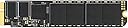
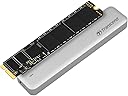



Transcend 240GB JetDrive 520 SATAIII 6Gb/s Solid State Drive Upgrade Kit for MacBook Air, Mid 2012 (TS240GJDM520)
Product ID: 957231
⚡Max Read: 495MB/s
🔗SATA III 6Gb/s Interface
✍️Max Write: 427MB/s
🚀 Elevate Your Mac Experience!
The Transcend 240GB JetDrive 520 is a high-performance SSD upgrade kit designed specifically for mid-2012 MacBook Air models. With impressive read speeds of up to 495MB/s and write speeds of 427MB/s, this SATA III 6Gb/s interface drive enhances your device's performance. The kit includes SSD monitoring software and allows you to repurpose your original SSD into an external drive, all while maintaining compatibility with USB 3.0 and 2.0 connections.
| ASIN | B00JKCHNOU |
| Additional Features | Portable |
| Best Sellers Rank | #4,395 in Internal Solid State Drives |
| Brand | Transcend |
| Built-In Media | Full unit |
| Cache Memory Installed Size | 256 |
| Color | Black |
| Compatible Devices | Laptop |
| Connectivity Technology | SATA, USB |
| Customer Package Type | FFP |
| Customer Reviews | 4.6 out of 5 stars 1,011 Reviews |
| Digital Storage Capacity | 240 GB |
| Enclosure Material | Aluminum, unknown |
| Form Factor | 2.5-inch |
| Global Trade Identification Number | 00760557828280 |
| Hard Disk Description | Solid State Drive |
| Hard Disk Form Factor | 2.5 inches |
| Hard Disk Interface | USB 1.1 |
| Hard-Drive Size | 240 GB |
| Hardware Connectivity | SATA 3.0 Gb/s |
| Hardware Platform | Mac |
| Installation Type | External Hard Drive |
| Item Part Number | TS240GJDM520 |
| Item Weight | 2.08 ounces |
| Manufacturer | Transcend |
| Media Speed | 460 megabytes_per_second |
| Mfr Part Number | TS240GJDM520 |
| Model Name | JetDrive 520 |
| Model Number | TS240GJDM520 |
| Number of Items | 1 |
| Read Speed | 570 megabytes_per_second |
| Special Feature | Portable |
| Specific Uses For Product | Personal |
| UPC | 760557828280 012304674368 |
| Warranty Description | Five-year Limited Warranty |
L**R
Transend 480GB SSD for 2012 Macbook Air
My Review of the Transcend JetDrive 520 480GB SSD in a 2012 11" MBA. My Review also includes a comparison of the JetDrive with the OWC Aura Pro Drive. I ordered the OWC Aura Pro Drive the day before the Transcend Drives were announced. Before I received the drive, I called OWC to see if they would price match, and the answer was no. So, I thought Shame on Me. OWC's pricing was $449. for a bare drive and $475. for one that included tools and an enclosure for the old SSD. (OWC's pricing has since been reduced to $398. and $419. respectively) I opted for the bare drive. I installed the drive, and as others have noticed, the vertical dimension of the circuit board the components are mounted on is a millimeter or 2 larger than the stock SSD. Others have cut the board, I didn't, I applied a little pressure and it snapped into place. OWCs installation video is, IMO, far better than the Transcend video. Once set up, the SSD seemed to work fine, for awhile, but less than a day later, the drive started giving me problems. I tried repairing it with both Disk utility and Tech Tool Pro, both to no avail. Two days later it happened again. I called OWC and asked for an RMA. They agreed but said I would have to pay a restocking fee and pay for return shipment. I challenged that, saying this was not a capricious return, that the unit was defective and I expected OWC to pay for shipping and refund the full amount. They agreed, and sent me a UPS label. When ordering the Transcend JetDrive I was quoted a delivery time of from 2 to 4 weeks. The unit was shipped 3 days after the order was placed and I received it one day later, that's 4 days after order placement! The price of the JetDrive 480 GB SSD from Amazon was $350. + Sales Tax (OWC charges no tax in Arizona). If I could have waited longer, I could have bought it from my memory Supplier, Data Memory Systems and not paid Sales Tax, but Transcend has not yet supplied it's distributers with this product. Upon receipt of the JetDrive, yesterday, the first thing that jumped out at me was the packaging. The OWC SSD came packed in an anti-static bag enclosed in a thin gauge blister packed piece of cardboard with blue printing. It looked the packaging used by Ace Combs. The Transcend packaging on the other hand was impressive. A heavy gauge white slide out box with a full color picture of the SSD. The box was multi layered and contained the drive, the enclosure for the OEM drive, and the tools necessary for installation. Each layer was a plastic bed with depressions sized to fit the associated parts. It also contained an instruction booklet and warranty information. The instructions are, IMHO, inadequate, and only two pages apply, the other 26 pages being written for other languages. The tools worked very well, and installation was a breeze. the form factor of the circuit board is the same as apple's so no undue pressure was needed for installation. My old SSD fit into the supplied enclosure with no issues. I then cloned the JetDrive using Tech Tool Pro from the external Hybrid Drive I had been using as the main drive for my MBA. I foolishly ordered my MBA with only the 64GB SSD. No issues. Everything is working as expected. In terms of speed. I have not measured the speed, but it feels very snappy. I believe the OWC and Transcend drives to be equal here. Transcend even supplies software to enable Apple's Trim support, OWC does not. There is however, third party software that enables Trim, Trim Enabler. I use that anyway for the SSD I use in my Mac Pro. The Transcend drive seems to run color than true OWC drive. When feeling the bottom of my MBA where the SSD is mounted, the area while warm, is not as warm as it was with the OWC unit. In ending, I would urge anyone installing the JetDrive in a MBA to watch the OWC installation video, again, it is superior to the Transcend video, and will make things more understandable to you. The JetDrive is by far the superior product, and as of right now is $69. cheaper than the OWC Aura Pro. When I bought the OWC product, it would have cost $125 more than the corresponding Transcend product. That IMHO is Value. Currently, Apple charges $500. to go from a 128GB SSD to a 512GB SSD in the MBA. So, $350. for a 480GB SSD AND you get to keep your old drive, you can't beat that. The Transcend drive seems to run color than true OWC drive. When feeling the bottom of my MBA where the SSD is mounted, the area while warm, is not as warm as it was with the OWC unit.
D**D
Great SSD, Easy Upgrade!
It took me a total of about 20 minutes to upgrade my Mid-2012 13" MacBook Air with a 120GB SSD to this 480GB SSD! I have so much space free now that I could copy the 4 Windows VMware Fusion VMs back to the single drive on the system from the external drive they were previously on, and added 120GB a Boot Camp partition for Windows 8.1 w/ Updates to run in both natively and in VMware Fusion. I wish the MacBook Air was RAM upgradeable so I could run more than one VM at a time (I have 4GB RAM and configure my VMs for 2GB, which leaves 2GB for OS X, and 2GB for VMware guest OS's). The enclosure that came to use the original SSD as a super-fast external USB3 drive is great! I can even boot from it and it doesn't let a perfectly good SSD go to waste! I knock off one star (but really should be 1/2 or less if Amazon allowed it), because the Trancend JetDrive Toolbox isn't an identified developer as of the latest OS X Mavericks update 5/2/2014. This means to use it, I need to go into the System Preferences>Security & Privacy, and allow apps downloaded from anywhere to run. I changed the setting once, to enable TRIM support (TRIM is only enabled on Apple first party SSDs--hacks/utilities like the JetDrive Tooxbox needs to make configuration changes to OS X to enable TRIM for 3rd party SSDs). Once I used the JetDrive Toolbox to enable TRIM, I set the setting back to only allow identified developers and won't be using the Toolbox very often. Also, Dropbox detected the drive change and asked me to log-in again, and Mac Microsoft Office 2011 asked me to re-activate. But otherwise, everything else went smoothly. Hopefully Transcend gets their utility on the list of identified developers soon so this problem can be alleviated. But for now, I no longer have to swap my VM's in and out of my system, and the enclosure has given me the fastest 120GB USB3 drive I've ever had! I highly recommend this product if you're running out of space on your MacBook w/ a SATA SSD. Update 5/12/2014: As Transcend noted, they've updated their software and it now runs without having to reduce your system security. Drive is has been very fast and performs reliably. Its great being able to load up everything I need to without worrying about space! Updated to 5 stars!
S**J
Great Product works with OS X Yosemite
As possibly with most of the people reading this review I was torn up between the OWC Aura and Transcend JD 520. I was surprised that there were only two options given the popularity of MBAs (Maybe Apple controlled who could and who couldn't?). Anyway, I chose JetDrive 520 because of two simple reasons: 1. Reliability: I didn't want something that may or may not work. I wanted something that could mate perfectly with the MBA, no compromise on size, no adjustments, no variances in product (Incorrect length, imprecise cuttings, etc..) 2. Quality: When you look at the MBA, the #1 thing that catches most eyes is the quality. The workmanship and the fit-finish. If I was going to buy something that goes inside, I wanted to make sure that at least the enclosure that comes with it, should resemble the MBA itself. In addition to these, I couldn't go for the OWC aura because I felt Transcend was a bigger company and the lord forbid, something were to happen the MBA, I could at least get Discover Card to recognise the transaction and get a refund! Thankfully, nothing like that was necessary, the product worked as described, It worked like a charm, so much so that I have now removed the backup from my old 128GB sitting in the pretty faux aluminum (or is it real?) enclosure and put time machine backups of my MBA (Excluding my media of course, which is why I upgraded my SSD anyway). The performance seems good too, although I no longer have the zeal to download programs and benchmark few kb/s differences in read write speed, the system does feel faster. Not just psychologically but in real life like transferring from iTunes for example. The two things that I would like to comment as a parting note are: 1. Do NOT over-stress the P5 or T5 screws. Although the screw drivers provided of surprisingly awesome quality, do not put all your forearm power into tightening the screw! Also, if you are not careful selecting the right screw driver (P5 vs T5), some instances may lead to fine dust from the housing to deposit in the grooves for the screw and cause the screw to stick out in a little 'non flush' fashion. This will irritate you eventually as it'll stick up in the smooth underbody surface. So, if that were to happen to you, remove the screw, find a similar sized screw, probably from the immediate next one (there are few variations of these things, not all screws are the same length, which is expected in something of this form factor), blow some air so that the dust is dislodged from the screw housing and put the screws back in after interchanging them. 2. I upgraded to OS X Yosemite Beta Preview for developers, although I am not a developer, it worked perfectly without any compatibilty surprises from the SSD. Thanks for reading my review, as always, take the leap of faith and enjoy the difference :)
J**S
Okay Product, Easy Hardware Install
I just installed the Transcend JetDrive 520 (240GB) in my 2012 13" Macbook Air and am very pleased. The install is very easy if you feel comfortable with computer hardware and very tiny screws. The install was done using the included instructions and using the OS X DiskUtility for cloning a SSD. I did have an issue with the included pentalobe P5 screwdriver, the tip seemed to not be flat more rounded so I opted for using an iFixit Pentalobe P5 screwdriver. I did notice that the Mac Air with the new SSD booted slower than the original SSD. I tried a couple of times just to make sure, I figured it out soon enough. I my case the newly installed SSD was not being used as the Default Boot drive, it was still looking for the original SSD. Three minutes on the phone with Apple Support and the boot drive issue was resolved. Very please with the purchase, Would do again, Would Recommend! Updated Review, 6/18/2017, Fathers Day SSD Hard drive failure after 5 months... Turned on Laptop and got Flashing Folder with a Question Mark inside, Took Laptop to local Apple Store where they finally diagnosed the problem as a HD failure.. Not real Happy at this point. Talked to Amazon but since it was sold by 3 party vendor I will have to wait 24-48hours for the vendor to respond by email. I will update this review as things progress....
D**S
Excellent drive, very fast, quality package and tools
Love my new SSD. I replaced the factor Apple 128GB SSD with this model due to space constraints. Not only is the new SSD larger but it's twice as fast as the factory one. This is not that unusual for SSDs since larger models tend to be faster than smaller ones. But using BlackMagic bench mark I am getting twice the read and write speeds compared to the factory SSD. How this translates into the real world is that the machine feels snappier. I frequently copy large files (1-2 GB) and the increased thought put will make a noticeable difference. But overall the system seem snappier. SSDs in general are very fast, so the difference is not light and day, but it is noticeable. This model in particular I would like to state that Transcend did a good job with it. The box it came in, the included tools, the drive and external enclosure, all are top notch. The only thing lacking was the instructions, which were not up to the same level as the rest of the components here. The drive installed without any problem. The tools allowed me to open the back case of the laptop and install the new drive. I'd say it took 15 minutes including me cleaning out the dust that had accumulated inside the laptop near the exhaust vents and fan. Overall I'm extremely happy with the drive and will absolutely use Transcend again if I need another drive upgrade.
M**C
It's too bad my laptop predates an industry standard SSD blade connector
I waited as long as I could to upgrade from my 120GB SSD as I knew prices would drop down to where I could stomach them. It's too bad my laptop predates an industry standard SSD blade connector. C'est la vie. Either way, I picked up the 480GB version of the JetDrive 520. Installation was simple though the instructions don't really instruct so much as show the main bullet points of an installation. I've been in and out of various computer chassis for years. Thankfully the process looks something like this for just about every laptop out there: 1. Flip over laptop. 2. Remove every visible screw unless they are marked in some way to disqualify them (i.e. "Keyboard" in the case of some Dells and Toshibas to indicate they don't hold the bottom tray in place, rather they hold the keyboard in place) 3. Lift up on the bottom plate from the vent side of the laptop (where the long screws came out). 4. Identify part (it looks like the SSD you just bought) 5. Unscrew, lift slightly, and pull out on the SSD. 6. Insert new SSD at the same angle, slide in, and gently set down into place. Add retainer screw. 7. Replace all screws 8. Enjoy your SSD. I haven't tracked down the chipset used in this laptop but I had one of the slower Toshiba chipsets in my Air. This SSD is much faster. I'm going to assume it is a Sandforce or something else more modern. Regardless, it's a great product. The USB case is excellent as well and I appreciate the little extras included like good quality screw drivers and the external USB case pouch.
A**R
What a nice surprise!
I have to say, I highly recommend this company. Assuming you get the right one, I did... the hardware change out is awesome. It comes with 2 good quality screw drivers.. The real highlight and pleasant surprise, is it comes with a nice metal case to put the old drive in, with a USB cable so you can still use the old one!! How cool is that!! I figured it would be a paperweight. Now the not so good. The instructions are very clear, except I missed where it said to use GUID. That hung me for awhile. Once past that hurdle the copy went very fast. However.... it fails at the end with a failure to invert the APFS. The newer OSX uses a different file system, so the instructions are now invalid in this instance. I found a long convoluted process to fix it via the terminal window. I didn't want to do that, so I did a restore from my Airport backup system. Everyone uses those right!? NO? GET ONE!!! Invaluable. The first time I started a restore it started out extremely slow. I went to bed and the next morning it was up to 16hours to complete and climbing! I started over and then it went fine and was done in 4 hours. It rebooted and voilla, I'm back in business. A pita that I have to re-sign into everything including unlocking my Office, but hey we are good as gold now. Thanks for a quality product.
M**T
Excellent product, incomplete/inadequate directions
Bought this to replace the SSD in my mid-2012 MacBook Air. Overall the product is great so far, it is doing what I need it to. This upgrade along with a new battery should keep my MBA running for years to come (fingers crossed). As for install, the directions are incomplete/inadequate. The directions do not cover install/cloning if you are running Mojave. You need to format the file system as APFS if you are running Mojave otherwise you will not be able to upgrade to Catalina; Catalina runs APFS. I was able to find a post on an online forum that talked about this. The directions provided with the JetDrive only discuss using the Mac OS Extended file system so that is what I did for the first clone. When I went to upgrade to Catalina I got an error that said my SDD was the wrong file format. I had to repeat the process using APFS. Also cloning using the Apple Disc Utility, as stated in the directions, is painfully slow and didn't work for me. There doesn't seem to be an conclusive information online about why this doesn't work for some people but I was one of them. I tried twice over the course of several hours only to have the clone fail at the last step. Several people online noted that Apple Disc Utility stinks for cloning operations and that Carbon Copy Cloner was a much better product. I downloaded CCC and utilized the 30-day free trial to clone my SDD; I was able to clone 115GB in under 50 minutes. Hopefully this info helps other users that run into the same problems!
O**R
Gute Qualität, leichter Einbau, Datenübertragung etwas tricky
Ich hatte nur 128GB auf meinem MaBook Air aus 2012 und der Platz reicht einfach nicht aus, um vernünftig damit zu arbeiten. Also kurzerhand ein Tauschlaufwerk mit 480GB bestellt, was schnell geliefert wurde. Gut gefallen hat mir das mitgelieferte Werkzeug und das Case für die SSD. Würde ich auf jeden Fall empfehlen, da es den Datenaustausch erleichtert und man nach dem Tausch ein platzsparendes externes Laufwerk hat, das in jede Hosentasche passt. Der Einbau des neuen Laufwerkes geht sehr einfach und ist in wenigen Minuten geschafft. Soweit so gut. Wenn man das noch nie gemacht hat, wird es jetzt aber schwierig. Zuerst muss man die neues SSD in das Case einbauen und per USB an den Mac anschließen und dann die eingebaute Platte auf die neue klonen. Dafür benötigt man das Programm Carbon Copy Clone, das es in der Testversion für 30 Tage kostenlos gibt. Mit diesem Programm also die Daten auf die neue Platte übertragen. Zuvor die neue Platte nicht wie vom Programm vorgeschlagen formatieren, sondern auf jeden Fall APFS verwenden, sonst gibt es mit iOS-Updates Probleme. Die können dann nicht installiert werden, da eine Fehlermeldung kommt. Wenn das alles geschafft ist, die beiden Platten einfach gegeneinander tauschen und fertig. Beim ersten Start kann es etwas dauern, bis der Mac hochfährt, also keine Panik. Zur Not hat man ja noch die Originalplatte. Die Qualität der Platte und das Case sind sehr hochwertig und alles hat gut funktioniert. Bei YouTube gibt es auch Videoanleitungen. Ich hätte mit noch gewünscht, dass es eine solche Anleitung mit Hinweisen vom Hersteller gibt. Aber schlussendlich ging es auch ohne. Wer also mehr Speicherplatz braucht, kann hier zugreifen.
J**N
ok
wasnt compatible
J**H
Excellent
I purchased the JetDrive 520 960 GB SSD upgrade for my MacBook Air (mid 2012 model). The installation process was straightforward, the instructions provided were sparse but perfectly adequate. One thing the instructions did not include was information on enabling third party SSD TRIM support, which is supported by El Capitan and is a desirable feature. This is accomplished via the OS X terminal by means of the trimforce command (sudo trimforce enable). One unforeseen consequence of the SSD upgrade was that my copy of MS Office 2011 stopped working and I was prompted to reactivate that product. My (legitimate) product key was rejected, which resulted in a load of hassle with Microsoft, which was eventually resolved after I convinced them that I wasn't trying to install Office onto another Mac. Apart from the MS Office annoyance, I've had no problems. My computer appears to run marginally faster, I have loads of extra space, and being able to reuse the old drive in the supplied case is a huge bonus too.
ア**郎
概ね満足です
容量増という結果を果たせて満足。 取り付けに至る作業はいたって簡単です。 1点だけ疑問は、再起動が遅くなりました(体感で感じられるレベル)。 複数の方がしてきしておられるTRIMについてはOS X 10.10.4以降はAPPLE純正のTRIMFORCEで有効化できます。 (これもコマンド作業ですがネットで調べれば非常に簡単にできます)
M**R
A fantastic upgrade
Very pleased with this SSD. I did not copy my existing system across as is was time for a fresh install. Very easily installed using the supplied tools and a nice touch with the external drive case, make a great backup device. Performs very well, I'm getting 422MB/S write and 497 MB/S read speeds using blackmagic speed test, possible faster than the original! I takes a little longer for the macbook air to start up from sleep (only a couple of seconds) but I now have 480GB of very fast storage space that more than compensates for this. Overall - very pleased.
Trustpilot
1 day ago
3 days ago